customizable multi-action-button component for react-native
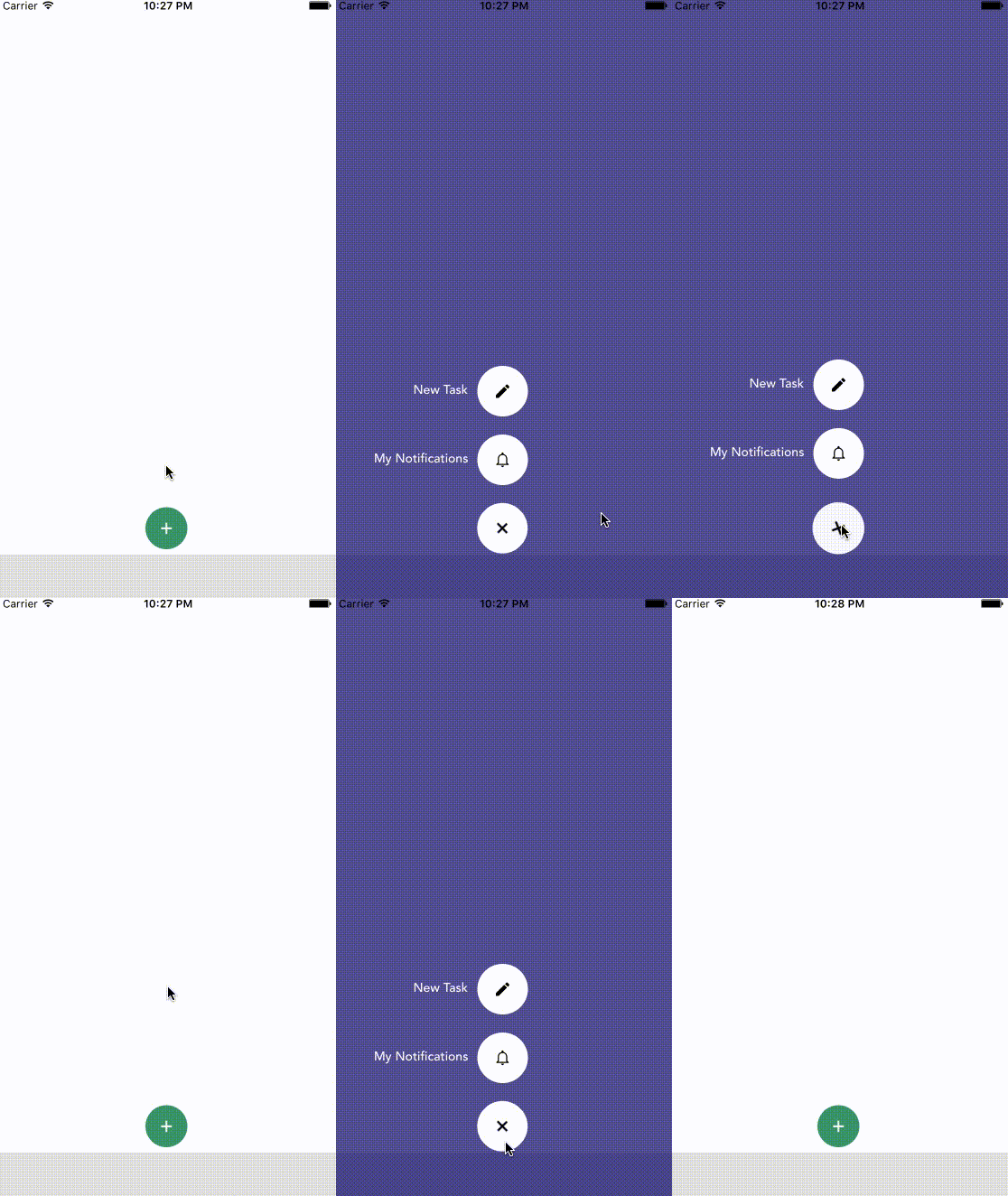
npm i react-native-action-button --saveFirst, require it from your app's JavaScript files with:
var ActionButton = require('react-native-action-button');ActionButton component is the main component which wraps everything and provides a couple of props (see Config below).
ActionButton.Item specifies an Action Button. You have to include at least 1 ActionButton.Item.
var React = require('react-native');
var { Component, Stylesheet, View, } = React;

var ActionButton = require('react-native-action-button'),
    Icon = require('react-native-vector-icons/Ionicons');


class App extends Component {
  constructor(props) {
    super(props);
  }

  render() {
    return (
      <View style={{flex:1}}>
        <ActionButton bgColor="rgba(23, 9, 107, 0.75)" buttonColor="rgba(63,159,107,1)">
          <ActionButton.Item title="New Task" onPress={() => console.log("new task tapped!")}>
            <Icon name="android-create" style={styles.actionButtonIcon} />
          </ActionButton.Item>
          <ActionButton.Item title="My Notifications" onPress={() => {}}>
            <Icon name="android-notifications-none" style={styles.actionButtonIcon} />
          </ActionButton.Item>
        </ActionButton>
      </View>
    );
  }
}

var styles = StyleSheet.create({
  actionButtonIcon: {
    fontSize: 20,
    height: 22,
    color: 'black',
  },
});
This will create a floating Button in the bottom right corner with 2 action buttons.
Also this example uses react-native-vector-icons for the button Icons.
| Property | Type | Default | Description |
|---|---|---|---|
| active | boolean | false | action buttons visible or not |
| type | string | "float" | either float (bigger btns) or tab (smaller btns) + position changes |
| position | string | "right" / "center" | one of: left center and right |
| bgColor | string | "transparent" | background color when ActionButtons are visible |
| buttonColor | string | "rgba(0,0,0,1)" | background color of the +Button (must be rgba value!) |
| spacing | number | 20 | spacing between the ActionButton.Items |
| offsetX | number | 10 / 30 | offset to the sides of the screen |
| offsetY | number | 4 / 30 | offset to the bottom of the screen |
| Property | Type | Default | Description |
|---|---|---|---|
| title | string | undefined | the title shown next to the button |
| onPress | func | null | required function, triggers when a button is tapped |
| buttonColor | string | "white" | background color of the Button |