👋 Looking for an Example's Source Code? Checkout:
/gh-pages/examples- For example: Length Tool Demo | Length Tool Source
👇 Want to create or modify an example? Keep reading 👇
This directory contains the source code that powers our examples. We use Jekyll, a static site generator, to turn these files into plain HTML/CSS/JS.
- Similar tools can share templates
- We can leverage "data" to generate content: (collections, data files, etc.)
- Markdown to HTML support
- Syntax highlighting for code examples
Requirements
Jekyll is a Ruby Gem. To get started using Ruby and Jekyll follow the appropriate guide for your operating system.
Commands
Navigate to this directory in your shell / command prompt, and run any of the following commands:
# Install missing gems/packages
bundle install

# Builds and serves site locally; watches for source changes
bundle exec jekyll serveIf you're feeling a bit lost, I recommend brushing up on Jekyll Basics. I'll try to include a brief overview here as it pertains to this project, but there's no better guide than Jekyll's own docs.
The source for examples lives in the master branch's examples/ directory. When changes are committed, our CI Server builds a new version of the examples site and pushes the changes to the gh-pages branches examples directory. All files in the gh-pages branch are served using GitHub Pages.
.
├── master/examples
│   ├── _includes/
│   ├── _layouts/
│   ├── assets/
│   ├── tools/
│   └── index.md
|
└── gh-pages/examples
    ├── assets/
    ├── tools/
    └── index.html
If a directory is prefixed with an underscore ( _ ), it is a special directory. Non-prefixed directories are generated in place using Front-Matter and Liquid templating.
Tool examples contain a small block of information at the top of their file that looks like this:
---
layout: tool-simple
title: Angle Tool
toolName: Angle
toolType: annotation
---

# Tool specific content goes here.

Hello World :wave:
The layout field tells us which layout to use as a template. The other values become page variables that can be used by the template. For example, the tool-simple layout uses the title variable like so:
<h1 class="title is-1">{{ page.title }}</h1>
All content beneath the --- is rendered in the {{ content }} of the target layout.
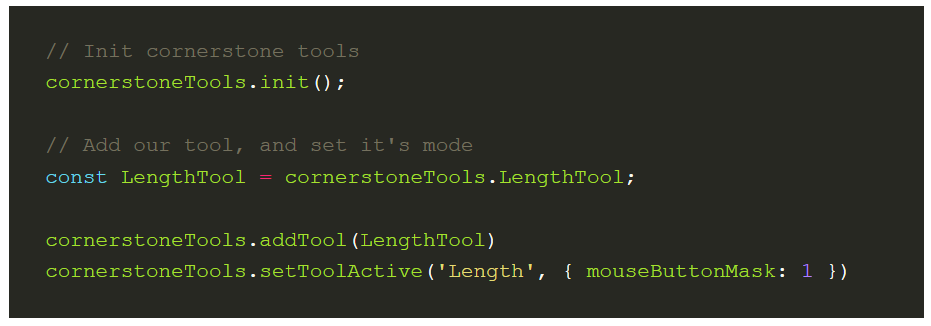
Wrapping a block of code using highlight blocks causes Jekyll to render it as an example with Syntax highlighting:
{% highlight javascript %}
// Init cornerstone tools
cornerstoneTools.init();

// Add our tool, and set it's mode
const LengthTool = cornerstoneTools.LengthTool;

cornerstoneTools.addTool(LengthTool)
cornerstoneTools.setToolActive('Length', {
  mouseButtonMask: 1
});
{% endhighlight %}
Produces something similar to:
Targeting a different version of a cornerstone dependency:
The example's dependencies are specified in /examples/includes/head.html. You can update the imports here to a local/dev version of cornerstone-tools, or update the unpkg tag to look at a previously released version.
How do I make things prettier?
We currently include bulma, a CSS framework, to add a few classes to make styling easier. Please reference their documentation if you would like to leverage styling.