注:当前项目为 Serverless Devs 应用,由于应用中会存在需要初始化才可运行的变量(例如应用部署地区、函数名等等),所以不推荐直接 Clone 本仓库到本地进行部署或直接复制 s.yaml 使用,强烈推荐通过
s init ${模版名称}的方法或应用中心进行初始化,详情可参考部署 & 体验 。
Time MCP Server 模版
使用该项目,您需要有开通以下服务并拥有对应权限:
| 服务/业务 | 权限 | 相关文档 |
|---|---|---|
| 函数计算 | AliyunFCFullAccess | 帮助文档 计费文档 |
- 🔥 通过 云原生应用开发平台 CAP ,
该应用。

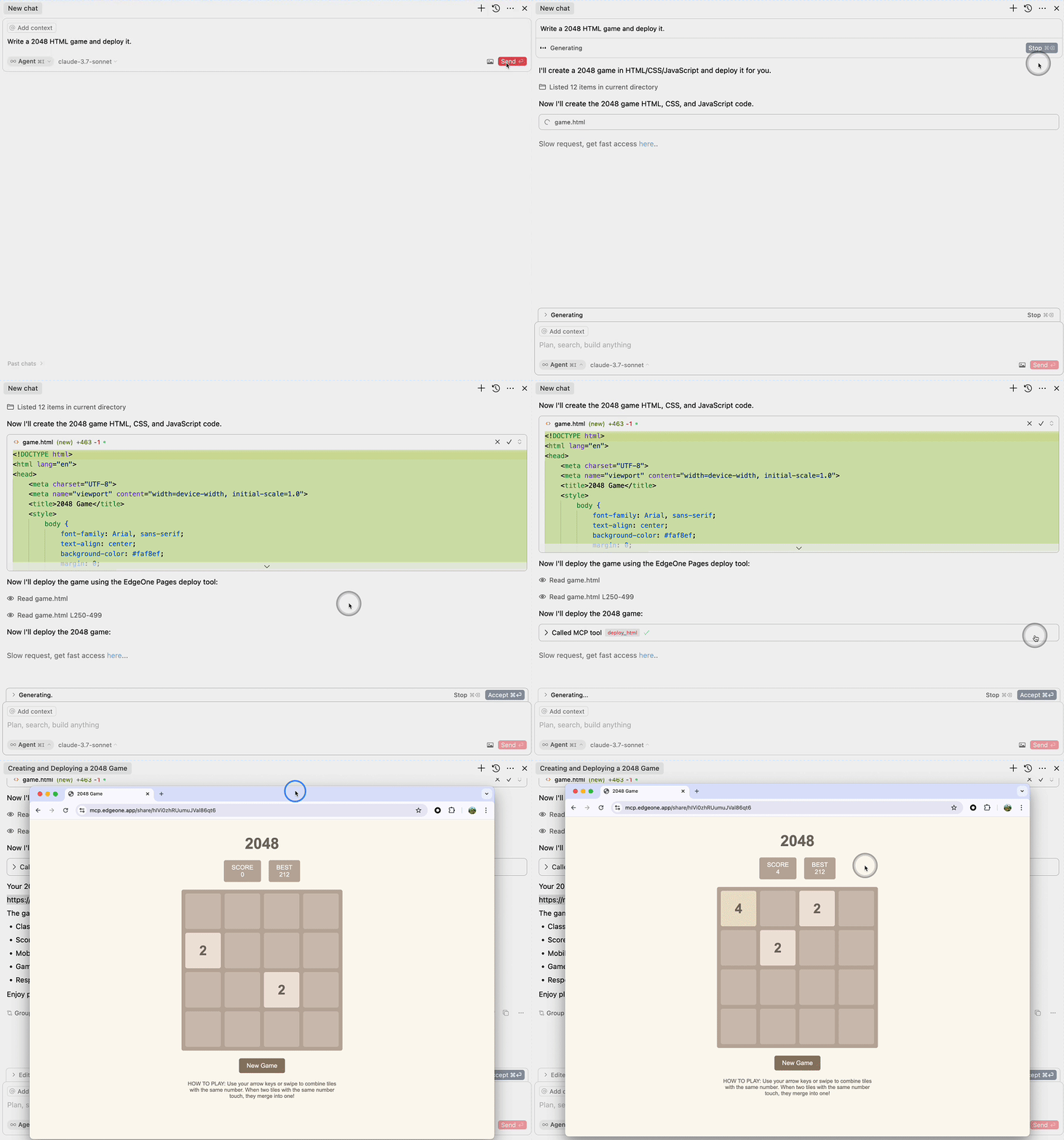
An MCP service for deploying HTML content to EdgeOne Pages and obtaining a publicly accessible URL.
Suitable for most MCP applications
{
  "mcpServers": {
    "edgeone-pages-mcp-server": {
      "command": "npx",
      "args": ["edgeone-pages-mcp"]
    }
  }
}Available in applications supporting Streamable HTTP MCP Server
{
  "mcpServers": {
    "edgeone-pages-mcp-server": {
      "url": "https://mcp-on-edge.edgeone.site/mcp-server"
    }
  }
}
The architecture diagram illustrates the workflow:
- Large Language Model generates HTML content
- Content is sent to the EdgeOne Pages MCP Server
- MCP Server deploys the content to EdgeOne Pages Edge Functions
- Content is stored in EdgeOne KV Store for fast edge access
- MCP Server returns a public URL
- Users can access the deployed content via browser with fast edge delivery
- MCP protocol for rapid deployment of HTML content to EdgeOne Pages
- Automatic generation of publicly accessible URLs
This MCP service integrates with EdgeOne Pages Functions to deploy static HTML content. The implementation uses:
-
EdgeOne Pages Functions - A serverless computing platform that allows execution of JavaScript/TypeScript code at the edge.
-
Key Implementation Details :
- Uses EdgeOne Pages KV store to store and serve the HTML content
- Automatically generates a public URL for each deployment
- Handles API errors with appropriate error messages
-
How it works :
- The MCP server accepts HTML content through the
deploy-htmltool - It connects to EdgeOne Pages API to get the base URL
- Deploys the HTML content using the EdgeOne Pages KV API
- Returns a publicly accessible URL to the deployed content
- The MCP server accepts HTML content through the
-
Usage Example :
- Provide HTML content to the MCP service
- Receive a public URL that can be accessed immediately
For more information, see the EdgeOne Pages Functions documentation and EdgeOne Pages KV Storage Guide.
MIT
部署完成拿到 URL 后,准备好支持 SSE 的 MCP Client,通过 SSETransport 进行连接。