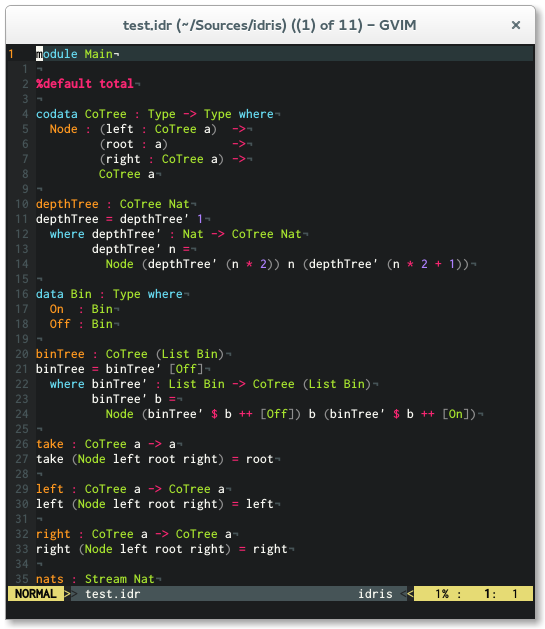
This is an Idris mode for vim which features syntax highlighting, indentation and optional syntax checking via Syntastic. If you need a REPL I recommend using Vimshell.
I recommend using Pathogen for installation. Simply clone
this repo into your ~/.vim/bundle directory and you are ready to go.
cd ~/.vim/bundle
git clone https://github.com/idris-hackers/idris-vim.git
Copy content into your ~/.vim directory.
Be sure that the following lines are in your
.vimrc
syntax on
filetype on
filetype plugin indent on
Apart from syntax highlighting and indentation idris-vim offers some neat interactive editing features. For more information on how to use it, read this blog article by Edwin Brady on Interactive Idris editing with vim.