
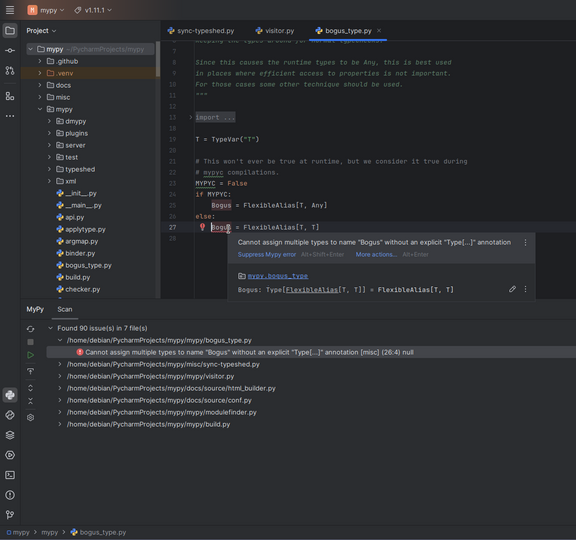
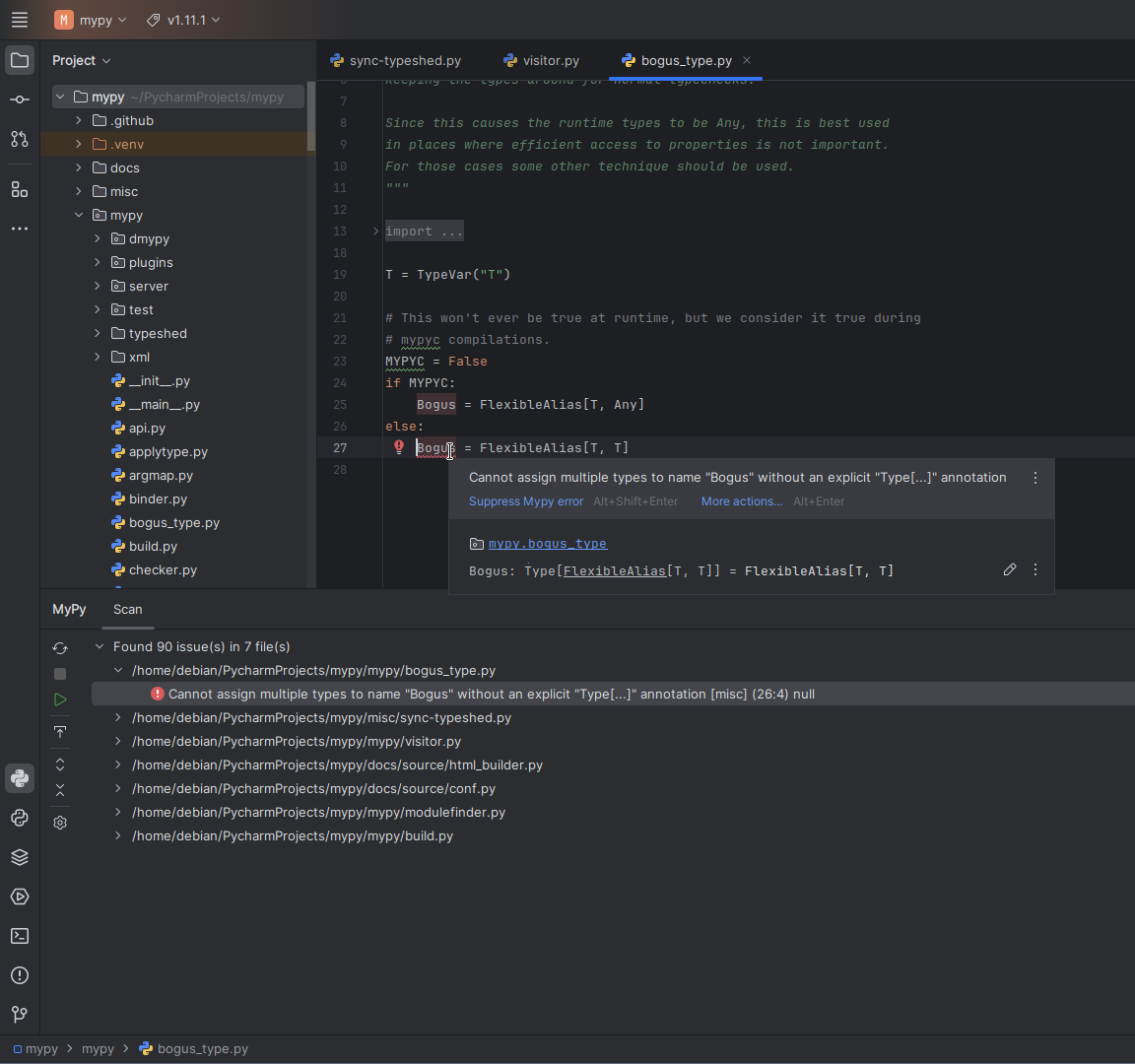
This plugin provides PyCharm with both real-time and on-demand scanning capabilities using an external mypy tool.
It is the rework of Roberto Leinardi's mypy-pycharm plugin. Click here to see differences.
Mypy, as described by its authors:
Mypy is a static type checker for Python.
Type checkers help ensure that you're using variables and functions in your code correctly. With mypy, add type hints (PEP 484) to your Python programs, and mypy will warn you when you use those types incorrectly.
- mypy >= 1.11.0
- mypy must be executable by the IDE. e.g. mypy in WSL won't work with IDE running on Windows
- mypy does not need to be installed into the project's environment, it can be configured independently
https://www.jetbrains.com/help/pycharm/managing-plugins.html#Managing_Plugins.topic
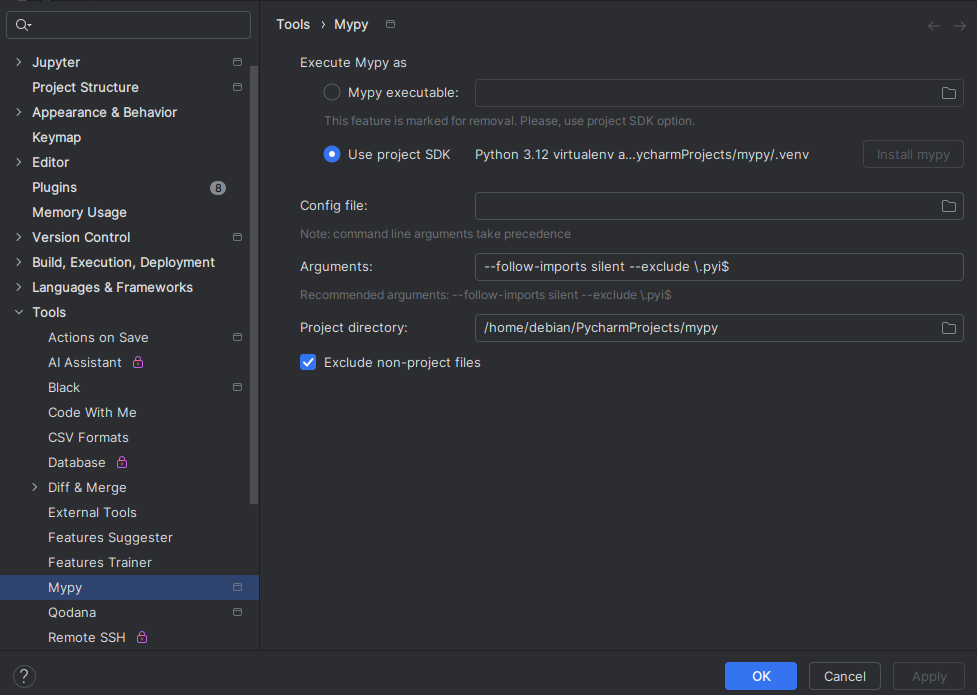
Configuration is done on a project basis. mypy executable validation executes the candidate with -V to validate its version.
Upon project load, the plugin looks for existing settings for Leinardi's mypy plugin and makes a copy of them. Executable only set if the version of mypy is supported.
In case such configuration was not found Use project SDK option is selected.
If there is no python SDK set for the project or mypy is not installed for it, the user gets notified:
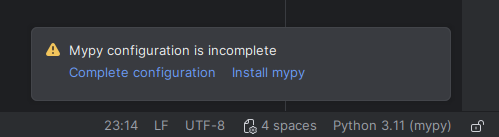
You can modify settings at Tools / Mypy.
Mypy severity level is set to Error by default. You can change this in inspection settings.
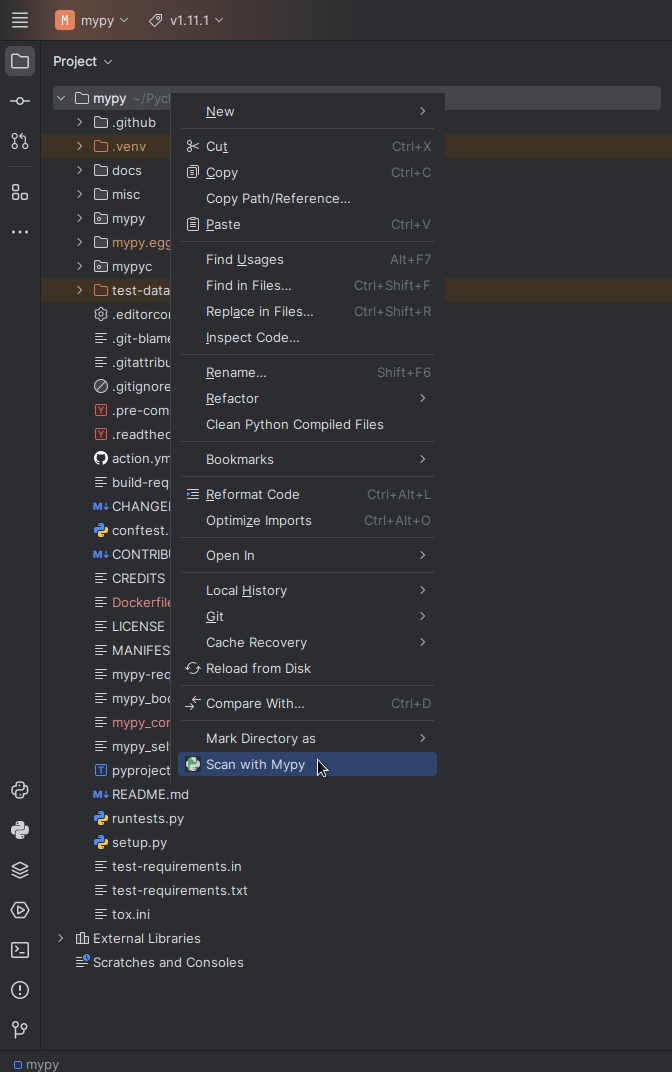
Scan with Mypy  action is available in right-click menus for the Python file loaded into the editor, its tab,
and Python files and directories in the project and changes views. You may select multiple targets,
but all of them has to be either a Python file or a directory.
action is available in right-click menus for the Python file loaded into the editor, its tab,
and Python files and directories in the project and changes views. You may select multiple targets,
but all of them has to be either a Python file or a directory.
Rescan Latest  action is available within Mypy toolwindow. It clears the results and re-runs mypy for the latest target.
Mypy configuration is not retained from the previous run.
action is available within Mypy toolwindow. It clears the results and re-runs mypy for the latest target.
Mypy configuration is not retained from the previous run.
Scan Editor  action is available within Mypy toolwindow. It clears the results and runs mypy for the one file that is open
and currently focused in the Editor.
action is available within Mypy toolwindow. It clears the results and runs mypy for the one file that is open
and currently focused in the Editor.
This indicates that the external mypy tool has exited with an error. The plugin can't fix these.
Details may contain something like this: mypy: "mypy/typeshed/stubs/mypy-extensions/mypy_extensions.pyi" shadows library module "mypy_extensions"
In this case you may want to add --exclude \.pyi$ to the arguments in mypy settings.
Another switch --explicit-package-bases may also work.
You can exclude containing directory:
- make sure that
Settings > Tools > Mypy > Exclude non-project filesis checked, so all directories that are marked as excluded will also be excluded from mypy scan. Mark Directory as > Excluded
For further mypy configuration options, please see mypy -h
You may get more insight into the plugin here: Debug
Open Help > Diagnostic Tools > Debug Log Settings...
Enter works.szabope.plugins.mypy:trace
Hit [Ok]
Then you can see debug logs in idea.log (Help > Open Log in Editor)
Keep in mind that the log may contain sensitive information.
- Toolbar actions were simplified:
- Close toolbar: removed
- Check module: removed
- Check project: removed
- Check all modified files: removed
- Check files in the current changelist: removed
- Clear all: removed
- Severity filters: removed
- Rescan: added
- Scan can now be started from the right-click menu within the editor, on an editor tab, and on files or directories in the project and changes views.
A huge thanks to Roberto Leinardi for the creation and maintenance of the original plugin and for the support and guidance in the rework.
Copyright 2024 Peter Szabo.

Licensed to the Apache Software Foundation (ASF) under one or more contributor
license agreements.  See the NOTICE file distributed with this work for
additional information regarding copyright ownership.  The ASF licenses this
file to you under the Apache License, Version 2.0 (the "License"); you may not
use this file except in compliance with the License.  You may obtain a copy of
the License at

  http://www.apache.org/licenses/LICENSE-2.0

Unless required by applicable law or agreed to in writing, software
distributed under the License is distributed on an "AS IS" BASIS, WITHOUT
WARRANTIES OR CONDITIONS OF ANY KIND, either express or implied.  See the
License for the specific language governing permissions and limitations under
the License.