As a data analyst, I often try to not get distracted by my inbox constantly pinging me.
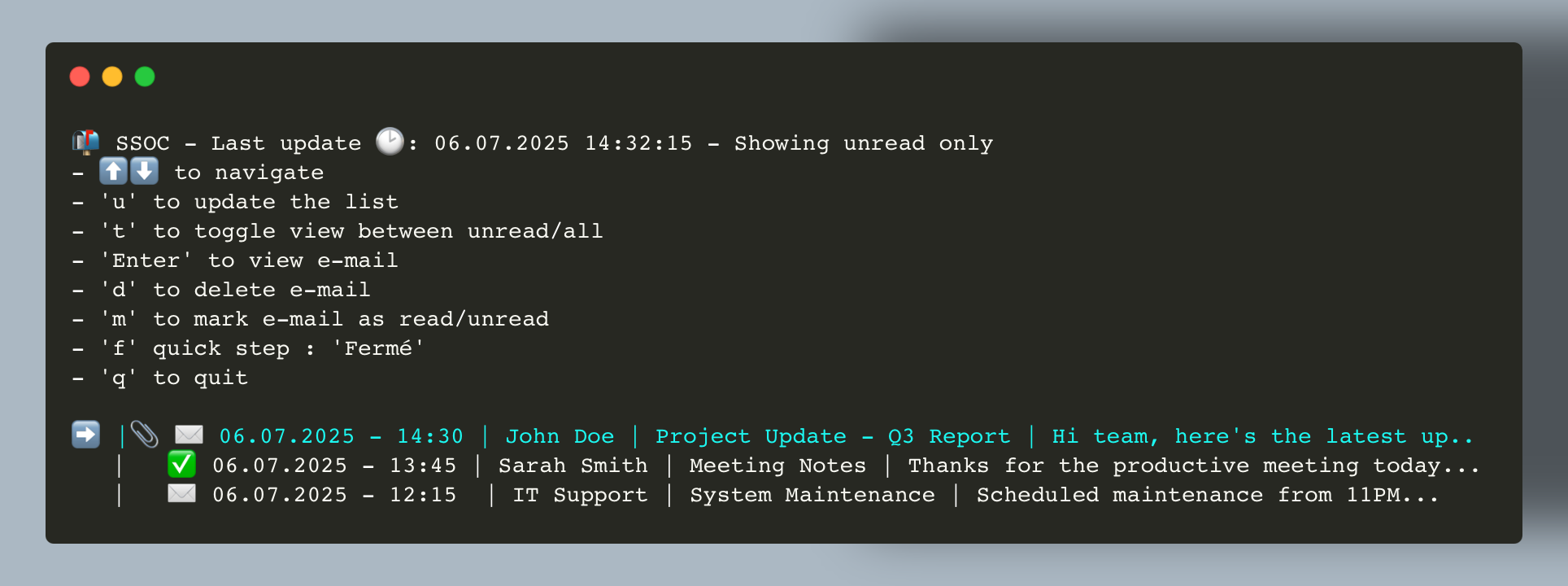
I want to focus on my work : that's why I created SSOC, a simple and stupid Outlook client that allows me to read my emails without all the distractions of a full-fledged email client, that holds in a 1/4 of my screen (with font size set to 10px).
- PowerShell
- Outlook COM object
🤔 What if i don't have Outlook installed? or I don't want to use it? or I don't have Windows?
I'm also building a python client based on EWS (Exchange Web Services) that will allow you to read your emails without Outlook.
You can find it here: 📧 QuickMail
- 💻 CLI based tool, simple to use
- 🔄 Manual email fetching
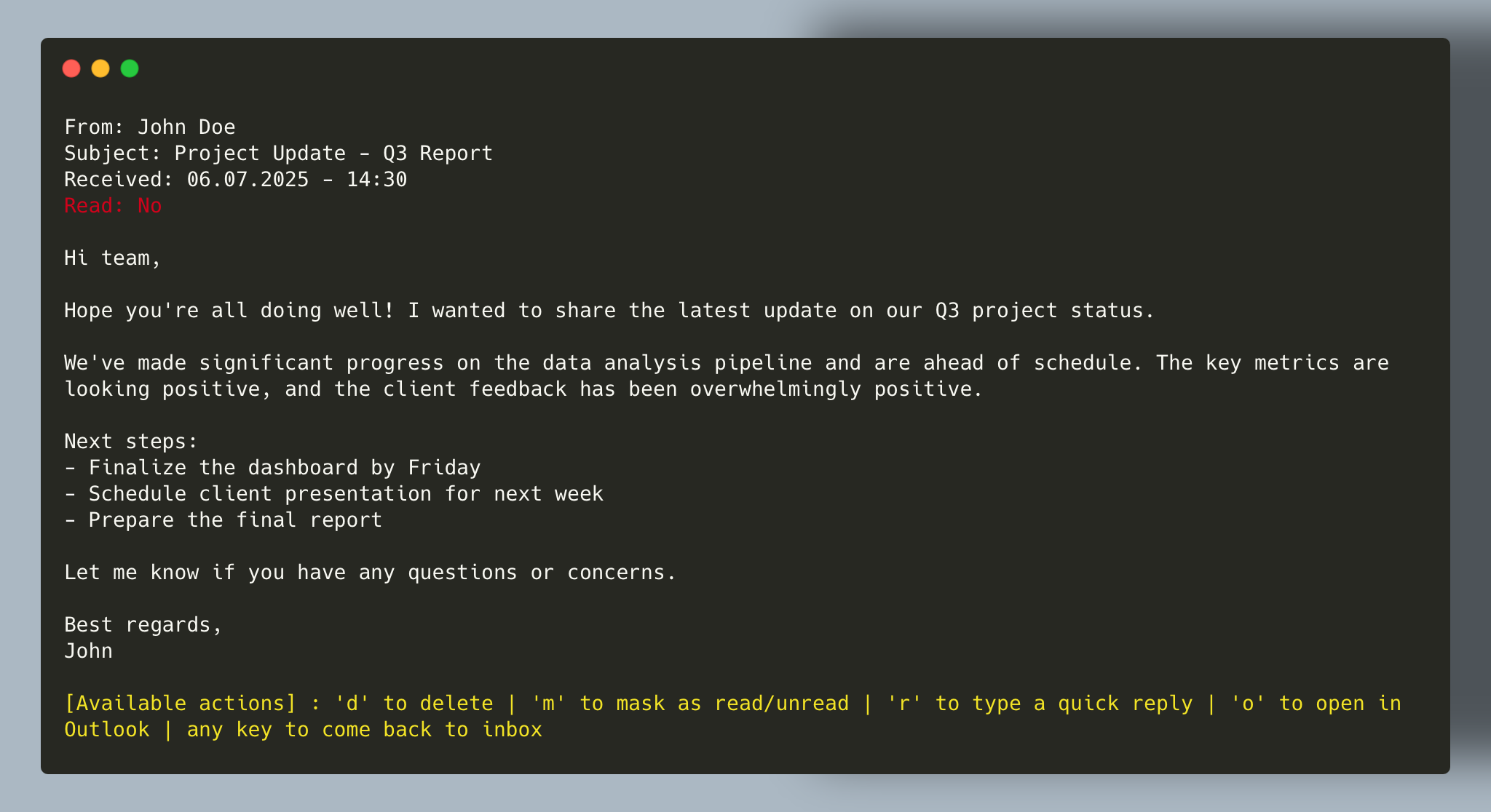
- 📖 Read emails
- 💬 Reply to emails
- 🗑️ Delete emails
- ✅ Mark emails as read/unread
- 🔍 Filter displayed emails by read/unread status
- 🚀 Open e-mails in Outlook (useful for other actions like forwarding, displaying attachments, etc.)
- Drop the powershell script somewhere on your computer
- Open a terminal and navigate to the directory where the script is located
- Run the script with
powershell -ExecutionPolicy Bypass -File SSOC.ps1or./SSOC.ps1if you have execution policy set to allow running scripts- If you get an error about execution policy, you can set it to allow running scripts by running
Set-ExecutionPolicy RemoteSignedin PowerShell as an administrator.
- If you get an error about execution policy, you can set it to allow running scripts by running
- Done. ✅
💡 Bonus : you can drop the script in a directory that is in your PATH, so you can run it from anywhere.
- PowerShell 5.1 or higher
- Outlook installed on your computer (uses the Outlook COM object)
- Add importance support (high, normal, low)
- Adding support for folder selection
- 'f' Quick action works for me only, might implement a way to register some custom ones