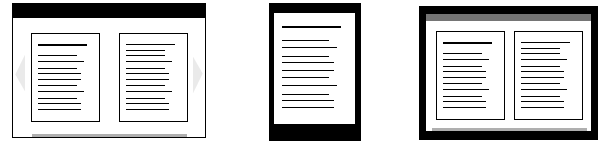
Epub.js is a JavaScript library for rendering EPUB documents in the browser, across many devices.
Epub.js provides an interface for common ebook functions (such as rendering, persistence and pagination) without the need to develop a dedicated application or plugin. Importantly, it has an incredibly permissive BSD-2-Clause license.
Try it while reading Moby Dick
- TypeScript migration: source is now TypeScript, published outputs remain JavaScript (
lib/CJS +es/ESM) with types intypes/. - New/updated APIs:
Book#getProgressOf/Book#getTocItemOfEpubCFIignoreClasspredicateRenditionmaxColumnCountrendition.hooks.header/rendition.hooks.footer- AbortSignal support across load/search APIs
- PDF support:
PdfBookfactory viaePub.pdf(...)(requirespdf.js).
- npm registry (if available for your version):
npm install epubjs- GitHub Release tarball:
npm install https://github.com/Andy963/epub/releases/download/v0.31.0/epubjs-0.31.0.tgzimport ePub from "epubjs";
const book = ePub("/path/to/book.epub");
const rendition = book.renderTo("area", { width: 600, height: 400 });
await rendition.display();import ePub from "epubjs";
import * as pdfjsLib from "pdfjs-dist";
const pdf = ePub.pdf("/path/to/file.pdf", { pdfjs: pdfjsLib });
const rendition = pdf.renderTo("area", { width: 600, height: 400 });
await rendition.display();- Webpack 4 + Node >= 17: set
NODE_OPTIONS=--openssl-legacy-provider. - Karma + ChromeHeadless: if your environment has no Chrome, set
CHROME_BINto a Chrome/Chromium binary.

The EPUB standard is a widely used and easily convertible format. Many books are currently in this format, and it is convertible to many other formats (such as PDF, Mobi and iBooks).
An unzipped EPUB3 is a collection of HTML5 files, CSS, images and other media – just like any other website. However, it enforces a schema of book components, which allows us to render a book and its parts based on a controlled vocabulary.
More specifically, the EPUB schema standardizes the table of contents, provides a manifest that enables the caching of the entire book, and separates the storage of the content from how it’s displayed.
If you need to open archived .epub files in the browser UMD build, include JSZip first:
<script src="https://cdnjs.cloudflare.com/ajax/libs/jszip/3.1.5/jszip.min.js"></script>Get the minified code from dist/:
<script src="dist/epub.min.js"></script>Set up an element to render to:
<div id="area"></div>Create the new ePub, and then render it to that element:
<script>
  var book = ePub("url/to/book/package.opf");
  var rendition = book.renderTo("area", {width: 600, height: 400});
  var displayed = rendition.display();
</script>book.renderTo("area", { method: "default", width: "100%", height: "100%" });The default manager only displays a single section at a time.
book.renderTo("area", { method: "continuous", width: "100%", height: "100%" });The continuous manager will display as many sections as need to fill the screen, and preload the next section offscreen. This enables seamless swiping / scrolling between pages on mobile and desktop, but is less performant than the default method.
book.renderTo("area", { flow: "auto", width: "900", height: "600" });
Flow will be based on the settings in the OPF, defaults to paginated.
book.renderTo("area", { flow: "paginated", width: "900", height: "600" });Limit visible columns in paginated flow:
book.renderTo("area", { flow: "paginated", width: "900", height: "600", maxColumnCount: 1 });Scrolled: book.renderTo("area", { flow: "scrolled-doc" });
Scripted content, JavaScript in the EPUB HTML content, is disabled by default due to the potential for executing malicious content.
This is done by sandboxing the iframe the content is rendered into, though it is still recommended to sanitize the ePub content server-side as well.
If a trusted ePub contains interactivity, it can be enabled by passing allowScriptedContent: true to the Rendition settings.
<script>
  var rendition = book.renderTo("area", {
    width: 600,
    height: 400,
    allowScriptedContent: true
  });
</script>
This will allow the sandboxed content to run scripts, but currently makes the sandbox insecure.
API documentation is available at epubjs.org/documentation/0.3/
A Markdown version is included in the repo at documentation/API.md
TypeScript definitions are published with the package and are available via types/index.d.ts.
Install node.js
Then install the project dependencies with npm:
npm installTypecheck:
npm run typecheck
npm run types:test
You can run the reader locally with the command:
npm startTests can be run by Karma via npm.
npm testIf your environment has no Chrome installed, set CHROME_BIN:
export CHROME_BIN=/path/to/chrome
npm testBuilds are concatenated and minified using webpack and babel
To generate compiled outputs for publishing (lib/, es/, and types/generated/), run:
npm run compileTo generate a full distribution build (also builds dist/ bundles), run:
npm run prepareor to continuously build run:
npm run watchSimilar to plugins, Epub.js implements events that can be "hooked" into. Thus you can interact with and manipulate the contents of the book.
Examples of this functionality is loading videos from YouTube links before displaying a chapter's contents or implementing annotation.
Hooks require an event to register to and can return a promise to block until they are finished.
Example hook:
rendition.hooks.content.register(function(contents, view) {

    var elements = contents.document.querySelectorAll('[video]');
    var items = Array.prototype.slice.call(elements);

    items.forEach(function(item){
      // do something with the video item
    });

})
The parts of the rendering process that can be hooked into are below.
book.spine.hooks.serialize // Section is being converted to text
book.spine.hooks.content // Section has been loaded and parsed
rendition.hooks.render // Section is rendered to the screen
rendition.hooks.header // Location is reported (header)
rendition.hooks.content // Section contents have been loaded
rendition.hooks.footer // Location is reported (footer)
rendition.hooks.unloaded // Section contents are being unloadedThe reader has moved to its own repo at: https://github.com/futurepress/epubjs-reader/

Epub.js Developer Mailing List
IRC Server: freenode.net Channel: #epub.js
Follow us on twitter: @Epubjs
EPUB is a registered trademark of the IDPF.