Fork of https://github.com/mxstbr/karabiner
If you like TypeScript and want your Karabiner configuration maintainable & type-safe, you probably want to use the custom configuration DSL / generator I created in rules.ts and utils.ts!
Get ID of apps on mac
osascript -e 'id of app "Camtasia 2023"'“This repo is incredible - thanks so much for putting it together! I always avoided Karabiner mostly because of its complicated configuration. Your project makes it so much easier to work with and so much more powerful. I'm geeking out on how much faster I'm going to be now.”
— @jhanstra (source)
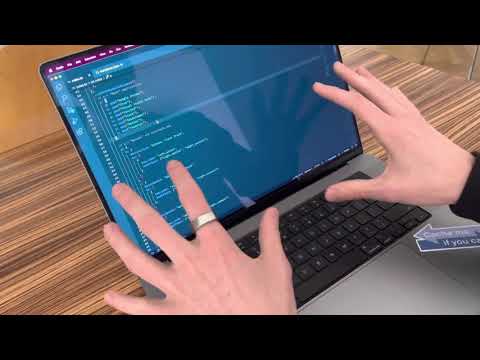
Watch the video about this repo:
You probably don't want to use my exact configuration, as it's optimized for my personal style & usage. Best way to go about using this if you want to? Probably delete all the sublayers in rules.ts and add your own based on your own needs!
- Install & start Karabiner Elements
- Clone this repository
- Delete the default
~/.config/karabinerfolder - Create a symlink with
ln -s ~/github/mxstbr/karabiner ~/.config(where~/github/mxstbr/karabineris your local path to where you cloned the repository) - Restart karabiner_console_user_server with
launchctl kickstart -k gui/`id -u`/org.pqrs.karabiner.karabiner_console_user_server
yarn install
to install the dependencies. (one-time only)
yarn run build
builds the karabiner.json from the rules.ts.
yarn run watch
watches the TypeScript files and rebuilds whenever they change.
Copyright (c) 2022 Maximilian Stoiber, licensed under the MIT license.
| Button | Event | Tap | Double Tap | Hold | B2 Combo |
|---|---|---|---|---|---|
| Left trigger | button1 |
Click + copy (Cmd+C / copy-location in editor) + arm paste | Word select + disarm paste | — (reserved) | B2+B1 tap = Pi radial menu (Hyper+P) / hold = Ctrl (zoom) + B3 resets |
| Right trigger | button2 |
Paste (Cmd+V) on release if armed | Right-click | Modifier (enables combos) | — |
| Scroll wheel press | button3 |
Delete (repeats, 2.3s → clear all) | — | — | B2+B3 tap = Cycle mode (Edit→Nav→Media) / hold = Clear all |
| Back (left side) | button4 |
Enter (stops STT + delayed Enter if active) | — | Modifier (B4 layer) | B2+B4 tap = Shift+Enter, hold = next pane/tab / Nav: Prev pane (iTerm) or tab |
| Forward (right side) | button5 |
Speech-to-text (toggle) | — | Modifier (B5 layer) | B2+B5 = Tab+Enter / Nav: Next pane (iTerm) or tab |
| D-pad up | volume_increment |
Up arrow | — | — | B2+Up tap = Next window, hold = iTerm / Nav: iTerm / Media: Volume up |
| D-pad down | volume_decrement |
Down arrow | — | — | B2+Down tap = Prev window, hold = Tower / Nav: Tower / Media: Volume down |
| D-pad left | scan_previous_track |
Left arrow | — | — | B2+Left tap = Prev pane/tab, hold = Chrome / Nav: Chrome / Media: Prev track |
| D-pad right | scan_next_track |
Right arrow | — | — | B2+Right tap = Next pane/tab, hold = Cursor / Nav: Cursor / Media: Next track |
| D-pad center | play_or_pause |
Enter | — | — | B2+Center = Toggle accessibility keyboard / Nav: Close tab / Media: Play/Pause |
Speech-to-text: toggle via button5. While armed, next button5 press toggles STT and disarms.
Copy/paste: Every button1 release fires Cmd+C and arms paste mode. Next button2 tap-and-release (with no other button pressed) fires Cmd+V and resets. Holding B2 for a combo does not trigger paste.
STT + Enter: If speech-to-text is recording, button4 stops recording and fires Enter after a 500ms delay (gives STT time to paste transcribed text).
Reserved: Button1 (left trigger) hold slot is reserved — adding to_if_held_down breaks click-drag and copy/paste flow.
Button2 double-tap: Fires right-click. Single tap does nothing (unless paste is armed).
Three buttons act as modifiers when held — other buttons gain alternate actions. B4 and B5 are typically combined with B1/B2 (same side of device, easy to reach).
| Modifier | Combo | Action |
|---|---|---|
| B2 (right trigger) | B2 + B3 | Cycle mode (Edit→Nav→Media) / hold = Clear all |
| B2 (right trigger) | B2 + B4 | Tap: Shift+Enter / Hold: next pane/tab |
| B2 (right trigger) | B2 + B5 | Tab + Enter |
| B2 (right trigger) | B2 + D-pad | Window/pane/tab switching (edit) or app switching (nav) |
| B2 (right trigger) | B2 + B1 | Tap: Pi radial menu (Hyper+P) / Hold: Ctrl (zoom) |
| B4 (back) | B4 + B1 | Escape (cancel request) + disarm paste |
| B4 (back) | B4 + B2 | Move window to next display |
| B5 (forward) | B5 + B1 | (test: types a) |
| B5 (forward) | B5 + B2 | (test: types b) |
Cycle with B2+B3 (right trigger + scroll wheel press). A macOS notification shows the active mode.
| D-pad | Edit (default) | Nav | Media |
|---|---|---|---|
| D-pad up | Up arrow | Next window | Volume up |
| D-pad down | Down arrow | Prev window | Volume down |
| D-pad left | Left arrow | Prev tab | Prev track |
| D-pad right | Right arrow | Next tab | Next track |
| D-pad center | Enter | — | Play/Pause |
- Edit (default): D-pad fires arrow keys. Double-tap opens apps (Cursor, iTerm, Chrome, Tower).
- Nav: D-pad cycles windows/tabs. B2+D-pad opens apps. B2+center closes tab.
- Media: D-pad passes through native consumer keys (volume, track skip, play/pause).
| Combo | Nav mode | Edit mode |
|---|---|---|
| B2 + B3 | Cycle to Media | Cycle to Nav |
| B2 + B4 (back) | Prev pane (iTerm) or tab | Tap: Shift+Enter / Hold: next pane/tab |
| B2 + B5 (forward) | Next pane (iTerm) or tab | Tab+Enter |
| B2 + D-pad up | Open Cursor | Next window |
| B2 + D-pad down | Open iTerm | Prev window |
| B2 + D-pad left | Open Chrome | Prev pane (iTerm) or tab |
| B2 + D-pad right | Open Tower | Next pane (iTerm) or tab |
| B2 + D-pad center | Close tab (per app) | Toggle accessibility keyboard |
Shortcuts are defined in the NAV constant in rules.ts — shared by both Razer mouse and Relacon mappings. Change the shortcut once, both devices update.
- Scroll wheel events: Karabiner cannot intercept or remap scroll wheel events. Use Hammerspoon (
hs.eventtapwithscrollWheeltype) for scroll-based shortcuts instead.
Multi-button combos
- Simultaneous press of two buttons → different action (e.g. Button1+Button2 = app switch)
- Button + scroll → zoom, horizontal scroll, or volume (requires Hammerspoon, not possible in Karabiner)
- Button + pointer movement → window resize or desktop switch
Timing-based
- Double-tap-and-hold — double click but hold on second press, triggers a different mode (drag lock)
- Tap-then-tap-another — sequential presses of different buttons within a window (chord sequence / vim-style)
Modal / layer patterns
- Hold one button to enter a "mode" where all other inputs change meaning
- Toggle modes — tap a combo to enter persistent mode, tap again to exit
- Sticky modifiers — tap a button to make the next action modified (one-shot shift)
Gesture-inspired
- Directional hold — hold button + move pointer in a direction = different actions per direction
- Rapid repeated press (triple-click, quadruple-click) — each count maps to a different action
Chording
- Pressing specific combos of 3+ buttons simultaneously maps to unique actions
- With 3 buttons you get 7 unique combos
Best for handheld mouse
- Simultaneous press combos — Button1+Button2, Button1+Button3, etc.
- Hold-as-layer — one button becomes a modifier that changes what others do
- Sequential chords — Button1 then Button2 within 200ms = unique action
- Tap dance — single/double/triple tap on same button, each doing something different
- B2 double-tap pastes when armed: If paste is armed (button1 was pressed), double-tapping B2 for right-click will also paste on the first tap's release.
to_if_alonefires before the second tap registers. Needs a way to defer paste until after the double-tap window expires without breaking combo detection. - D-pad center can't modify d-pad directions: The d-pad is a single physical rocker — holding center and pushing a direction releases center first. D-pad center as a modifier only works with buttons B1–B5 (separate physical inputs), not with other d-pad directions.
- Zoom reset fires right-click: B2+B1 hold enables Ctrl+scroll zoom, but other buttons don't register while both triggers are held. Zoom resets via B2 double-tap which also fires right-click context menu.
Extra double tap of https://app.screencast.com/SnjDxLxv4S2AQ