note4: 2023.09.26 garmin need secret_string(and in Actions) get python run_page/garmin_sync.py ${email} ${password} if cn python run_page/garmin_sync.py ${email} ${password} --is-cn



Running page runners

- GitHub Actions manages automatic synchronization of runs and generation of new pages.
- Support for Vercel (recommended) and GitHub Pages automated deployment
- React Hooks
- Mapbox for map display
- Supports most sports apps such as nike strava...
automatically backup gpx data for easy backup and uploading to other software.
Note: If you don't want to make the data public, you can choose strava's fuzzy processing, or private repositories.
- Garmin
- Garmin-CN
- Nike Run Club
- Strava
- GPX
- TCX
- FIT
- Nike_to_Strava(Using NRC Run, Strava backup data)
- Tcx_to_Strava(upload all tcx data to strava)
- Gpx_to_Strava(upload all gpx data to strava)
- Garmin_to_Strava(Using Garmin Run, Strava backup data)
- Strava_to_Garmin(Using Strava Run, Garmin backup data)
Clone or fork the repo.
git clone https://github.com/yihong0618/running_page.git --depth=1
pip3 install -r requirements.txt
npm install -g corepack && corepack enable && pnpm install
pnpm develop
Open your browser and visit http://localhost:5173/
#build
# NRC
docker build -t running_page:latest . --build-arg app=NRC --build-arg nike_refresh_token=""
# Garmin
docker build -t running_page:latest . --build-arg app=Garmin --build-arg secret_string=""
# Garmin-CN
docker build -t running_page:latest . --build-arg app=Garmin-CN --build-arg secret_string=""
# Strava
docker build -t running_page:latest . --build-arg app=Strava --build-arg client_id=""  --build-arg client_secret=""  --build-arg refresh_token=""
#Nike_to_Strava
docker build -t running_page:latest . --build-arg app=Nike_to_Strava  --build-arg nike_refresh_token="" --build-arg client_id=""  --build-arg client_secret=""  --build-arg refresh_token=""

#run
docker run -itd -p 80:80   running_page:latest

#visit
Open your browser and visit localhost:80
If you use English please change
IS_CHINESE = falseinsrc/utils/const.js
Suggested changes to your own Mapbox token
const MAPBOX_TOKEN =
'pk.eyJ1IjoieWlob25nMDYxOCIsImEiOiJja2J3M28xbG4wYzl0MzJxZm0ya2Fua2p2In0.PNKfkeQwYuyGOTT_x9BJ4Q';- Find
src/static/site-metadata.tsin the repository directory, find the following content, and change it to what you want.
siteMetadata: {
  siteTitle: 'Running Page', #website title
  siteUrl: 'https://yihong.run', #website url
  logo: 'https://encrypted-tbn0.gstatic.com/images?q=tbn:ANd9GcQTtc69JxHNcmN1ETpMUX4dozAgAN6iPjWalQ&usqp=CAU', #logo img
  description: 'Personal site and blog',
  navLinks: [
    {
      name: 'Blog', #navigation name
      url: 'https://yihong.run/running', #navigation url
    },
    {
      name: 'About',
      url: 'https://github.com/yihong0618/running_page/blob/master/README-CN.md',
    },
  ],
},- Modifying styling in
src/utils/const.js
// styling: set to `false` if you want to disable dash-line route
const USE_DASH_LINE = true;
// styling: route line opacity: [0, 1]
const LINE_OPACITY = 0.4;- privacy protection
setting flowing env:
IGNORE_START_END_RANGE = 200 # ignore distance for each polyline start and end.

IGNORE_RANGE = 200 # ignore meters for each point in below polyline.
IGNORE_POLYLINE = ktjrFoemeU~IorGq}DeB # a polyline include point you want to ignore.

# Do filter before saving to database, you will lose some data, but you can protect your privacy, when you using public repo. enable for set 1, disable via unset.
IGNORE_BEFORE_SAVING =
You can using this, to making your IGNORE_POLYLINE.
Download your running data and do not forget to generate svg in total page
Make your GPX data
Copy all your gpx files to GPX_OUT or new gpx files
python3(python) run_page/gpx_sync.pyMake your TCX data
Copy all your tcx files to TCX_OUT or new tcx files
python3(python) run_page/tcx_sync.pyMake your FIT data
Copy all your tcx files to FIT_OUT or new fit files
python3(python) run_page/fit_sync.pyGet your Garmin data
If you only want to sync `type running` add args --only-run
If you only want tcx files add args --tcx
If you only want fit files add args --fit
# to get secret_string
python3(python) run_page/get_garmin_secret.py ${your email} ${your password}
# use this secret_string
python3(python) run_page/garmin_sync.py ${secret_string}
example:
python3(python) run_page/get_garmin_secret.py xxxxxxxxxxxonly-run:
python3(python) run_page/garmin_sync.py xxxxxxxxxxxxxx(secret_string) --only-runGet your Garmin-CN data
If you only want to sync `type running` add args --only-run
If you only want tcx files add args --tcx
If you only want fit files add args --fit
# to get secret_string
python3(python) run_page/get_garmin_secret.py ${your email} ${your password} --is-cn
# use this secret_string
python3(python) run_page/garmin_sync.py ${secret_string}
example:
python3(python) run_page/garmin_sync.py xxxxxxxxx(secret_string)--is-cnGet your Nike Run Club data
Please note: When you choose to deploy running_page on your own server, due to Nike has blocked some IDC's IP band, maybe your server cannot sync Nike Run Club's data correctly and display
403 error, then you have to change another way to host it.
Get Nike's refresh_token
- Login Nike website
- In Develop -> Application-> Storage -> https:unite.nike.com look for
refresh_token

- Execute in the root directory:
python3(python) run_page/nike_sync.py ${nike refresh_token}example:
python3(python) run_page/nike_sync.py eyJhbGciThiMTItNGIw******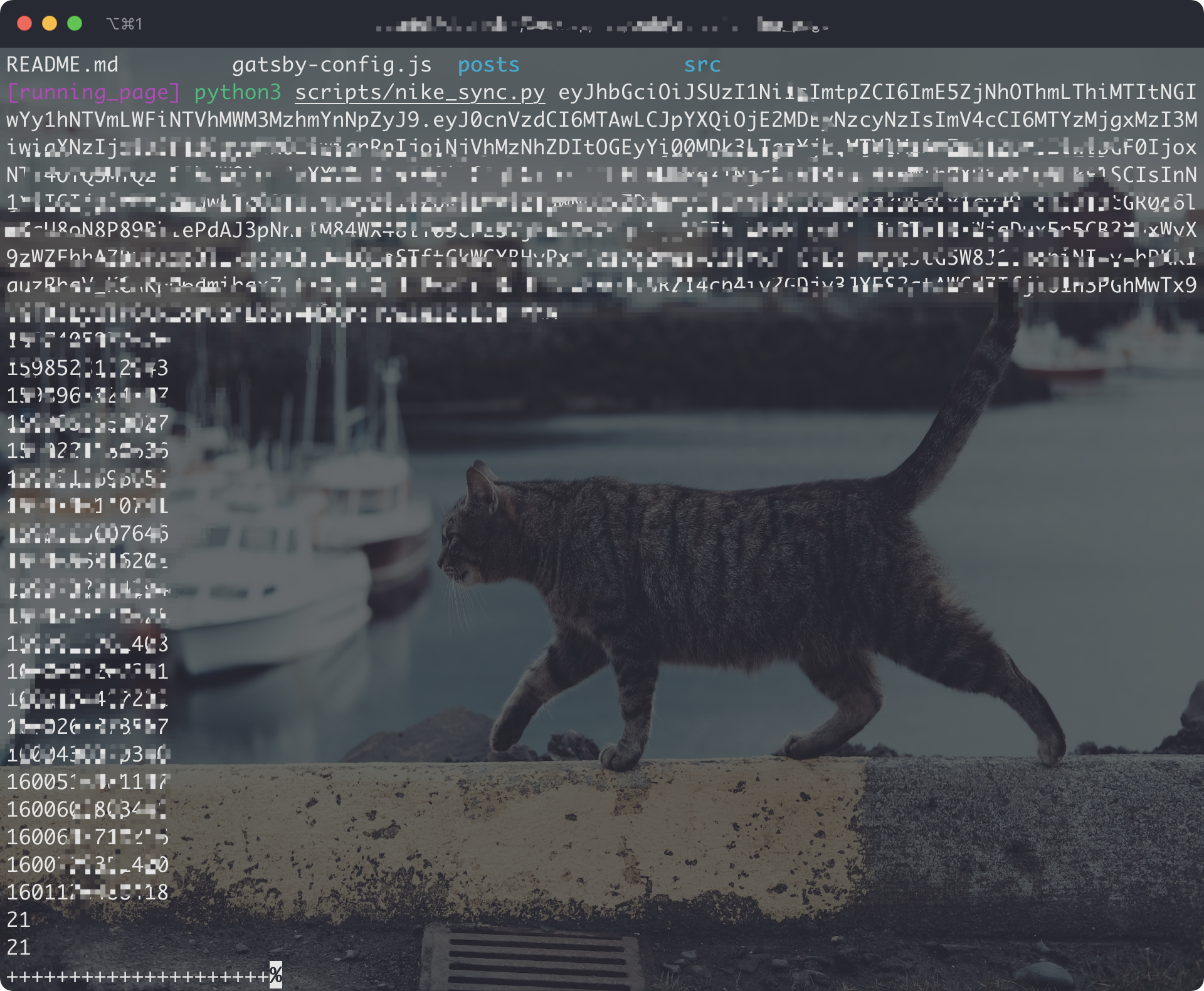
Get your Strava data
-
Sign in/Sign up Strava account
-
Open after successful Signin Strava Developers -> Create & Manage Your App
-
Create
My API Application: Enter the following information
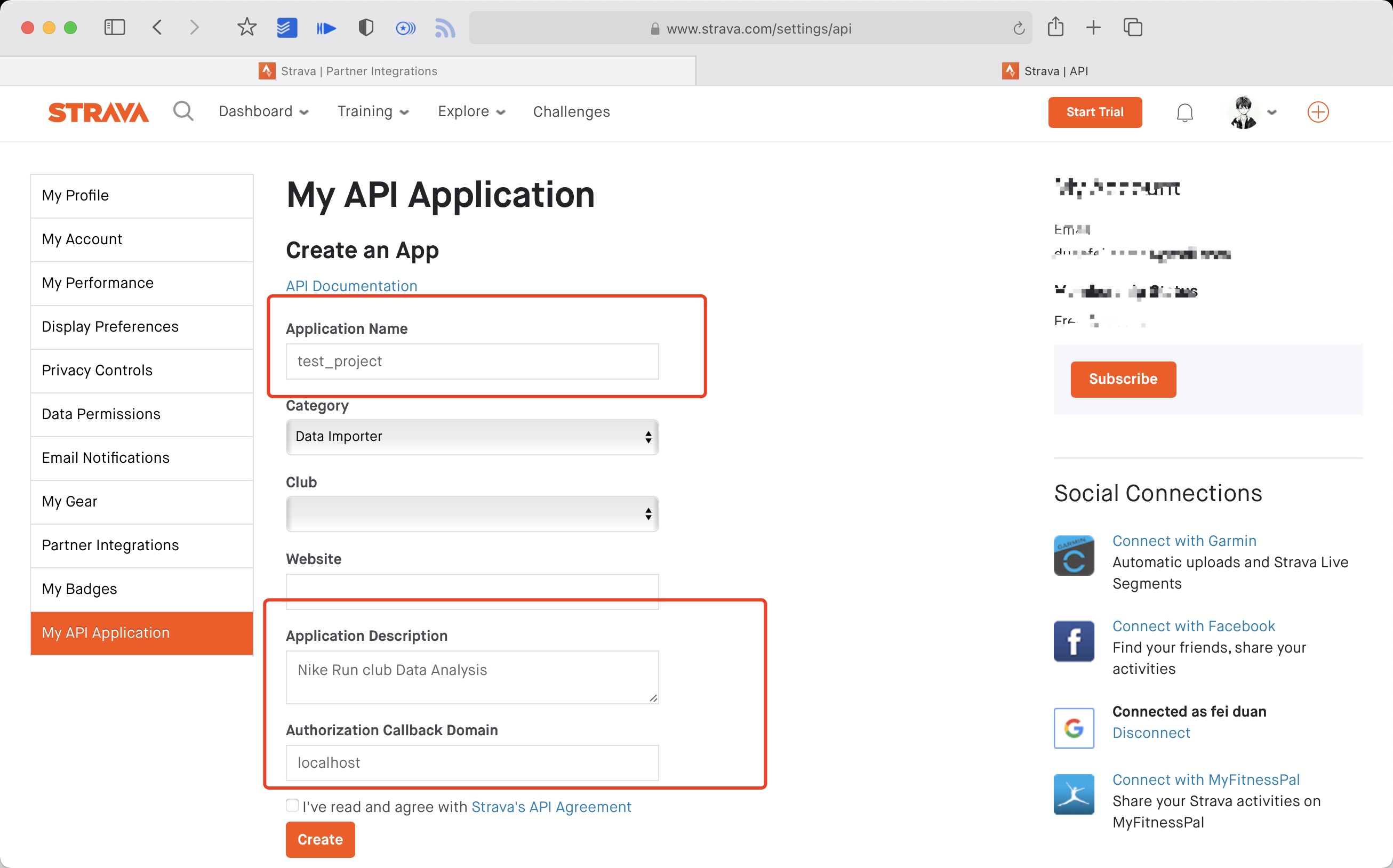
Created successfully:

- Use the link below to request all permissions: Replace
${your_id}in the link withMy API ApplicationClient ID
https://www.strava.com/oauth/authorize?client_id=${your_id}&response_type=code&redirect_uri=http://localhost/exchange_token&approval_prompt=force&scope=read_all,profile:read_all,activity:read_all,profile:write,activity:write
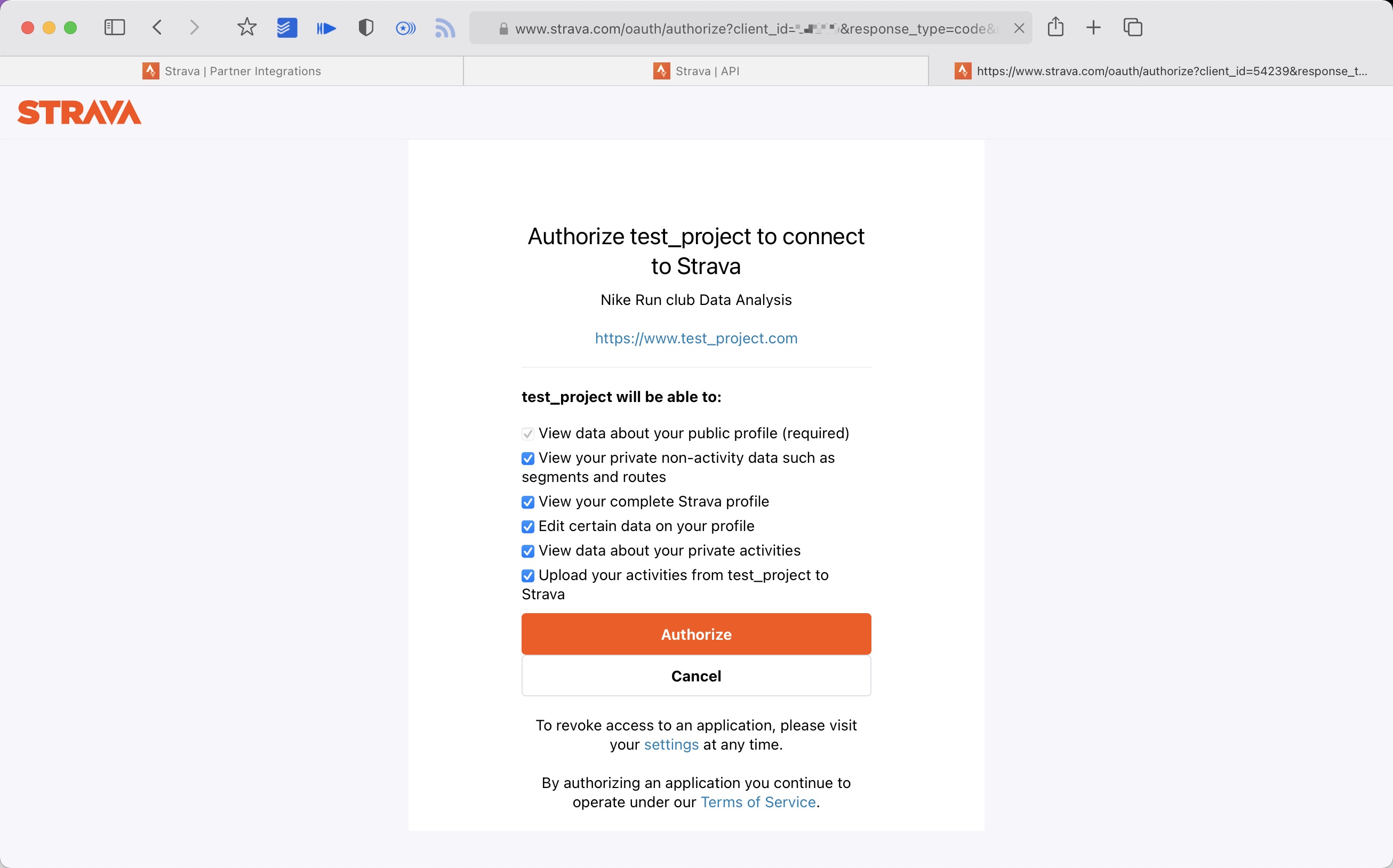
- Get the
codevalue in the link
example:
http://localhost/exchange_token?state=&code=1dab37edd9970971fb502c9efdd087f4f3471e6e&scope=read,activity:write,activity:read_all,profile:write,profile:read_all,read_all
code value:
1dab37edd9970971fb502c9efdd087f4f3471e6
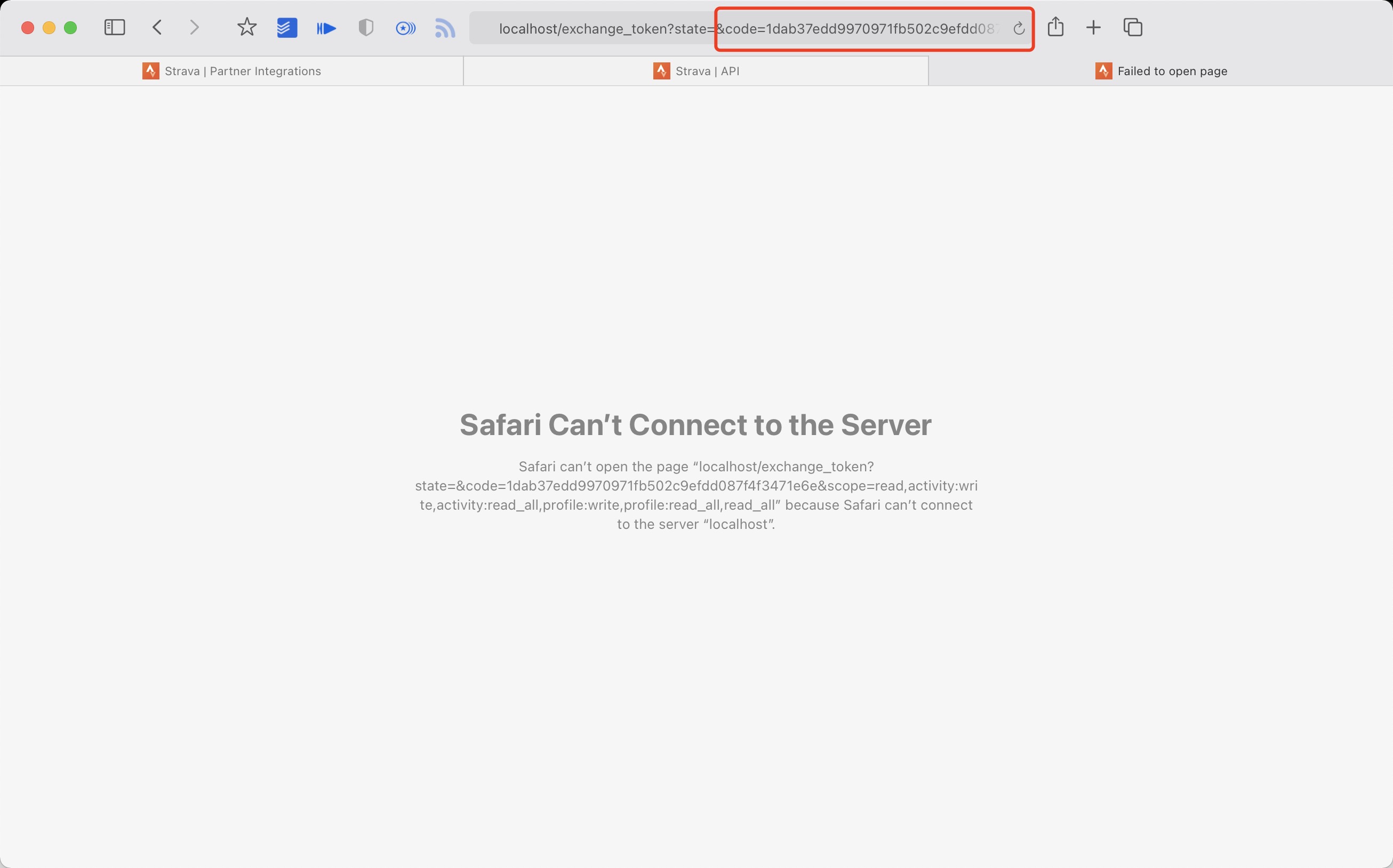
- Use
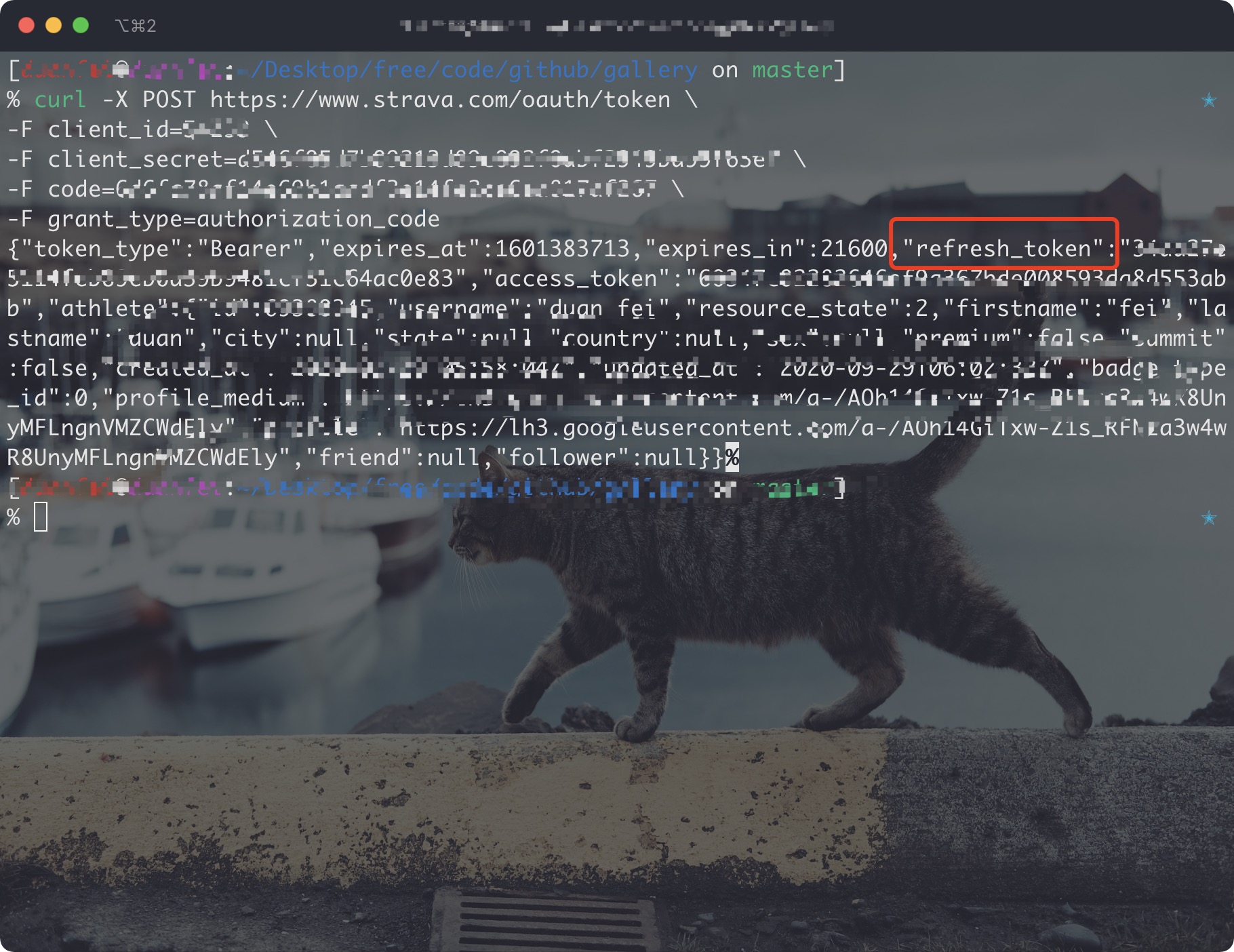
Client_id、Client_secret、Codegetrefresh_token: Execute inTerminal/iTerm
curl -X POST https://www.strava.com/oauth/token \
-F client_id=${Your Client ID} \
-F client_secret=${Your Client Secret} \
-F code=${Your Code} \
-F grant_type=authorization_code
example:
curl -X POST https://www.strava.com/oauth/token \
-F client_id=12345 \
-F client_secret=b21******d0bfb377998ed1ac3b0 \
-F code=d09******b58abface48003 \
-F grant_type=authorization_code
- Sync
Stravadata
The first time you synchronize Strava data you need to change line 12 of the code False to True in strava_sync.py, and then change it to False after it finishes running. If you only want to sync
type runningadd args --only-run
python3(python) run_page/strava_sync.py ${client_id} ${client_secret} ${refresh_token}References:
upload all tcx files to strava
- follow the strava steps
- copy all your tcx files to TCX_OUT
- Execute in the root directory:
python3(python) run_page/tcx_to_strava_sync.py ${client_id} ${client_secret} ${strava_refresh_token}example:
python3(python) run_page/tcx_to_strava_sync.py xxx xxx xxx
or
python3(python) run_page/tcx_to_strava_sync.py xxx xxx xxx --all- if you want to all files add args
--all
upload all gpx files to strava
- follow the strava steps
- copy all your gpx files to GPX_OUT
- Execute in the root directory:
python3(python) run_page/gpx_to_strava_sync.py ${client_id} ${client_secret} ${strava_refresh_token}example:
python3(python) run_page/gpx_to_strava_sync.py xxx xxx xxx
or
python3(python) run_page/tcx_to_strava_sync.py xxx xxx xxx --all- if you want to all files add args
--all
Get your Nike Run Club data and upload to strava
- follow the nike and strava steps
- Execute in the root directory:
python3(python) run_page/nike_to_strava_sync.py ${nike_refresh_token} ${client_id} ${client_secret} ${strava_refresh_token}example:
python3(python) run_page/nike_to_strava_sync.py eyJhbGciThiMTItNGIw****** xxx xxx xxxGet your Garmin data and upload to strava
- finish garmin and strava setps
- Execute in the root directory:
python3(python) run_page/garmin_to_strava_sync.py ${client_id} ${client_secret} ${strava_refresh_token} ${garmin_secret_string} --is-cne.g.
python3(python) run_page/garmin_to_strava_sync.py xxx xxx xxx xxGet your Strava data and upload to Garmin
- finish garmin and strava setps, at the same time, you need to add additional strava config in Github Actions secret:
secrets.STRAVA_EMAIL,secrets.STRAVA_PASSWORD - Execute in the root directory:
python3(python) run_page/strava_to_garmin_sync.py ${{ secrets.STRAVA_CLIENT_ID }} ${{ secrets.STRAVA_CLIENT_SECRET }} ${{ secrets.STRAVA_CLIENT_REFRESH_TOKEN }} ${{ secrets.GARMIN_SECRET_STRING }} ${{ secrets.STRAVA_EMAIL }} ${{ secrets.STRAVA_PASSWORD }}if your garmin account region is China, you need to execute the command:
python3(python) run_page/strava_to_garmin_sync.py ${{ secrets.STRAVA_CLIENT_ID }} ${{ secrets.STRAVA_CLIENT_SECRET }} ${{ secrets.STRAVA_CLIENT_REFRESH_TOKEN }} ${{ secrets.GARMIN_SECRET_STRING_CN }} ${{ secrets.STRAVA_EMAIL }} ${{ secrets.STRAVA_PASSWORD }} --is-cnIf you want to add Garmin Device during sync, you should add --use_fake_garmin_device argument, this will add a Garmin Device (Garmin Forerunner 245 by default, and you can change device in garmin_device_adaptor.py) in synced Garmin workout record, this is essential when you want to sync the workout record to other APP like Keep, JoyRun etc.

the final command will be:
python3(python) run_page/strava_to_garmin_sync.py ${{ secrets.STRAVA_CLIENT_ID }} ${{ secrets.STRAVA_CLIENT_SECRET }} ${{ secrets.STRAVA_CLIENT_REFRESH_TOKEN }} ${{ secrets.GARMIN_SECRET_STRING_CN }} ${{ secrets.STRAVA_EMAIL }} ${{ secrets.STRAVA_PASSWORD }} --use_fake_garmin_deviceps: when initializing for the first time, if you have a large amount of strava data, some data may fail to upload, just retry several times.
Running data display
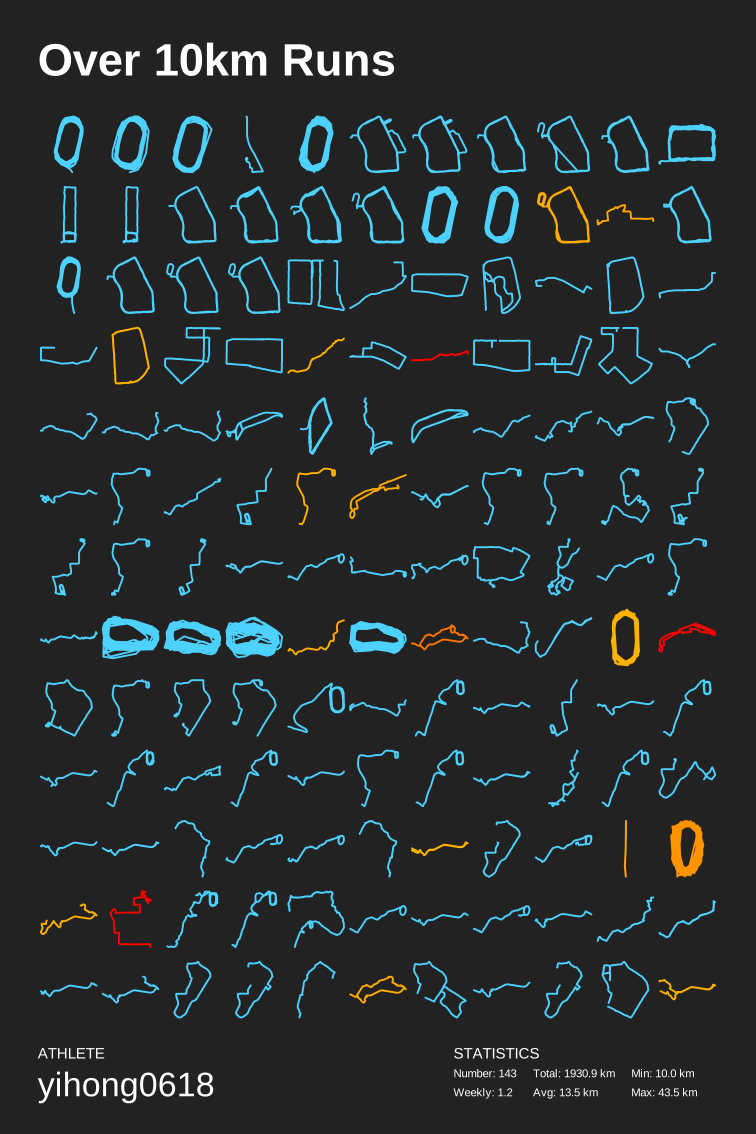
- Generate SVG data display
- Display of results:Click to view、Click to view
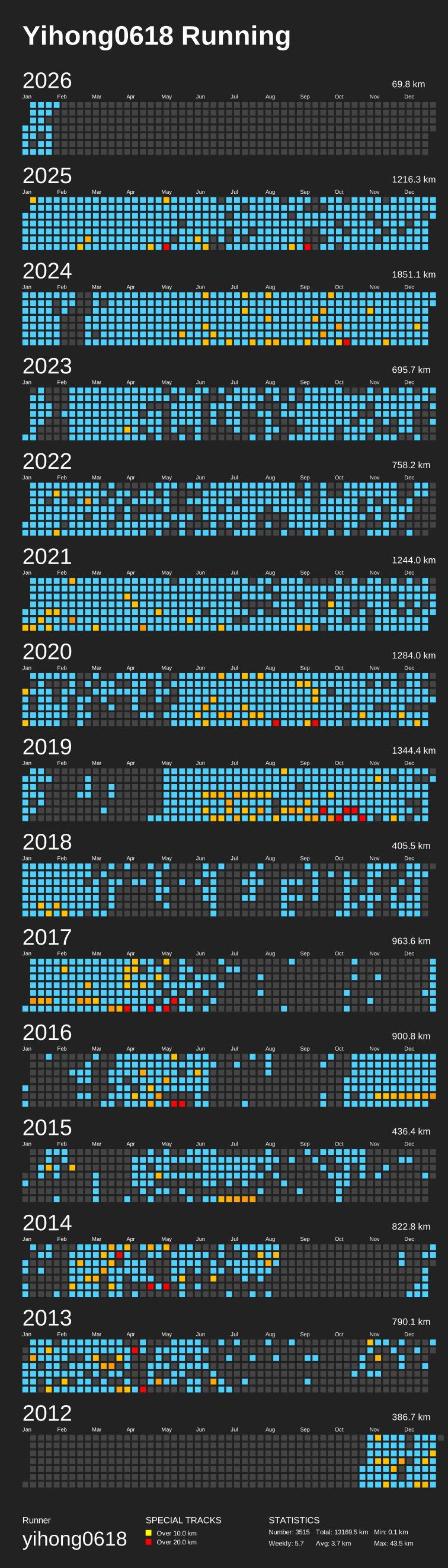
python run_page/gen_svg.py --from-db --title "${{ env.TITLE }}" --type github --athlete "${{ env.ATHLETE }}" --special-distance 10 --special-distance2 20 --special-color yellow --special-color2 red --output assets/github.svg --use-localtime --min-distance 0.5
python run_page/gen_svg.py --from-db --title "${{ env.TITLE_GRID }}" --type grid --athlete "${{ env.ATHLETE }}" --output assets/grid.svg --min-distance 10.0 --special-color yellow --special-color2 red --special-distance 20 --special-distance2 40 --use-localtime
Generate year circular svg show
python3(python) run_page/gen_svg.py --from-db --type circular --use-localtime
For more display effects, see: https://github.com/flopp/GpxTrackPoster
Use Vercel to deploy
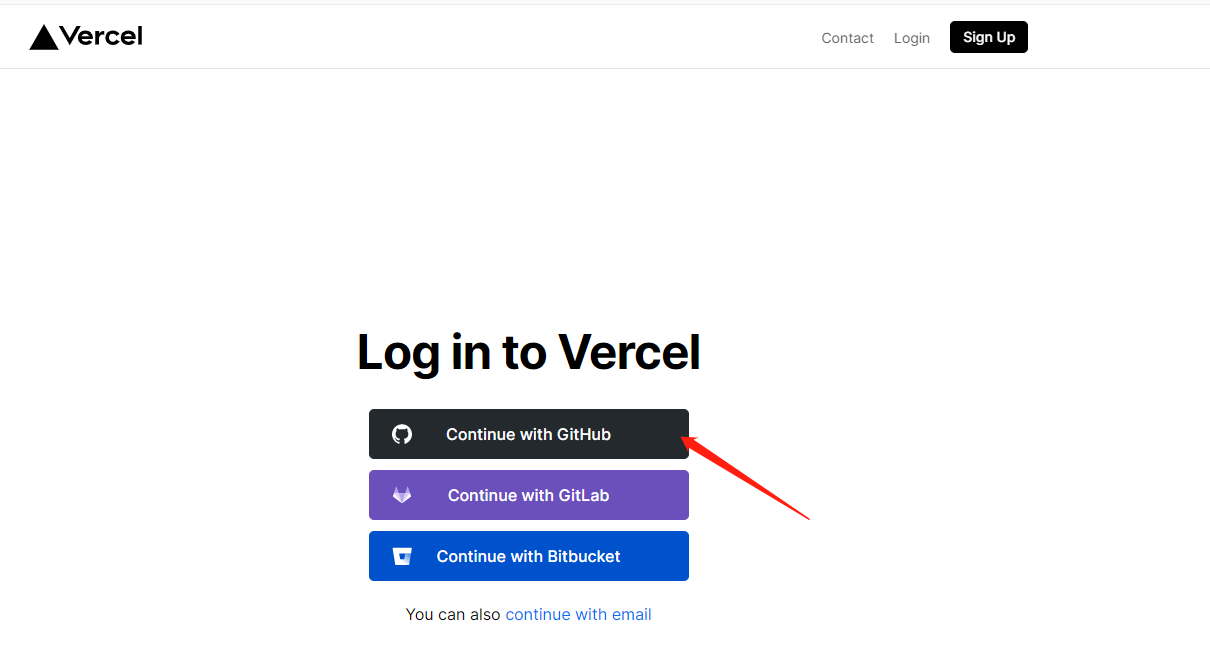
- vercel connects to your GitHub repo.
- import repo

- Awaiting completion of deployment
- Visits
Use Cloudflare to deploy
-
Login to Cloudflare dashboard.
-
Click
Workers & Pageson the left side. -
Click
Create applicationand selectPagestab, connect your GitHub account and selectrunning_pageRepo, then clickBegin setup. -
Scroll down to
Build settings, chooseCreate React AppfromFramework preset, and setBuild output directorytodist. -
Scroll down, click
Environment variables (advanced), then add a variable like below:Variable name =
PYTHON_VERSION, Value =3.7 -
Click
Save and Deploy
Deploy to GitHub Pages
-
If you are using a custom domain for GitHub Pages, open .github/workflows/gh-pages.yml, change
fqdnvalue to the domain name of your site. -
Go to repository's
Settings -> GitHub Pages -> Source, chooseGitHub Actions -
Go to repository's
Actions -> Workflows -> All Workflows, choosePublish GitHub Pagesfrom the left panel, clickRun workflow. Make sure the workflow runs without errors, andgh-pagesbranch is created.
Modifying information in GitHub Actions
Actions source code The following steps need to be taken
- change to your app type and info

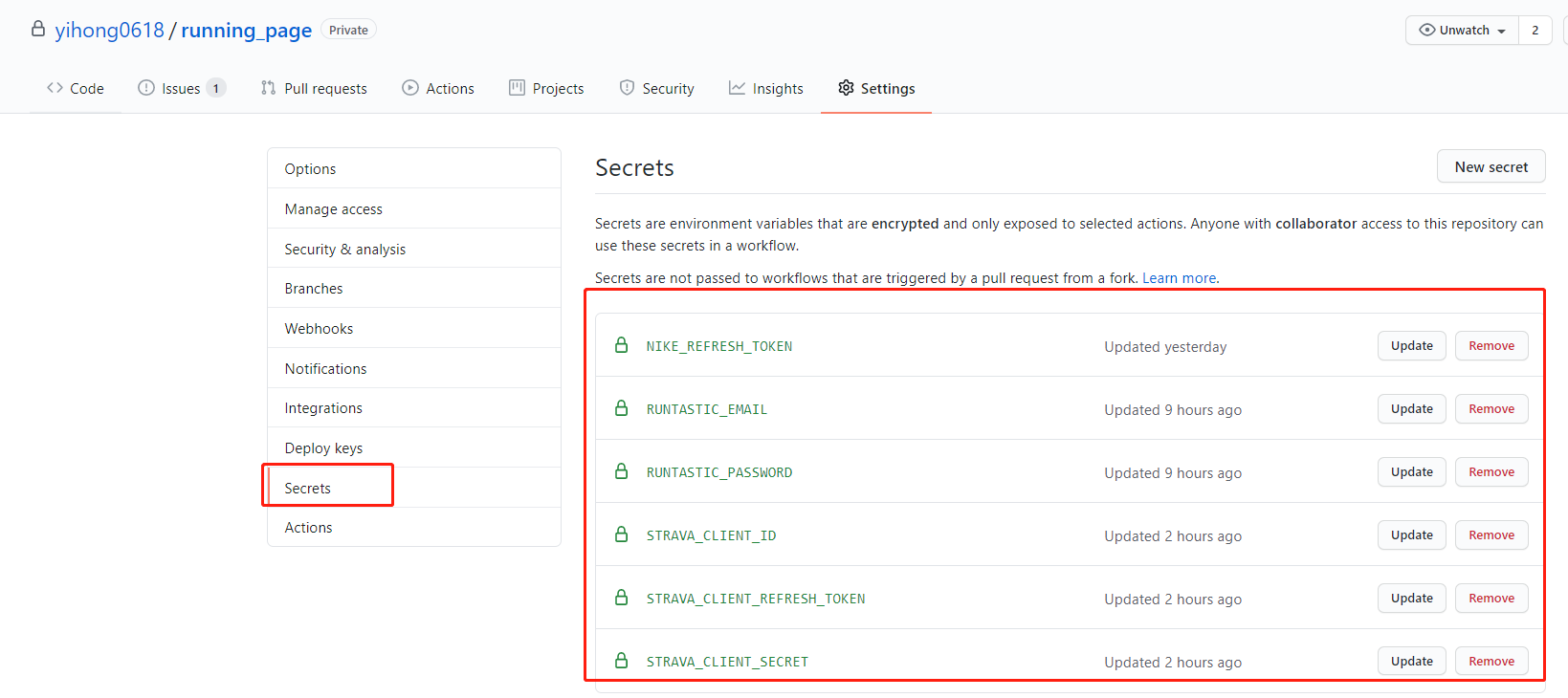
- Add your secret in repo Settings > Secrets (add only the ones you need).

- My secret is as follows
- Go to repository's
Settings -> Code and automation -> Actions ->General, Scroll to the bottom, findWorkflow permissions, choose the first optionRead and write permissions, clickSave.
Storing Data Files in GitHub Cache
When SAVE_DATA_IN_GITHUB_CACHE is set to true in the run_data_sync.yml file, the script can store fetched and intermediate data files in the GitHub Action cache. This helps keep your GitHub commit history and directory clean.
If you are deploying using GitHub Pages, it is recommended to set this value to true, and set BUILD_GH_PAGES to true.
supported manufacturer:
- Garmin
- magene
- Complete this document.
- Support Garmin, Garmin China
- support for nike+strava
- Support English
- Refine the code
- add new features
- tests
- support the world map
- support multiple types, like hiking, biking~
- support for Zeep life
- Any Issues PR welcome.
- You can PR share your Running page in README I will merge it.
Before submitting PR:
- Format Python code with
black(black .)
- @flopp great repo GpxTrackPoster
- @danpalmer UI design
- @shaonianche icon design and doc
- @geekplux Friendly help and encouragement, refactored the whole front-end code, learned a lot
- @MFYDev Wiki
- @gongzili456 for motorcycle version
- @ben-29 for different types support
- @geekplux for different types support
Just enjoy it~
https://www.strava.com/settings/api https://developers.strava.com/docs/#rate-limiting
Strava API Rate Limit Exceeded. Retry after 100 seconds
Strava API Rate Limit Timeout. Retry in 799.491622 seconds