<<<<<<< HEAD
简体中文 | English
GIF SHOW

=======


639228f96d89555b1712b5e5222d11144f4aad98

- GitHub Actions manages automatic synchronization of runs and generation of new pages.
- Gatsby-generated static pages, fast
- Support for Vercel (recommended) and GitHub Pages automated deployment
- React Hooks
- Mapbox for map display
- Supports most sports apps such as nike strava...
automatically backup gpx data for easy backup and uploading to other software.
Note: If you don't want to make the data public, you can choose strava's fuzzy processing, or private repositories.
639228f96d89555b1712b5e5222d11144f4aad98
- Garmin
- Garmin-CN <<<<<<< HEAD
- Runtastic(Adidas Run) =======
639228f96d89555b1712b5e5222d11144f4aad98
Clone or fork the repo.
639228f96d89555b1712b5e5222d11144f4aad98
git clone https://github.com/yihong0618/running_page.git
639228f96d89555b1712b5e5222d11144f4aad98
pip3 install -r requirements.txt
yarn install
yarn develop
<<<<<<< HEAD Open your browser and visit http://localhost:8000/
Open your browser and visit http://localhost:8000/
639228f96d89555b1712b5e5222d11144f4aad98
If you use English please change
IS_CHINESE = falseinsrc/utils/const.js
Suggested changes to your own Mapbox token
<<<<<<< HEAD
const MAPBOX_TOKEN = 'pk.eyJ1IjoieWlob25nMDYxOCIsImEiOiJja2J3M28xbG4wYzl0MzJxZm0ya2Fua2p2In0.PNKfkeQwYuyGOTT_x9BJ4Q';
=======
const MAPBOX_TOKEN =
  'pk.eyJ1IjoieWlob25nMDYxOCIsImEiOiJja2J3M28xbG4wYzl0MzJxZm0ya2Fua2p2In0.PNKfkeQwYuyGOTT_x9BJ4Q';
>>>>>>> 639228f96d89555b1712b5e5222d11144f4aad98<<<<<<< HEAD
Modify export const AVATAR = 'https://encrypted-tbn0.gstatic.com/images?q=tbn:ANd9GcQTtc69JxHNcmN1ETpMUX4dozAgAN6iPjWalQ&usqp=CAU'; Replace it with the link to the image you want.
Change NAVS in src/utils/const.js to the link you want, just like:
export const NAVS = [
  { text: 'Blog', link: 'https://yihong.run/running' },
  { text: 'About', link: 'https://github.com/yihong0618/running_page/blob/master/README-CN.md' },
];
You can also add multiple links, just like the above.
=======
639228f96d89555b1712b5e5222d11144f4aad98 Find
gatsby-config.jsin the repository directory, find the following content, and change it to what you want.
siteMetadata: {
<<<<<<< HEAD
  title: 'Running page',
  siteUrl: 'https://yihong.run',
  description: 'Personal site and blog',
=======
  siteTitle: 'Running Page', #website title
  siteUrl: 'https://yihong.run', #website url
  logo: 'https://encrypted-tbn0.gstatic.com/images?q=tbn:ANd9GcQTtc69JxHNcmN1ETpMUX4dozAgAN6iPjWalQ&usqp=CAU', #logo img
  description: 'Personal site and blog',
  navLinks: [
    {
      name: 'Blog', #navigation name
      url: 'https://yihong.run/running', #navigation url
    },
    {
      name: 'About',
      url: 'https://github.com/yihong0618/running_page/blob/master/README-CN.md',
    },
  ],
>>>>>>> 639228f96d89555b1712b5e5222d11144f4aad98
},
Download your running data and do not forget to generate svg in total page.
Make your GPX data
Copy all your gpx files to GPX_OUT or new gpx files <<<<<<< HEAD
python3(python) scripts/gpx_sync.py=======
python3(python) scripts/gpx_sync.py639228f96d89555b1712b5e5222d11144f4aad98
Get your Garmin data
<<<<<<< HEAD ======= If you only want to sync `type running` add args --only-run >>>>>>> 639228f96d89555b1712b5e5222d11144f4aad98
python3(python) scripts/garmin_sync.py ${your email} ${your password}<<<<<<< HEAD example:
python3(python) scripts/garmin_sync.py example@gmail.com example=======
example:
python3(python) scripts/garmin_sync.py example@gmail.com exampleGet your Garmin-CN data
python3(python) scripts/garmin_sync.py ${your email} ${your password} --is-cn<<<<<<< HEAD example:
python3(python) scripts/garmin_sync.py example@gmail.com example --is-cnGet your Runtastic data
python3(python) scripts/runtastic_sync.py ${your email} ${your password}example:
python3(python) scripts/runtastic_sync.py example@gmail.com example=======
example:
python3(python) scripts/garmin_sync.py example@gmail.com example --is-cn639228f96d89555b1712b5e5222d11144f4aad98
Get your Nike Run Club data
Please note: When you choose to deploy running_page on your own server, due to Nike has blocked some IDC's IP band, maybe your server cannot sync Nike Run Club's data correctly and display 403 error, then you have to change another way to host it.
Get Nike's refresh_token
639228f96d89555b1712b5e5222d11144f4aad98
- Login Nike website
- In Develop -> Application-> Storage -> https:unite.nike.com look for
refresh_token

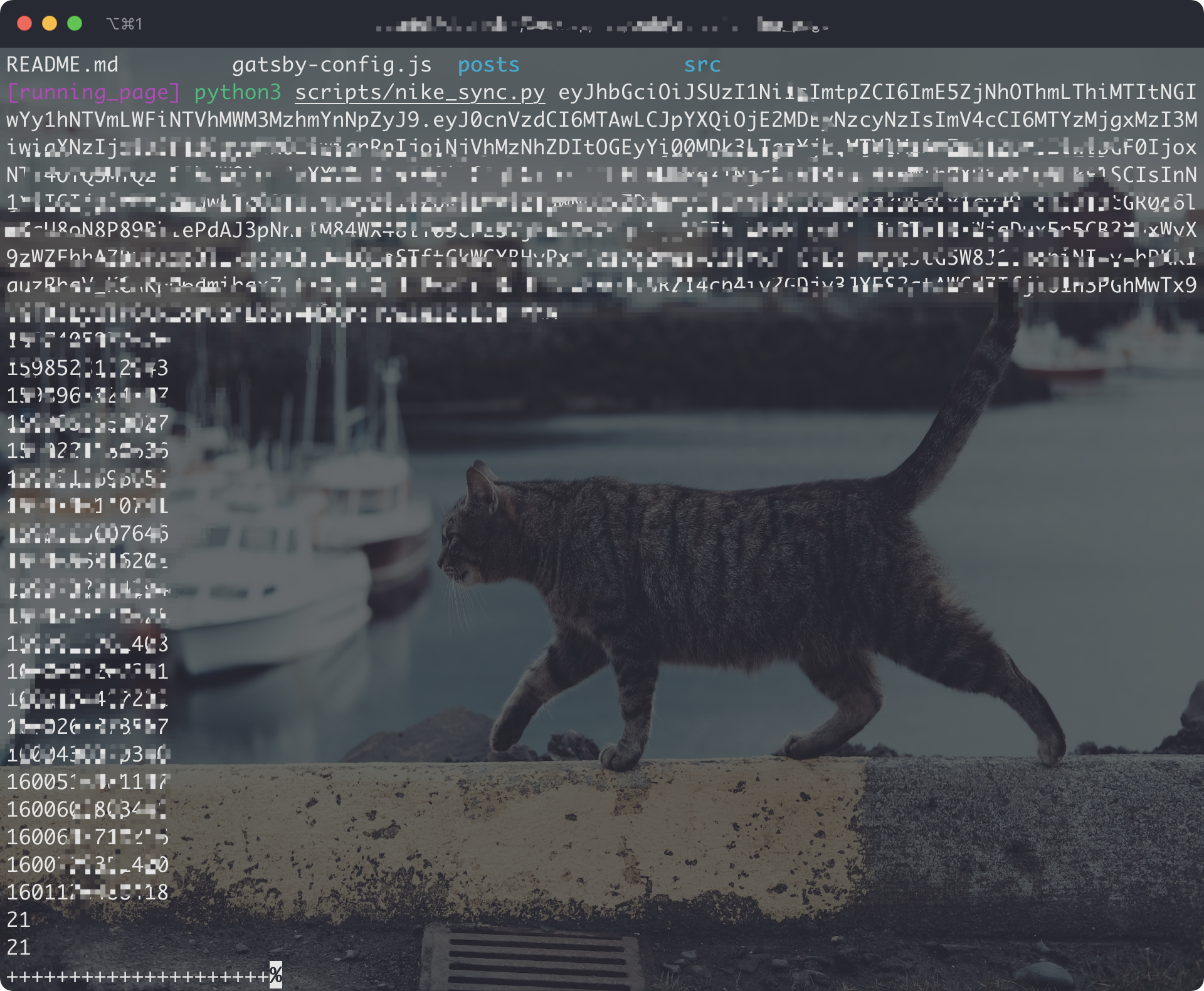
- Execute in the root directory: <<<<<<< HEAD
python3(python) scripts/nike_sync.py ${nike refresh_token}example:
python3(python) scripts/nike_sync.py eyJhbGciThiMTItNGIw******=======
python3(python) scripts/nike_sync.py ${nike refresh_token}example:
python3(python) scripts/nike_sync.py eyJhbGciThiMTItNGIw******639228f96d89555b1712b5e5222d11144f4aad98
Get your Strava data
-
Sign in/Sign up Strava account
-
Open after successful Signin Strava Developers -> Create & Manage Your App
-
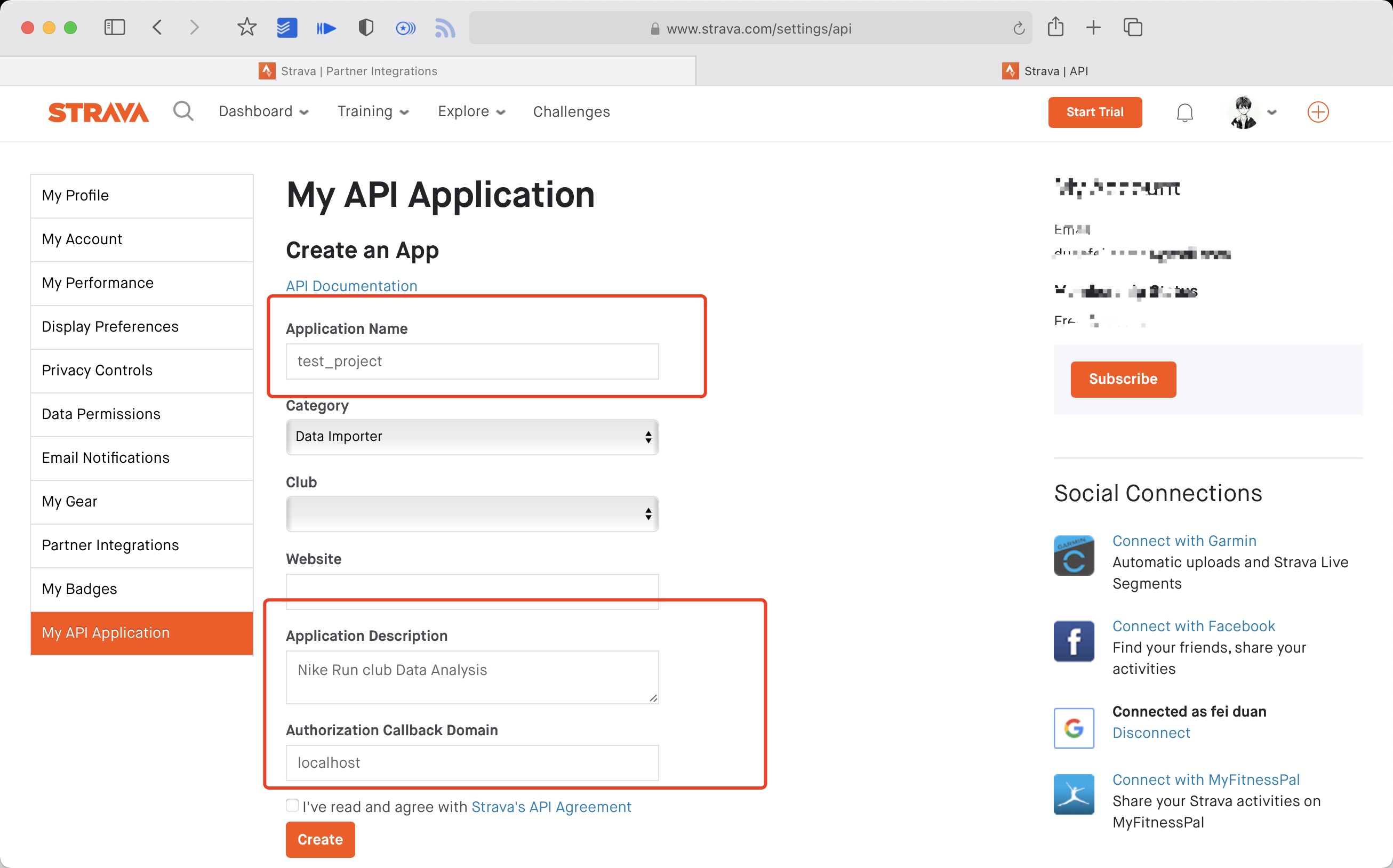
Create
My API Application: Enter the following information
 Created successfully:

<<<<<<< HEAD
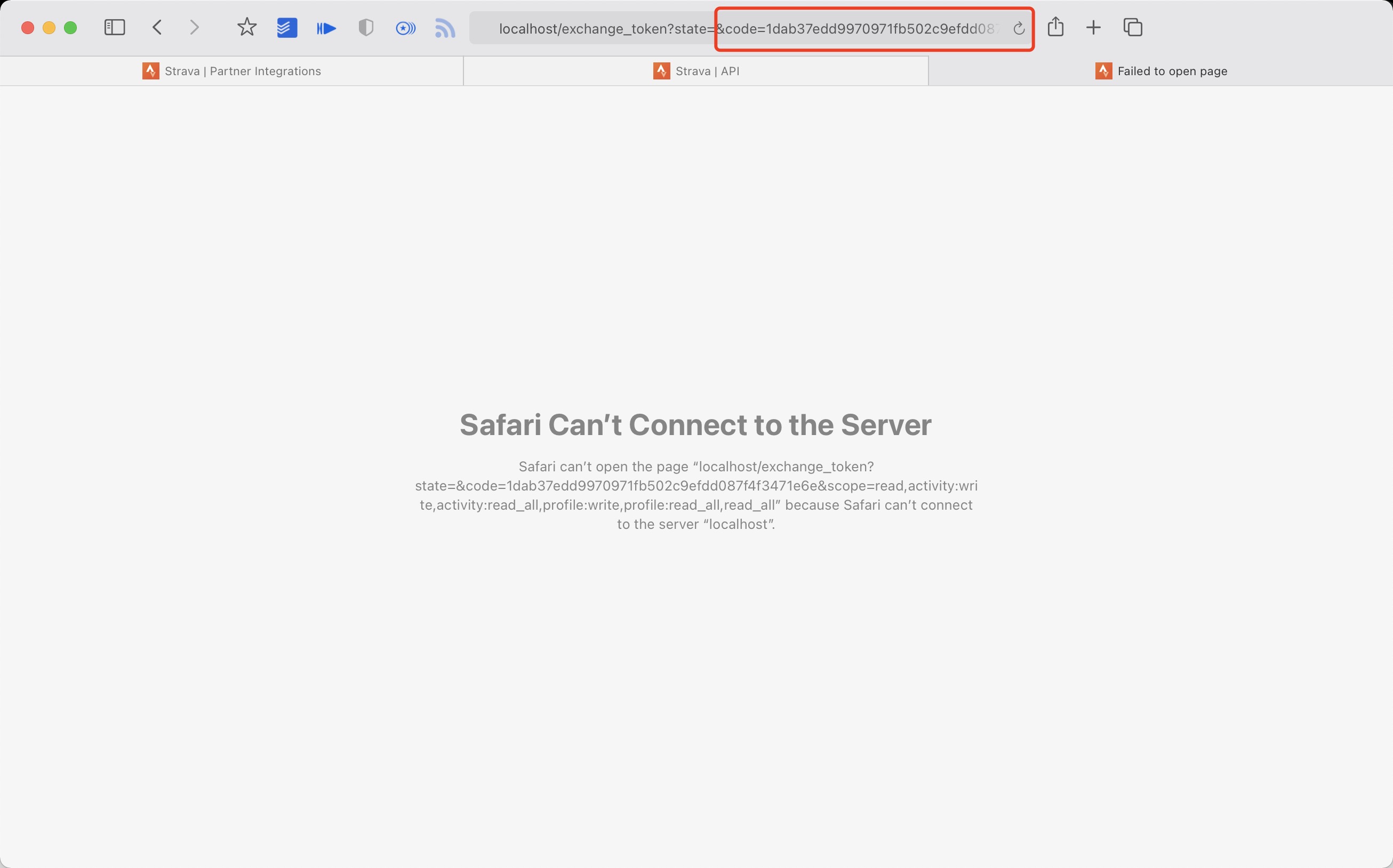
4. Use the link below to request all permissions: Replace ${your_id} in the link with My API Application Client ID
https://www.strava.com/oauth/authorize?client_id=${your_id}&response_type=code&redirect_uri=http://localhost/exchange_token&approval_prompt=force&scope=read_all,profile:read_all,activity:read_all,profile:write,activity:write
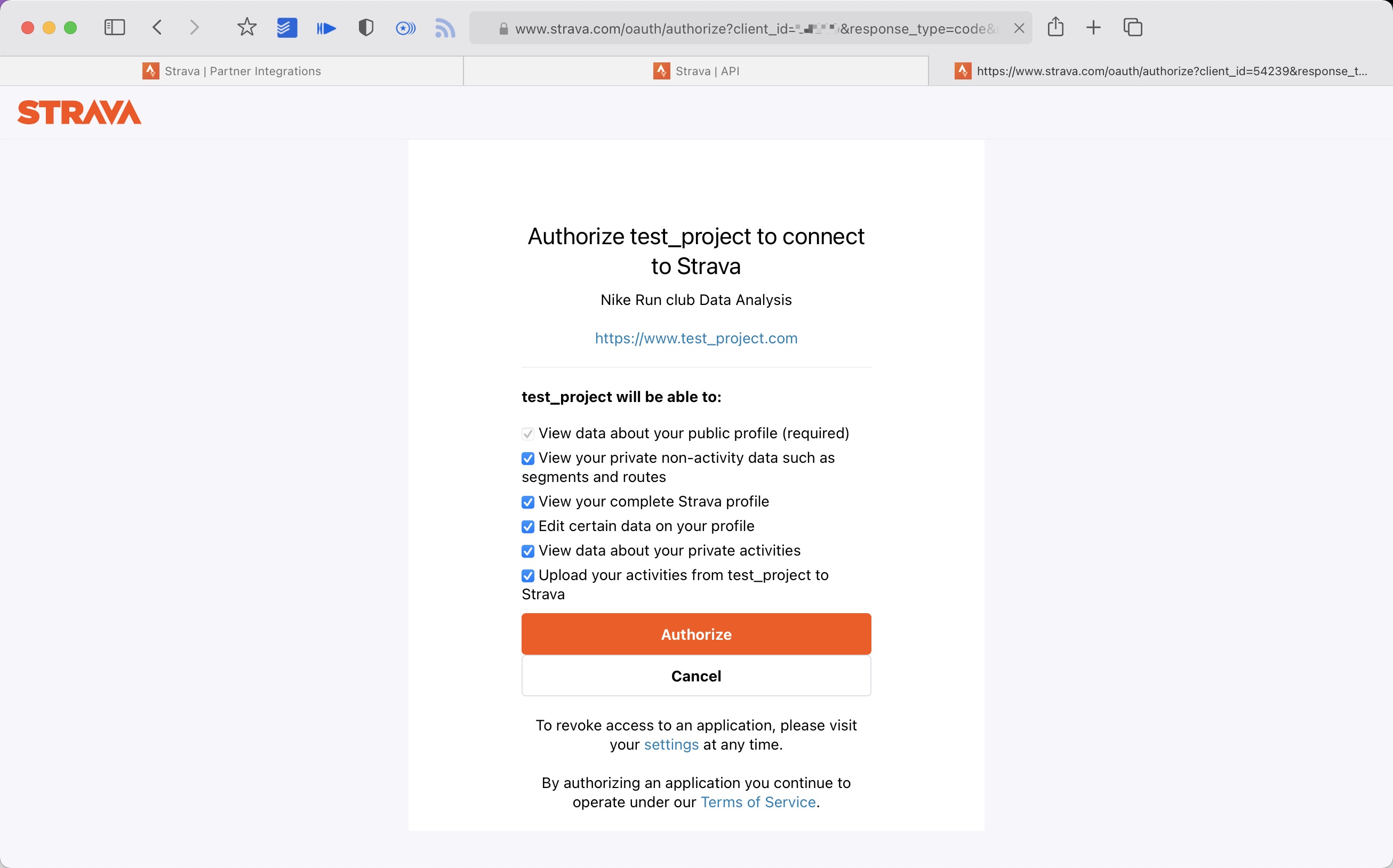
- Get the
codevalue in the link
======= - Use the link below to request all permissions: Replace
${your_id}in the link withMy API ApplicationClient ID
https://www.strava.com/oauth/authorize?client_id=${your_id}&response_type=code&redirect_uri=http://localhost/exchange_token&approval_prompt=force&scope=read_all,profile:read_all,activity:read_all,profile:write,activity:write
- Get the
codevalue in the link
639228f96d89555b1712b5e5222d11144f4aad98
example: <<<<<<< HEAD
http://localhost/exchange_token?state=&code=1dab37edd9970971fb502c9efdd087f4f3471e6e&scope=read,activity:write,activity:read_all,profile:write,profile:read_all,read_all
code value:
1dab37edd9970971fb502c9efdd087f4f3471e6
- Use
Client_id、Client_secret、Codegetrefresch_token: Execute inTerminal/iTerm=======
http://localhost/exchange_token?state=&code=1dab37edd9970971fb502c9efdd087f4f3471e6e&scope=read,activity:write,activity:read_all,profile:write,profile:read_all,read_all
code value:
1dab37edd9970971fb502c9efdd087f4f3471e6
- Use
Client_id、Client_secret、Codegetrefresch_token: Execute inTerminal/iTerm
639228f96d89555b1712b5e5222d11144f4aad98
curl -X POST https://www.strava.com/oauth/token \
-F client_id=${Your Client ID} \
-F client_secret=${Your Client Secret} \
-F code=${Your Code} \
-F grant_type=authorization_code
example:
639228f96d89555b1712b5e5222d11144f4aad98
curl -X POST https://www.strava.com/oauth/token \
-F client_id=12345 \
-F client_secret=b21******d0bfb377998ed1ac3b0 \
-F code=d09******b58abface48003 \
-F grant_type=authorization_code
<<<<<<< HEAD

- Sync
Stravadata
python3(python) scripts/strava_sync.py ${client_id} ${client_secret} ${refresch_token}References:
https://developers.strava.com/docs/getting-started
https://github.com/barrald/strava-uploader
https://github.com/strava/go.strava
- Sync
Stravadata
python3(python) scripts/strava_sync.py ${client_id} ${client_secret} ${refresch_token}References:
https://developers.strava.com/docs/getting-started
https://github.com/barrald/strava-uploader
https://github.com/strava/go.strava
639228f96d89555b1712b5e5222d11144f4aad98
Get your Nike Run Club data and upload to strava
- follow the nike and strava steps
- Execute in the root directory: <<<<<<< HEAD
python3(python) scripts/nike_to_strava_sync.py ${nike_refresh_token} ${client_id} ${client_secret} ${strava_refresch_token} example:
python3(python) scripts/nike_to_strava_sync.py eyJhbGciThiMTItNGIw****** xxx xxx xxx=======
python3(python) scripts/nike_to_strava_sync.py ${nike_refresh_token} ${client_id} ${client_secret} ${strava_refresch_token}example:
python3(python) scripts/nike_to_strava_sync.py eyJhbGciThiMTItNGIw****** xxx xxx xxx639228f96d89555b1712b5e5222d11144f4aad98
Running data display
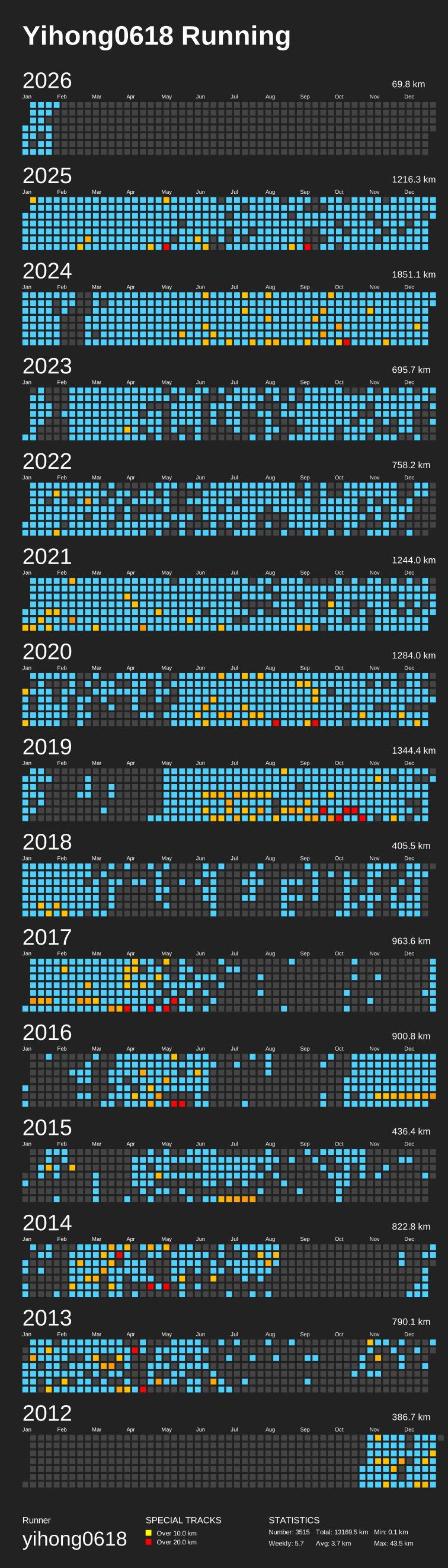
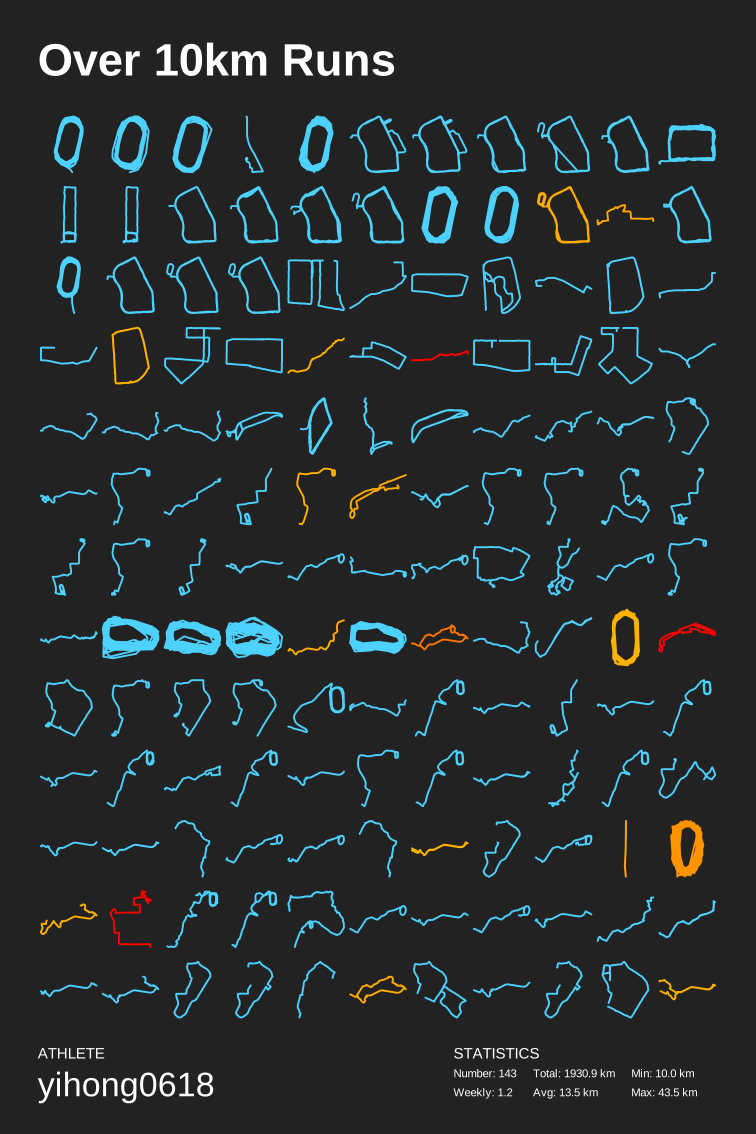
- Generate SVG data display
- Display of results:Click to view、Click to view
python scripts/gen_svg.py --from-db --title "${{ env.TITLE }}" --type github --athlete "${{ env.ATHLETE }}" --special-distance 10 --special-distance2 20 --special-color yellow --special-color2 red --output assets/github.svg --use-localtime --min-distance 0.5
python scripts/gen_svg.py --from-db --title "${{ env.TITLE_GRID }}" --type grid --athlete "${{ env.ATHLETE }}" --output assets/grid.svg --min-distance 10.0 --special-color yellow --special-color2 red --special-distance 20 --special-distance2 40 --use-localtime
Generate year circular svg show
639228f96d89555b1712b5e5222d11144f4aad98
python3(python) scripts/gen_svg.py --from-db --type circular --use-localtime
For more display effects, see:
639228f96d89555b1712b5e5222d11144f4aad98 https://github.com/flopp/GpxTrackPoster
Use vercel deploy
=======
Use Vercel to deploy
>>>>>>> 639228f96d89555b1712b5e5222d11144f4aad98
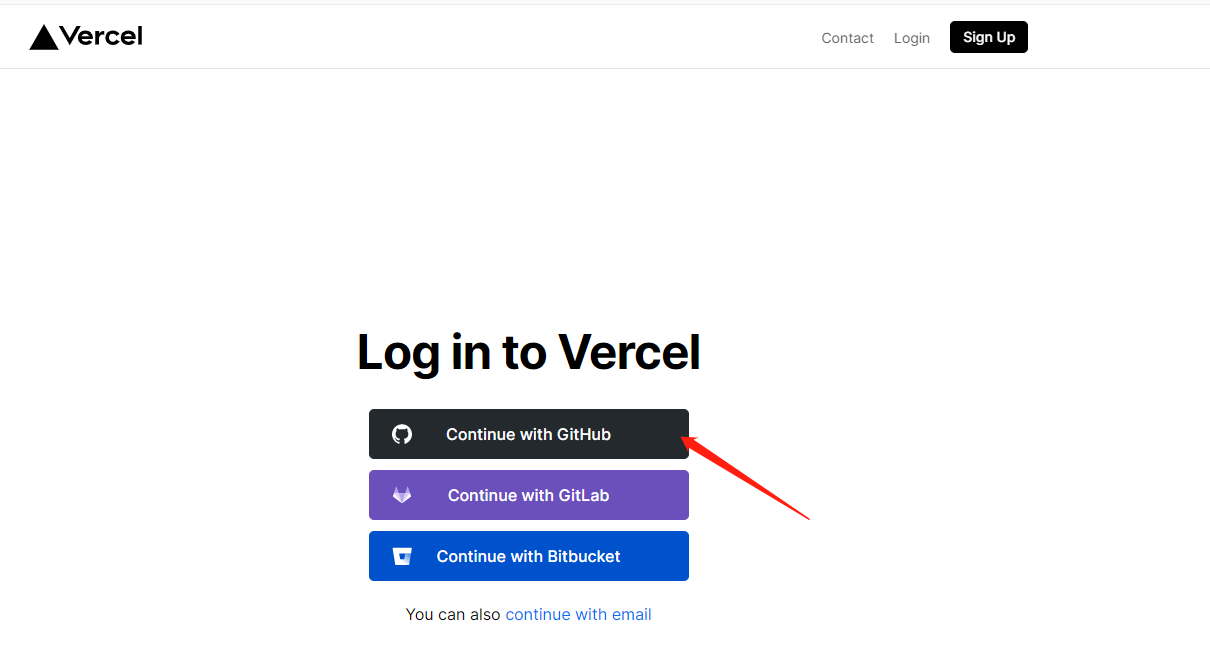
- vercel connects to your GitHub repo.
639228f96d89555b1712b5e5222d11144f4aad98
- import repo

- Awaiting completion of deployment
- Visits
Use Cloudflare to deploy
-
Click
Create a projectinPagesto connect to your Repo. -
After clicking
Begin setup, modify Project'sBuild settings. -
Select
Framework presettoGatsby -
Scroll down, click
Environment variables, then variable below:Variable name =
PYTHON_VERSION, Value =3.7 -
Click
Save and Deploy
Deploy to GitHub Pages
- If you are using a custom domain for GitHub Pages, open .github/workflows/gh-pages.yml, change
fqdnvalue to the domain name of your site.
<<<<<<< HEAD
2. (Skip this step if you're NOT using a custom domain) Modify gatsby-config.js, change pathPrefix value to the root path. If the repository name is running_page, the value will be /running_page.
- (Skip this step if you're NOT using a custom domain) Modify
gatsby-config.js, changepathPrefixvalue to the root path. If the repository name isrunning_page, the value will be/running_page.
639228f96d89555b1712b5e5222d11144f4aad98
-
Go to repository's
Actions -> Workflows -> All Workflows, choosePublish GitHub Pagesfrom the left panel, clickRun workflow. Make sure the workflow runs without errors, andgh-pagesbranch is created. -
Go to repository's
Settings -> GitHub Pages -> Source, chooseBranch: gh-pages, clickSave.
<<<<<<< HEAD
=======
639228f96d89555b1712b5e5222d11144f4aad98
Modifying information in GitHub Actions
Actions source code The following steps need to be taken <<<<<<< HEAD
639228f96d89555b1712b5e5222d11144f4aad98
- change to your app type and info
 Add your secret in repo Settings > Secrets (add only the ones you need).
 My secret is as follows
<<<<<<< HEAD
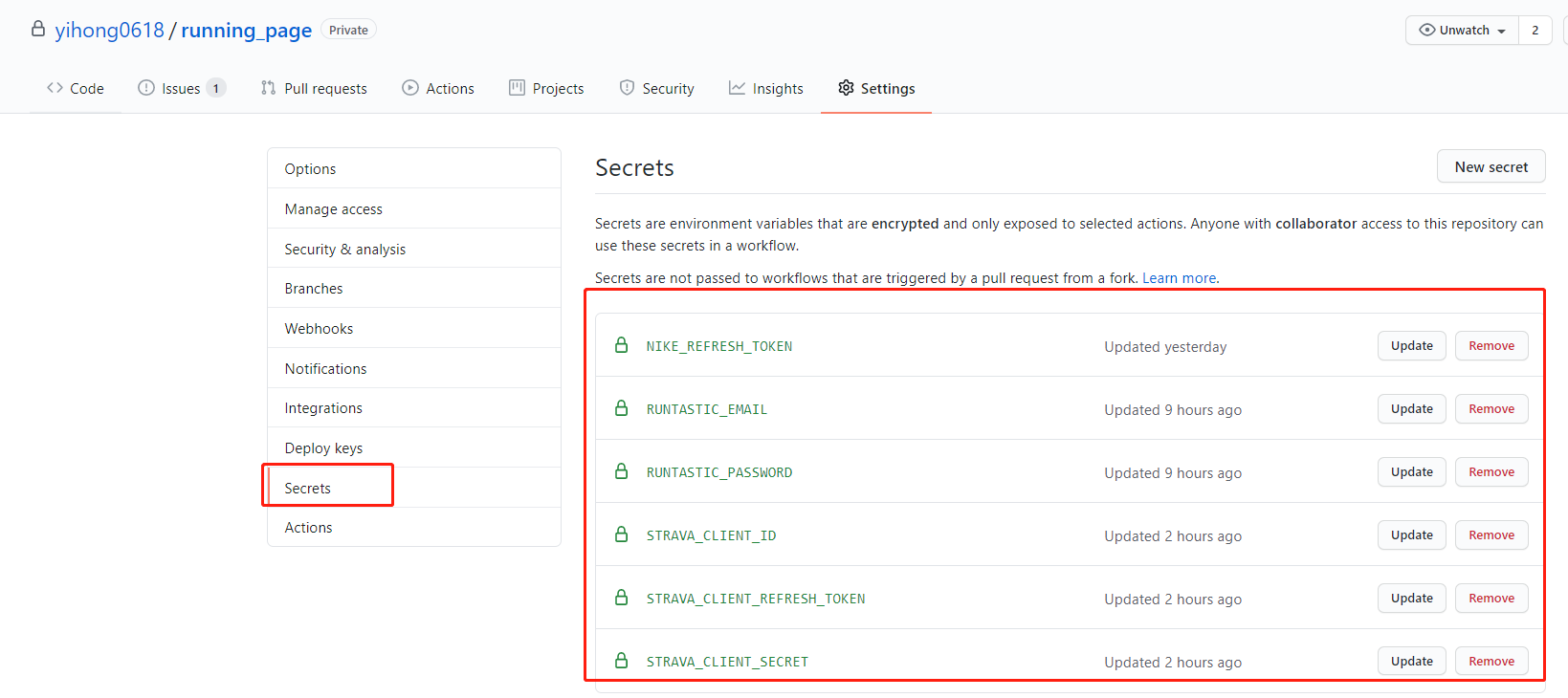 3. add your GitHub secret and have the same name as the GitHub secret in your project.
3. add your GitHub secret and have the same name as the GitHub secret in your project.
639228f96d89555b1712b5e5222d11144f4aad98

- Complete this document.
- Support Garmin, Garmin China
- support for nike+strava
- Support English
- Refine the code
- add new features <<<<<<< HEAD =======
- tests
639228f96d89555b1712b5e5222d11144f4aad98
- support the world map
- support multiple types, like hiking, biking~
- Any Issues PR welcome.
- You can PR share your Running page in README I will merge it.
Before submitting PR: <<<<<<< HEAD
-
Format Python code with Black =======
-
Format Python code with
black(black .) -
Format Python code with
isort(isort --profile black //*.py)
639228f96d89555b1712b5e5222d11144f4aad98
- @flopp great repo GpxTrackPoster <<<<<<< HEAD
- @shaonianche icon design and doc
- @geekplux Friendly help and encouragement, refactored the whole front-end code, learned a lot~ =======
- @danpalmer UI design
- @shaonianche icon design and doc
- @geekplux Friendly help and encouragement, refactored the whole front-end code, learned a lot
- @MFYDev Wiki
No need sponsor, just enjoy it.
639228f96d89555b1712b5e5222d11144f4aad98