


Fork of tw93/Mole — this repository extends the original Mole CLI with a native macOS Desktop application built with Wails v2 + React.
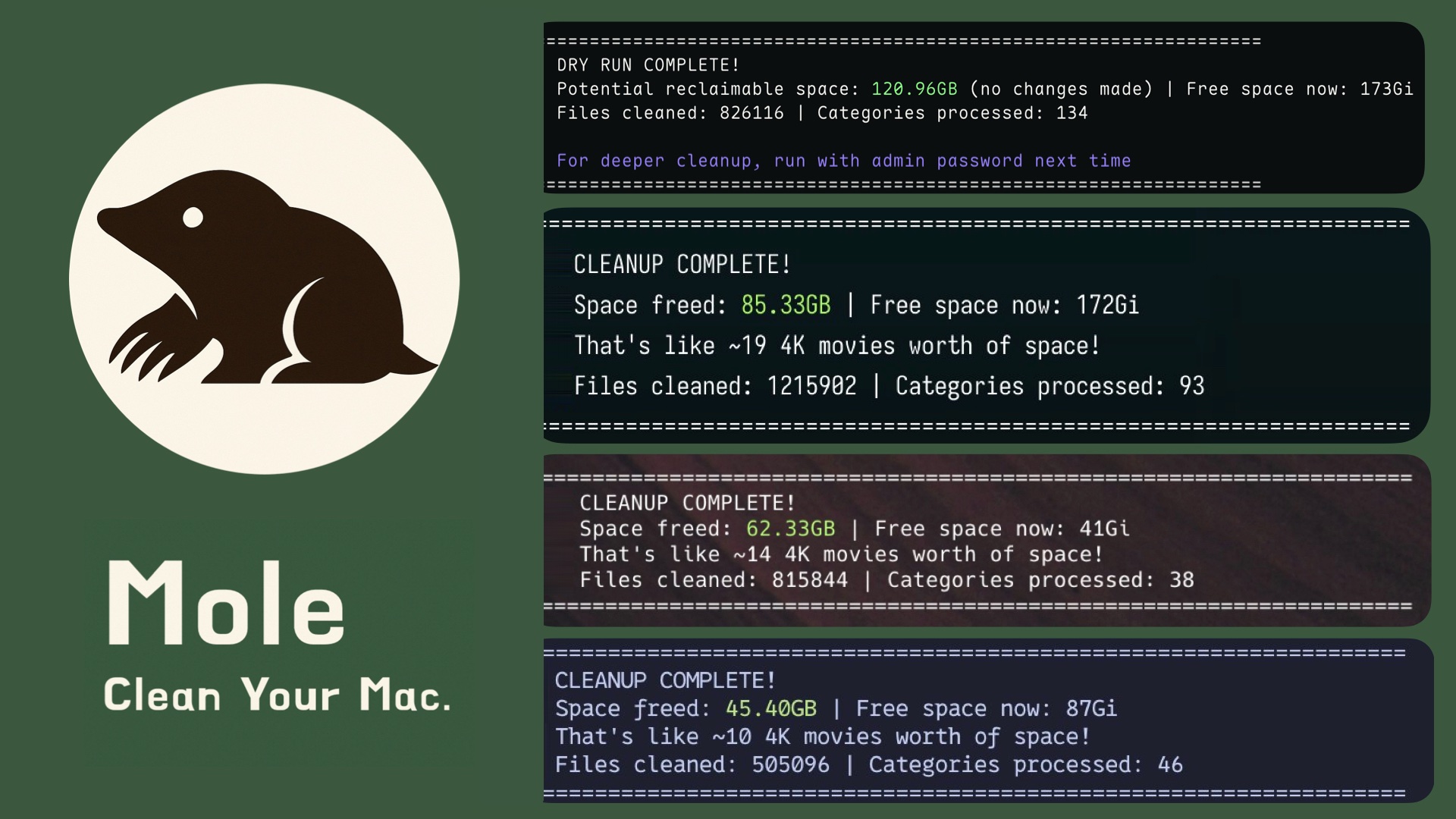
A native macOS desktop application that wraps the Mole CLI in a clean, modern UI — real-time system metrics, one-click clean/optimize, menu-bar icon, and more.
Desktop App — this repository root is the desktop app source. Run wails build to build.
Real-time system overview — CPU, RAM, Disk, Network, and Battery health score at a glance. One-click Optimize All button runs clean + optimize in sequence.

Browser, AI tool, and app cache cleanup in one place. Each target shows estimated size, safety badge, and requires confirmation before any deletion.

Full log of every clean, optimize, and purge operation — timestamps, output, and status for every run.

Privacy & Security redirect, launch-at-login toggle, notifications, update checker, and app info. Full Disk Access guide built-in.

| Feature | Detail |
|---|---|
| Real-time Dashboard | CPU, RAM, Disk, Network, Battery with health score |
| Top Processes | Live CPU & memory usage per process |
| Deep Cleaner | mo clean with live output stream |
| System Optimizer | 5-step optimization with dry-run preview |
| Deep Purge | mo purge for orphaned project artifacts |
| App Cleanup | Remove app-specific caches and leftovers |
| App Uninstaller | Remove apps + all hidden remnants by size |
| Node Modules | Scan and purge unused node_modules directories |
| Clean Logs | Remove system and app log files |
| Installer Cleanup | Remove .pkg/.dmg/.zip installer leftovers |
| Disk Analyzer | Visual disk usage breakdown by directory |
| Optimize All | One-click clean + optimize from Dashboard |
| Menu Bar Icon | Runs silently in menu bar, close = hide |
| Notifications | macOS alerts when tasks complete |
| Launch at Login | Auto-start on macOS login |
| Update Checker | Check latest release from GitHub |
- All-in-one toolkit: Combines CleanMyMac, AppCleaner, DaisyDisk, and iStat Menus in a single binary
- Deep cleaning: Removes caches, logs, and browser leftovers to reclaim gigabytes of space
- Smart uninstaller: Removes apps plus launch agents, preferences, and hidden remnants
- Disk insights: Visualizes usage, finds large files, rebuilds caches, and refreshes system services
- Live monitoring: Shows real-time CPU, GPU, memory, disk, and network stats
Desktop App
Download the latest .dmg from the Releases page, open it, and drag MacMole to your Applications folder.
Or build from source
git clone https://github.com/eksant/MacMole.git
cd MacMole
wails build
open build/bin/MacMole.app
CLI (Mole)
Install the bundled Mole CLI via Homebrew:
brew install moleOr via script:
curl -fsSL https://raw.githubusercontent.com/tw93/mole/main/install.sh | bashNote: MacMole is macOS-only. The desktop app requires macOS 10.13+.
CLI commands
mo                           # Interactive menu
mo clean                     # Deep cleanup
mo uninstall                 # Remove apps + leftovers
mo optimize                  # Refresh caches & services
mo analyze                   # Visual disk explorer
mo status                    # Live system health dashboard
mo purge                     # Clean project build artifacts
mo installer                 # Find and remove installer files

mo touchid                   # Configure Touch ID for sudo
mo completion                # Set up shell tab completion
mo update                    # Update Mole CLI
mo remove                    # Remove Mole CLI from system
mo --help                    # Show help
mo --version                 # Show installed version
Preview safely
mo clean --dry-run
mo uninstall --dry-run
mo purge --dry-run

# Also works with: optimize, installer, remove, completion, touchid enable
mo clean --dry-run --debug   # Preview + detailed logs
mo optimize --whitelist      # Manage protected optimization rules
mo clean --whitelist         # Manage protected caches
mo purge --paths             # Configure project scan directories
mo analyze /Volumes # Analyze external drives onlyMole is a local system maintenance tool, and some commands can perform destructive local operations.
Mole uses safety-first defaults: path validation, protected-directory rules, conservative cleanup boundaries, and explicit confirmation for higher-risk actions. When risk or uncertainty is high, Mole skips, refuses, or requires stronger confirmation rather than broadening deletion scope.
mo analyze is safer for ad hoc cleanup because it moves files to Trash through Finder instead of deleting them directly.
Review SECURITY.md and SECURITY_AUDIT.md for reporting guidance, safety boundaries, and current limitations.
- Video tutorial: Watch the Mole tutorial video, thanks to PAPAYA 電腦教室.
- Safety and logs:
clean,uninstall,purge,installer, andremoveare destructive. Review with--dry-runfirst, and add--debugwhen needed. File operations are logged to~/Library/Logs/mole/operations.log. Disable withMO_NO_OPLOG=1. Review SECURITY.md and SECURITY_AUDIT.md. - Navigation: Mole supports arrow keys and Vim bindings
h/j/k/l.
$ mo clean

Scanning cache directories...

  ✓ User app cache                                           45.2GB
  ✓ Browser cache (Chrome, Safari, Firefox)                  10.5GB
  ✓ Developer tools (Xcode, Node.js, npm)                    23.3GB
  ✓ System logs and temp files                                3.8GB
  ✓ App-specific cache (Spotify, Dropbox, Slack)              8.4GB
  ✓ Trash                                                    12.3GB

====================================================================
Space freed: 95.5GB | Free space now: 223.5GB
====================================================================
Note: In mo clean -> Developer tools, Mole removes unused CoreSimulator Volumes/Cryptex entries and skips IN_USE items.
$ mo uninstall

Select Apps to Remove
═══════════════════════════
▶ ☑ Photoshop 2024            (4.2G) | Old
  ☐ IntelliJ IDEA             (2.8G) | Recent
  ☐ Premiere Pro              (3.4G) | Recent

Uninstalling: Photoshop 2024

  ✓ Removed application
  ✓ Cleaned 52 related files across 12 locations
    - Application Support, Caches, Preferences
    - Logs, WebKit storage, Cookies
    - Extensions, Plugins, Launch daemons

====================================================================
Space freed: 12.8GB
====================================================================$ mo optimize
System: 5/32 GB RAM | 333/460 GB Disk (72%) | Uptime 6d
✓ Rebuild system databases and clear caches
✓ Reset network services
✓ Refresh Finder and Dock
✓ Clean diagnostic and crash logs
✓ Remove swap files and restart dynamic pager
✓ Rebuild launch services and spotlight index
====================================================================
System optimization completed
====================================================================
Use `mo optimize --whitelist` to exclude specific optimizations.Note: By default, Mole skips external drives under
/Volumesfor faster startup. To inspect them, runmo analyze /Volumesor a specific mount path.
$ mo analyze

Analyze Disk  ~/Documents  |  Total: 156.8GB

 ▶  1. ███████████████████  48.2%  |  📁 Library                     75.4GB  >6mo
    2. ██████████░░░░░░░░░  22.1%  |  📁 Downloads                   34.6GB
    3. ████░░░░░░░░░░░░░░░  14.3%  |  📁 Movies                      22.4GB
    4. ███░░░░░░░░░░░░░░░░  10.8%  |  📁 Documents                   16.9GB
    5. ██░░░░░░░░░░░░░░░░░   5.2%  |  📄 backup_2023.zip              8.2GB

↑↓←→ Navigate | O Open | F Show | ⌫ Delete | L Large files | Q QuitReal-time dashboard with health score, hardware info, and performance metrics.
$ mo status

Mole Status  Health ● 92  MacBook Pro · M4 Pro · 32GB · macOS 14.5

⚙ CPU                                    ▦ Memory
Total   ████████████░░░░░░░  45.2%       Used    ███████████░░░░░░░  58.4%
Load    0.82 / 1.05 / 1.23 (8 cores)     Total   14.2 / 24.0 GB
Core 1  ███████████████░░░░  78.3%       Free    ████████░░░░░░░░░░  41.6%
Core 2  ████████████░░░░░░░  62.1%       Avail   9.8 GB

▤ Disk                                   ⚡ Power
Used    █████████████░░░░░░  67.2%       Level   ██████████████████  100%
Free    156.3 GB                         Status  Charged
Read    ▮▯▯▯▯  2.1 MB/s                  Health  Normal · 423 cycles
Write   ▮▮▮▯▯  18.3 MB/s                 Temp    58°C · 1200 RPM

⇅ Network                                ▶ Processes
Down    ▁▁█▂▁▁▁▁▁▁▁▁▇▆▅▂  0.54 MB/s      Code       ▮▮▮▮▯  42.1%
Up      ▄▄▄▃▃▃▄▆▆▇█▁▁▁▁▁  0.02 MB/s      Chrome     ▮▮▮▯▯  28.3%
Proxy   HTTP · 192.168.1.100             Terminal   ▮▯▯▯▯  12.5%
Health score is based on CPU, memory, disk, temperature, and I/O load, with color-coded ranges.
Shortcuts: In mo status, press k to toggle the cat and save the preference, and q to quit.
Both mo analyze and mo status support a --json flag for scripting and automation.
mo status also auto-detects when its output is piped (not a terminal) and switches to JSON automatically.
# Disk analysis as JSON
$ mo analyze --json ~/Documents
{
  "path": "/Users/you/Documents",
  "entries": [
    { "name": "Library", "path": "...", "size": 80939438080, "is_dir": true },
    ...
  ],
  "total_size": 168393441280,
  "total_files": 42187
}

# System status as JSON
$ mo status --json
{
  "host": "MacBook-Pro",
  "health_score": 92,
  "cpu": { "usage": 45.2, "logical_cpu": 8, ... },
  "memory": { "total": 25769803776, "used": 15049334784, "used_percent": 58.4 },
  "disks": [ ... ],
  "uptime": "3d 12h 45m",
  ...
}

# Auto-detected JSON when piped
$ mo status | jq '.health_score'
92Clean old build artifacts such as node_modules, target, build, and dist to free up disk space.
mo purge

Select Categories to Clean - 18.5GB (8 selected)

➤ ● my-react-app       3.2GB | node_modules
  ● old-project        2.8GB | node_modules
  ● rust-app           4.1GB | target
  ● next-blog          1.9GB | node_modules
  ○ current-work       856MB | node_modules  | Recent
  ● django-api         2.3GB | venv
  ● vue-dashboard      1.7GB | node_modules
  ● backend-service    2.5GB | node_modules
Note: We recommend installing
fdon macOS.brew install fd
Safety: This permanently deletes selected artifacts. Review carefully before confirming. Projects newer than 7 days are marked and unselected by default.
Custom Scan Paths
Run mo purge --paths to configure scan directories, or edit ~/.config/mole/purge_paths directly:
~/Documents/MyProjects
~/Work/ClientA
~/Work/ClientB
When custom paths are configured, Mole scans only those directories. Otherwise, it uses defaults like ~/Projects, ~/GitHub, and ~/dev.
Find and remove large installer files across Downloads, Desktop, Homebrew caches, iCloud, and Mail. Each file is labeled by source.
mo installer

Select Installers to Remove - 3.8GB (5 selected)

➤ ● Photoshop_2024.dmg     1.2GB | Downloads
  ● IntelliJ_IDEA.dmg       850.6MB | Downloads
  ● Illustrator_Setup.pkg   920.4MB | Downloads
  ● PyCharm_Pro.dmg         640.5MB | Homebrew
  ● Acrobat_Reader.dmg      220.4MB | Downloads
○ AppCode_Legacy.zip 410.6MB | DownloadsLaunch Mole commands from Raycast or Alfred:
curl -fsSL https://raw.githubusercontent.com/tw93/Mole/main/scripts/setup-quick-launchers.sh | bashAdds 5 commands: Mole Clean, Mole Uninstall, Mole Optimize, Mole Analyze, Mole Status.
After running the script, complete these steps in Raycast:
- Open Raycast Settings (⌘ + ,)
- Go to Extensions → Script Commands
- Click "Add Script Directory" (or "+")
- Add path:
~/Library/Application Support/Raycast/script-commands - Search in Raycast for: "Reload Script Directories" and run it
- Done! Search for
Mole Cleanorclean,Mole Optimize, orMole Statusto use the commands
Note: The script creates the commands, but Raycast still requires a one-time manual script directory setup.
Mole auto-detects your terminal app. iTerm2 has known compatibility issues. We highly recommend Kaku. Other good options are Alacritty, kitty, WezTerm, Ghostty, and Warp. To override, set MO_LAUNCHER_APP=<name>.
Thanks to everyone who helped build Mole. Go follow them. ❤️

Real feedback from users who shared Mole on X.

- If Mole helped you, star the repo or share it with friends.
- Got ideas or bugs? Read the Contributing Guide and open an issue or PR.
- Like Mole? Buy Tw93 a Coke to support the project. 🥤 Supporters are below.
Dual license:
mole/directory (upstream Mole CLI) — MIT License, copyright tw93.- Everything else (MacMole Desktop — Go/Wails backend, React frontend, assets) — Non-Commercial License, copyright eksant.
Free for personal, educational, and internal use. Commercial use requires prior written permission. See LICENSE for full terms or contact eksant@gmail.com.
- Original Mole CLI — © 2025 tw93 · tw93/Mole
- MacMole Desktop — © 2025 eksant · eksant/MacMole