Add The Server to AnXray
1.Copy This Link:
sn://subscription?eNpjYGBgCP7MyIAAuzJKSgqKrfT1ixLL9dIzSzJKk0qLU4uS8_NKUvNK9JLzc_Vz8pMTczLyk0v0fSvDCvz0cxMz8_SDg0G6GwF4CBgK
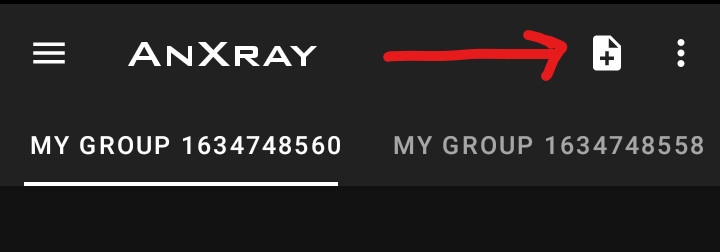
2.Select + symbol on the top right
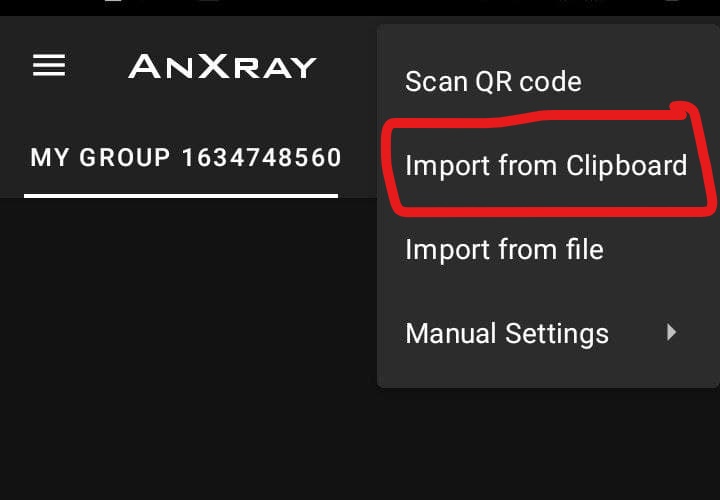
3.Select Import from the clipboard
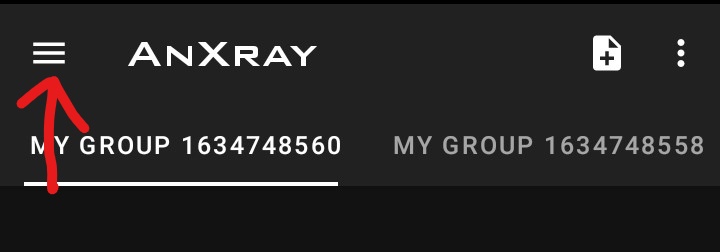
- touch three Horizontal Line
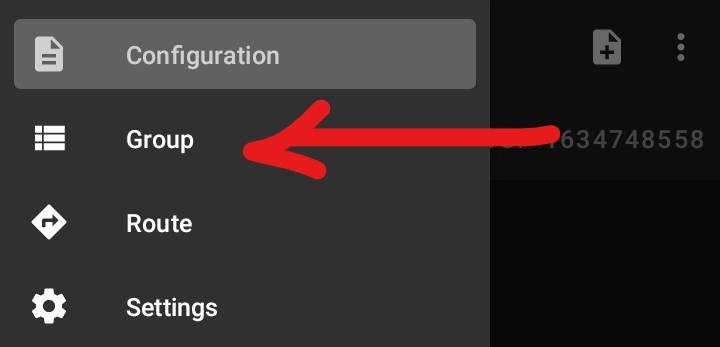
- Select
Group
- at right side on the top touch three Horizontal Line

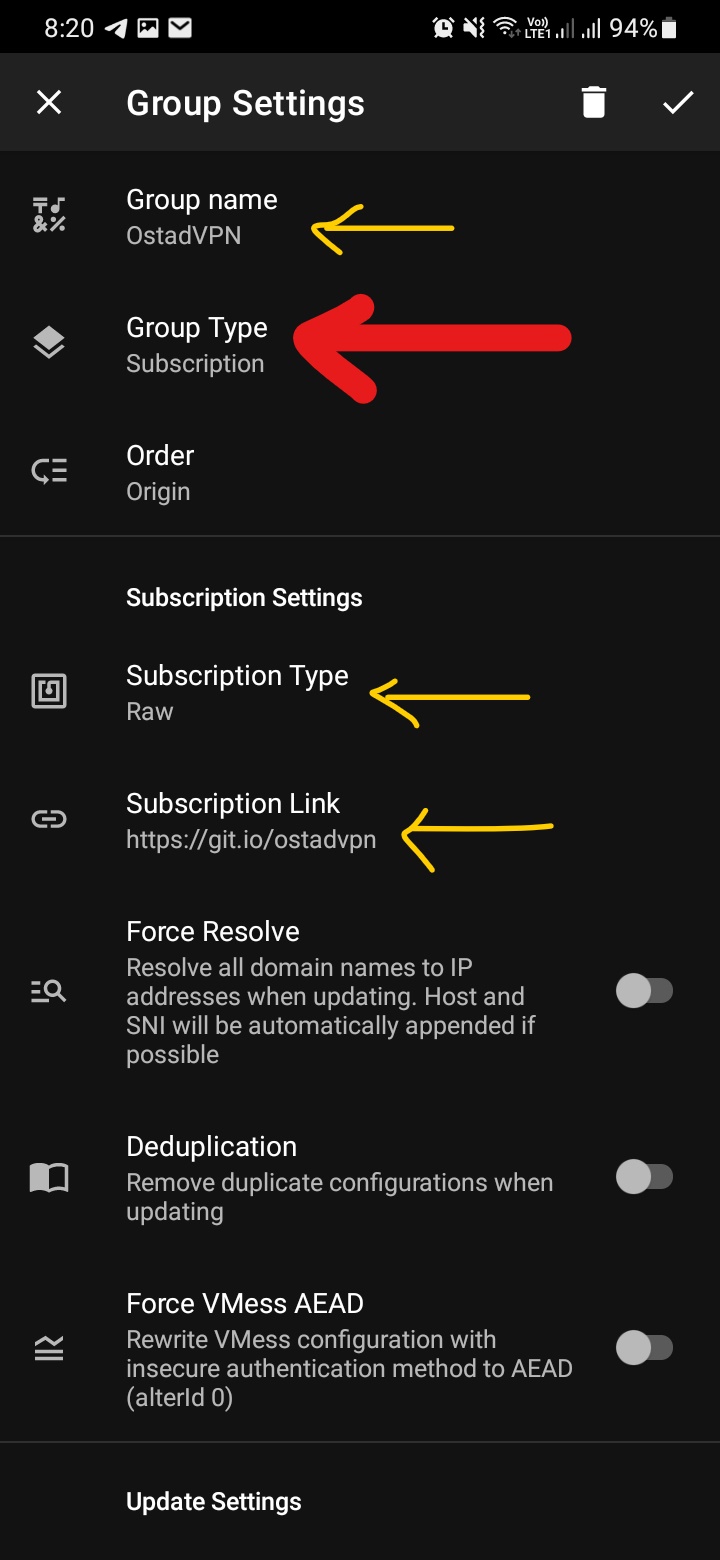
- Change Group Type to
subscription - subscription type is
Raw - put subscription link :
https://git.io/ostadvpn
do step 4 to 6 like this photo:
- Trun On Auto Update(on the end)
- and Apply
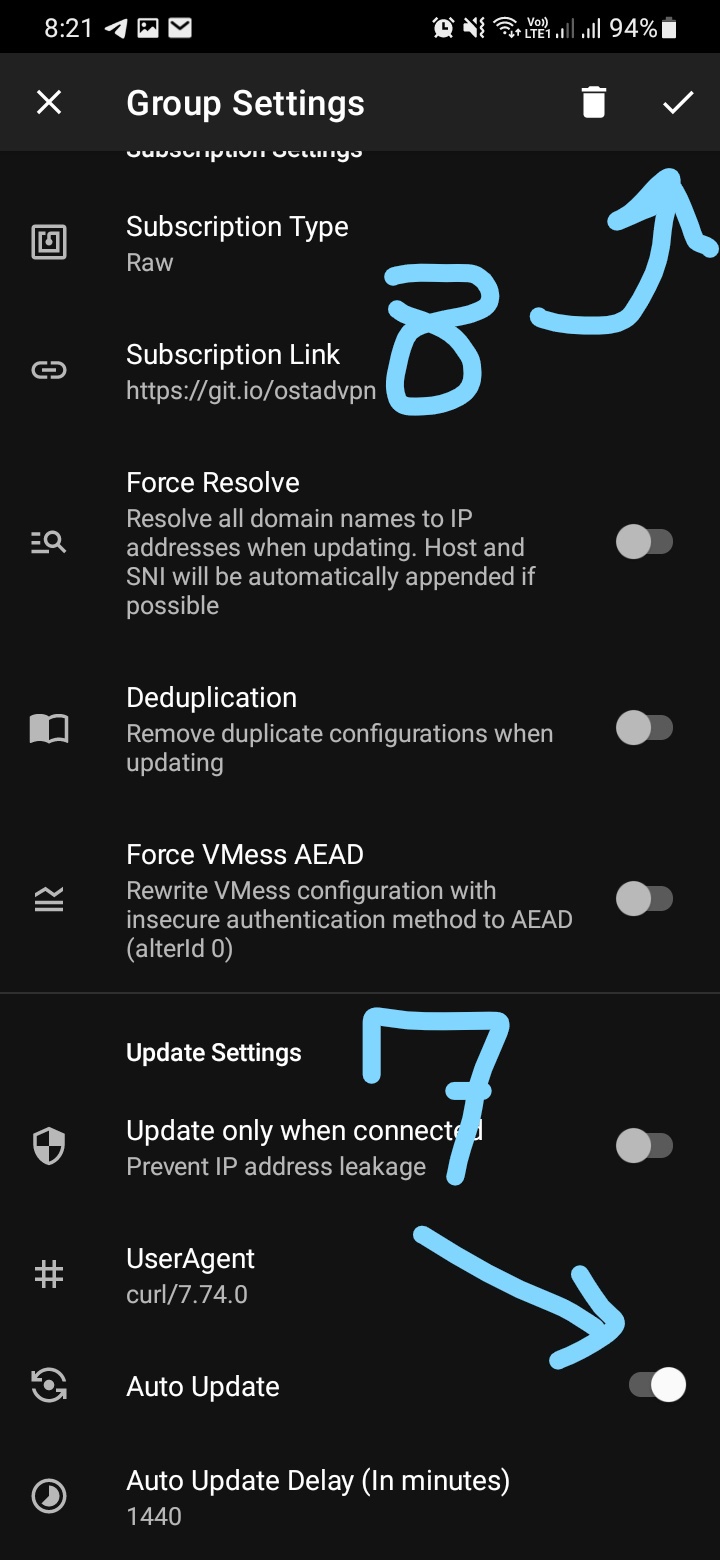
and Use VpN :)
Just open ServerForEncode.txt file and select all copy the ss's server link and go to your client add with import with clipboard