This simulation package provides a quick and easy way to try out the autonomous mobile robots from Neobotix. It comes with the most commonly used configuration but is open for any kind of modification.

Neobotix offers a wide range of mobile robots for different applications:
- MP-400: Small and cost-saving robot with differential drive for both industrial transport applications and research.
- MP-500: Compact, industrial grade robot for material flow and intralogistics. Very good system for robotics research when equipped with a robot arm.
- MPO-500: Omnidirectional robot with Mecanum wheels for all kinds of service robotics research
- MPO-700: Omnidirectional robot with Omni-Drive-Modules, offering very high payload and smooth movements. Great for both research and demanding industrial applications.
- MM-400: The MM-400 combines the mobile robot MP-400 and a light-weight robot arm from PILZ or Schunk to create a very compact and agile robot system for research applications.
- MMO-500: The MMO-500 combines the omnidirectional robot MPO-500 with a light-weight robot arm from Universal Robots, Kuka, Rethink Robotics or Schunk.
- MMO-700: The omnidirectional MMO-700 is the ideal base for high-end service robots. It combines the omnidirectional MPO-700 with a light-weight robot arm from Universal Robots, Kuka, Rethink Robotics or Schunk.
For more information please visit our website at www.neobotix-robots.com. If you have any questions, just get in touch with us:
- General information: http://www.neobotix-robots.com/company-contact.html
- ROS related questions: ros@neobotix.de
ROS Distros: ros-kinetic and ros-melodic
-
First step is to create a catkin workspace
Follow this link to create a workspace http://wiki.ros.org/catkin/Tutorials/create_a_workspace
-
Next step is to clone the neo_simulation repository to the source folder of the created workspace(catkin_ws).
$ cd catkin_ws/src$ git clone https://github.com/neobotix/neo_simulation.gitonce cloned go back to catkin_ws directory and run:
$ catkin_make$ source devel/setup.bash -
Now we need to add the path of our custom gazebo models into the bashrc
i. In your command line terminal
$ gedit ~/.bashrcii. Add this to your bashrc
$ export GAZEBO_MODEL_PATH=/(Path to your workspace)/src/neo_simulation/models:$GAZEBO_MODEL_PATH $ export YOUR_DISTRO="melodic" -
Download additional Gazebo Models from http://data.nvision2.eecs.yorku.ca/3DGEMS/
- Teleoperation
$ sudo apt-get install ros-${YOUR_DISTRO}-teleop-twist-keyboard
- Control package (For MMO-700 and MMO-500)
$ sudo apt-get install ros-${YOUR_DISTRO}-ros-control
- Navigation
$ sudo apt-get install ros-${YOUR_DISTRO}-navigation
3.1 Local Planner
$ sudo apt-get install ros-${YOUR_DISTRO}-eband-local-planner
3.2 Localization
$ sudo apt-get install ros-${YOUR_DISTRO}-openslam-gmapping
$ sudo apt-get install ros-${YOUR_DISTRO}-amcl
- Scan Unifier (Just the folder cob_scan_unifier)
$ git clone https://github.com/neobotix/neo_driver.git
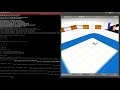
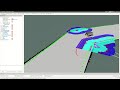
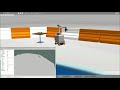
To simulate the robot in gazebo run:
roslaunch neo_simulation simulation.launch
| Parameter | Description | Options |
|---|---|---|
| robot_type | robot type used in simulation | mpo_500, mmo_500, mpo_700 |
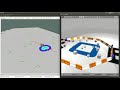
| robot_world | name of the .world file located in folder "worlds" | neo_track1, neo_track2 |
| rviz | indicates if rviz should be started with the simulation | true, false |
| autonomous_navigation | indicates if move base and gmapping or amcl should be started with the simulation | true, false |
For the worlds, there are ready made python script for moving obstacles.
After launching the simulation for the mobile robot, run the following line in the command line window.
-
For world 1: $ rosrun neo_simulation spawn_obstacles_track1.py
-
For world 2: $ rosrun neo_simulation spawn_obstacles_track2.py
-
/cmd_vel
- Plugin name: Planar Move (geometry_msgs/twist)
NOTE: With this the robot can move in all directions and also able rotate along the Z-direction.
-
/sick_s300_laser/back/scan (sensor_msgs/LaserScan)
-
Frame name: sick_s300_laser_back_link
-
Plugin name: GPU Laser
NOTE: Laser scan covers an angle of 270 degrees
-
-
/sick_s300_laser/front/scan (sensor_msgs/LaserScan)
-
Frame name: sick_s300_laser_front_link
-
Plugin name: GPU Laser
NOTE: Laser scan covers an angle of 270 degrees
-
-
map (nav_msgs/OccupancyGrid)
NOTE: This topic publishes the data of the map.
-
amcl_pose (geometry_msgs/PoseWithCovarianceStamped)
NOTE: This topic gives the estimated pose of the robot on map.
-
tf (tf2_msgs/TFMessage)
NOTE: This topic publishes transform from /odom to /map.
-
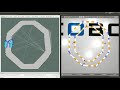
particle cloud (geometry_msgs/PoseArray)
NOTE: This topic publishes a set of pose estimates.