
This is a repository contains instructions for technical evaluation.
- Get a Free OpenShift Sandbox Environment by registering here
- Connect / Login to OpenShift sandbox cluster using
ocCLI on your local machine - Use the provided sample application
yamlfiles and deploy the app on OpenShift Sandbox in any namespace/project - Make sure you are able to access the application from your local browser
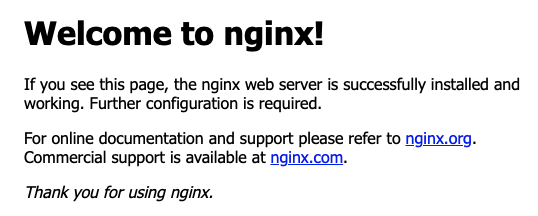
- Upon accessing the application in your local browser, you should see the following:
- This task has to be performed on local machine, make sure you have either docker or podman locally.
- Create a Dockerfile that prints "Hello World" on the console
- Build the container image and push it to any public registry of your choice.
- Run the container image from public registry and verify the output.
- List the container image locally
$ docker images
REPOSITORY                 TAG                IMAGE ID       CREATED         SIZE
hello                      latest             18bc1b3b2db6   3 weeks ago     5.57MB
karansingh/hello           latest             18bc1b3b2db6   3 weeks ago     5.57MB
- Run the container image locally
$ docker run hello
Hello World
$
- This task has to be performed on local machine, make sure you have ansible installed locally.
- Create an Ansible playbook to deploy the provided
yamlfiles to OpenShift environment - Run the Ansible playbook against the OpenShift Dev Sandbox cluster
- Make sure the application is deployed on the cluster in any namespace/project and you are able to access the application from your local browser
- Run the Ansible playbook to deploy the App
- Upon accessing the application in your local browser, you should see the following:
- To submit your evaluation, please create screen recording of your work which demonstrates the task has been completed successfully.
- You will get bonus points if you add your voice to the screen recording video explaining the steps briefly.
- You can choose to create video file for each task or one combined video file, whatever is easy for you.
- You can share the links to videos via online servies like GDrive/One Drive/Dropbox or YouTube (unlisted videos) or any other service of your choice.