In this project, I propose a method for text recognition for complex multiplication/operations using machine learning (ML) algorithms. The main goal of this project is to develop a system that can accurately recognize and evaluate complex mathematical expressions and operations and provide the results using a user interface built with Flutter. The proposed system will use image processing techniques to extract the mathematical expressions from the input image. Then, the ML algorithm will be trained using a dataset of mathematical expressions to recognize the different types of expressions and operations. Once the expression is recognized, the ML algorithm will perform the calculation and provide the result. The user interface will be built using Flutter, which is an open-source mobile application development framework. The interface will allow users to input the mathematical expressions using a camera or by typing them in. The results will be displayed on the interface, and users will have the option to share the results. The proposed system has many potential applications in different domains, including education, engineering, and finance. This project will also contribute to the advancement of the field of ML-based text recognition and analysis.
Flutter Framework, Packages such as google mlkit text recognition, image_picker etc.
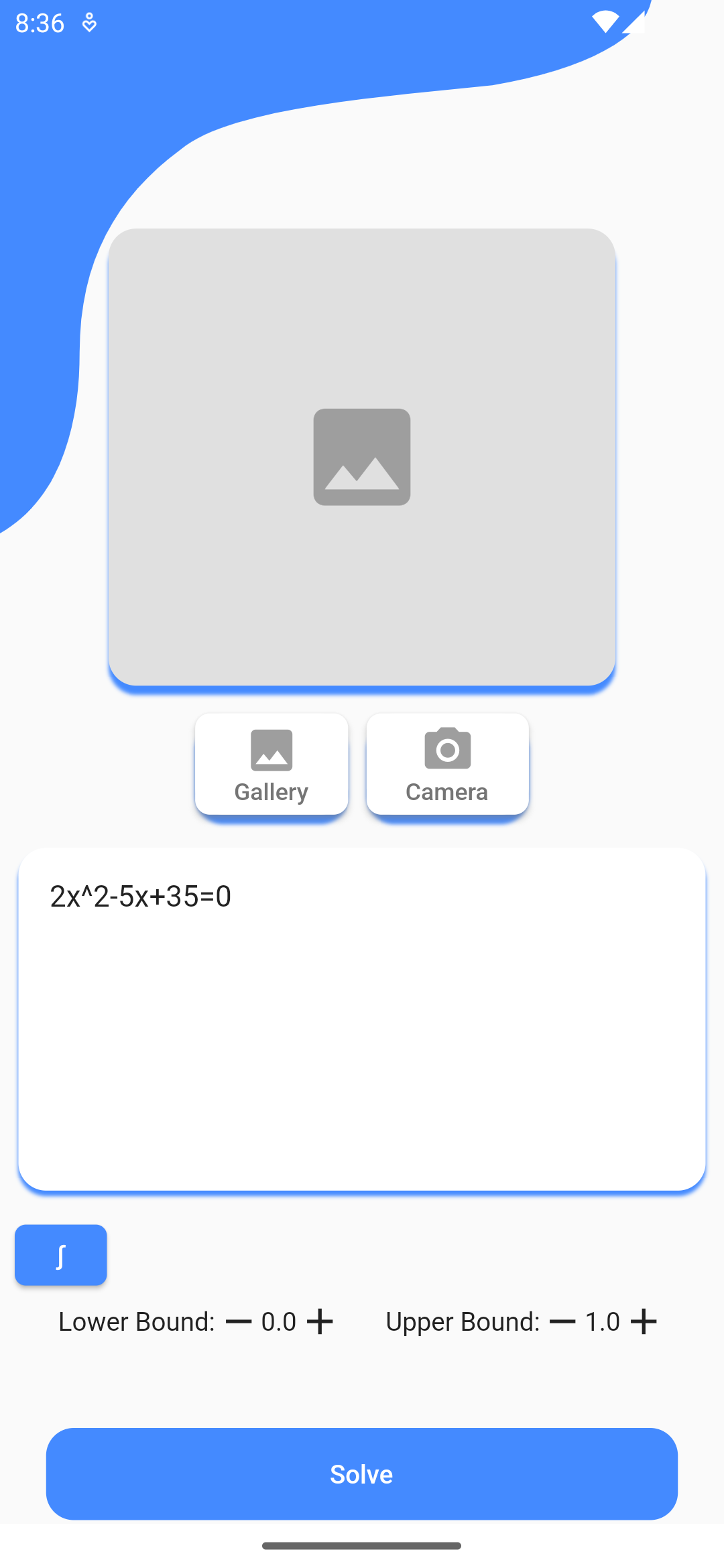

The result of my extensive research and hard work helped us in delivering a light application with a user-friendly interface for inputs and displaying results. This not only made it easier for students to solve complex mathematical operations but also diverted them to make good use of technology in terms of learning and progress. For example, if user(e.g., student) wants to solve any question written on whiteboard or came across any question and got stuck then he/she can directly solve it using this application instead of looking for solutions in hard copies or tutorials. The best part of my work is the right kind of technology I chose to make the interface of my application. So it is developed using flutter which can be used for both iOS and Android using the same source code. This dissolved the barrier of restricting to limited users. My application also provides service at offline state so that even without net connectivity it can give the results. One strength of my project is the user interface, which is built using Flutter. Flutter is a popular open-source mobile application development framework that enables the creation of high-quality user interfaces in cross platform environment (android and iOS). The user interface is intuitive and easy to use, allowing users to input the mathematical expressions using a camera and gallery or by typing them in. The results will be displayed on the interface, and users will have the option to save or share the results. One of the main challenges in my project was the complexity of mathematical expressions. Complex expressions may involve a combination of different operations, such as Linear Equations, Quadratic Equations and Definite Integral Equations which may include special symbols and notation. This complexity can make it challenging to accurately recognize and evaluate the expressions.
I can improve my application, by introducing more complex mathematical operations such as differentiation, matrix multiplications etc. Also, instead of giving answers directly or few steps; I can include more descriptive steps for easy understanding of the solution. Apart from mathematical operations, I can focus on text recognition for better recognising complex symbols such as complex number symbol, hand written mathematical symbols etc.
➔ Clone my project from GitHub.
➔ Then install flutter sdk and project dependencies written in pubspec.yaml.
➔ Open the current directory in the terminal and run "flutter run", to install it on emulator or a real device.