Management API Readiness - feedback from experience with service partner and bugs/function not working #5171
Closed as not planned


Description

I was working with service partner today and thought it would be a good opportunity to show them the release planner beta for management plane. They are using Cadl so perfect team to use the release planner app.
This was our experience in attempting to use the API Readiness App for management plane.
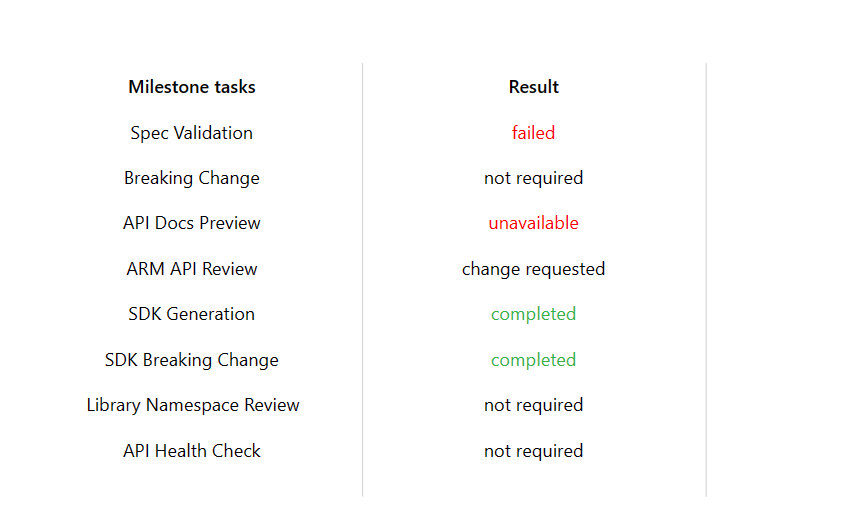
- When we got to the API Readiness step for Cadl validation all of the status was showing as unavailable. I am not sure if this is because the app is not working or if it is something to do with the PR they provided.
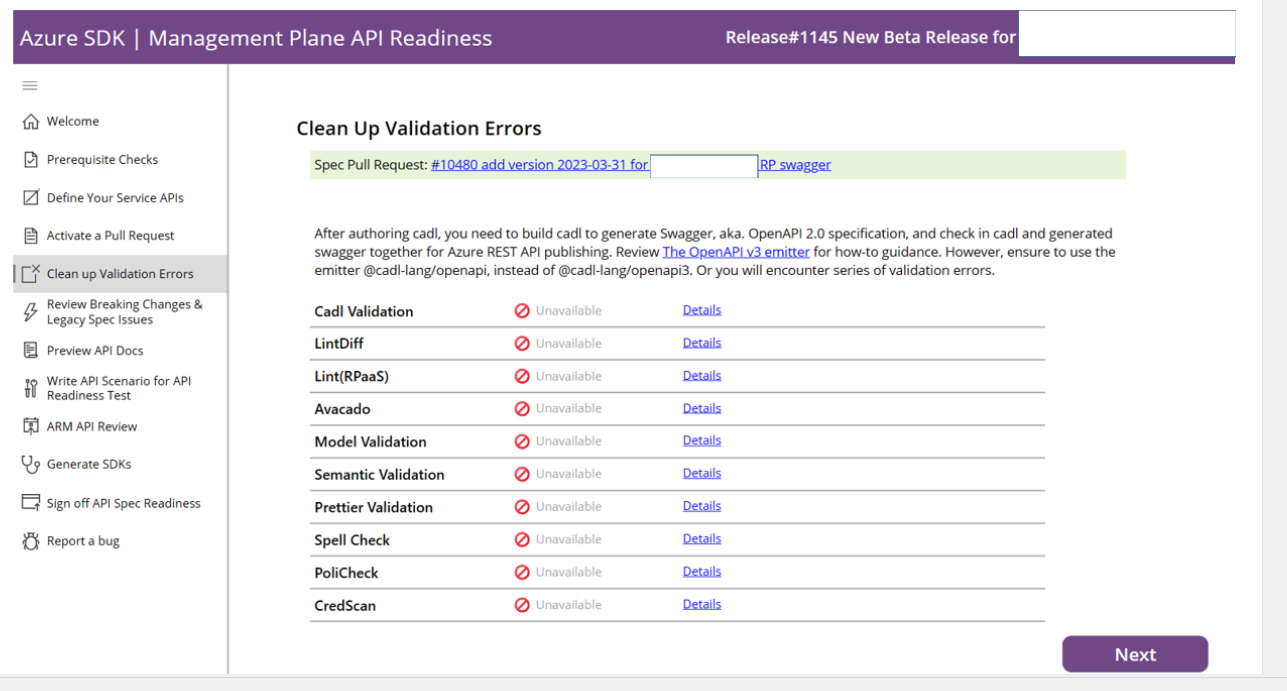
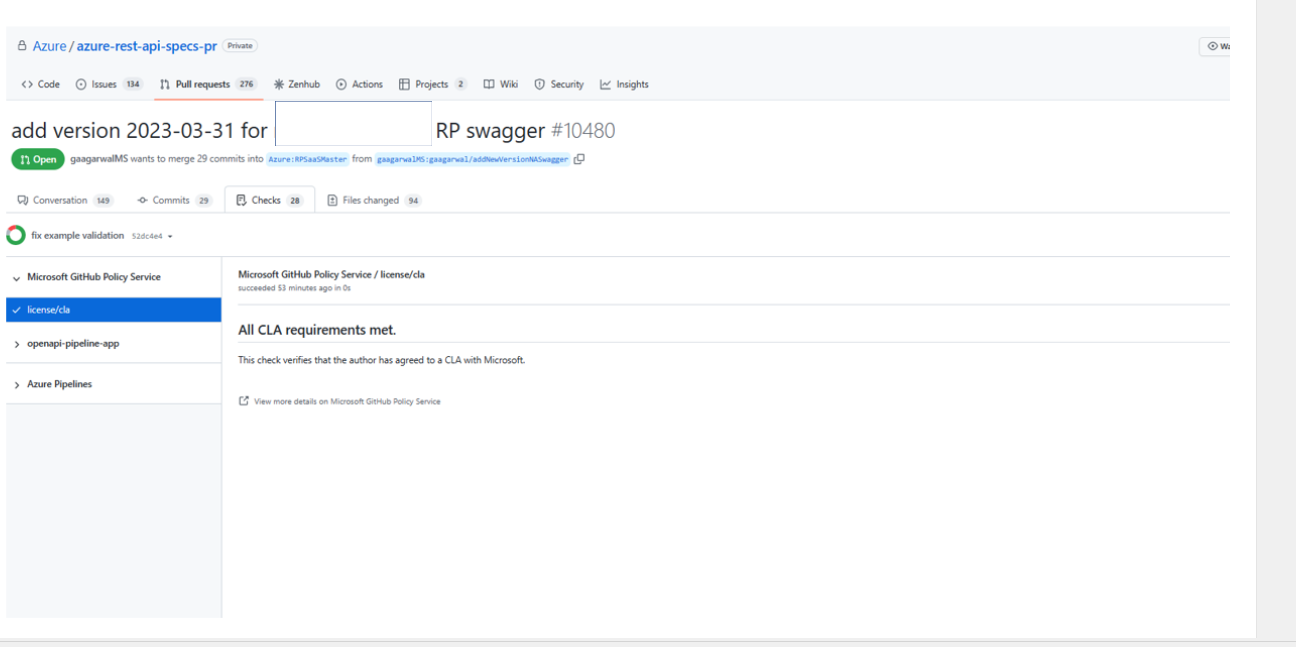
- When we selected details - we don't end up exactly where the information related to what is being validated. For example, select details next Cadl validation directs us here.
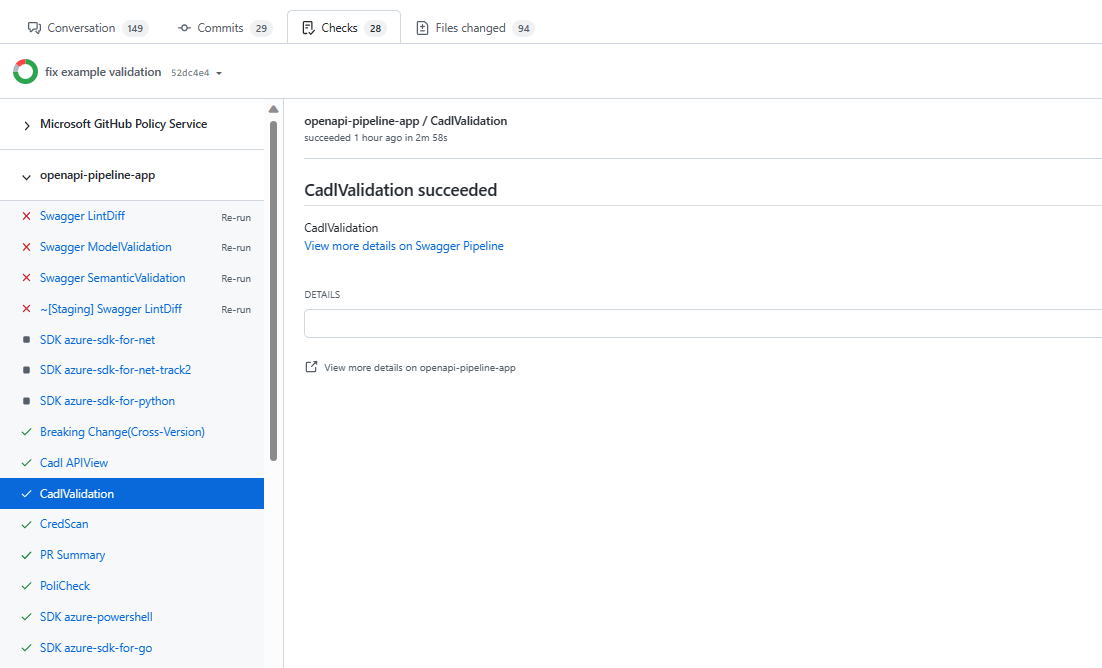
- When I expand the "openapi-pipeline-app" and search, I do find cadl validation and the message said it succeeded.
- Adding initial package for readme verification. #1, Adding status badges #2, and Readme Content Verification #3 apply to the Review breaking changes and legacy spec issues screen/blade as well.
- Setup API docs is also displaying unavailable but if I go look in the PR, I found that is available. Here is the link - https://review.learn.microsoft.com/en-us/rest/api/azure-rest-preview/?branch=result_12688ab9-a7ed-4e44-9da6-e1bf5f6fd08b&view=azure-rest-preview

- The service partner engineers had never seen this information before and did not know what to do with it.
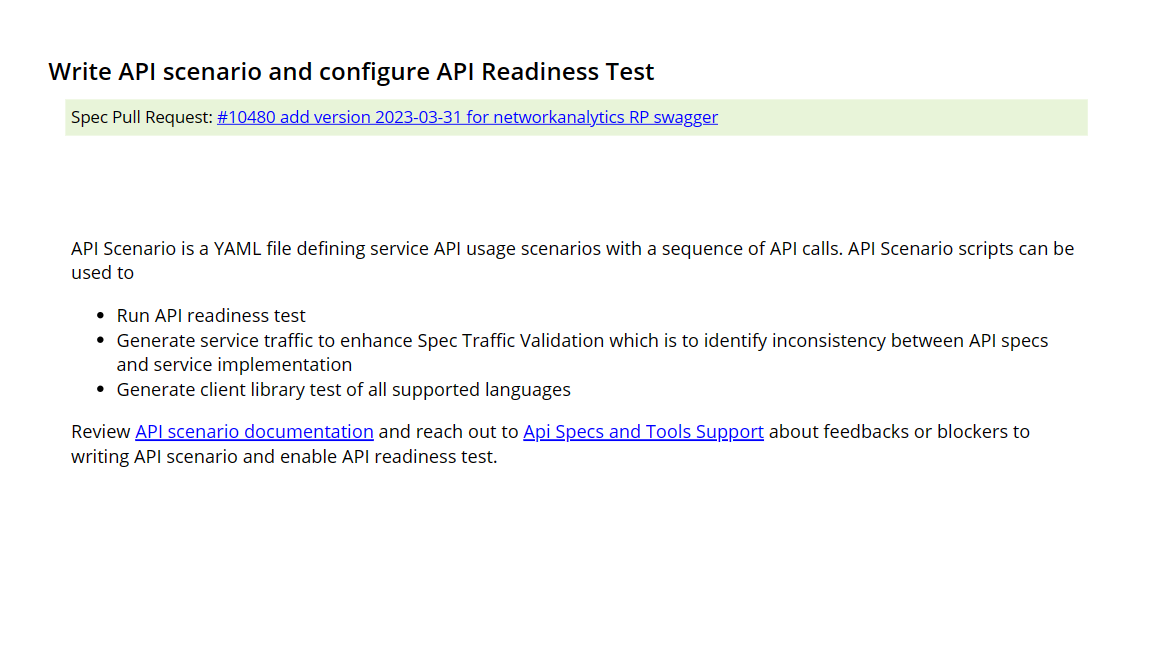
- They found this page confusing. The engineers are working a new API version in the private repo for Public Preview. There is another API Version that was approved by ARM for Private Preview and they met with ARM Review Board. Also, the bot adds the label to initiate the ARM review.

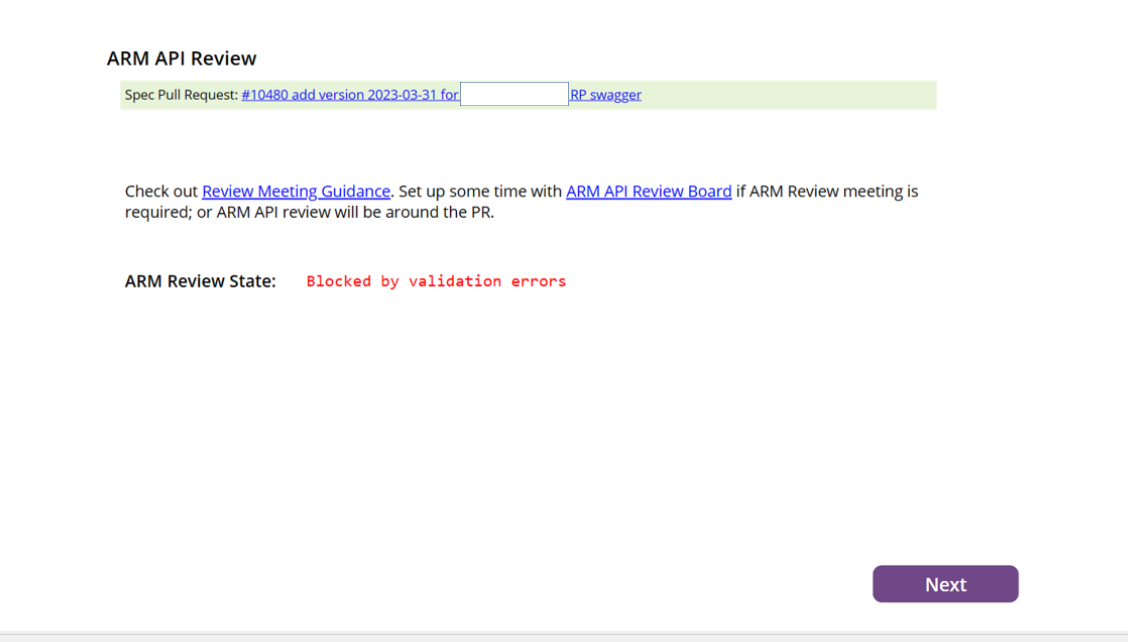
- Generate SDK screen/blade had no data.
- There is no information to explain why something failed and where to go to fix it.
- The service partner told me that there would be new initial management libraries, so naming is required but in the app it status displays that it is not required.
- The screen displays SDK generation is completed but on the Generate SDK screen it was blank (no SDKs seen).
- Spec validation displays failed but there is no mention of the Spec anywhere else. Only Cadl validation.
Metadata
Metadata
Type
Projects
Status