Releases: GGPrompts/TFE
v1.0.3 - CLI Arguments & Cross-Platform Fixes

What's New
CLI File/Directory Arguments
- Open TFE to a specific directory:
tfe ~/projects - Open with a file pre-selected:
tfe ~/projects/main.go - New
--preview/-pflag opens preview pane focused at 60% width - Perfect for integration with other tools:
tmux split-window "tfe --preview file.go"
Cross-Platform Compatibility Improvements
- macOS/Termux: Added
setsidfallback usingnohupfor tmux quad feature - Termux: Dynamic path detection using PREFIX env var
- Wayland: Added
wl-copyclipboard support - WSL: Better
wslpatherror handling with path validation - WSL: Multi-drive WezTerm detection (C:, D:, E:)
- Improved Termux detection (TERMUX_VERSION, TERMUX_APP_PID checks)
- Better HOME directory detection with
os.UserHomeDir()fallback
Bug Fixes
- Fixed terminal resize causing duplicate footer text (ghost content)
- Fixed git operations (pull, push, sync, fetch) rendering underneath TFE instead of exiting to terminal properly
Installation
# One-line install
curl -sSL https://raw.githubusercontent.com/GGPrompts/TFE/main/install.sh | bash

# Or via Go
go install github.com/GGPrompts/[email protected]
Full Changelog
See CHANGELOG.md for complete details.
v1.0.2 - F1 Help & Emoji Alignment Fixes
What's Fixed
F1 Help System
- ✅ F1 help now works from any directory
- ✅
install.shautomatically downloads HOTKEYS.md - ✅
build.shcopies HOTKEYS.md alongside binary - Fixed bug where F1 looked in parent directory instead of current
Emoji Width Alignment (WezTerm/Termux/Kitty)
- ✅ Fixed menu dropdown alignment over emoji-containing rows
- ✅ Fixed context menu positioning over emojis
- ✅ Fixed dialog box alignment over emoji rows
- All terminals now properly handle emoji width differences
Installation
New Install:
curl -sSL https://raw.githubusercontent.com/GGPrompts/TFE/main/install.sh | bashUpdate Existing:
go install github.com/GGPrompts/tfe@latestFull Changelog
v1.0.1 - Installation Fix
🐛 Bug Fix
Fixed installation failure on macOS (and other platforms) caused by module path case mismatch.
What was broken
The go install command in documentation referenced github.com/GGPrompts/TFE@latest (uppercase), but the actual module path in go.mod is github.com/GGPrompts/tfe (lowercase). Go requires exact case matching, causing this error:
go: github.com/GGPrompts/TFE@latest: version constraints conflict:
        module declares its path as: github.com/GGPrompts/tfe
                but was required as: github.com/GGPrompts/TFE
What's fixed
- ✅
install.sh- One-liner install script now uses correct module path - ✅
README.md- Manual installation instructions corrected - ✅
docs/FAQ.md- FAQ installation entry corrected
Installation now works correctly
go install github.com/GGPrompts/tfe@latestThanks to @dkmin for reporting this in #1!
Full Changelog: v1.0.0...v1.0.1
TFE v1.0.0 - First Public Release
TFE v1.0.0 - First Public Release!
A familiar, Windows-style file manager for Linux terminals. Perfect for Windows users transitioning
to Claude Code or Codex in Linux environments.
📺 Demo Video
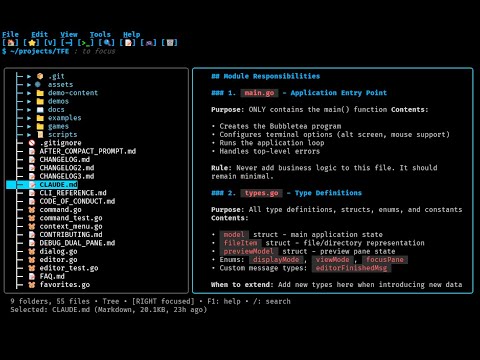
Click to watch: Full walkthrough with navigation, dual-pane mode, fuzzy search, prompts library,
and pyradio integration
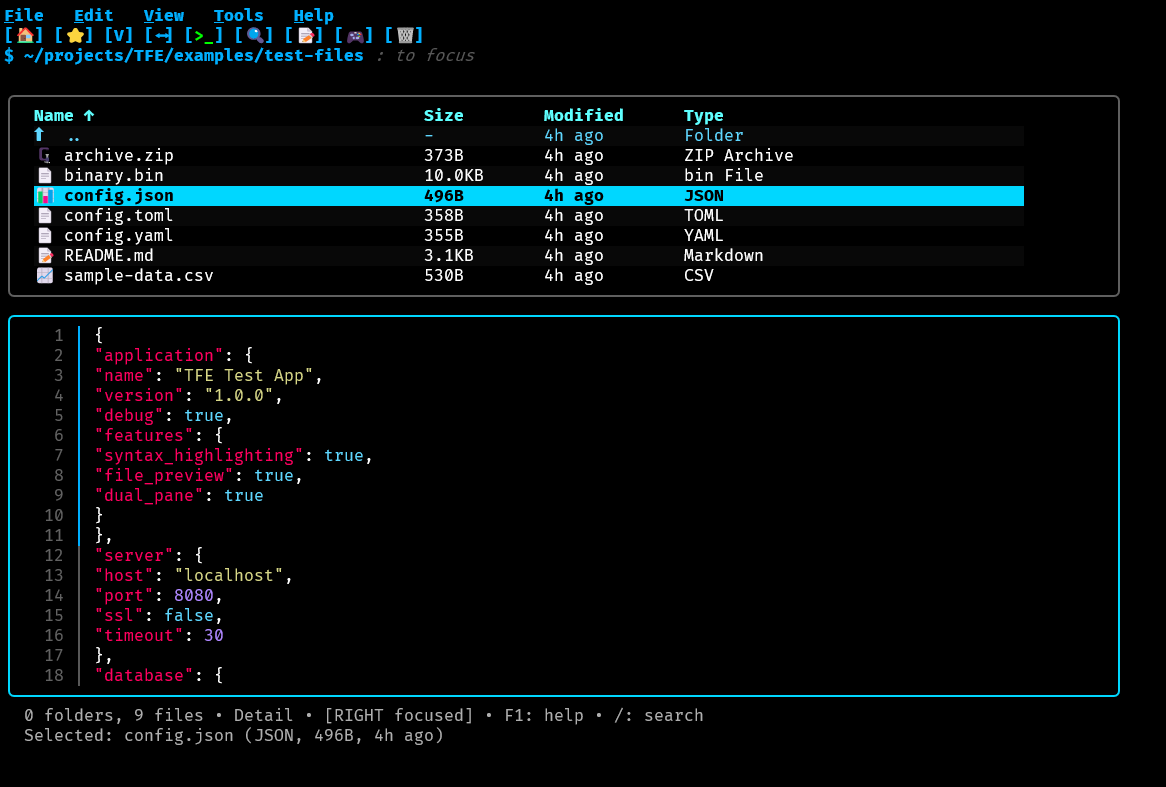
📸 Screenshots
Main Interface (Dark Theme)
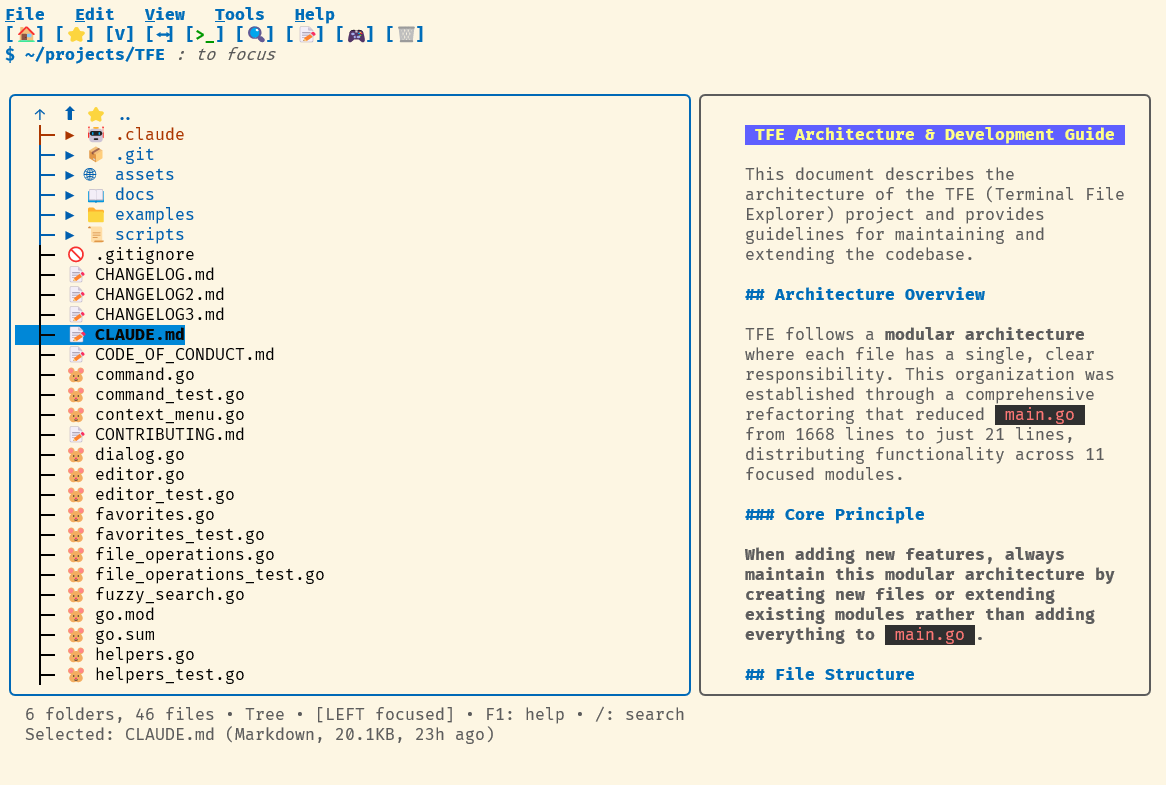
Light Theme Support
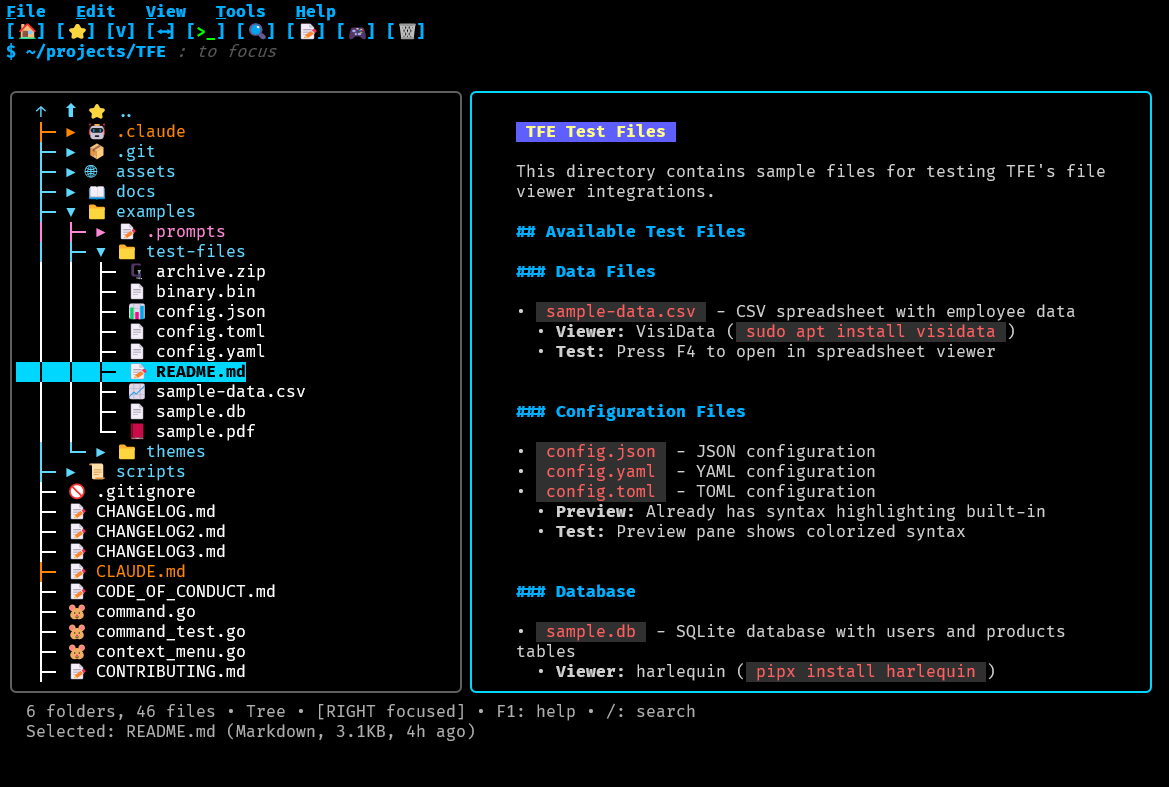
Dual-Pane Preview with Syntax Highlighting
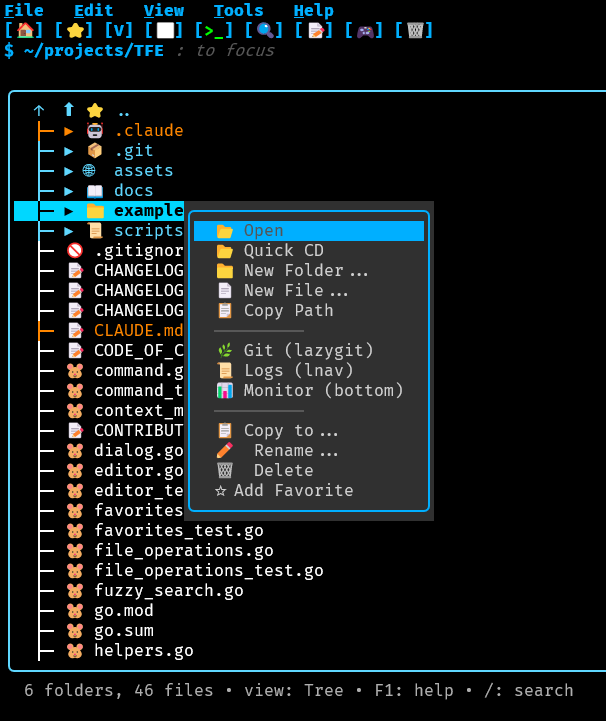
Context Menu & Quick CD
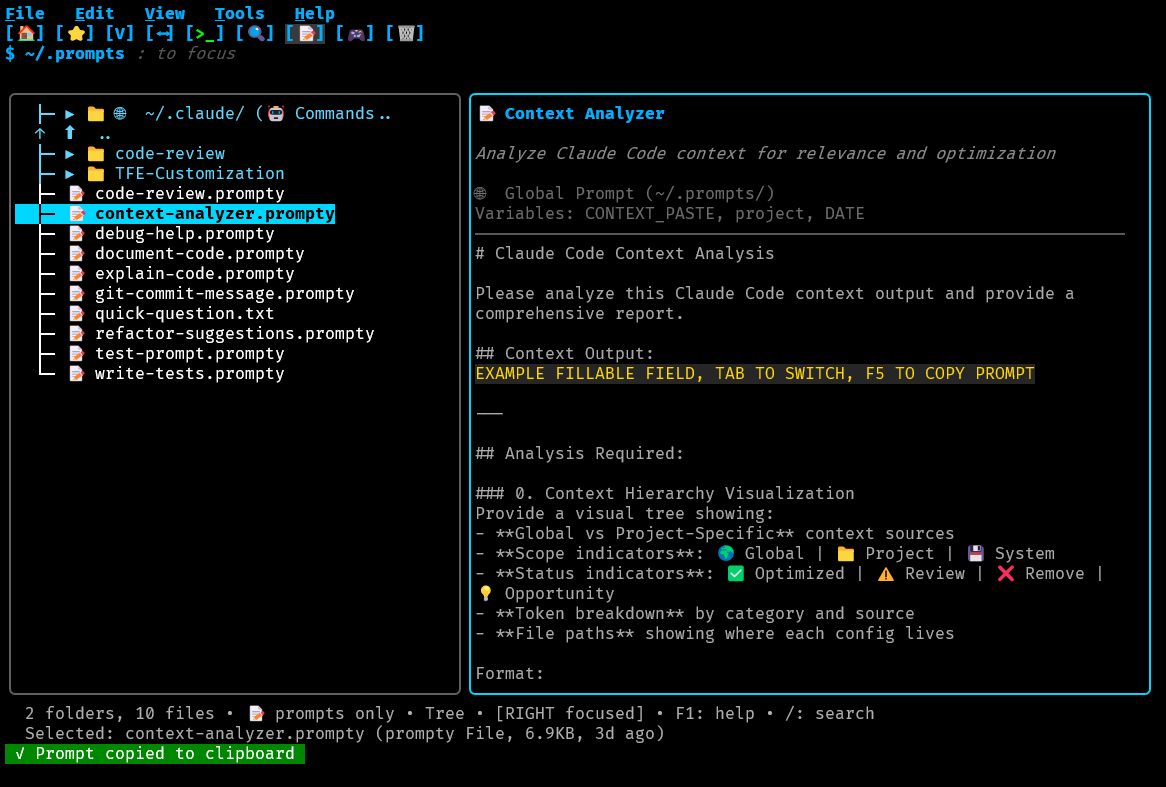
AI Prompts Library (F11)
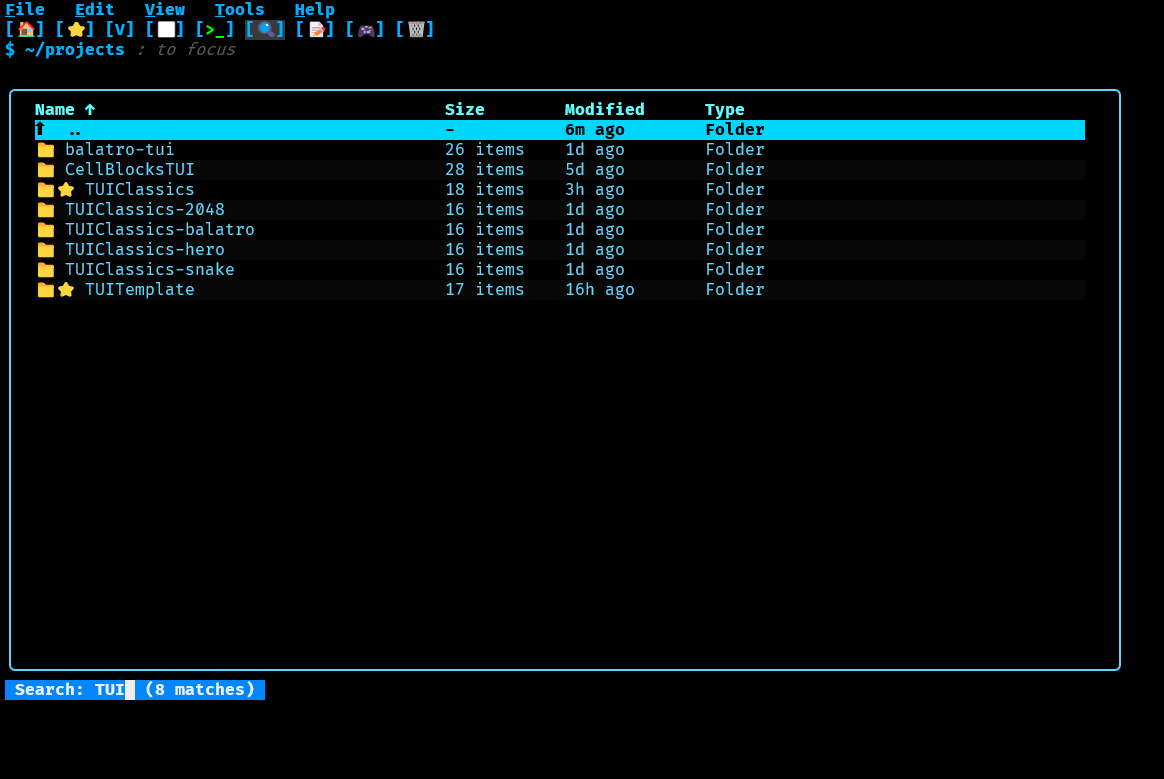
Built in Search ( / ) Also includes Fuzzy Search (Ctrl+P)
✨ Key Features
- 🖥️ Dual-pane preview with syntax highlighting and line numbers
- 🤖 AI Prompts Library - Only terminal file manager with integrated prompt templates
- 📝 Fillable template fields - Interactive variable substitution with smart type detection
- 🌳 Tree view navigation with expandable folders
- 🖱️ Full mouse & touch support - Click, right-click, double-click, scroll
- 🔍 Fuzzy file search (Ctrl+P) with go-fzf integration
- 📂 Context menu with Quick CD feature (exit and change shell directory)
- 🗑️ Trash/recycle bin with restore functionality
- ❓ Context-aware F1 help - Automatically jumps to relevant section
- ⌨️ Midnight Commander-style F-keys (F1-F12)
- 📱 Mobile ready - Full Termux/Android support with touch controls
- 🎨 Light & dark themes - Adapts to terminal color scheme
- 🔧 Smart file opening - Auto-detects viewers for CSV, video, audio, databases, images
- 📋 Clipboard integration - Copy file paths (Termux-compatible)
- ⭐ Favorites system - Bookmark files and folders
🚀 Installation
Quick Install (Recommended)
curl -sSL https://raw.githubusercontent.com/GGPrompts/TFE/main/install.sh | bash

This installs TFE globally with the Quick CD feature (like Midnight Commander).

Via Go

go install github.com/GGPrompts/[email protected]

From Source

git clone https://github.com/GGPrompts/TFE
cd TFE
go build -o tfe

---
📋 Requirements

Required:
- Go 1.24+
- Terminal with Unicode/emoji support (most modern terminals)
- Linux, macOS, Windows, or Termux/Android

Optional (for enhanced features):
- micro - Modern text editor (recommended)
- VisiData - CSV/TSV viewer
- mpv - Video/audio player
- hexyl - Hex viewer for binary files
- viu/timg/chafa - Image viewers
- lazygit - Git UI
- pyradio - Terminal radio player

See https://github.com/GGPrompts/TFE#readme for complete optional dependencies list.

---
🎮 Games Integration (Optional)

TFE integrates with https://github.com/GGPrompts/TUIClassics - play Snake, Minesweeper, Solitaire,
and 2048 directly from TFE!

git clone https://github.com/GGPrompts/TUIClassics ~/projects/TUIClassics
cd ~/projects/TUIClassics
make build

Access via [🎮] toolbar button or Tools menu.

---
📚 Documentation

- https://github.com/GGPrompts/TFE#readme - Complete user guide
- https://github.com/GGPrompts/TFE/blob/main/HOTKEYS.md - Full keyboard shortcuts reference
- https://github.com/GGPrompts/TFE/blob/main/CLAUDE.md - Architecture guide for contributors
- https://github.com/GGPrompts/TFE/blob/main/CHANGELOG.md - Version history

---
🤝 Contributing

Contributions welcome! Please see https://github.com/GGPrompts/TFE/blob/main/CONTRIBUTING.md for
guidelines.

---
📄 License

MIT License - See https://github.com/GGPrompts/TFE/blob/main/LICENSE for details.

---
Enjoy TFE! If you find it useful, please ⭐ star the repo and share with others!

---