


A premium, Apple-style Excalidraw integration for Logseq, designed for the future Database version. It stores drawings efficiently and provides a seamless, native experience.
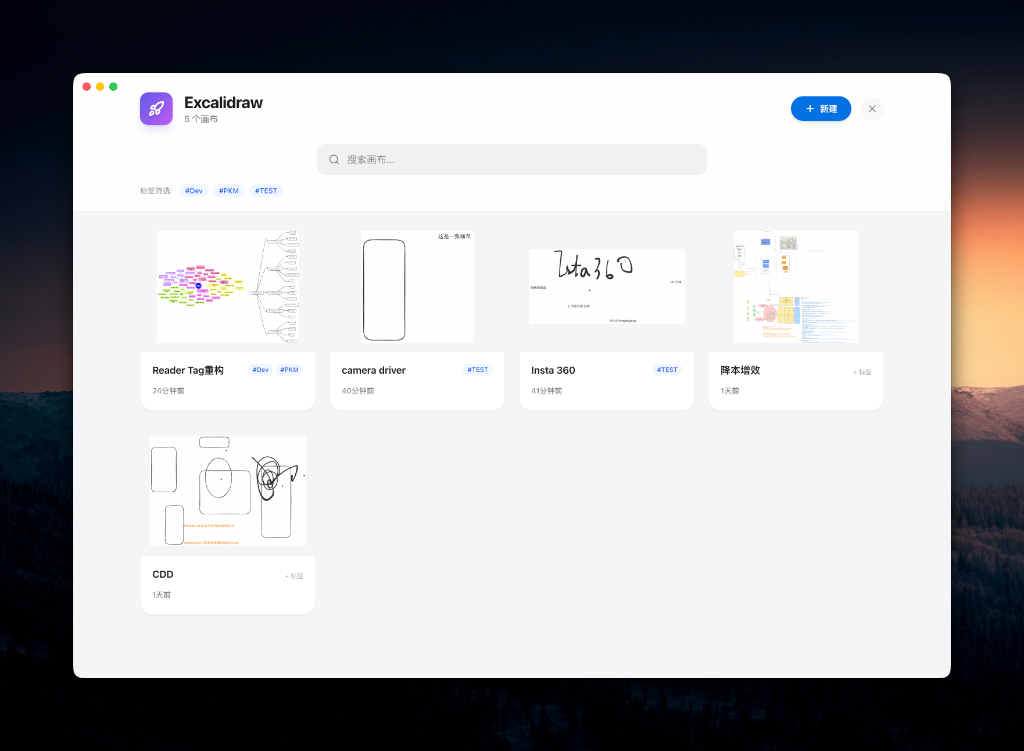
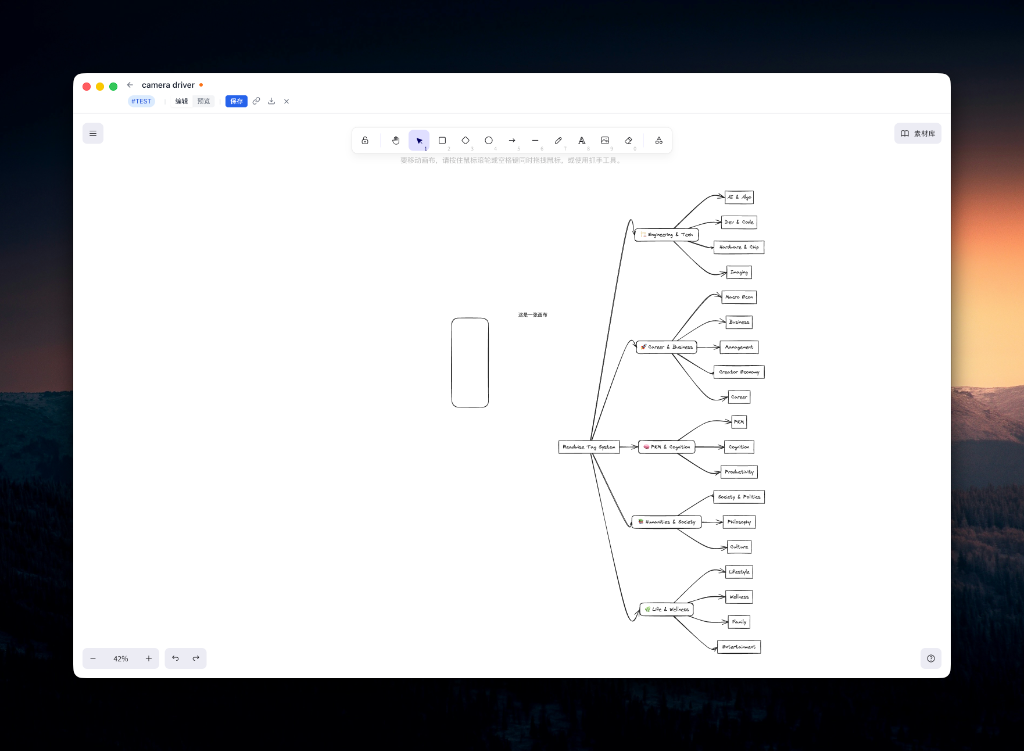
- Store in DB: Drawings are stored as independent entities in the Logseq sandbox, keeping your graph clean and performant.
- Apple-Style UI: A completely redesigned, minimalist interface with glassmorphism effects, matching the modern macOS/iOS aesthetic.
- Native Experience:
- Spotlight Search: Press
Cmd+Shift+E(or custom shortcut) to open a global dashboard to search and manage all drawings. - Today's Journal: Quickly insert a new drawing into today's journal with one click.
- Reference links: Copy/paste drawing references anywhere in your graph.
- Spotlight Search: Press
- Chinese Font Support: Built-in support for "ZCOOL KuaiLe" handwritten font, solving the long-standing issue of Chinese characters looking plain in Excalidraw.
- Dark Mode: Fully compatible with Logseq's theme system.
- 1:1 Functionality: Restores full Excalidraw features including Image support, Library, and Export (SVG/PNG).
- Open Logseq Settings > Advanced > Ensure Plug-in system is enabled.
- Go to Plugins (icon in header) > Marketplace.
- Search for
Excalidraw DBand click Install.
- Click the Excalidraw icon in the toolbar.
- Or use command
Excalidraw: Open Dashboard. - From the dashboard, you can Create, Search, Edit, and Delete drawings.
- To Current Block: Type
/Excalidrawto insert a drawing at the current cursor position. - To Today's Journal: In the Dashboard or Editor menu, select "Insert to Today's Journal".
- Copy Reference: In the Dashboard, hover over a drawing and click the "Copy" icon to get a renderer code (e.g.,
{{renderer excalidraw, <uuid>}}) to paste anywhere.
| Key | Action |
|---|---|
Esc |
Close Excalidraw Editor/Dashboard |
Cmd+Shift+E |
Open Excalidraw Dashboard |
Go to Settings > Plugin Settings > Excalidraw DB to configure:
- Auto-save interval
- Default drawing tag
- UI preferences
Issues and Pull Requests are welcome!
MIT License