8mb.local is a self-hosted, fire-and-forget video compressor. Drop a file, choose a target size (e.g., 8 MB, 25 MB, 50 MB, 100 MB), and let GPU-accelerated encoding produce compact outputs with AV1/HEVC/H.264. Supports NVIDIA NVENC hardware encoding with automatic CPU fallback. The stack includes a SvelteKit UI, FastAPI backend, Celery worker, Redis broker, and real-time progress via Server-Sent Events (SSE).
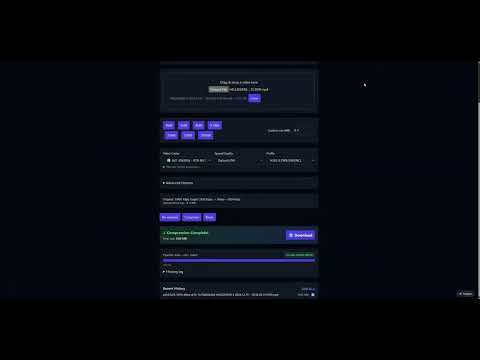
Video Demo
- Features
- Screenshots
- Architecture
- Installation
- Usage
- Configuration
- Performance & Concurrency
- Reverse Proxy Configuration
- Troubleshooting
- License
- NVIDIA NVENC hardware encoding with automatic CPU fallback when no GPU is available
- Robust encoder validation at startup — tests actual encoder initialization, not just availability
- AV1, HEVC (H.265), and H.264 encoding via NVENC or CPU software encoders
- Drag-and-drop UI with helpful presets and advanced options (codec, container, tune, audio bitrate)
- Configurable codec visibility — enable/disable specific codecs in the Settings page
- Resolution control — set max width/height while maintaining aspect ratio
- Video trimming — specify start/end times (seconds or HH:MM:SS format)
- Real-time progress tracking using output size, time processed, bitrate, and wall-clock estimates
- Real-time FFmpeg logs streamed during compression
- Live queue management — view all active jobs with real-time progress, cancel individual jobs, or clear entire queue
- Automatic file size optimization — re-encodes with adjusted bitrate if output exceeds target by >2%
- Batch processing — compress multiple files in a single operation
- Job history enabled by default
- Auto-download enabled by default
- Output container choice: MP4 or MKV, with compatibility safeguards
- Version tracking — UI displays current version, backend provides
/api/version
Main Interface
|
GPU Support List
|
Settings Panel
|
Live Queue
|
Compressing (Real-time Logs)
|
Encoder Validation Tests
|
Job History
|
Advanced Options
|
flowchart LR
  A[Browser / SvelteKit UI] -- Upload / SSE --> B(FastAPI Backend)
  B -- Enqueue --> C[Redis]
  D[Celery Worker + FFmpeg NVENC] -- Progress / Logs --> C
  B -- Pub/Sub relay --> A
  D -- Files --> E[outputs/]
  A -- Download --> B
Components
| Layer | Technology | Role |
|---|---|---|
| Frontend | SvelteKit + Vite | Drag-and-drop UI, size estimates, SSE progress/logs, download |
| Backend API | FastAPI | Accepts uploads, runs ffprobe, relays SSE, serves downloads |
| Worker | Celery + FFmpeg 6.1.1 | Compression with NVENC or CPU; parses ffmpeg -progress |
| Broker | Redis | Celery broker and pub/sub transport for progress events |
Data & files
uploads/— incoming files (cleaned up afterFILE_RETENTION_HOURS)outputs/— compressed results (cleaned up on the same schedule)
All components run in a single container via supervisord.
docker run -d \
  --name 8mblocal \
  --gpus all \
  -e NVIDIA_DRIVER_CAPABILITIES=compute,video,utility \
  -p 8001:8001 \
  -v ./uploads:/app/uploads \
  -v ./outputs:/app/outputs \
  jms1717/8mblocal:latest
The
-e NVIDIA_DRIVER_CAPABILITIES=compute,video,utilityflag is required — it tells the NVIDIA Container Toolkit to mount NVENC libraries into the container.
docker run -d \
  --name 8mblocal \
  -p 8001:8001 \
  -v ./uploads:/app/uploads \
  -v ./outputs:/app/outputs \
  jms1717/8mblocal:latest
Access the web UI at http://localhost:8001.
services:
  8mblocal:
    image: jms1717/8mblocal:latest
    container_name: 8mblocal
    ports:
      - "8001:8001"
    volumes:
      - ./uploads:/app/uploads
      - ./outputs:/app/outputs
      - ./.env:/app/.env  # optional
    gpus: all
    environment:
      - NVIDIA_DRIVER_CAPABILITIES=compute,video,utility
restart: unless-stoppedservices:
8mblocal:
image: jms1717/8mblocal:latest
container_name: 8mblocal
ports:
- "8001:8001"
volumes:
- ./uploads:/app/uploads
- ./outputs:/app/outputs
- ./.env:/app/.env # optional
restart: unless-stoppedThen run:
docker compose up -dgit clone https://github.com/JMS1717/8mb.local.git
cd 8mb.local
docker compose up -d --build| Platform | GPU Support | Notes |
|---|---|---|
| Windows | NVIDIA via WSL2 | Install Docker Desktop, enable WSL2 GPU support, install NVIDIA drivers |
| Linux | NVIDIA native | Install NVIDIA drivers + Container Toolkit |
| macOS | CPU only | Docker runs in a Linux VM without GPU passthrough |
# Check container status
docker ps | grep 8mblocal

# Check NVIDIA GPU access
docker exec 8mblocal nvidia-smi

# List available encoders
docker exec 8mblocal bash -c "ffmpeg -hide_banner -encoders | grep -E 'nvenc|264|265|av1'"

# View startup logs
docker logs 8mblocaldocker compose pull
docker compose up -dOr with docker run:
docker pull jms1717/8mblocal:latest
docker stop 8mblocal && docker rm 8mblocal
# Re-run your docker run command- Drop a video — drag and drop or click Choose File. Analysis runs automatically.
- Pick a target size — click a preset button or enter a custom MB value.
- Optional: open Advanced Options
- Video Codec: AV1 (best quality, RTX 40/50), HEVC (H.265), or H.264 (widest compatibility)
- Audio Codec: Opus (default) or AAC — MP4 containers auto-switch to AAC
- Speed/Quality: NVENC presets P1 (fastest) through P7 (best quality), default P6
- Container: MP4 (most compatible) or MKV (best with Opus audio)
- Tune: HQ (default), Low Latency, Ultra-Low Latency, or Lossless
- Resolution: Set max width/height to downscale while preserving aspect ratio
- Trimming: Set start/end times to compress only a portion
- Click Compress and watch progress/logs in real time. Cancel anytime. Download starts automatically.
Tips
- For very small targets, prefer AV1 or HEVC and keep audio around 96–128 kbps.
- For speed, try Low Latency tune with a faster preset (P1–P4).
- MP4 + Opus is not supported; the worker auto-switches to AAC for MP4 containers.
- MP4 outputs include
+faststartfor better web/streaming playback.
Create a .env file and mount it at /app/.env:
# Authentication (also configurable via Settings UI)
AUTH_ENABLED=false
AUTH_USER=admin
AUTH_PASS=changeme

# File retention
FILE_RETENTION_HOURS=1

# Worker concurrency (max parallel jobs)
WORKER_CONCURRENCY=4

# Codec visibility (all default to true)
CODEC_H264_NVENC=true
CODEC_HEVC_NVENC=true
CODEC_AV1_NVENC=true
CODEC_LIBX264=true
CODEC_LIBX265=true
CODEC_LIBAOM_AV1=true

# Redis / backend (usually no need to change)
REDIS_URL=redis://127.0.0.1:6379/0
BACKEND_HOST=0.0.0.0
BACKEND_PORT=8001Manage settings at /settings with no container restart required:
- Authentication — enable/disable, manage credentials
- Default Presets — target size, codec, quality, container defaults
- Codec Visibility — enable/disable NVIDIA and CPU codecs
- Preset Profiles — create named presets for quick access
- Worker Concurrency — adjust parallel job limit
- Size Buttons — customize the target size quick-pick buttons
- GPU Support Reference — hardware encoding compatibility at
/gpu-support
8mb.local supports multiple parallel compression jobs. Configure via Settings UI or WORKER_CONCURRENCY env var.
| GPU | Recommended Concurrency | Notes |
|---|---|---|
| RTX 5090 / 5080 / 5070 Ti | 8–12 jobs | 9th gen NVENC (x2), top tier |
| RTX 4090 / 4080 / 4070 Ti | 8–12 jobs | 8th gen NVENC, excellent throughput |
| RTX 3090 / 3080 / 3070 | 6–10 jobs | 7th gen NVENC (no AV1) |
| RTX 2080 Ti / 2070 / 2060 | 3–5 jobs | 6th gen NVENC |
| GTX 1660 / 1650 | 2–4 jobs | Entry-level NVENC |
| CPU only | 1–2 per 4 cores | High CPU usage, much slower |
Considerations
- Most consumer NVIDIA GPUs support 2–3 native NVENC sessions; driver patches or Pro GPUs allow more.
- Each job uses ~200–500 MB RAM and ~100–200 MB VRAM.
- SSD recommended for 6+ concurrent jobs (disk I/O becomes a bottleneck).
- Monitor GPU temps — sustained load above 80 °C may cause throttling.
- Start with 4 concurrent jobs and increase while monitoring utilization.
Container restart required after changing worker concurrency.
SSE (Server-Sent Events) requires special proxy configuration to prevent buffering.
location /api/stream/ {
    proxy_pass http://backend:8001;
    proxy_buffering off;
    proxy_cache off;
    proxy_set_header Connection '';
    chunked_transfer_encoding on;
}
In Nginx Proxy Manager: Edit Proxy Host → Advanced tab → Custom Nginx Configuration.
labels:
  - "traefik.http.middlewares.no-buffer.buffering.maxRequestBodyBytes=0"
  - "traefik.http.middlewares.no-buffer.buffering.maxResponseBodyBytes=0"
- "traefik.http.routers.8mblocal.middlewares=no-buffer"<Location /api/stream/>
ProxyPass http://backend:8001/api/stream/
ProxyPassReverse http://backend:8001/api/stream/
SetEnv proxy-sendchunked 1
SetEnv proxy-interim-response RFC
</Location>Why this matters: Without proxy_buffering off, your proxy buffers the entire SSE stream and delivers all progress events at once when the job completes — progress appears stuck at 0% until done.
If the host has no NVIDIA GPU, Docker's NVIDIA runtime hook will abort:
nvidia-container-cli: initialization error: WSL environment detected but no adapters were found
Fix: Remove --gpus all and any NVIDIA_* environment variables. The app will start in CPU mode automatically.
1. Missing NVIDIA_DRIVER_CAPABILITIES
Symptom: Cannot load libnvidia-encode.so.1
Fix: Add the environment variable to your docker run or compose:
-e NVIDIA_DRIVER_CAPABILITIES=compute,video,utilityThis tells the Container Toolkit to mount NVENC libraries into the container.
2. Driver too old (NVENC API mismatch)
Symptom: Driver does not support the required nvenc API version. Required: 13.0 Found: 12.1
This means your NVIDIA driver is 535.x or older. You need driver 550+.
# Debian 12
wget https://developer.download.nvidia.com/compute/cuda/repos/debian12/x86_64/cuda-keyring_1.1-1_all.deb
sudo dpkg -i cuda-keyring_1.1-1_all.deb
sudo apt update && sudo apt install nvidia-driver
sudo reboot

# Ubuntu
sudo add-apt-repository ppa:graphics-drivers/ppa
sudo apt update && sudo apt install nvidia-driver-550
sudo reboot
Verify after reboot: nvidia-smi should show driver 550+.
3. Missing NVIDIA Container Toolkit
# Install (Debian/Ubuntu)
curl -fsSL https://nvidia.github.io/libnvidia-container/gpgkey \
  | sudo gpg --dearmor -o /usr/share/keyrings/nvidia-container-toolkit-keyring.gpg
distribution=$(. /etc/os-release; echo $ID$VERSION_ID)
curl -s -L https://nvidia.github.io/libnvidia-container/$distribution/libnvidia-container.list \
  | sed 's#deb https://#deb [signed-by=/usr/share/keyrings/nvidia-container-toolkit-keyring.gpg] https://#g' \
  | sudo tee /etc/apt/sources.list.d/nvidia-container-toolkit.list
sudo apt-get update && sudo apt-get install -y nvidia-container-toolkit
sudo systemctl restart docker
If you can't upgrade the driver, the system will automatically fall back to CPU encoding. Your videos will still compress — just slower.
Cause: Reverse proxy buffering SSE responses.
Fix: Add proxy_buffering off; for the /api/stream/ location. See Reverse Proxy Configuration.
This is handled automatically. If the output exceeds the target by more than 2%, the system re-encodes with a reduced bitrate (up to 2 retries). You'll see a notification and hear an audio alert.
| Problem | Solution |
|---|---|
| Permission denied on uploads/outputs | chmod 777 uploads outputs or chown $USER:$USER uploads outputs |
| Port already in use | Change mapping: -p 8080:8001 |
| Container won't start | docker logs 8mblocal to check errors; docker rm -f 8mblocal and retry |
| FFmpeg errors | Check logs in the UI; try CPU-only codecs (libx264/libx265/libaom-av1) |
docker ps | grep 8mblocal              # Is it running?
docker logs 8mblocal                   # Startup and runtime logs
docker exec 8mblocal nvidia-smi        # GPU visible?
docker exec 8mblocal ffmpeg -hide_banner -encoders 2>&1 | grep nvenc  # NVENC available?
docker restart 8mblocal                # Restart
docker logs -f 8mblocal # Live log tailCreative Commons Attribution-NonCommercial 4.0 International (CC BY-NC 4.0)
You are free to use, share, and adapt this project for non-commercial purposes with appropriate attribution. Commercial use requires a separate license — please contact me directly.
Pull requests welcome! Please ensure Docker builds succeed and test with your GPU hardware.
For issues, questions, or feature requests, please open an issue on GitHub.