A demo to show how to deploy project to k8s.
Project is simple:
:8080/: show<h1>Hello World</h1>:8080/health_check: show<h1>Health check</h1>
Run app local:
go run main.goOpen browser to:
- localhost:8080/
- localhost:8080/health_check
It’s ok to see:

And Health check;
Write Dockerfile
FROM golang:1.17.2-alpine3.14
MAINTAINER [email protected]
RUN mkdir /app
COPY . /app
WORKDIR /app
RUN go build -o main .
CMD ["/app/main"]
You can change
FROM <image>arbitrarily.
Build Image:
docker build -t jasonkay/go-hello-app:v0.0.1 .You can change
image-namearbitrarily.
Push Image:
docker push jasonkay/go-hello-app:v0.0.1Local Check(Optional)
Use
docker run -d -p 8080:8080 --rm --name go-hello-app-container jasonkay/go-hello-app:v0.0.1to test in docker container.
Create file deployment.yaml:
deploy/deployment.yaml
---
apiVersion: apps/v1
kind: Deployment
metadata:
  name: go-hello-app
  namespace: my-workspace # 声明工作空间,默认为default
spec:
  replicas: 2
  selector:
    matchLabels:
      name: go-hello-app
  template:
    metadata:
      labels:
        name: go-hello-app
    spec:
      containers:
        - name: go-hello-container
          image: jasonkay/go-hello-app:v0.0.1
          imagePullPolicy: IfNotPresent
          ports:
            - containerPort: 8080 # containerPort是声明容器内部的port

---
apiVersion: v1
kind: Service
metadata:
  name: go-hello-app-service
  namespace: my-workspace # 声明工作空间,默认为default
spec:
  type: NodePort
  ports:
    - name: http
      port: 18080 # Service暴露在cluster-ip上的端口,通过<cluster-ip>:port访问服务,通过此端口集群内的服务可以相互访问
      targetPort: 8080 # Pod的外部访问端口,port和nodePort的数据通过这个端口进入到Pod内部,Pod里面的containers的端口映射到这个端口,提供服务
      nodePort: 31080 # Node节点的端口,<nodeIP>:nodePort 是提供给集群外部客户访问service的入口
  selector:
    name: go-hello-app
Your may need to change some configs:
- metadata.namespace;
- spec.spec.containers.image;
then deploy to your k8s cluster:
kubectl create -f deploy/deployment.yamlFirst, use command to check:
kubectl get po -n my-workspace

NAME                            READY   STATUS    RESTARTS   AGE
go-hello-app-555c69b994-zt9zf   2/2     Running   0          54m
go-hello-app-555c69b994-zwdb7   2/2     Running   0          54m
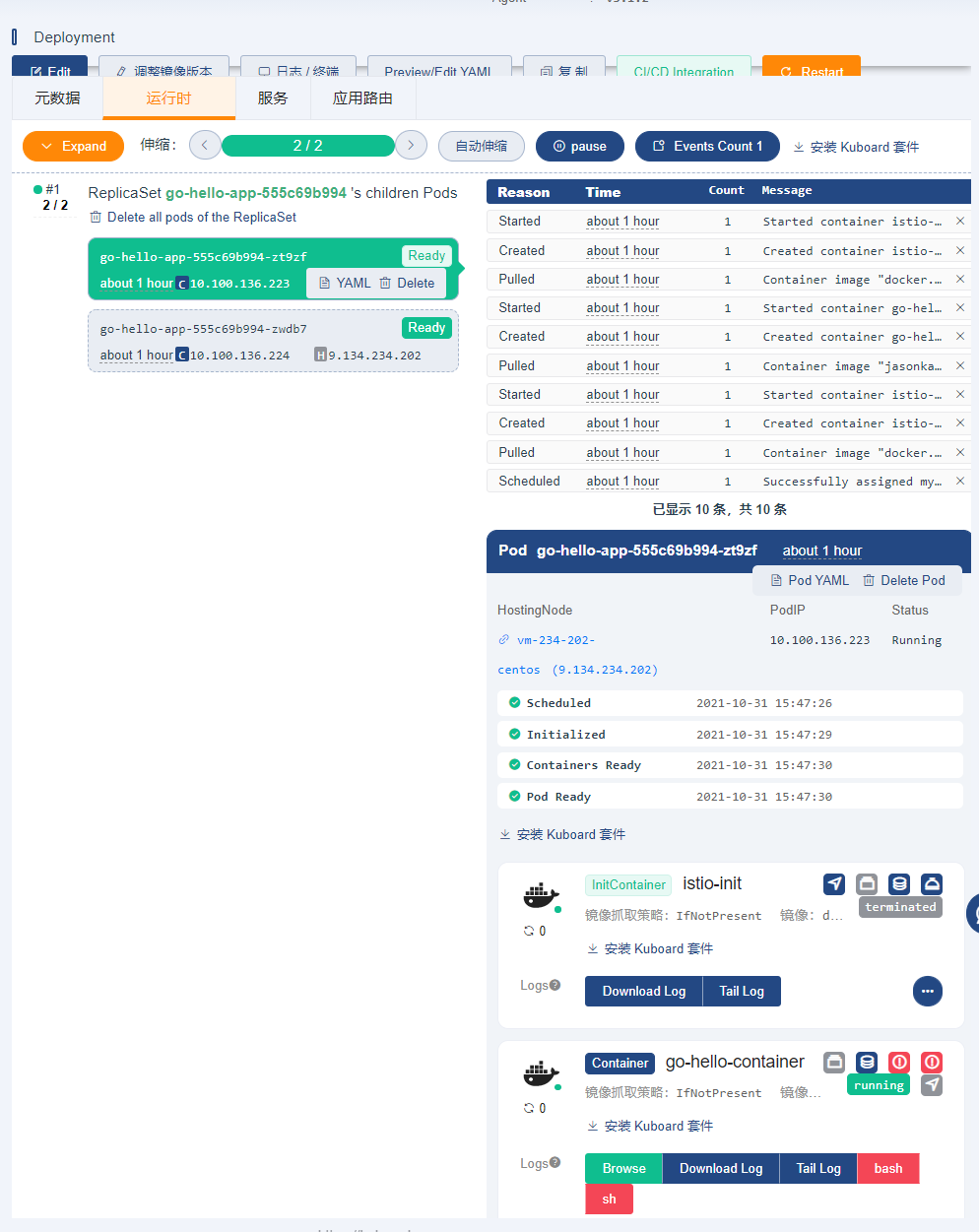
Second, use dashboard to check:
Finally, Visit NodePort to check:
And you will see just as the same as:
Use command below to delete Deployment:
kubectl delete -f deploy/deployment.yaml