This is an ImGui vulkan backend written nearly from scratch that also works with Textures!
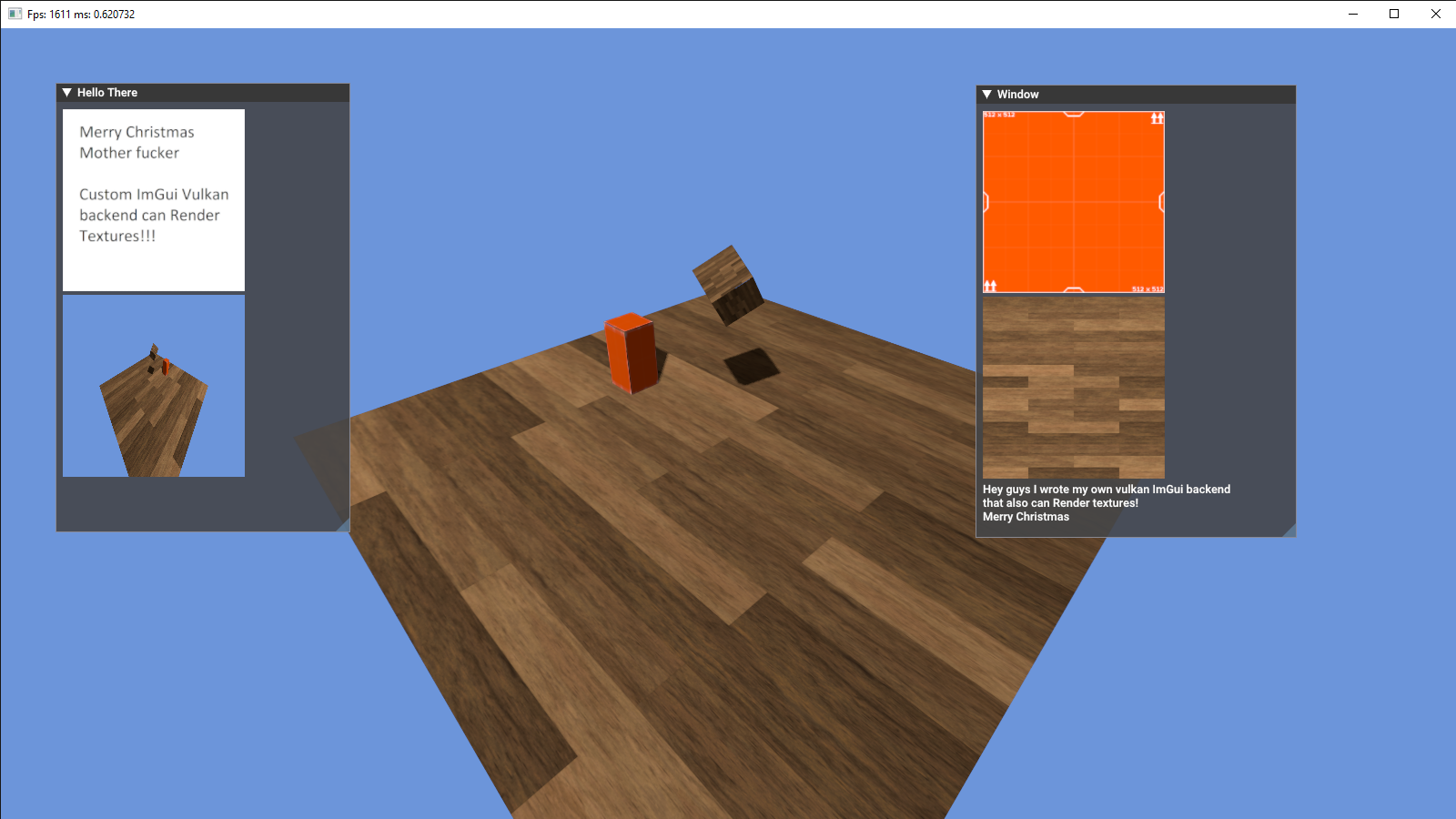
To use this renderer you need to replace the default ImGui Vulkan renderer header with the new one:
#include "ImGui/imconfig.h"
#include "ImGui/imgui_tables.cpp"
#include "ImGui/imgui_internal.h"
#include "ImGui/imgui.cpp"
#include "ImGui/imgui_demo.cpp"
#include "ImGui/imgui_draw.cpp"
#include "ImGui/imgui_widgets.cpp"
#include "ImGui/imgui_impl_sdl.cpp"
#include "ImGui/imgui_impl_vulkan_but_better.h"
To init this renderer copy this code:
ImGui::CreateContext();
ImGuiIO* IO = &ImGui::GetIO();
IO->WantCaptureMouse;
IO->WantCaptureKeyboard;
IO->ConfigFlags |= ImGuiConfigFlags_DockingEnable;

ImGui::StyleColorsDark();
ImGui_ImplSDL2_InitForVulkan(Window);

ImGui_ImplVulkan_InitInfo InitInfo;
InitInfo.DescriptorPool = [Your Descriptor Pool with init flag=VK_DESCRIPTOR_POOL_CREATE_FREE_DESCRIPTOR_SET_BIT];
InitInfo.Device = [Your Vulkan device];
InitInfo.RenderPass = [Your Render Pass];
InitInfo.PhysicalDevice = [Your Physical Device];
InitInfo.ImageCount = [Your Swap Chain Image Count (Normally 3 or so)];
InitInfo.MsaaSamples = [Your Render pass msaa sample count];

ImGui_ImplVulkan_Init(&InitInfo);

VkCommandBuffer ImCommandBuffer = BeginSingleTimeCommands();
ImGui_ImplVulkan_CreateFontsTexture(ImCommandBuffer);
EndSingleTimeCommandBuffer(ImCommandBuffer);

vkDeviceWaitIdle(Device);
ImGui_ImplVulkan_DestroyFontUploadObjects();
If you don't have the functions "BeginSingleTimeCommands()" and "EndSingleTimeCommandBuffer" here are they:
VkCommandBuffer BeginSingleTimeCommands()
{
	VkCommandBufferAllocateInfo AllocateInfo;
	AllocateInfo.sType = VK_STRUCTURE_TYPE_COMMAND_BUFFER_ALLOCATE_INFO;
	AllocateInfo.pNext = NULL;
	AllocateInfo.commandPool = CommandPool;
	AllocateInfo.level = VK_COMMAND_BUFFER_LEVEL_PRIMARY;
	AllocateInfo.commandBufferCount = 1;

	VkCommandBuffer CommandBuffer;
	vkAllocateCommandBuffers(RendererInfo->Device, &AllocateInfo, &CommandBuffer);

	VkCommandBufferBeginInfo BeginInfo;
	BeginInfo.sType = VK_STRUCTURE_TYPE_COMMAND_BUFFER_BEGIN_INFO;
	BeginInfo.pNext = NULL;
	BeginInfo.flags = VK_COMMAND_BUFFER_USAGE_ONE_TIME_SUBMIT_BIT;
	BeginInfo.pInheritanceInfo = NULL;

	vkBeginCommandBuffer(CommandBuffer, &BeginInfo);

	return CommandBuffer;
}

void EndSingleTimeCommandBuffer(VkCommandBuffer CommandBuffer)
{
	vkEndCommandBuffer(CommandBuffer);

	VkSubmitInfo SubmitInfo;
	SubmitInfo.sType = VK_STRUCTURE_TYPE_SUBMIT_INFO;
	SubmitInfo.pNext = NULL;
	SubmitInfo.waitSemaphoreCount = 0;
	SubmitInfo.pWaitSemaphores = NULL;
	SubmitInfo.pWaitDstStageMask = NULL;
	SubmitInfo.commandBufferCount = 1;
	SubmitInfo.pCommandBuffers = &CommandBuffer;
	SubmitInfo.signalSemaphoreCount = 0;
	SubmitInfo.pSignalSemaphores = NULL;

	vkQueueSubmit(GraphicsQueue, 1, &SubmitInfo, VK_NULL_HANDLE);
	vkQueueWaitIdle(GraphicsQueue);

	vkFreeCommandBuffers(Device, CommandPool, 1, &CommandBuffer);
}
To draw an Image just call this function:
ImGui::Image(&DescriptorSet, WindowSize);To set you're Textures to be opaque
ImTextureID OpaqueTextures[1] =
{
	(ImTextureID*)&DescriptorSet
};

ImGui_ImplVulkan_RenderDrawData(ImGui::GetDrawData(), CommandBuffers, 1, OpaqueTextures);
If you don't use this feature just set 0 and NULL
ImGui_ImplVulkan_RenderDrawData(ImGui::GetDrawData(), CommandBuffers, 0, NULL);