You signed in with another tab or window. Reload to refresh your session.You signed out in another tab or window. Reload to refresh your session.You switched accounts on another tab or window. Reload to refresh your session.Dismiss alert
This file contains hidden or bidirectional Unicode text that may be interpreted or compiled differently than what appears below. To review, open the file in an editor that reveals hidden Unicode characters.
Learn more about bidirectional Unicode characters
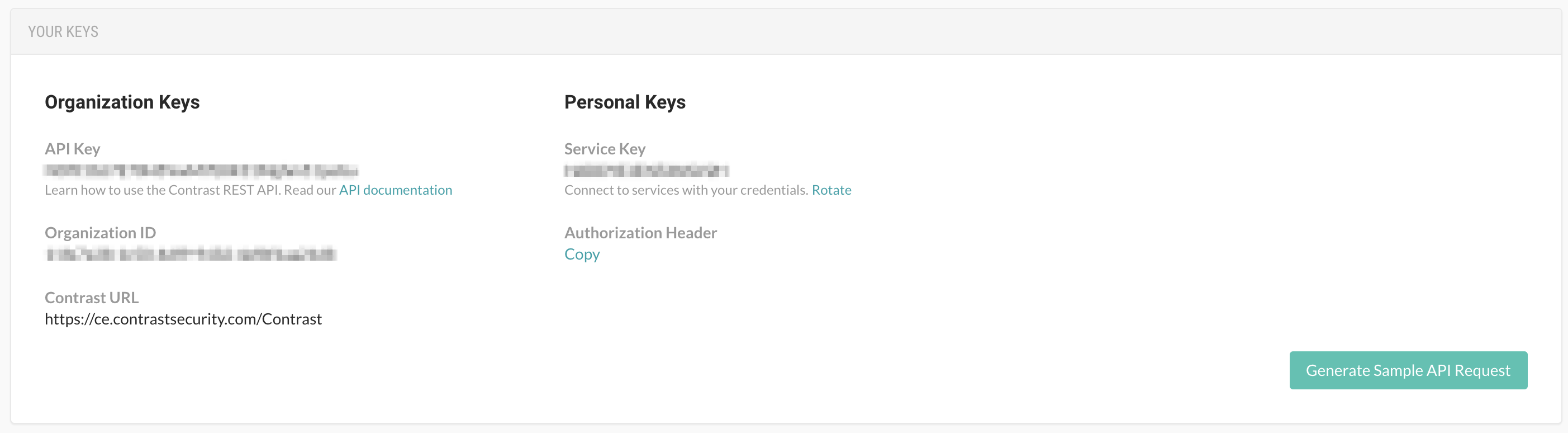
Dave, is it possible to also edit the content under Contrast Assess on this page: https://owasp.org/www-project-benchmark/#div-scanning_tips. In order for the Contrast agent to work with the OWASP Benchmark, a user will need to set some environment variables that the agent can pick up.
The first paragraph could be edited to look something like this.
To use Contrast Assess, we simply add the Java agent to the Benchmark environment and run the BenchmarkCrawler. You must also export the following configuration settings as environment variables. These values are displayed under User Settings -> Your Keys when logged into a Contrast TeamServer instance: CONTRAST__API__API_KEY, CONTRAST__API__SERVICE_KEY, and CONTRAST__API__URL.
You also must set the username configuration setting as an environment variable: CONTRAST__API__USER_NAME. This is the username used to login to your TeamServer instance. The entire process should only take a few minutes. We provided a few scripts, which simply add the -javaagent:contrast.jar flag to the Benchmark launch configuration. We have tested on MacOS, Ubuntu, and Windows. Be sure your VM has at least 4M of memory.
Add this suggestion to a batch that can be applied as a single commit.This suggestion is invalid because no changes were made to the code.Suggestions cannot be applied while the pull request is closed.Suggestions cannot be applied while viewing a subset of changes.Only one suggestion per line can be applied in a batch.Add this suggestion to a batch that can be applied as a single commit.Applying suggestions on deleted lines is not supported.You must change the existing code in this line in order to create a valid suggestion.Outdated suggestions cannot be applied.This suggestion has been applied or marked resolved.Suggestions cannot be applied from pending reviews.Suggestions cannot be applied on multi-line comments.Suggestions cannot be applied while the pull request is queued to merge.Suggestion cannot be applied right now. Please check back later.




Dave, is it possible to also edit the content under Contrast Assess on this page: https://owasp.org/www-project-benchmark/#div-scanning_tips. In order for the Contrast agent to work with the OWASP Benchmark, a user will need to set some environment variables that the agent can pick up.