
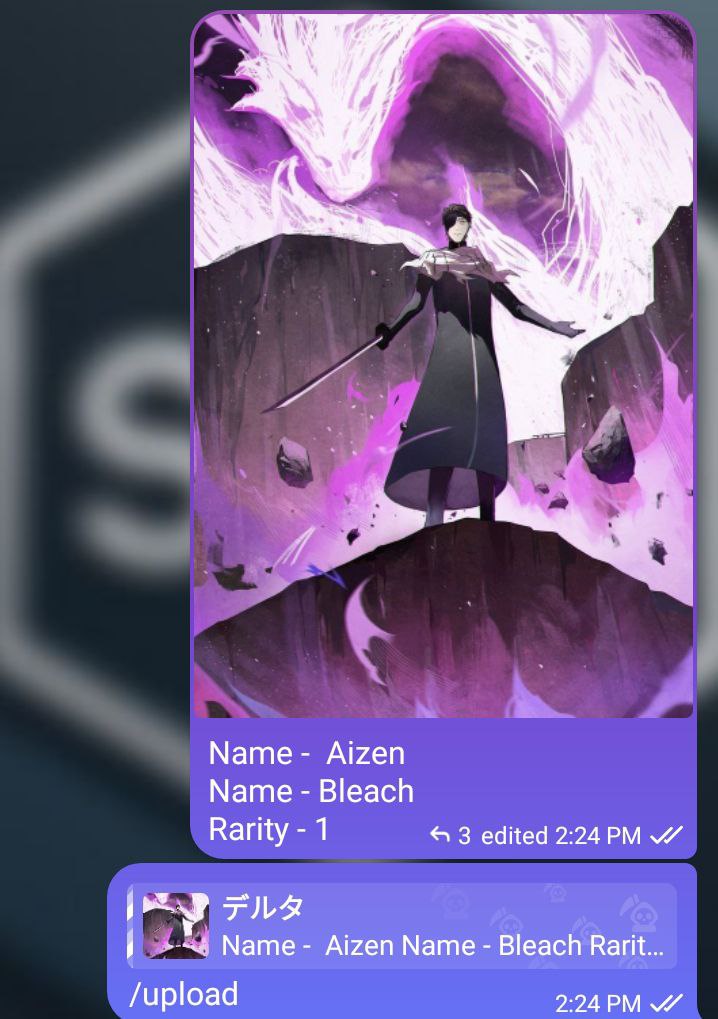
(with an image)
character-name
anime-name
rarity-number

/upload (replying to character details)
use Rarity Number accordingly rarity Map
| Number | Rarity |
|---|---|
| 1 | 🟢 Common |
| 2 | 🔵 Medium |
| 3 | 🟠 Rare |
| 4 | 🟡 Legendary |
| 5 | 🪽 Celestial |
| 6 | 🥵 Divine |
| 7 | 🥴 Special |
| 8 | 💎 Premium |
| 9 | 🔮 Limited |
| 10 | 🍭 Cosplay |
| 11 | 💋 Aura |
| 12 | ❄️ Winter |
| 13 | ⚡ Drip |
| 14 | 🍥 Retro |
/pick- Guess the character./fav- Add a character to your favorites./strade- Trade a character with another user./gift- Gift a character to another user./collection- View your harem collection.
/tops- View the global leaderboard for gold coins and ruby users./ctop- List the users with the largest harem in the current chat.
/pay- Pay coins to other users.
/changetime- Adjust the frequency of character spawns.
And much more!
For a complete list of commands, refer to the original bot.
/upload- Add a new character to the database/delete- Delete a character from the database/update- Update stats of a character in the database
-
/eval- Developer special command -
/stats- Lists number or groups and users -
/addsudo- add a user go bot sudo -
/adddev- add a user to bot character uploader (don't forget to add your self as dev using this command after first startup) -
/addsudo- add a yser to bots dev -
/sh- use bash commands