Fix: Styling problem on vertically aligned blocks #20368
Conversation


 jorgefilipecosta
added
[Type] Bug
jorgefilipecosta
requested review from
Soean,
ajitbohra and
talldan
as code owners
jorgefilipecosta
added
[Type] Bug
jorgefilipecosta
requested review from
Soean,
ajitbohra and
talldan
as code owners

|
Size Change: +27 B (0%) Total Size: 864 kB
ℹ️ View Unchanged
|

|
In my quick test, this does appear to work as intended with no side-effects. Nice work! 👍 👍 |
jorgefilipecosta
deleted the
fix/style-problem-on-vertically-aligned-columns
branch
jorgefilipecosta
added
the
Backport to WP 6.9 Beta/RC
 jorgefilipecosta
removed
the
Backport to WP 6.9 Beta/RC
jorgefilipecosta
removed
the
Backport to WP 6.9 Beta/RC

|
I'm a bit confused what impact I might also be a little concerned how well an explicit |

|
If it is of any use, another side-effect of NOT adding
|



Description
Fixes: #19962
Props to @mrleemon for suggesting this fix.
Some blocks did not work inside the columns block, this PR adds a CSS fix for the issue.
In my tests, the fix does not seem to have unexpected consequences.
cc: @aduth, @jasmussen, @getdave I would appreciate if you could double-check if this fix works as expected.
How has this been tested?
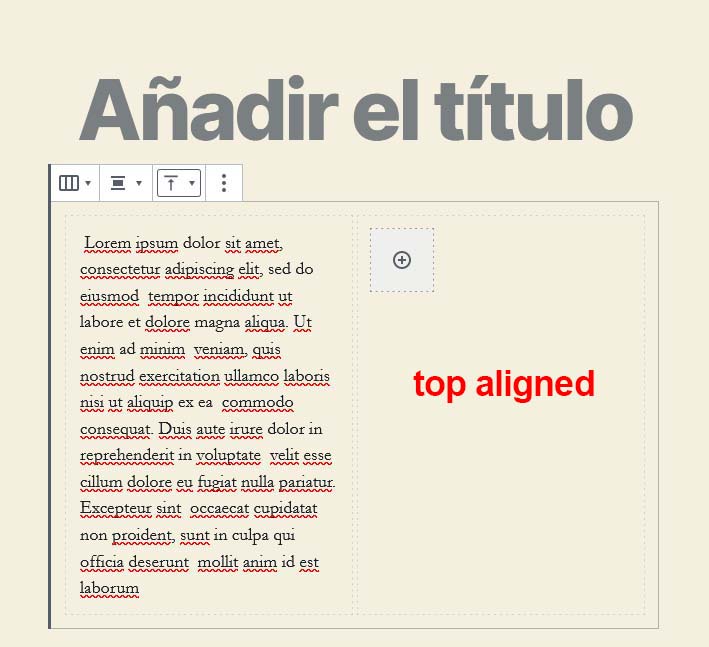
I added a columns block with two columns.
I added the Image Slider Block from the "Ultimate Blocks" plugin inside with some images inside the first column.
I added sample text on the second column making the height of the second column higher than the one of the first column.
I vertically aligned the columns to the three possible values and verified for each alignment the result looked correct. (On master the slider is broken).