InputControl: Reverting recent changes, which affected updates #25913
Conversation


This reverts commit 2d5106a.
 ItsJonQ
added
[Type] Bug
ItsJonQ
requested review from
ajitbohra,
chrisvanpatten and
youknowriad
as code owners
ItsJonQ
added
[Type] Bug
ItsJonQ
requested review from
ajitbohra,
chrisvanpatten and
youknowriad
as code owners

|
Size Change: +9.75 kB (0%) Total Size: 1.19 MB
ℹ️ View Unchanged
|

|
EDITED: @ItsJonQ, I should have caught the drag to update breakage. Avoiding that would be easy enough but you're right about the commit on blur being trickier. I'd made a PR thinking a fix was simple but I was overlooking the 'parse unit on change' action of To reproduce the issue from #24460 it's probably easiest in Storybook where you can set the range control to have a min/max of something like what the Spacer Block used to have (20-500). Or try typing a negative value, anything out of range should trigger it. Also, I'm pretty sure this was the code that used to keep the validation from interfering with input. |


|
@stokesman Thank you! I'll take a look at RangeControl. I left a comment in your draft PR as well :) Update: Amazing! That RangeControl example with the min/max was exactly what I needed for testing. |
|
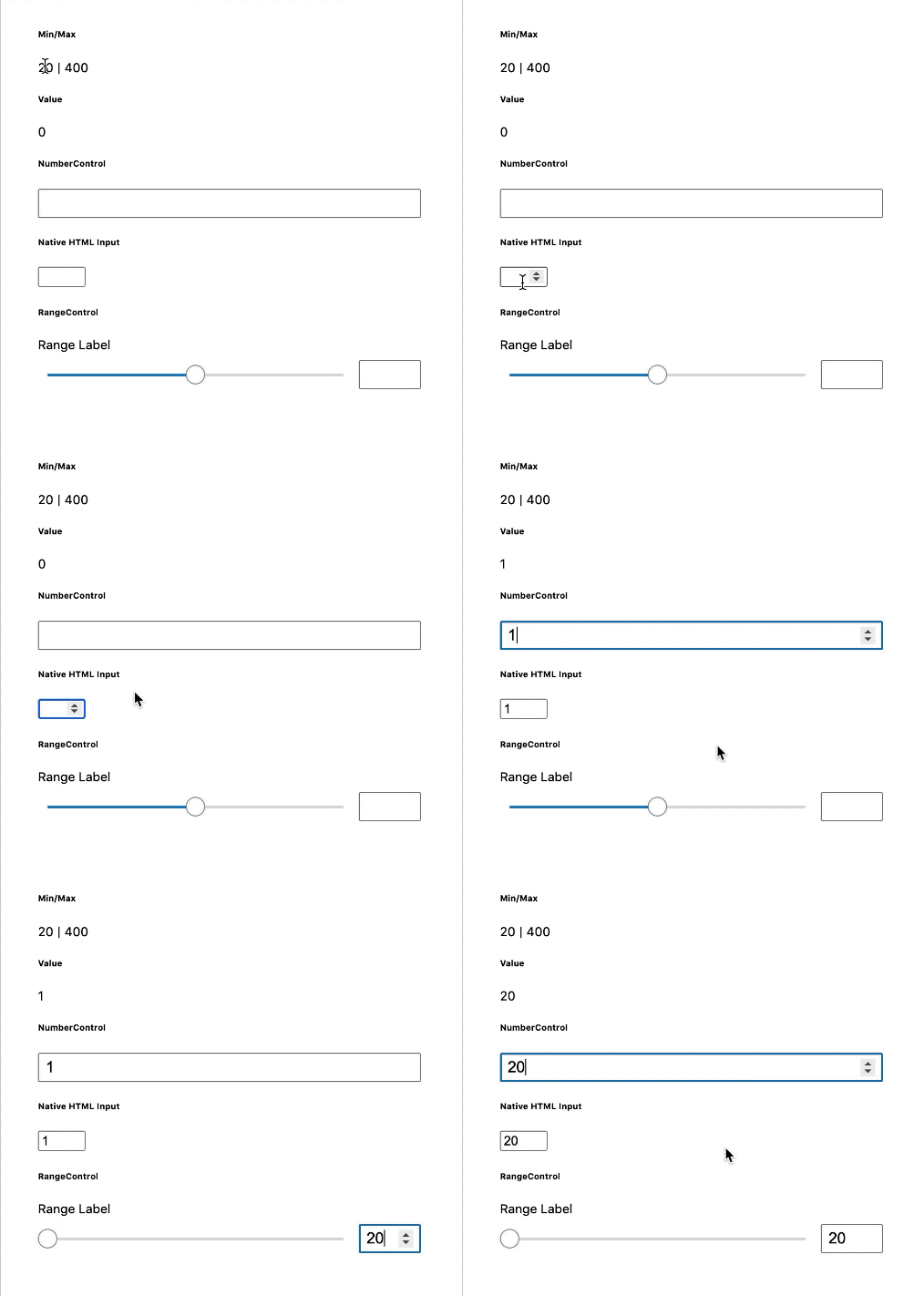
Update: I believe the issue is isolated within I recorded a GIF demo below:
The inputs are using a min/max of
The HTML However... attempting to enter With all that said! Will see if I can come up with a solution. If not, I think it's probably better to merge the revert as it'll fix the inputs in other areas P.S. @stokesman Just wanted to thank you for your care and patience with this one! It's tricky. I appreciate you diving in and helping 🙏 Update: If I replace the |
|
Update: @stokesman I think I got it!! Will push update + record a demo very soon |
|
Okay! I think this is ready. Added the content below the original Github PR description to make it easier to find. Beyond the revert, the changes can be seen here: 📹 Demo + WalkthroughI recorded a video demo + walkthrough that showcases the issue and describes the fixes: ⚛️ Fixing State HandlingThe issue was that the inner number input wasn't correctly handling and coordinating values/changes between the UI element ( The solution involved swapping The solution also involved (re)adding the HTML validation step before "commiting" (firing the What this means, is that users will be able to type in values like Previously, it would jump to This is no longer the case! (Thank goodness) 🗜 Clamping onChangeSecondly, the final value that is sent from the |
|
I took this for a spin to look for a couple of tangential and obscure issues I thought may reappear. In doing so I ran across a new one which I'll describe first. In WordPress, while editing a spacer block, clear the number input, and then try typing any number besides '1'. It'll give you a '1' anyway. This seems to be unique to the Spacer block as I couldn't reproduce it in Storybook. One of the obscure issues I mentioned is also with the Spacer block and can be reproduced by clearing the number input then dragging the in-canvas resize handle. The input won't update once the drag ends and after that direct input is not possible (the range input slider can recover it though). Screen recording of both of the above issues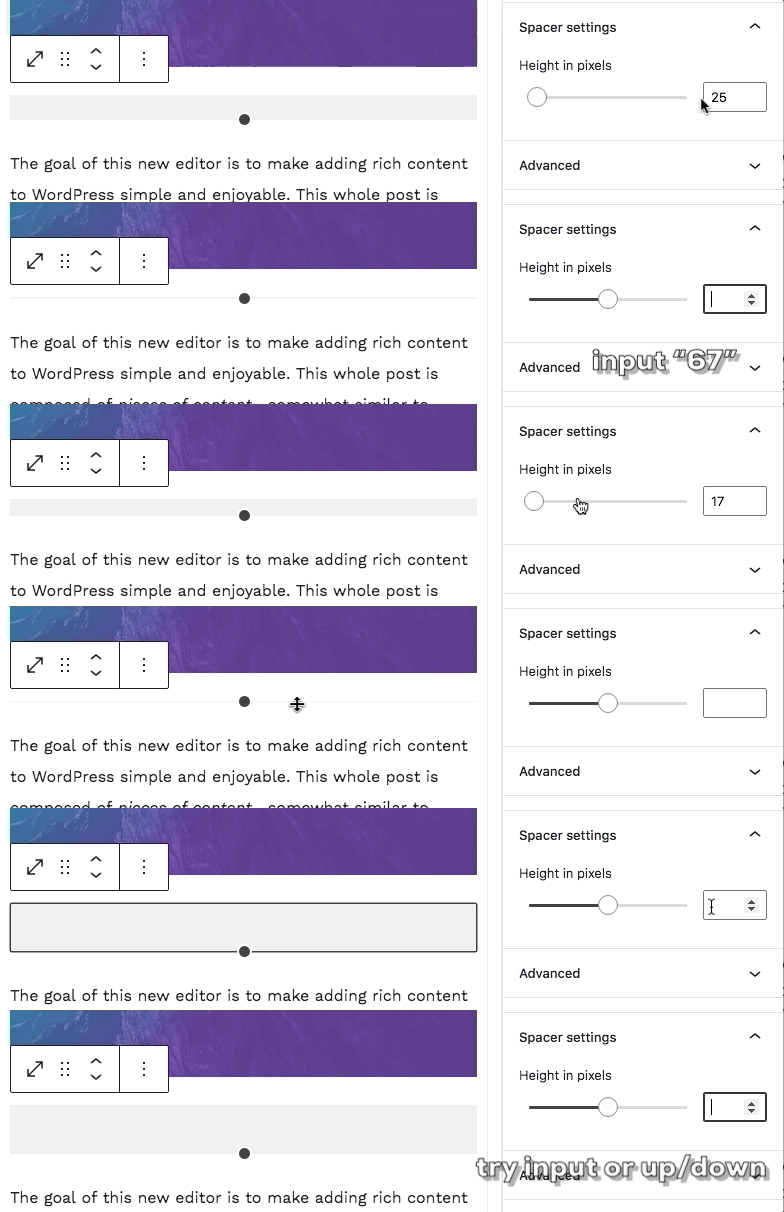
It could be that both of those are related to the reset that can be triggered by See recording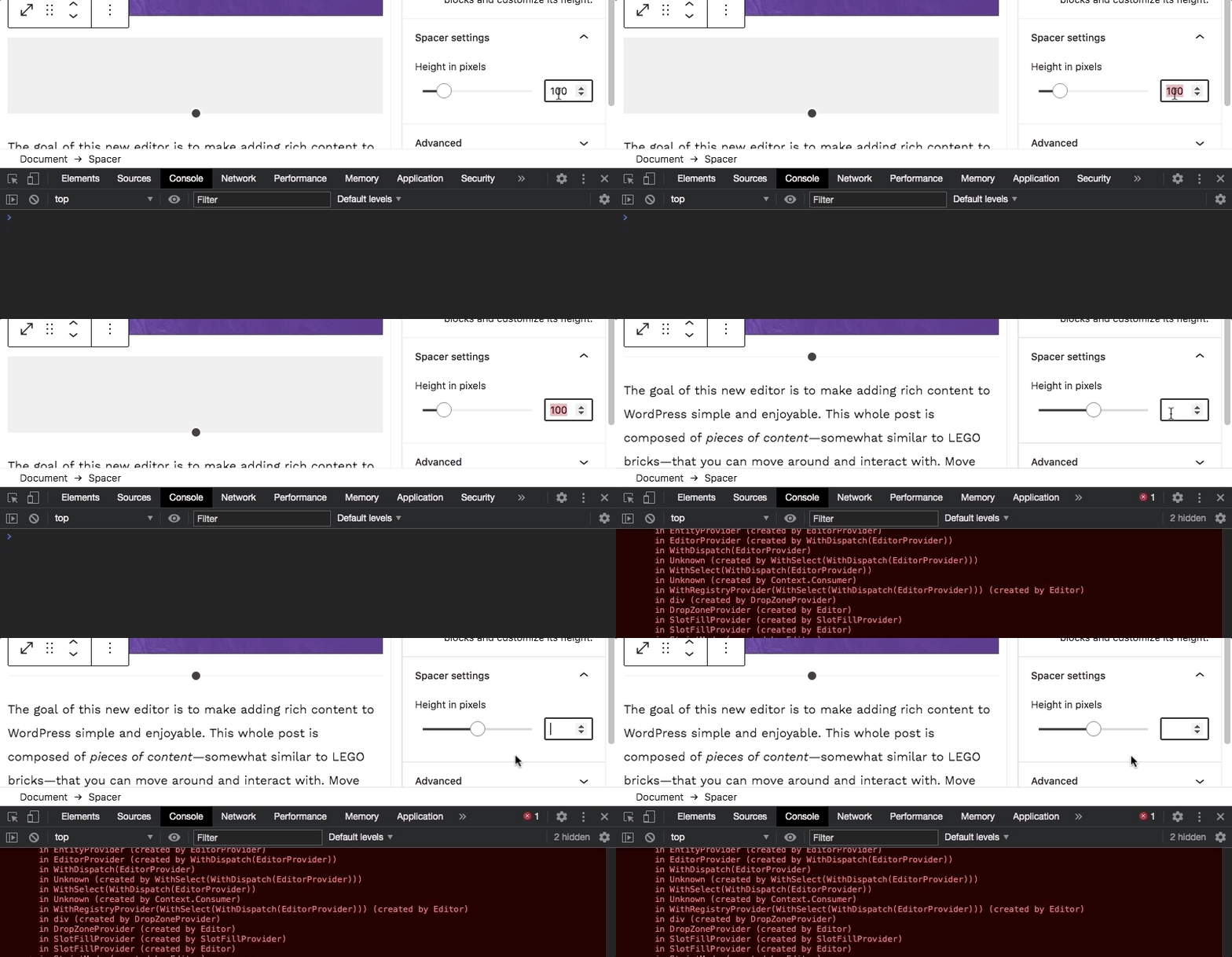
There also seems to be some new issues with resets when clearing number inputs of range controls with the Gallery and Button blocks, but I'm going to take a break for now. |
|
@stokesman Amazing! Thank you so much. This is really helpful 🙏 |
|
@stokesman Haii! I just pushed a fix. I think this does it 🤞 . |
|
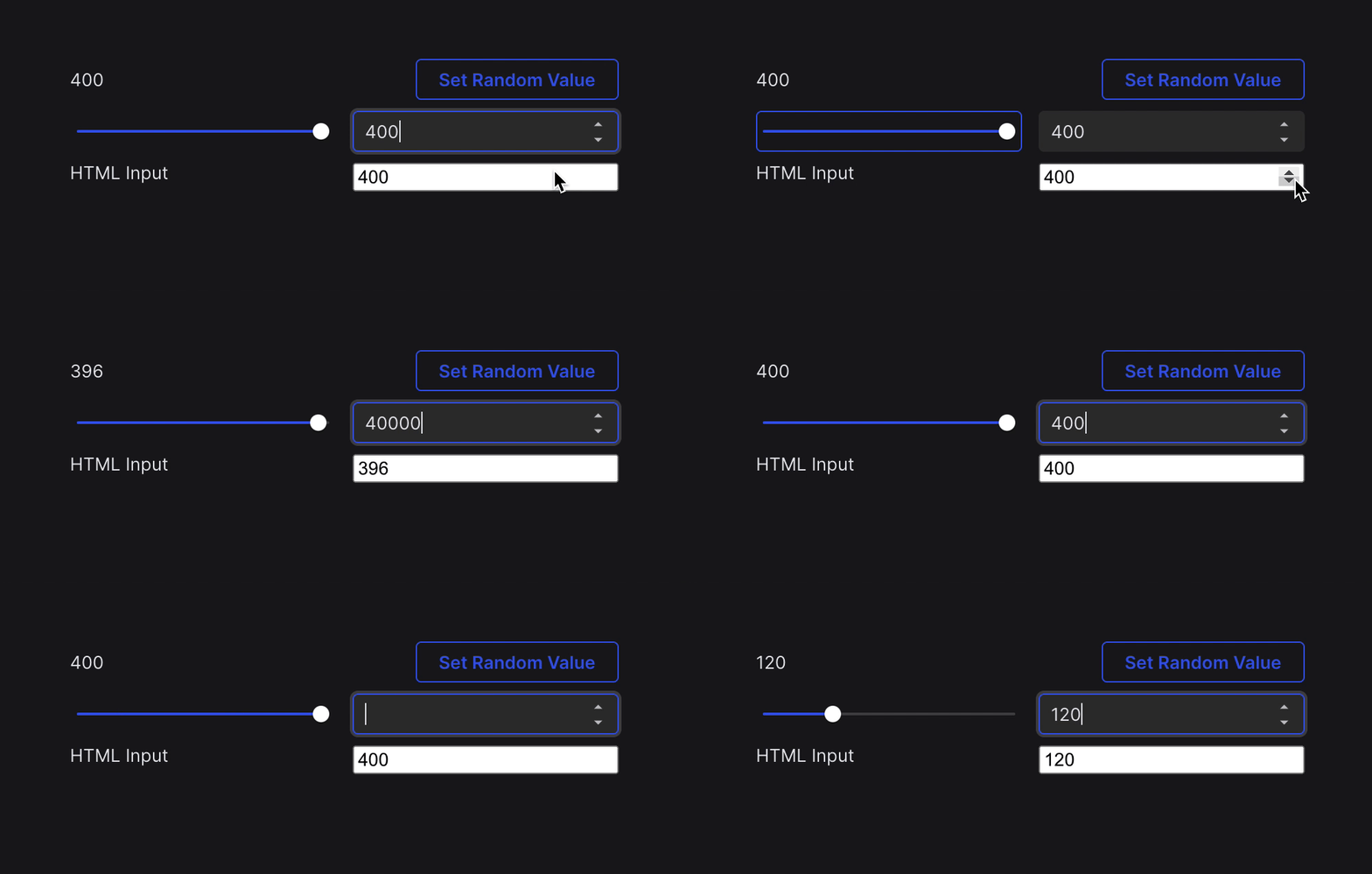
Unrelated update! This PR was tremendously helpful for me. 🔦 SpotlightingI appreciated it as it highlights some of the trickiness that happens with seemingly simple input controls. It's also helped me rethink and refine approaches for improving how state could be handled within this controls (as a single unit), and how it could be shared (across multiple units, like a slider and an input). ✨ UpdatesI've applied some of the ideas from this PR (and some of the explorations from @stokesman ) into the Here's a quick gif demo that shows the use cases (mentioned above) working with a mixture of input interactions, and state flowing from internal and external changes:
The most exciting thing (for me) is that how simple the UI code is in combining a const CombinedControl = ({ max, min, onChange, value }) => {
return (
<Grid>
<Slider max={max} min={min} onChange={onChange} value={value} />
<TextInput
max={max}
min={min}
onChange={onChange}
type="number"
value={value}
/>
</Grid>
);
};♻️ State ManagementThe biggest difference between how the UI works in the above example and the current Whereas the current The strategy for controlling state flow is also different. The Gutenberg The G2 If you're curious, here's the state management for This update is totally not related to this PR's change. However, I thought it may be useful in shedding some light in how we may be able to improve the stability, usability, reliability, and performance for our base components. Hopefully this will come with the adoption of G2 Components, either in it's spirit, it's parts, or it's totality (🙏 ) P.S. The |

 ntsekouras
left a comment
ntsekouras
left a comment
ntsekouras
left a comment
There was a problem hiding this comment.
Great work here @ItsJonQ 💯 Thanks!
I've left some comments but nothing serious :)
|
@ntsekouras Thank you so much! I applied the changes. Once tests are green and happy, I can merge it up! |
ntsekouras
left a comment
ntsekouras
left a comment
There was a problem hiding this comment.
Looks good! Green CI and land this 💯
|
Something's up with the E2E tests. Previously, Admin 2 failed (due to a timeout). I'm going to re-run them one more time 🤞 |
|
I'd like it if we can hold off merging this for just a bit for two reasons. I did retry the PR yesterday after 68aa804 and still found some issues (that may not need to considered in-scope of this PR). But the larger reason is I've tinkered a bit and found some non-reverting changes that fix this (and offer a small unlocked improvement to |
|
@stokesman Interesting! I took a quick look at your PR. I didn't dive in too closely as it was still a draft PR. I'd be happy to give it a spin if you think it's ready!
Oh dear! Do you mind sharing what those issues may be? I'd mostly like to know improve my awareness of edge/test cases 😊 |
|
@ItsJonQ, I think besides a comment I forgot to finish updating or other nitpicks that PR is good to go. I was also meaning to update you on the issues I mentioned which was actually just the previous one I brought up wasn't fully solved. That is the number input of the range control for the Spacer block could still fail to update if the in-canvas resizer was dragged once the input had been cleared. It's so obscure and I think existed before #24460 so I'd not insist it matters for this PR. The only other thing I can think of at the moment is tangential because it also existed before #24460 and it's more to do with the reset behavior and may be the responsibility of consumers to fix in their implementations. I can add some more detail in case you'd like. |
|
Update: I tested out the PR from @stokesman : It looks good! We can proceed with that one instead of this revert PR. |
|
Closing this in favour of #25933 |


This update reverts 2 recent updates on the
InputControlcomponent:#25609
#25753
I've noticed some issues in the BoxControl component in Gutenberg with the updates. In particular...
Tabto commitcc'ing @stokesman
Looking back at the initial issue (#24460), these updates are attempting to fix some number input entering.
I haven't been able to replicate the issues. Maybe I'm not entering things correctly (to break it) in my keyboard?I'd love to know more info about this.On top of reverts, I'd like to add solutions for the issues mentioned in #24460Updates
Beyond the revert, the changes can be seen here:
https://github.com/WordPress/gutenberg/pull/25913/files#diff-559f6ca9af4f175b7f7d4b1741a7f4d6R66-R83
https://github.com/WordPress/gutenberg/pull/25913/files#diff-559f6ca9af4f175b7f7d4b1741a7f4d6R30-R42
📹 Demo + Walkthrough
I recorded a video demo + walkthrough that showcases the issue and describes the fixes:
https://www.loom.com/share/22b6d3b1b61140e4a667ed61a6858f52
⚛️ Fixing State Handling
The issue was that the inner number input wasn't correctly handling and coordinating values/changes between the UI element (
input[type="number"]) and the state that exists within the wrappingRangeControlcomponent.The solution involved swapping
useControlledStatefor a simpleuseState+useEffecthook combination for state management and syncing within the inner numberInputField.The solution also involved (re)adding the HTML validation step before "commiting" (firing the
onChange) callback. This allows for "invalid" state to be held within the number input before pushing it upwards.What this means, is that users will be able to type in values like
123, when theminattribute is set to20.Previously, it would jump to
20because typing in the initial character (1) would trigger onChange immediately... which clamps the value and propagates it updates.This is no longer the case! (Thank goodness)
🗜 Clamping onChange
Secondly, the final value that is sent from the
RangeControlonChange callback is clamped. Previously, this was not the case. We also didn't spot this problem due to the above mentioned issue.How has this been tested?
RangeControlstate flow is working(Note: For drag to update, I think order matters for the
onMouseDowncallback. This isn't as tricky as the update that adjusts the update mechanism to rely on theblurevent)How to test
npm run devChecklist: