[RNMobile] Editor Onboarding: "The Basics" help section - Topics list UI #33240
Conversation


 AmandaRiu
added
the
Mobile App - i.e. Android or iOS
AmandaRiu
added
the
Mobile App - i.e. Android or iOS

|
Size Change: 0 B Total Size: 1.07 MB ℹ️ View Unchanged
|

|
Hi @dcalhoun 👋 This PR takes care of adding the main topics UI. I'm not sure if how I'm currently opening the help menu is the best way of doing things so welcome some additional pointers in that area specifically and I can tweak it in the next round of PRs. There is still a lot of code to go but since there were already so many changes I decided to break these changes into their own PR to make it easier to review. Please let me know what you think could be changed/improved. Many thanks! |
AmandaRiu
force-pushed
the
rnmobile/editor-onboarding-basic-help-2
branch
from
b5aaa28 to
23c3531
Compare
|
@dcalhoun I've updated this PR to add navigation to the help topic detail view as we discussed. This PR is ready for review. 👍 |

 dcalhoun
left a comment
dcalhoun
left a comment
dcalhoun
left a comment
There was a problem hiding this comment.
This is looking great! 🎉 I tested on an iPhone 12 mini simulator and Samsung Galaxy S20. The navigation worked as expected, with the correct titles displayed for each section. I left a few comments for consideration, most of them are not blocking and up to your discretion — mostly curious of your opinions.
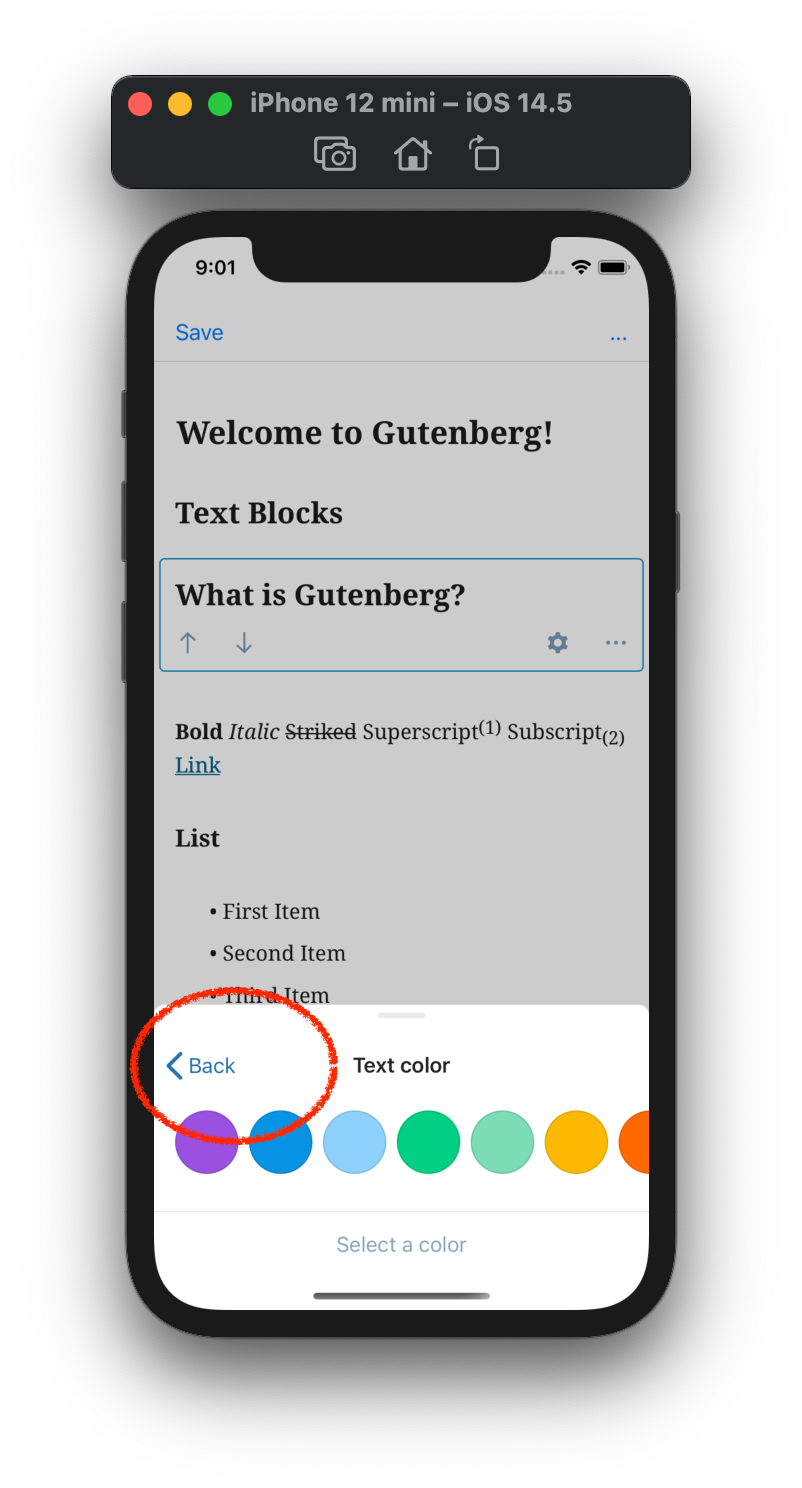
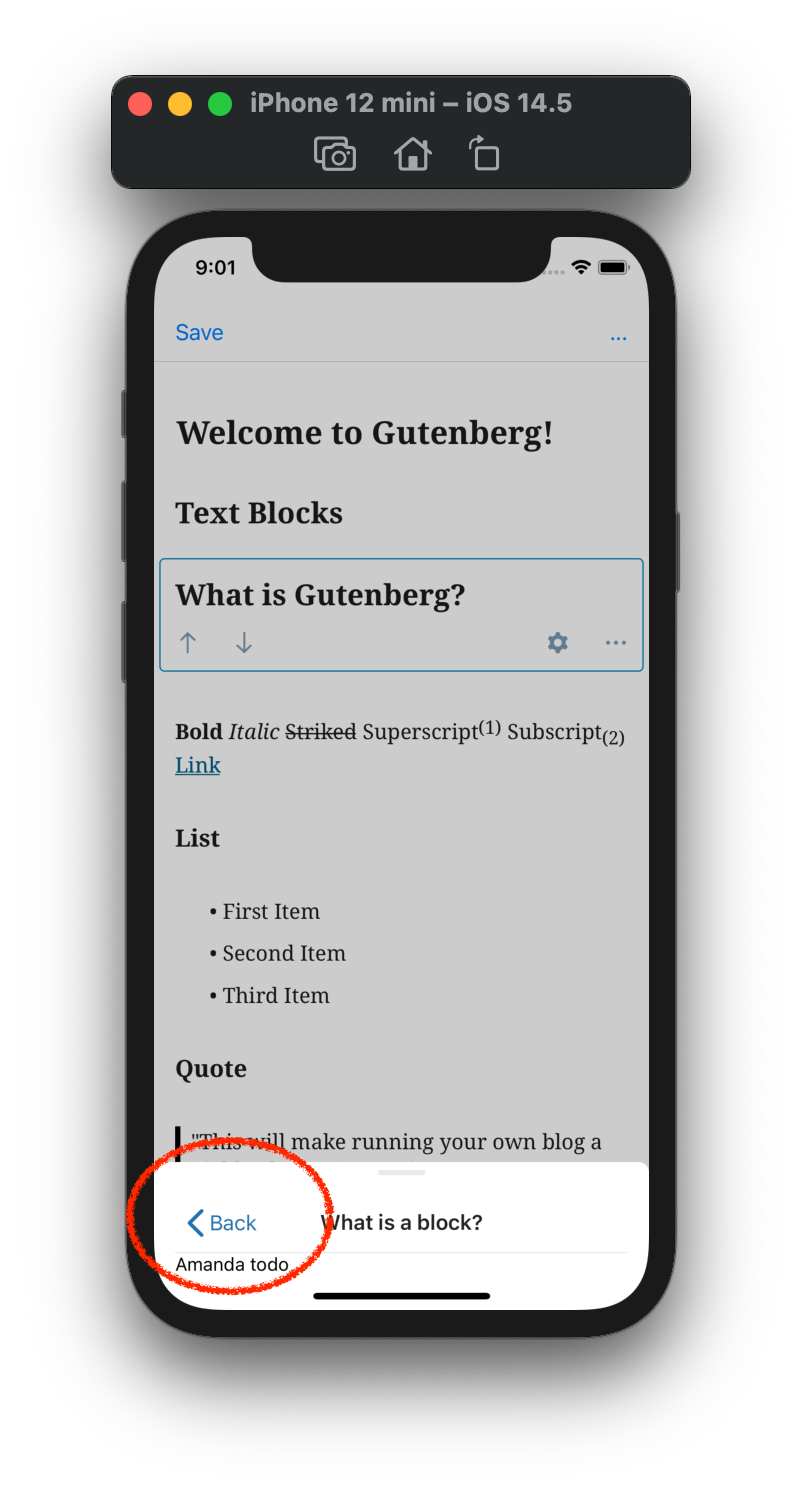
One design issue I noticed is that the back button alignment does not appear to match the other instances I found. The images below are from iOS, but the same alignment issue is present for Android as well.
| iOS Block Settings | iOS Help Sections |
|---|---|
 |
 |
packages/editor/src/components/editor-help/help-detail-navigation-screen.js
Outdated
Show resolved
Hide resolved
packages/editor/src/components/editor-help/help-detail-navigation-screen.js
Outdated
Show resolved
Hide resolved
packages/editor/src/components/editor-help/help-detail-navigation-screen.js
Show resolved
Hide resolved
packages/editor/src/components/editor-help/help-detail-navigation-screen.js
Show resolved
Hide resolved

Co-authored-by: David Calhoun <[email protected]>
Use hook for styles instead of HoC
AmandaRiu
force-pushed
the
rnmobile/editor-onboarding-basic-help-2
branch
from
36df4a2 to
3910de0
Compare

Co-authored-by: David Calhoun <[email protected]>
|
@dcalhoun Thank you so much for such a thorough review! I've addressed all the comments and fixed the styling in the padding in the subsheet. Ready for another round! |
dcalhoun
left a comment
dcalhoun
left a comment
There was a problem hiding this comment.
LGTM. 💯 Thank you for all your hard work on this. I verified it works as expected on an iPhone 12 mini simulator and Samsung Galaxy S20, including navigation via screen readers.
packages/editor/src/components/editor-help/help-detail-navigation-screen.native.js
Show resolved
Hide resolved

|
Great work here @AmandaRiu! My understanding is that the feature is not really exposed to the end user since it's only accessible via the debug menu atm, right? If so, can you update the PR description to make it more clear that this is not yet available to "production"? Thanks! |
Thank you for the suggestion @hypest! I've added an additional note for clarity 👍 |

|
@AmandaRiu I'm woefully late to this one, but any reason why this one added a new "alignJustifyAlt" icon to the library? In general when we add to the library we should be careful to only add icons that are used across web and native, and generally go through a design pass first, since these get published as part of the icon library. In this case there was already an existing justification icon. But judging by the screenshots, this appears to be a custom icon for the onboarding. Can we remove it from the library and just use the vectors directly? Edit: same with |
|
Hi @jasmussen!
I'm not sure honestly, it's been too long since I worked on this feature and i haven't been on this project for a while so I don't remember why those assets were used. If you think they should be swapped out then I'd defer to you or a designer to decide that. |
|
Thanks for the update! I'll see if I can put a PR together to move them to be local at least, then we can discuss on that thread whether bespoke icons are needed at all. Mind if I CC you on the PR? Otherwise, happy to CC someone else? |
Thanks for checking with me @jasmussen! I'm so far removed from working in this repo at this point it may make more sense to have someone else do the PR review. |
|
Followed up in #38849! |


Gutenberg-Mobile PR: wordpress-mobile/gutenberg-mobile#3702
NOTE
This feature is only available in debug builds
Description
This PR is the first in a series of PRs to add the Editor onboarding basic help section defined in this ticket: #30626 and covers the following:
BottomSheetand the help topic detail sub bottom sheet. Clicking an item in the help topics list will open the sub-sheet detail page with the appropriate title and back button. The actual details of the help article will be added in a later PR.@wordpress/iconspackage where needed to match the designs.How has this been tested?
< Backbutton is available.< Backbutton to go back to the main help topics list.ios-help-menu.mp4
Screenshots
Types of changes
New feature. Only available in non-production builds.
Checklist:
*.native.jsfiles for terms that need renaming or removal).