Add Navigator to off-canvas block inspector #46617
Conversation


|
@ajlende Here's a walkthrough of the current draft, outlining some of the considerations for this use case. Namely, we need to consider that the Navigator logic runs contrary to the current Block Inspector logic, so we'd need to introduce a special case for the Navigation blocks. In addition, whereas navigation through the Global Styles is all contained within the sidebar, when it comes to the Navigation blocks, we need to consider that those blocks can be selected from the Document List view and canvas in addition to the off-canvas editor. We also need to figure a way to introduce this special case for navigation to the edit buttons in the off-canvas editor and the back button in the Block Card. Note: I realized there was some extraneous code in the video, which I removed in the commit "Remove useNavigator references to keep code clean for discussion" navigator-pt1.mp4navigator-pt2.mp4navigator-pt3.mp4 |
|
Update: So I fixed the wonky state updates that were preventing the Block Card from showing up properly. Next step is to make sure the state updates happen properly no matter where the block is selected from, and that the animations only occur when using the off-canvas editor and back button. I'm thinking to also introduce logic to the Navigator that would allow you to configure the direction of the animation. |


There was a problem hiding this comment.
I kind of expected a loop at this level to render a "screen" per clientId
There was a problem hiding this comment.
I took that approach in an earlier commit, but because of the way the provider works, the state wasn't getting updated properly in the screen components. Separating them like this seems to solve the issue.
There was a problem hiding this comment.
I took that approach in an earlier commit, but because of the way the provider works, the state wasn't getting updated properly in the screen components.
Why do you mean by "the state wasn't getting updated properly"?
There was a problem hiding this comment.
Here I have an explanatory video. I'm happy to explain further if you'd like.
navigator-props-edit.mp4
|
@youknowriad @ajlende The latest commit adds the option to customize the animation settings for the Navigator, and I refactored the Navigation Inspector to make use of this:
It does this by keeping track of the depth of the current selection, which allows us to contain logic for the Navigator inside of the BlockInspector file, without needing to introduce anything new to the Document List view, canvas, or Block Card. Here's a video walking through it; please let me know your thoughts, ideas, and suggestions 🙏 animation-settings.mp4 |

|
Firefox only plays the audio of the .mov files. Could you run your videos through ffmpeg of something to convert them to mp4s which are supported? This is the command that I use if I'm recording on MacOS: |
|
@ajlende The videos throughout the thread have been converted; just let me know if you run into any issues. |

|
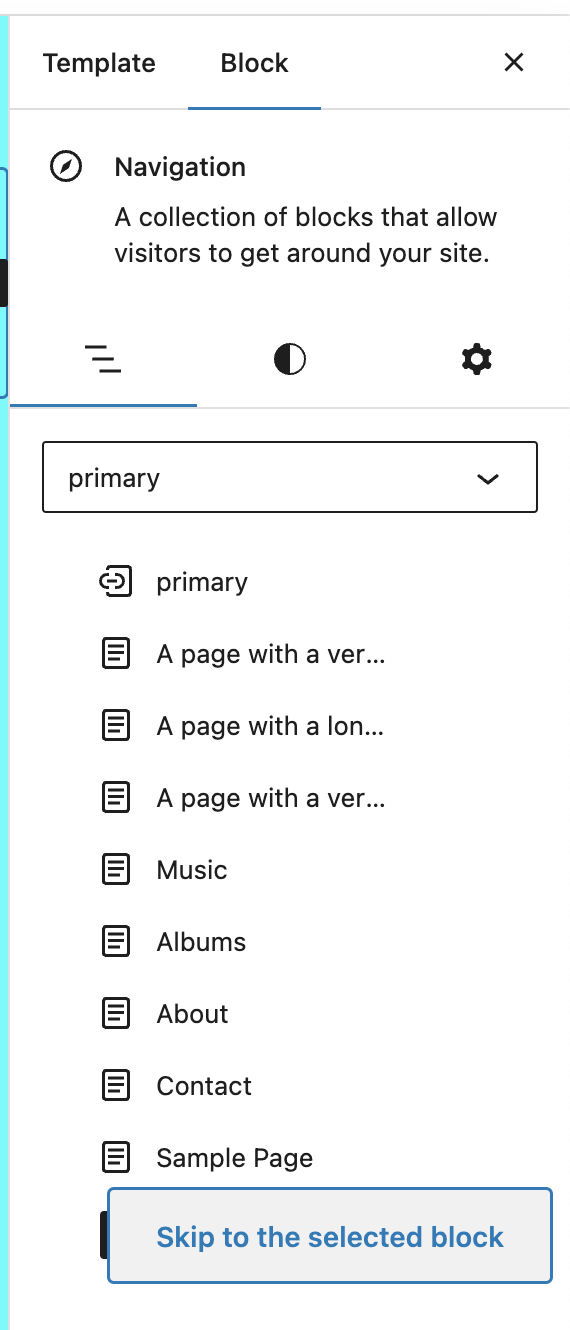
When I tested this, I see this in the inspector:
|


There was a problem hiding this comment.
This should probably be a different file.
There was a problem hiding this comment.
One of the points in favour of using the navigator component is that we won't have to duplicate the animation logic. If we're doing that here then that makes it a less compelling argument.
There was a problem hiding this comment.
I think we can remove this, and the other opacity: 0.
There was a problem hiding this comment.
I wonder if exposing the animation settings like this is best option. In reality it's only the direction (x) of the initial animation state that we need to alter, so is it better to expose an option that tells the navigator whether this is an "up" or "down" style animation, rather than making everything customizable?


 ciampo
left a comment
ciampo
left a comment
ciampo
left a comment
There was a problem hiding this comment.
Hey @artemiomorales ! Thank you for putting this draft together.
I personally agree with @scruffian 's comment here — exposing a way to override the whole animation settings feels a bit overkill.
More in general, the idea behind Navigator is that it handles "forwards" and "backwards" navigation, associating a specific animation with those types of navigation. Is your idea here to basically invert the direction of a backwards and forwards animation?
@scruffian Ok I've modified the component. Note: Not only do we need to be able to specify whether the animation should go forward or backward, we also need to be able to disable the animation altogether. I've added parameters to allow for these different cases.
@ciampo My idea is to be able to configure the animation to go forward, backward, or not at all based on certain conditions. As for whether we should continue to associate a specific animation for a particular type of navigation, I'm not sure that's a great fit for this use case. Before this pull request, activating the backward animation required using the We could make more extensive changes to the Navigator for this use case, locking forward animation to the
@scruffian can you elaborate on the point you're trying to make here? This is what I see. Do you mean that the justification, layout, and "Allow to wrap to multiple lines" options are not visible?
|
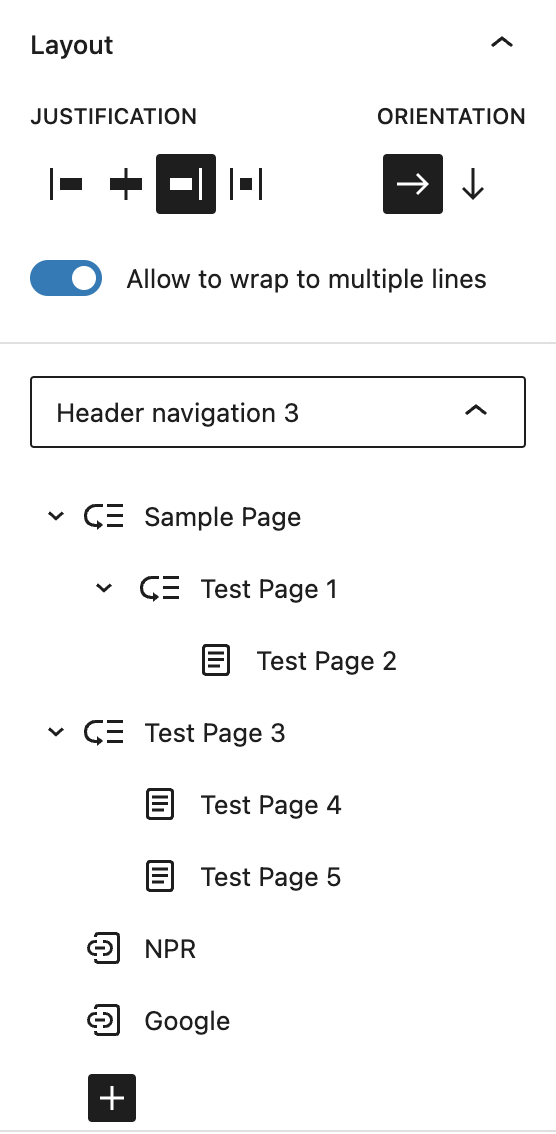
Sorry, no I mean that the "skip to selected block" banner is over the top of the block inserter. This is not the case in trunk. |
There was a problem hiding this comment.
Should we make this the third argument, so we don't have to modify the existing calls to it?
There was a problem hiding this comment.
Thanks, this has been revised.

Absolutely, I'd like to give this PR a deeper look before it gets merged. @artemiomorales, I'm going to give this a review soon (still catching up after a 4-week AFK). |

I added the option to override the default animation settings
in the Navigator to allow for customization of the user experience.

In the BlockInspector, we now calculate the depth of the
selected block and, based on that information, configure
the animation settings to give the illusion of a user
drilling down into the hierarchy.

Importantly, we do NOT execute an animation when the
NavigationInspector is first loaded or when we select
new blocka at the same depth.

Currently, we only animate when selecting any descendant
of the root Navigation block, or when we select the Navigation
block after previously having selected a descendant.
 artemiomorales
force-pushed
the
try/implement-navigator-for-off-canvas-editor
branch
from
artemiomorales
force-pushed
the
try/implement-navigator-for-off-canvas-editor
branch
from
fe49694 to
1117f8c
Compare
@scruffian I'm unable to replicate this. Can you provide any additional details as to how this happens? Does anyone else see this? Perhaps @ciampo?
Ok perfect, thank you. We may also want to get someone from design to weigh in on the transitions from the different selection points. |
It happens when the block is initially selected. |
@scruffian Hmm I tried that in a few different local environments and encountered no issues. I'll wait to see what other folks encounter and we can go from there. SelectBlockDemonstration.mov |
|
Hey @artemiomorales , sorry for the delay on my end!
As you also wrote, the use case that you describe doesn't really fit
This is also well explained by what you wrote:
You definitely have a point about the meaning of "going back" or "forward". If we had to keep the browser history analogy going, switching from one submenu to a sibling submenu sounds more like a I'm simply not sure if One potential idea that came to mind (and that I partially already highlighted in #45884, could be to:
Although it's just an idea for now, and we'd need to look more into it to prove its feasibility. |
5 participants


What?
This pull request is an exploration of how we might implement the Navigator component in the off-canvas editor experiment in order to improve the user experience by creating animation transitions between block inspector panels.
It addresses issue #45884 and is related to the rough implementation taken in #46342
Why?
This draft PR is meant to help with discussion and discovery related to the implementation, as well as gain insight into how the Navigator component could be revised to fit this use case.
How?
It adds a special inspector for navigation that makes use of the Navigator component.
Testing Instructions
Testing Instructions for Keyboard
TBD
Screenshots or screencast
TBD