DPI scaling is broken if font of the form set in designer #3202


Description

-
.NET Core Version: 3.1.3
-
Have you experienced this same bug with .NET Framework?: Yes
Problem description:
DPI scaling (AutoScaleMode.Font) is broken if font of the form set in designer. Or you can read it as: DPI scaling is broken if font of the form set after DPI scaling logic code, even in SuspendLayout and before very first PerformLayout.
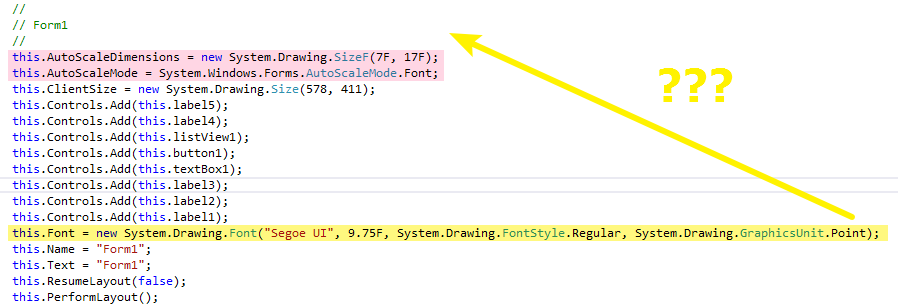
If you put yellow code in front of pink, or in constructor before InitializeComponent(); - all will be ok.
The bug appear only if this font is different from current system font.
Win10 pro 1809/1909.
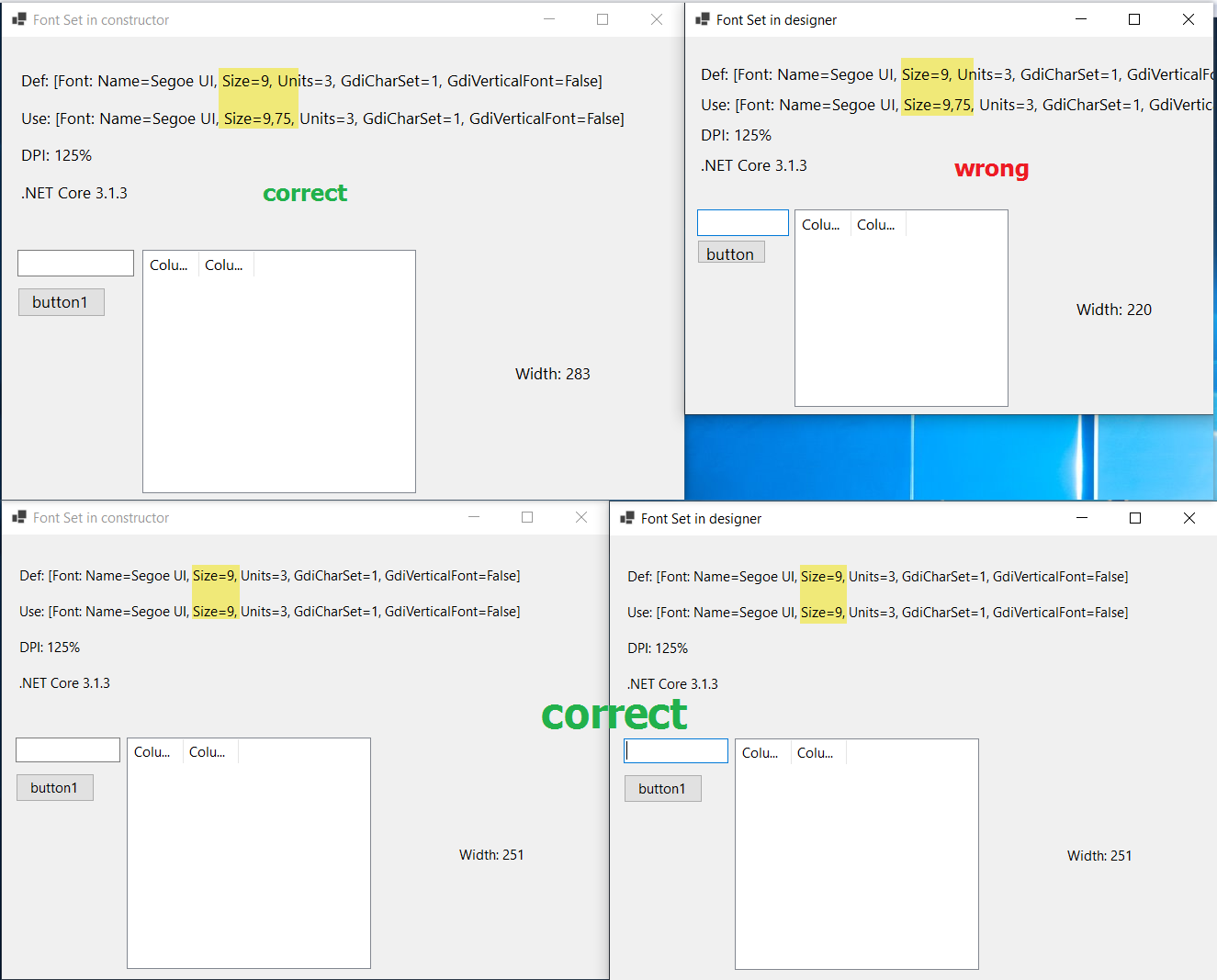
Related old stackoverflow post.
My personal opinion is that this is not designer problem, this is the problem of DPI scaling logic that depends on instructions order even in SuspendLayout...
Expected behavior:
Form must be scaled correctly.
Minimal repro:
This test project was created in VS 16.6 preview 5 with using of new core designer: WindowsFormsAppDesignerDPI.zip