Add implicit animations codelab #3118
Conversation


 googlebot
added
the
cla: yes
googlebot
added
the
cla: yes


There was a problem hiding this comment.
@legalcodes, I defer to others on reviewing the code and I have some Grammar Police nits but, overall, I think this is a great codelab! I really like how you've explained things and how you've used DP.
Once the nits are addressed, I say LGTM..
| @@ -0,0 +1,432 @@ | |||
| --- | |||
| title: "Implicit Animations" | |||
There was a problem hiding this comment.
Sentence case: "Implicit animations"
| - One "Show Details" button that does nothing when clicked. | ||
| - Description text of the owl in the photograph. | ||
|
|
||
| Run the example to render the following code: |
There was a problem hiding this comment.
Maybe more direct?
"Click the Run button to run the example:"
I clicked the Run button over and over. It merely says "no issues". I get no output. I also tried "Reset" and then "Run". I tried multiple times. No output.
There was a problem hiding this comment.
Per our discussion, I've raised dart-lang/dart-pad#1340
Could you add a screenshot and any additional description you might have of this issue?
Many thanks!

There was a problem hiding this comment.
For me, dartpad was working fine.
| ``` | ||
|
|
||
| {{site.alert.secondary}} | ||
| Notice that you only need to set the beginning and ending values of `opacity`. |
There was a problem hiding this comment.
This is nitpicky, but we indent alerts by 2 spaces per line.
| The `AnimatedOpacity` widget manages everything in between. | ||
| {{site.alert.end}} | ||
|
|
||
| Here's the example with the completed changes you've just made -- run this |
There was a problem hiding this comment.
GLOBAL: use an — for a long dash, or – for a short dash. This would use a long dash. Also, don't bracket it with spaces: https://developers.google.com/style/dashes
| {{site.alert.end}} | ||
|
|
||
| Here's the example with the completed changes you've just made -- run this | ||
| example and click on the "Show Details" button to trigger the animation. |
There was a problem hiding this comment.
It's "click" not "click on". (Search for click in the word list: https://developers.google.com/style/word-list)
Also, UI is denoted in bold, not quotes, so "Show Details: https://developers.google.com/style/ui-elements
And, if I wanted to be extra nitpicky, I'd suggest Show details.
By the way, I still can't run the example.
| `borderRadius`, and `margin`) has an associated function (`randomColor`, | ||
| `randomBorderRadius`, and `randomMargin` respectively) that returns a randomly | ||
| generated value for that property. By using an `AniamtedContainer` widget, you can | ||
| quickly refactor this code to: |
There was a problem hiding this comment.
Sentence fragment. => "refactor this code to do the following:"
| ), | ||
| ``` | ||
|
|
||
| **5.** Finally, set the duration of the animation that will power the transition |
There was a problem hiding this comment.
"that will power" => "that powers"
| color: Theme.of(context).primaryColor, | ||
| ``` | ||
|
|
||
| Here’s the example with the completed changes you’ve just made – run the code |
|
|
||
| The preceding example demonstrates animated transitions between values for | ||
| the container's `margin`, `borderRadius`, and `color` properties. However, | ||
| `AnimatedContainer` animates changes in all of its properties, including ones |
There was a problem hiding this comment.
Not a fan of "ones":
"including ones..." => including those that...
| [linear animation curve] by default. | ||
|
|
||
| However, watch how the animation changes in the preceding example | ||
| when you pass a `fastOutSlowIn` curve: |
There was a problem hiding this comment.
Hmmmm... I'm of two minds about this. When it says "watch how the animation changes..." I'm expecting another DartPad. But, as you are probably thinking, do we NEED another DP here? I think not, but I'd rephrase this to say something like, "make the following change to the previous DartPad to see how the..."
There was a problem hiding this comment.
This was bothering me, you offered the perfect phrase for the job. Many thanks Shams!
There was a problem hiding this comment.
Lol, I also was looking for another dartpad here... But yeah, telling people to modify the previous one sounds good.
 legalcodes
requested review from
efortuna,
galeyang,
goderbauer and
johnpryan
legalcodes
requested review from
efortuna,
galeyang,
goderbauer and
johnpryan

| {{site.alert.secondary}} | ||
| This section contains a list of steps you can use to add an implicit animation to the | ||
| preceding example code. After the steps, you can also run an example with the | ||
| the changes already made. |
There was a problem hiding this comment.
remove the "the"? It's already on the preceding line.
| that manage animations for you. These widgets are collectively referred to as _implicit | ||
| animations_, or _implicitly animated widgets_, deriving their name from the | ||
| [ImplicitlyAnimatedWidget] class that they implement. Implicit animations trade | ||
| control for convenience—they manage animation effects so that you don't have to. |
There was a problem hiding this comment.
I always like to say that with implicit animations you you set a target value and when that target value changes the widget animates you from the old to the new.
There was a problem hiding this comment.
Perfect! This adds some much-needed glue the intro was missing. Many thanks.
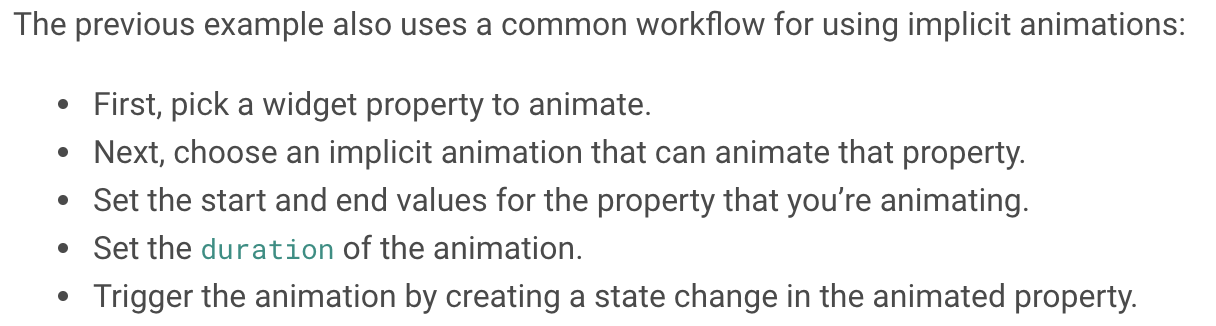
| The previous example also uses a common workflow for using implicit animations: | ||
| - First, pick a widget property to animate. | ||
| - Next, choose an implicit animation that can animate that property. | ||
| - Set the start and end values for the property that you're animating. |
There was a problem hiding this comment.
This sounds kinda odd. You're really only picking a start value. In the last bullet point, where you trigger the animation you basically trigger it by picking the end value.
There was a problem hiding this comment.
Yes, I think you're right -- Set the start and end values is misleading. The "workflow" I'm summarizing here is essentially a series of decisions made at design time, so Choose the start and end values... would be the better phrase. WDYT?
| import 'package:flutter_web_test/flutter_web_test.dart'; | ||
| import 'package:flutter_web_ui/ui.dart' as ui; | ||
| import 'dart:math'; | ||
| const _duration = Duration(milliseconds: 400); |
There was a problem hiding this comment.
nit: add an empty line above this line.
| @@ -0,0 +1,67 @@ | |||
| import 'package:flutter_web/material.dart'; | |||
There was a problem hiding this comment.
Do you need license headers for all the .dart files?
| double borderRadius; | ||
| double margin; | ||
|
|
||
| initState() { |
There was a problem hiding this comment.
@override
void initState() {
  super.initState();
| double margin; | ||
|
|
||
| initState() { | ||
| final color = randomColor(); |
There was a problem hiding this comment.
remove the "final" on these lines? Not sure what that even means...
| Text('Age: 39'), | ||
| Text('Employment: None'), | ||
| ], | ||
| )) |
There was a problem hiding this comment.
nit:
| )) | |
| ), | |
| ), |
| import 'package:flutter_web_test/flutter_web_test.dart'; | ||
| import 'package:flutter_web_ui/ui.dart' as ui; | ||
|
|
||
| const owl_url = |
There was a problem hiding this comment.
nit: I would just leave this on one line (unless you are bound to 80 chars per line)
| Widget build(BuildContext context) { | ||
| return MaterialApp( | ||
| home: Scaffold( | ||
| body: Center(child: FadeInDemo()), |
There was a problem hiding this comment.
Indentation is off here. This should probably be:
    return MaterialApp(
      home: Scaffold(
        body: Center(child: FadeInDemo()),
      ),
    );
|
|
||
| The previous example also uses a common workflow for using implicit animations: | ||
| - First, pick a widget property to animate. | ||
| - Next, choose an implicit animation that can animate that property. |

There was a problem hiding this comment.
Might want to say somewhere that you are choosing a subtype of ImplicitlyAnimatedWidget
There was a problem hiding this comment.
Sure -- how about something like:
Remember, an implicit animation is a subtype of `ImplicitlyAnimatedWidget`, and you can
browse the [list of common implicitly animated widgets] that ship with Flutter.
|
|
||
| - A shape with size, margin, and color that are different each time you run the | ||
| example. | ||
| - A **Change** button that does nothing when clicked. |
There was a problem hiding this comment.
Is it necessary to include the StatelessWidget to StatefulWidget change? In this case, why not have the sample start with a StatefulWidget that changes the shape and color, and then having the user make it animated?
There was a problem hiding this comment.
Let's followup to make sure I've fully captured this suggestion in the next change.

|
Like
Potential improvements
Wishes
General question: what’s the difference between codelab and cookbook? |

|
Awesome @galeyang, per our discussion I plan to make the following changes:
|
legalcodes
changed the title

|
LGTM |


6 participants


Staged:
https://jt-flutter-website-2.firebaseapp.com/docs/codelabs/implicit-animations
Jump to markdown file:
https://github.com/flutter/website/pull/3118/files#diff-0b95e489513499b71bf4745f5b7bea31