
One command. Zero editing. Studio-quality 9:16 motion graphics.





🇬🇧 English · 🇻🇳 Tiếng Việt · 📺 Watch Demo · 🚀 Quick Start · ❓ FAQ
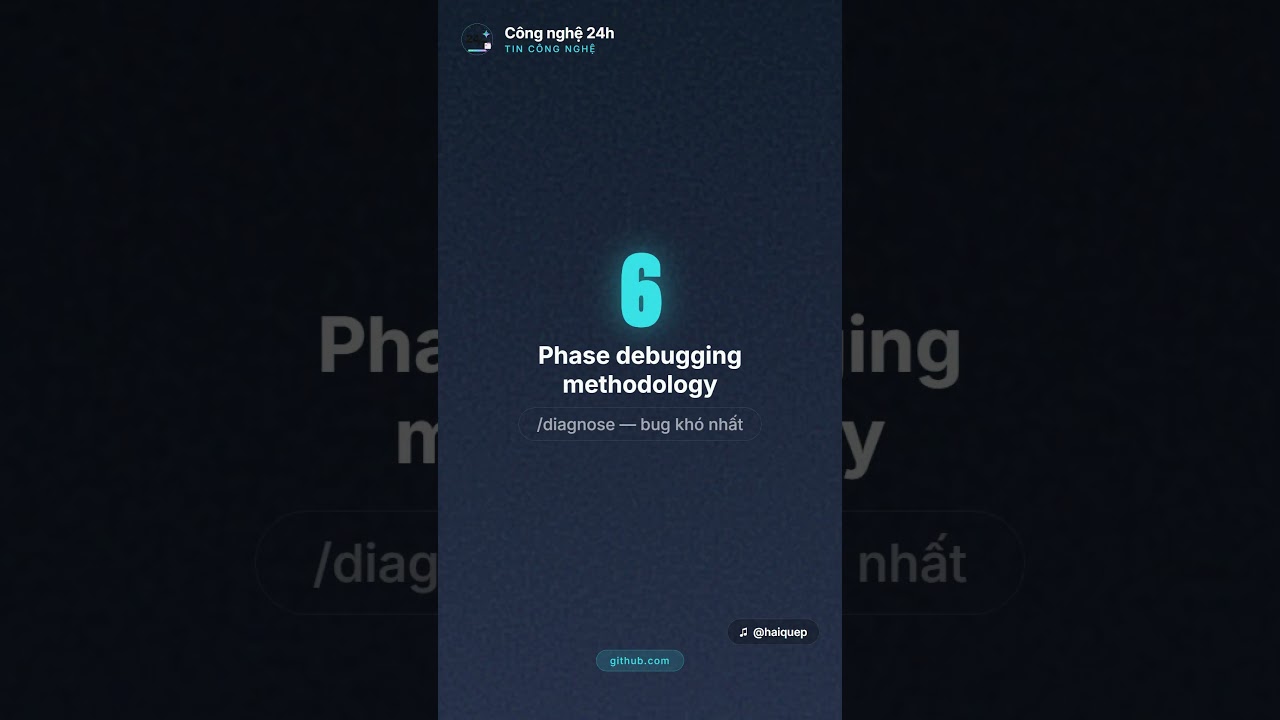

This video was generated entirely by this pipeline — Vietnamese TTS + HyperFrames + GSAP animations, no manual editing.
Creating short-form news videos is time-consuming and repetitive:
- ⏰ Manually scripting → 30 min per video
- 🎨 Picking visuals + animations → 1 hour per video
- 🎙️ Recording or sourcing voiceover → 30 min
- ✂️ Editing in CapCut / Premiere → 1 hour
- 📱 Total: ~3 hours per 60-second video
Auto News Video does it in 5 minutes. Just paste a URL.
| Manual workflow | Auto News Video | |
|---|---|---|
| ⏱️ Time per video | ~3 hours | ~5 minutes |
| 🎓 Skill required | Video editor | None |
| 🎯 Consistency | Varies | Studio-grade every time |
| 💰 Cost per video | $50–200 (freelancer) | ~$0.10 (API costs) |
| 🇻🇳 Vietnamese voice | Hard to source | Built-in (LucyLab cloning) |
# 1. Clone & install
git clone https://github.com/hoquanghai/Auto-Create-Video.git
cd Auto-Create-Video
npm install

# 2. Configure TTS API key
cp .env.example .env.local
# → edit .env.local, set TTS_PROVIDER + key (LucyLab or ElevenLabs)
Then choose your path:
Path A — With Claude Code (recommended, 30 seconds setup):
- Install Claude Code:
npm install -g @anthropic-ai/claude-code - Inside the project directory, run
claude, then type:/create-news-video https://vnexpress.net/some-article
Path B — Without Claude Code (hand-write the script):
# Edit script.json manually based on src/render/script-schema.ts
npm run pipeline -- output/my-video/script.json
Either way, after ~3–5 minutes you'll have output/<slug>/video.mp4 — a 1080×1920 MP4 ready for TikTok / Shorts / Reels.
💡 Need details? Jump to Full Setup · Configuration · Usage
| hook · comparison · stat-hero · feature-list · callout · outro · quote-card · icon-grid · timeline · big-text · chart-bars · kinetic-quote | LucyLab (Vietnamese cloning + free SRT) or ElevenLabs (30+ languages) |
One slash command:/create-news-video <url>(URL / .txt / .md input) |
| Studio shell + grain texture + GSAP animations + 6 theme palettes (tech-blue, growth-green, finance-gold, warning-red, creator-purple, news-mono) | 3-tier smart picker (override → semantic match → template default) with anti-repetition + anti-overlap guards | 44 unit tests, Zod schema validation, full TypeScript ESM, GitHub Actions CI |
| 1080×1920 @ 30fps, ready for TikTok / Shorts / Reels | Skips re-synthesis if voice files exist — saves API quota across re-renders | Gemini 2.5 Flash Image generates a 9:16 cover, embedded into MP4 (no re-encode) |
voiceChunks per scene → beats fire EXACTLY when voice mentions each element
|
Pre-render lint + validate (WCAG contrast) + inspect (text overflow / off-canvas)
|
Exports script.txt + voice.mp3 + sns_post.txt for auto-caption + social caption
|
flowchart LR
    A[📰 URL / .txt / .md] -->|/create-news-video| B[Claude Code]
    B -->|fetch + analyze| C[Generate script.json]
    C -->|Zod validate| D{Template Picker}
    D -->|12 variants| E[Scene Types]
    E -->|TTS per scene<br/>or per chunk| F[LucyLab / ElevenLabs]
    F -->|voice.mp3<br/>+ SFX mix<br/>+ beat SFX| G[HyperFrames]
    G -.->|lint<br/>validate<br/>inspect| G
    G -->|Puppeteer + GSAP| H[1800 frames @ 30fps]
    H -->|FFmpeg encode| I[video.mp4 1080×1920]
    I -->|attach cover| J[Gemini Thumbnail]
    J -->|🎬 video.mp4 + thumbnail.png| K[Done]

    style A fill:#0f172a,color:#fff
    style K fill:#10b981,color:#fff
    style B fill:#6366f1,color:#fff
    style F fill:#f59e0b,color:#fff
    style G fill:#ec4899,color:#fff
    style J fill:#8b5cf6,color:#fff
The pipeline is AI for content (Claude writes the script) and deterministic code for production (Node/TS/FFmpeg renders the pixels) — same input → identical frames every time.
| Layer | Technology |
|---|---|
| Runtime | Node.js ≥ 22, TypeScript 6+, ESM |
| Render engine | HyperFrames ^0.4.34 (Puppeteer + GSAP + FFmpeg) |
| Quality gates | hyperframes lint (errors block) → validate (WCAG contrast) → inspect (text overflow / off-canvas) — all run before render |
| TTS providers | LucyLab.io (JSON-RPC async, Vietnamese cloning) or ElevenLabs (REST sync, multilingual) |
| Image generation | Gemini 2.5 Flash Image — 9:16 thumbnails, embedded as MP4 cover |
| Schema validation | Zod ^4 discriminated unions (12 template variants) |
| HTTP | axios ^1.15 + nock (test mocking) |
| Concurrency | p-limit ^7 (TTS rate-limiting per provider) |
| Testing | Vitest ^4 — ESM-native, with @vitest/coverage-v8 |
| Audio processing | FFmpeg + ffprobe (mix, concat with silence, attach cover image) |
| AI orchestration | Claude Code skill (/create-news-video) |
| Visual blocks | HyperFrames registry: grain-overlay, shimmer-sweep, tiktok-follow |
| Brand spec | See design.md — palette, layout density, motion principles |
| Fonts | Manrope (body) + Anton (display) + Lora (italic serif for quotes) — Google Fonts |
| Item | Version | Notes |
|---|---|---|
| Node.js | ≥ 22 | node --version |
| FFmpeg + ffprobe | any modern | must be in PATH (ffmpeg -version) |
| Chrome / Chromium | any | auto-downloaded by Puppeteer on first render |
| Claude Code CLI | latest | install here |
| TTS account | one of two | LucyLab.io OR ElevenLabs |
# 1. Clone & enter
git clone https://github.com/hoquanghai/Auto-Create-Video.git
cd Auto-Create-Video

# 2. Install
npm install

# 3. Configure
cp .env.example .env.local
# → open .env.local, set TTS_PROVIDER + API key (see Configuration below)

# 4. Verify
node --version       # ≥ 22
ffmpeg -version      # any version OK
ffprobe -version
npm test # 44 tests should pass| OS | Command |
|---|---|
| Windows | winget install Gyan.FFmpeg |
| macOS | brew install ffmpeg |
| Ubuntu/Debian | sudo apt install ffmpeg |
Open .env.local and pick one of two providers:
TTS_PROVIDER=lucylab
VIETNAMESE_API_KEY=sk_live_xxxxxxxxxxxxxxxxxxxx
VIETNAMESE_VOICEID=22charvoiceiduuidhere- ✅ Natural Vietnamese voice (cloning), free SRT subtitle file included
⚠️ Only 1 concurrent export per account (pipeline serialises automatically)- 🔗 Sign up: https://lucylab.io
TTS_PROVIDER=elevenlabs
ELEVENLABS_API_KEY=sk_xxxxxxxxxxxxxxxxxxxxxxxxxxxxxxxxxxxxxxxxxxxxxxxx
ELEVENLABS_VOICE_ID=EXAVITQu4vr4xnSDxMaL
ELEVENLABS_MODEL_ID=eleven_multilingual_v2- ✅ Multilingual (30+ languages), large voice library, high quality
⚠️ Pricier than LucyLab, no SRT included- 🔗 Get key: https://elevenlabs.io/app/settings/api-keys · Browse voices: https://elevenlabs.io/app/voice-library
TIKTOK_DISPLAY_NAME=Quẹp Làm IT
TIKTOK_HANDLE=@haiquep
TIKTOK_FOLLOWERS=11.5k followers
TIKTOK_AVATAR_URL=https://example.com/your-avatar.jpg   # optional
To customise the avatar, either replace assets/avatar.png with your own square ≥256×256 image, or set TIKTOK_AVATAR_URL so the pipeline downloads it on every render.
If set, the pipeline generates a 9:16 thumbnail per video and embeds it as the MP4 cover image — Windows Explorer / Finder / TikTok / YouTube uploaders show it before any frame plays. Without a key, the step is silently skipped (video still renders).
GEMINI_API_KEY=YOUR_GEMINI_API_KEY_HERE
GEMINI_IMAGE_MODEL=gemini-2.5-flash-image    # default; ~7s per call
🔗 Get a free key: https://aistudio.google.com/apikey
TTS_CONCURRENCY=1 # 1 for LucyLab (API limit). Increase for ElevenLabs parallelism.Open Claude Code in the project directory and type:
/create-news-video https://vnexpress.net/iphone-17-200mp
Or with a local file (.txt or .md):
/create-news-video news/my-article.md
After ~3–5 minutes:
✓ Video:  output/<slug>-<timestamp>/video.mp4    ← final video
✓ Audio:  output/<slug>-<timestamp>/voice.mp3    ← for CapCut import
✓ Script: output/<slug>-<timestamp>/script.txt   ← for CapCut auto-caption
If you already have a script.json (debugging or hand-written):
npm run pipeline -- output/<slug>-<timestamp>/script.jsonWhen voice files already exist in voice/ and you only want to re-render the visuals:
npm run rerender -- output/<slug>-<timestamp>output/<slug>-<timestamp>/
├── script.json # Input JSON (Claude-generated or hand-written)
├── script.txt # Plain text for CapCut auto-caption
├── sns_post.txt # Vietnamese caption for TikTok / Reels (skill-generated)
├── images/bg.jpg # og:image (if URL had one)
├── voice/
│ ├── scene-hook.mp3 # TTS per scene (idempotent — skipped if exists)
│ ├── scene-hook.srt # SRT subtitles (LucyLab only)
│ ├── scene-body-1.mp3
│ ├── scene-body-1-chunk-0.mp3 # voiceChunks: per-element TTS files
│ └── scene-body-1-chunk-1.mp3 # used to compute sync-accurate beat timings
├── voice-raw.mp3 # Concatenated voices, no SFX (intermediate)
├── voice.mp3 # Final audio with SFX + beat SFX mixed in (for CapCut)
├── tiktok-avatar.png # Copy of bundled avatar (or downloaded from URL)
├── logo.svg # Copy of bundled logo
├── index.html # HyperFrames composition
├── styles.css # Template CSS (self-contained)
├── animations.js # GSAP timeline (self-contained)
├── hyperframes.json # HyperFrames manifest
├── meta.json # HyperFrames metadata
├── thumbnail.png # Gemini-generated 9:16 cover (if GEMINI_API_KEY set)
└── video.mp4 # 🎉 Final output — 1080×1920 @ 30fps + embedded cover
Every video has a persistent shell throughout (header brand icon + channel + tag, footer TikTok handle, grain texture, gradient background) plus 4–18 scenes auto-picked by Claude. The base palette is cream editorial (light) for consistent brand identity; the theme field on script.metadata switches the accent colour:
| Theme | When to use |
|---|---|
tech-blue (default) |
AI, code, dev tools, software |
growth-green |
Marketing, SaaS, customer growth |
finance-gold |
Money, pricing, ROI, fundraising |
warning-red |
Risk, controversy, failure stories |
creator-purple |
Founder stories, design, art, indie |
news-mono |
Serious news, journalism, reports |
v1 — core 6:
| Template | When it's picked | Example |
|---|---|---|
hook |
First scene (3–5s) | "GPT 5.5" + "AI mạnh nhất!" over og:image with Ken Burns + shimmer |
comparison |
Content has "X vs Y" / "exceeds" / "compared to" | 2 cards: "GPT 5.4 75.1%" cyan vs "GPT 5.5 82.7%" purple (winner) |
stat-hero |
Key number / % | "1M" giant gradient + "Tokens / context window" |
feature-list |
Listing features | Card with up to 4 bullets, accent glow dots |
callout |
Statement / warning / quote | Glow card with "Cảnh báo: AI tự chủ cần cân nhắc" |
outro |
Last scene (3–5s) | "Theo dõi ngay" pill + channel name + gradient underline |
v3 — composition expansion:
| Template | When it's picked | Example |
|---|---|---|
quote-card |
Pull quote / contemplative statement | Italic Lora serif, attribution line below |
icon-grid |
3–6 features / capabilities | Emoji-style icon + label cells, staggered reveal |
timeline |
Multi-stage progression | When/label rows, slide-right cascade |
v3.1 — dramatic impact:
| Template | When it's picked | Example |
|---|---|---|
big-text |
Single dramatic word/phrase | Massive Anton display, optional hideShell for full-bleed |
chart-bars |
2–5 quantitative bars | Heights normalised to 100%, slide-up reveal with ding |
kinetic-quote |
3–12-word kinetic typography | Words reveal sequentially, accent on highlighted word |
- Beats — up to 12 keyed animations per scene (8 effects:
bounce-in,scale-pop,slide-up/-left/-right,fade-in,glow-pulse,shake). Defaults derived from template, override viascene.beats, or usevoiceChunksfor sync-accurate timing. voiceChunks— split voice into 2–8 sentences withtargetelement + optionaleffect+sfx. Pipeline TTS each chunk separately, measures actual durations, fires beats EXACTLY when voice mentions each element. Eliminates the "visuals leak ahead of voice" problem.- Transitions — 8 types (
cut,fade,slide-up/-down/-left/-right,scale-out,blur). Defaults per from→to scene-type pair (e.g.hook→body=fade 0.4s,body→outro=scale-out 0.5s); override viascene.transition.
| Template | Default category (fallback) | When you hear it |
|---|---|---|
hook |
transition → cinematic |
Dramatic intro |
comparison |
transition → emphasis |
When the 2 cards appear |
stat-hero |
emphasis → success |
When the number reveals |
feature-list |
transition → emphasis |
Each bullet appears |
callout |
alert → drumroll |
Important statement / warning |
outro |
outro → success |
Ending signature |
quote-card |
cinematic → drumroll |
Contemplative pull quote |
icon-grid |
transition → emphasis |
Multi-element reveal |
timeline |
countdown → emphasis |
Stage progression |
big-text |
cinematic → success |
Dramatic impact |
chart-bars |
emphasis → success |
Bar reveal cascade |
kinetic-quote |
cinematic → drumroll |
Typographic reveal |
The 3-tier SFX picker (in src/assets/sfx-selector.ts) chooses in this order:
- Explicit
scene.sfxoverride ("none"disables SFX for that scene) - Semantic match on
voiceTextkeywords (Vietnamese + English) — e.g.cảnh báo|warning|risk→alert,kỷ lục|record|breakthrough→success,ra mắt|launch|reveal→reveal,thất bại|fail|crash→fail - Template default category (with fallback chain)
Within a category, files are picked deterministically by hashing the scene id (same script → same SFX, but different scenes get different files). Two extra protections run in the mixer:
- Anti-repetition: a sliding window of the last 2 scenes prevents the same SFX file twice in a row.
- Anti-overlap guard: per-element beat SFX firing within ±0.4s of a scene's main SFX is suppressed (no "tick + ding clash" at scene boundaries). Repeated beat SFX across consecutive scenes get their volume ducked 35%.

iPhone 17 — 200MP camera Source: VnExpress |
Your video here? Open an issue with your output and we'll feature it. |
Your video here? Open an issue with your output and we'll feature it. |
🎬 Made something cool? Submit your video via issue and we'll feature it here.
Can I use this for languages other than Vietnamese?
Yes. Switch TTS_PROVIDER=elevenlabs in .env.local — ElevenLabs supports 30+ languages including English, Chinese, Japanese.
Note: the Claude Code skill currently optimises script generation for Vietnamese. For other languages you may want to adjust the prompts in .claude/skills/create-news-video/SKILL.md.
How much does it cost per video?
Roughly $0.05–0.15 per video, depending on TTS provider:
- LucyLab: ~$0.02 per video (cheapest, Vietnamese only)
- ElevenLabs: ~$0.10 per video (multilingual)
- Claude API (script generation): ~$0.03 per video
Can I run this without Claude Code?
Yes — use Method 2 (npm run pipeline -- script.json) with a hand-written script.json. The Claude Code skill is only used for the "creative" step (writing Vietnamese script + picking templates). The pipeline itself is pure Node.js — see src/pipeline.ts.
Why HyperFrames instead of Remotion?
HyperFrames is purpose-built for short-form video — 9:16 native, 50+ social media blocks (TikTok cards, kinetic typography, data viz), and AI-agent friendly (Claude can author HTML compositions directly without React boilerplate).
Remotion is a fantastic tool with broader scope — long-form content, complex compositions, full React ecosystem. Different tools for different jobs.
We still borrow good ideas from Remotion's design:
- Frame-deterministic timeline
- Declarative scene timing (
src/render/timing.ts) - Built-in transition system (
src/render/transition-profiles.ts)
The video output is silent / has garbled audio. What's wrong?
Most likely FFmpeg is missing or not in PATH. Run ffmpeg -version to verify.
- Windows:
winget install Gyan.FFmpeg - macOS:
brew install ffmpeg - Ubuntu:
sudo apt install ffmpeg
Then restart your terminal and re-run.
The TTS is mispronouncing numbers. How do I fix it?
Vietnamese TTS reads digits literally. Spell them out in voiceText (the on-screen text in templateData keeps the digit form):
In voiceText (TTS-friendly) |
On screen (templateData) |
|---|---|
năm chấm năm |
5.5 |
tám mươi hai phẩy bảy phần trăm |
82.7% |
một triệu token |
1M tokens |
hai trăm megapixel |
200MP |
The Claude Code skill handles this automatically when generating scripts. See SKILL.md for the full phonetic ruleset.
Can I customise the visual style (colors, fonts)?
Yes — edit src/render/templates/styles.css. The template system uses CSS variables (theme accent + base palette) so changes propagate across all 12 scene types and all 6 themes. Animation timing lives in src/render/templates/animations.js. Brand spec rationale is in design.md.
How do I force re-TTS for a single scene?
The TTS step is idempotent — it only synthesises scenes whose mp3 doesn't yet exist. To force a single scene, delete its file:
rm output/<slug>/voice/scene-hook.mp3
npm run pipeline -- output/<slug>/script.json
To re-render visuals only (keep all voice files): use npm run rerender -- output/<slug> instead.
How long can the video be?
The pipeline supports 45–180 seconds. Heuristic in SKILL.md:
| Source words | Script words | Scenes | Duration |
|---|---|---|---|
| < 500 | ~110 | 4–5 | ~45–55s |
| 500–1500 | ~150–200 | 5–8 | ~60–80s |
| 1500–3000 | ~250–350 | 8–12 | ~100–140s |
| > 3000 | ~400–500 | 12–18 | ~150–180s |
npm test                 # 44 unit tests (~6s)
npm run test:watch       # watch mode
npx tsc --noEmit         # type-check without build
Tests cover Zod schema validation (12 templates), TTS clients for both LucyLab + ElevenLabs (with nock HTTP mocking — no real API calls), audio tools (with fixture mp3 sine waves), beat profiles + chunk-derived beats, timing computation, transition profiles, SFX selector (3-tier + anti-repetition), Gemini thumbnail prompt builder, and HTML composer snapshots. CI runs on every push (see badges at top).
| Error | Fix |
|---|---|
Missing VIETNAMESE_API_KEY / Missing ELEVENLABS_API_KEY |
Check .env.local exists and TTS_PROVIDER matches the provider you have keys for |
hyperframes render failed |
Run npx hyperframes render --help to verify CLI; ensure Chrome can be downloaded by Puppeteer |
LucyLab polling timeout |
Increase LUCYLAB_POLL_TIMEOUT_MS in .env.local (default 120000ms) |
ElevenLabs 401 Invalid API key |
Verify the key on the ElevenLabs dashboard, re-paste into .env.local |
Total duration outside [45, 180]s |
Pipeline only warns — re-trigger the skill or hand-edit script.json to lengthen / shorten text. Heuristic in SKILL.md. |
ffprobe: command not found |
Install FFmpeg (see Configuration) |
Thumbnail skipped: GEMINI_API_KEY not set |
Optional step. Add a key in .env.local (free at https://aistudio.google.com/apikey) or ignore — video still renders fine. |
hyperframes lint failed |
Quality gate caught a composition error. Read the message and fix index.html / animations.js in the output dir, then re-run rerender. |
-
Auto thumbnail generation (cover image)— shipped via Gemini 2.5 Flash Image -
Voice-text sync per element— shipped viavoiceChunks -
Quality gates before render— shipped via hyperframes lint/validate/inspect - Burned-in captions (forced alignment with Whisper)
- Auto-select background music by mood
- Multi-news compilation mode (
digest) - AI-generated background images for hook scene (Gemini / Flux when og:image unavailable)
- Auto-upload to TikTok / YouTube Shorts / Reels via API
- Multi-language script generation (English, Chinese, Japanese)
- Standalone web UI (no Claude Code required)
Have a feature request? Open an issue.
Pull requests welcome! For major changes, please open an issue first to discuss what you'd like to change.
# Fork → clone → branch
git checkout -b feature/my-improvement

# Make changes, ensure tests pass
npm test
npx tsc --noEmit

# Commit using Conventional Commits
git commit -m "feat: add Google TTS provider support"

# Push and open PR
git push origin feature/my-improvement
Commit prefixes: feat: (new feature) · fix: (bug) · docs: · refactor: · test: · chore:
MIT — use freely, fork freely, PRs welcome.
This project stands on the shoulders of giants:
- HyperFrames by HeyGen — the HTML-to-video framework that makes this possible
- LucyLab.io — Vietnamese voice cloning API
- ElevenLabs — multilingual TTS
- Anthropic Claude — the LLM that writes scripts via Claude Code skill
- Remotion — inspiration for HTML-based video rendering
If this project saved you time, please consider:
- ⭐ Star this repo — it really helps with discoverability
- 🐦 Share on Twitter / X
- 💬 Tell a friend who creates content
- 🐛 Report bugs or request features
Made with ❤️ by Ho Quang Hai in 🇻🇳 Vietnam