How to use URL query params + a config.yml file to collect as much structured data as possible from the issue chooser
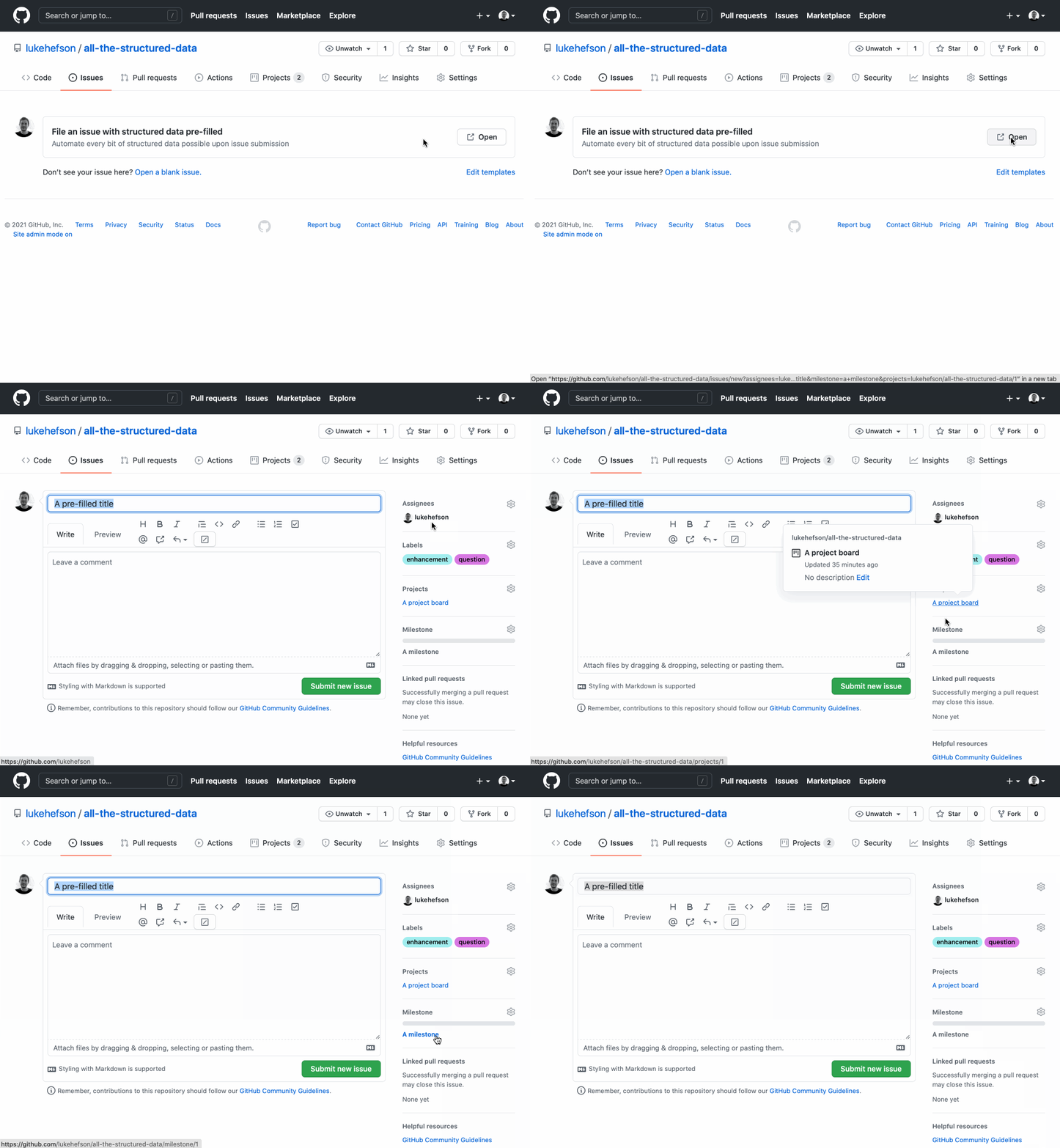
GitHub.com does not (yet 🤞) support automatically adding milestones & project boards when setting up markdown issue templates (step 7 – here).
So the following is a way to create rows in the issue chooser that will use URL query params to create hard-coded 'contact links' to an issue submission form that automatically adds all structured data types in one go.
- Create a
config.ymlfile on your repo - Populate the
contact_linkswith URL query params. Here's an example:
contact_links:
  - name: File an issue with structured data pre-filled
    url: https://github.com/lukehefson/all-the-structured-data/issues/new?assignees=lukehefson&labels=enhancement%2C+question&title=A+pre-filled+title&milestone=a+milestone&projects=lukehefson/all-the-structured-data/1
    about: Automate every bit of structured data possible upon issue submission
If you look at the URL it breaks down like this:
| Part of the URL | What it does |
|---|---|
| github.com |  |
| /lukehefson | User or Org name |
| /all-the-structured-data | Repo name |
| /issues/new? | Create a new issue |
| assignees=lukehefson | Assign someone |
| &labels=enhancement%2C+question | (and) Add the enhancement and question labels |
| &title=A+pre-filled+title | (and) Pre-fill the title with some text |
| &milestone=a+milestone | (and) Add it to a milestone |
| &projects=lukehefson/all-the-structured-data/1 | (and) Add it to a project board |