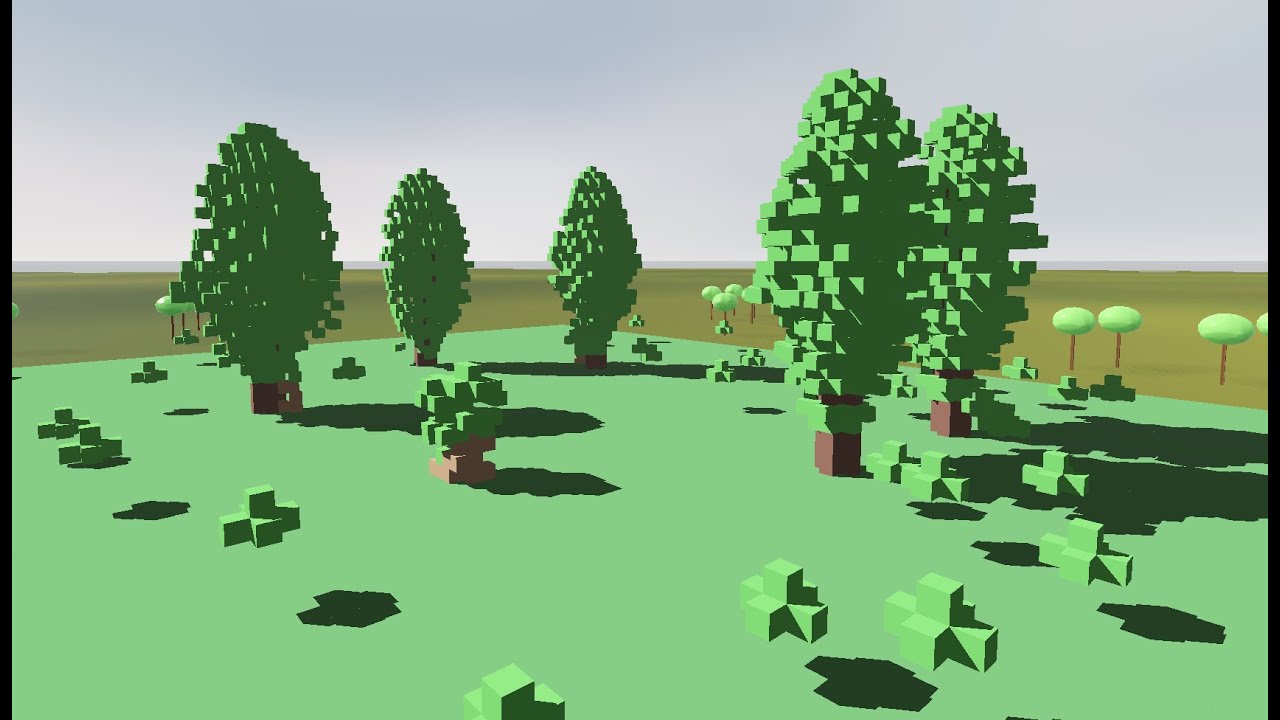
A project exploring kernel-based cellular automata for tree "simulation", and some voxel rendering algorithms.
- download release matching your system
- unpack into a directory
- run the executable
- camera controls are WASD for moving laterally, QE for moving vertically.
- turn your view by holding RIGHT MOUSE
- change speed using SCROLL WHEEL (if it seems you're not moving at all, change your speed!)
- pause the simulation using the matching button or SPACE
- when paused, the green area can be edited:
- select a block type with NUMBER keys (1 is delete), press LEFT MOUSE to edit
- caveat: some simulations cache their data so they might forget your edits, there's no advice other than to persevere
- bug: when switching the simulation, it starts running immediately, even if you have it "paused". The UI might not reflect this, try pausing and unpausing again.
- issue: on high grid sizes and depending on simulation, editing blocks can be slow
- cool: changing the kernel doesn't reset the board (there's a button for that)
- select a block type with NUMBER keys (1 is delete), press LEFT MOUSE to edit
- when paused, the green area can be edited:
- switch simulations, renderers, and grid sizes using the drop-down buttons on the right sidebar
Caution
- a high grid size might require more processing power than your computer is comfortable providing, be careful!
- the "naive" renderer is probably a bad idea to turn on at any grid size higher than 16!
- the "mesher" renderer might stall your computer badly on very high grid sizes!
The simulation looks at each cell in the current generation and sets the corresponding cell in the next generation to the sum of cell values multiplied by corresponding kernel coefficients. Each cell type has kernels for each other cell type. You can supply your own kernel text files to run the simulation with when using the compute shader simulation. It's easier to see this empty example than to explain the format, but essentially, each meaningful line consists of 5 floats, and all the lines together sequentially represent the kernels fed to the simulation in three dimensions. Each kernel would be 25 lines of 5 floats being 3D slices on the XY axis.
Sequentially, the lines represent:
-
(25 lines) Writing to Air cells, looking at Air cells
-
(25 lines) Writing to Air cells, looking at Core (usually tree insides) cells
-
(25 lines) Writing to Air cells, looking at Leaf cells
-
(25 lines) Writing to Air cells, looking at Bark (usually tree cover) cells (Note: Air and empty are separate things.)
-
(25 lines) Writing to Core cells, looking at Air cells
-
(25 lines) Writing to Core cells, looking at Core cells
-
(25 lines) Writing to Core cells, looking at Leaf cells
-
(25 lines) Writing to Core cells, looking at Bark cells
-
(25 lines) Writing to Leaf cells, looking at Air cells
-
(25 lines) Writing to Leaf cells, looking at Core cells
-
(25 lines) Writing to Leaf cells, looking at Leaf cells
-
(25 lines) Writing to Leaf cells, looking at Bark cells
-
(25 lines) Writing to Bark cells, looking at Air cells
-
(25 lines) Writing to Bark cells, looking at Core cells
-
(25 lines) Writing to Bark cells, looking at Leaf cells
-
(25 lines) Writing to Bark cells, looking at Bark cells
When loading in the kernel text file, the program notifies you if a line has the wrong amount of floats or if the total number of floats is insufficient to reperesent the kernels, and doesn't load the file.