A collection of custom macros for the Adafruit Macropad RP2040. I hope these will be helpful! They are designed to work on both Linux & Windows.
Check out the macros in action -- worth a mention I use Gateron-Green(high pressure/clicky sound) key switches & blank pastel keycaps:
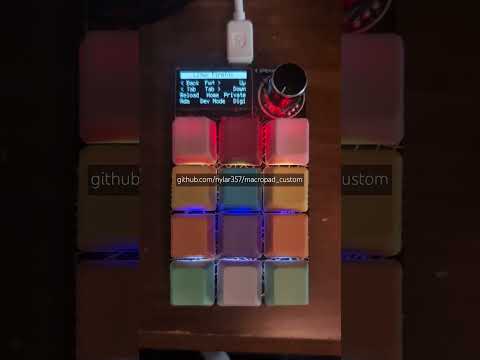
This project runs on the Adafruit Macropad RP2040. If you are new to the board, here is what makes it tick:
- Microcontroller: Raspberry Pi RP2040 (Dual-core Cortex M0+ at ~130MHz)
- Memory: 264KB RAM + 8MB Flash storage (plenty of room for CircuitPython code)
- Display: 128x64 Monochrome OLED (SH1106) for crisp text and status updates
- Inputs:
- 12x Mechanical Key Switches (Cherry MX compatible)
- Rotary Encoder with Push-Button (20 detents per rotation)
- Feedback:
- 12x RGB NeoPixels (one per key)
- Class D Audio Amplifier with Speaker/Buzzer
- Connectivity: USB-C (Power/Data/MIDI/HID) & STEMMA QT Connector
Script: rof.sh (Main Branch) Function: Detects if Spotify is running. If Running: Focuses the window immediately. If Closed: Starts the application and then focuses it.
There is no code.py editing needed from the default example. However, you must add the following helper files to your CIRCUITPY drive for some macros to function correctly:
consumer.pykeyconfig.py
To use the advanced Spotify and window focus features on Linux, you need to install a few utilities.
The Spotify macro uses rof.sh (located in the main branch) to check if Spotify is running. If it is, it focuses the window; if not, it launches it. This allows you to jump to your music regardless of your current workspace.
Install dependencies via terminal:
sudo apt-get install xprop wmctrlSpecial bindings to focus/launch Spotify instantly.
commands for common GitHub workflows.
Shortcuts for Firefox (Works on Windows & Linux; Back/Forward buttons have Windows exception).
media controls (Play/Pause, Vol +/-, Next/Prev).
mouse movement and clicks.
Desktop navigation shortcuts tailored for Arch Linux.
Desktop navigation shortcuts tailored for Ubuntu.
Number Pad layout.
tones (same functionality as the default shipping example).
Shortcuts for navigating Twitter (X).
Terminal command shortcuts for the Vim text editor.
YouTube playback controls (specifically for Windows).