Restoration of elements in trashbin to an external storage confuses the breadcrumbs of the files view. #28800

Description

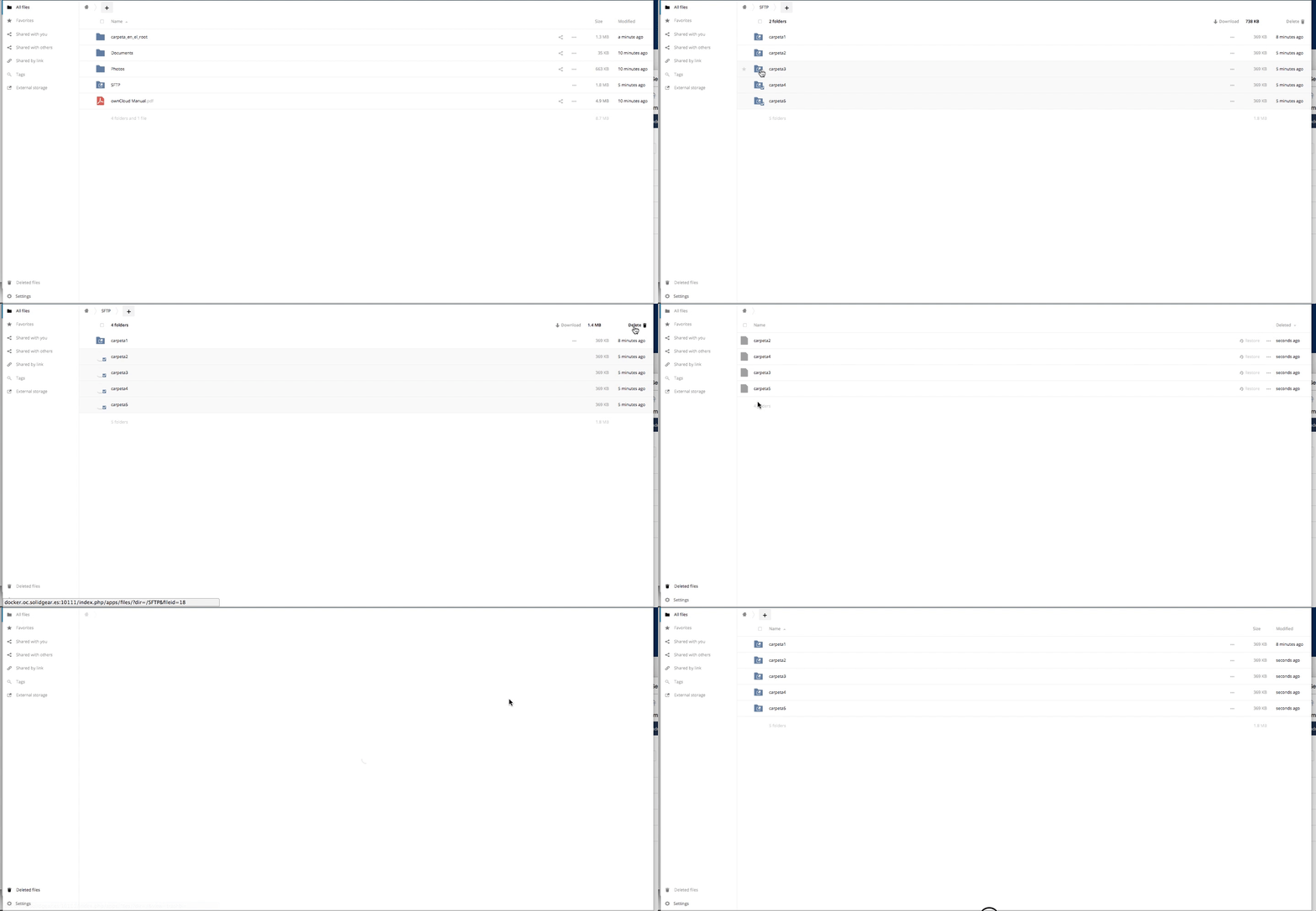
Steps to reproduce
- Set up an external storage. For example SFTP.
- In oC files view create three or more folders and upload files inside them.
- Select three of the created folders and try to delete them.
- Restore the folders.
- Go to the files view.
Expected behaviour
After restoration, going to the files view opens root folder.
Actual behaviour
After restoration, going to the files view opens external storage folder as if it were the root folder.
Server configuration
Operating system:
Ubuntu 16.04
Web server:
Apache
Database:
MySQL
PHP version:
7.0
Cache
Redis.
ownCloud version: (see ownCloud admin page)
(stable10)
{"installed":"true","maintenance":"false","needsDbUpgrade":"false","version":"10.0.3.0","versionstring":"10.0.3 beta","edition":"Community","productname":"ownCloud"}
Updated from an older ownCloud or fresh install:
Fresh
The content of config/config.php:
Are you using external storage, if yes which one: local/smb/sftp/...
Yes. SFTP
Are you using encryption:
No.
Logs
Client configuration
Browser
Chrome