




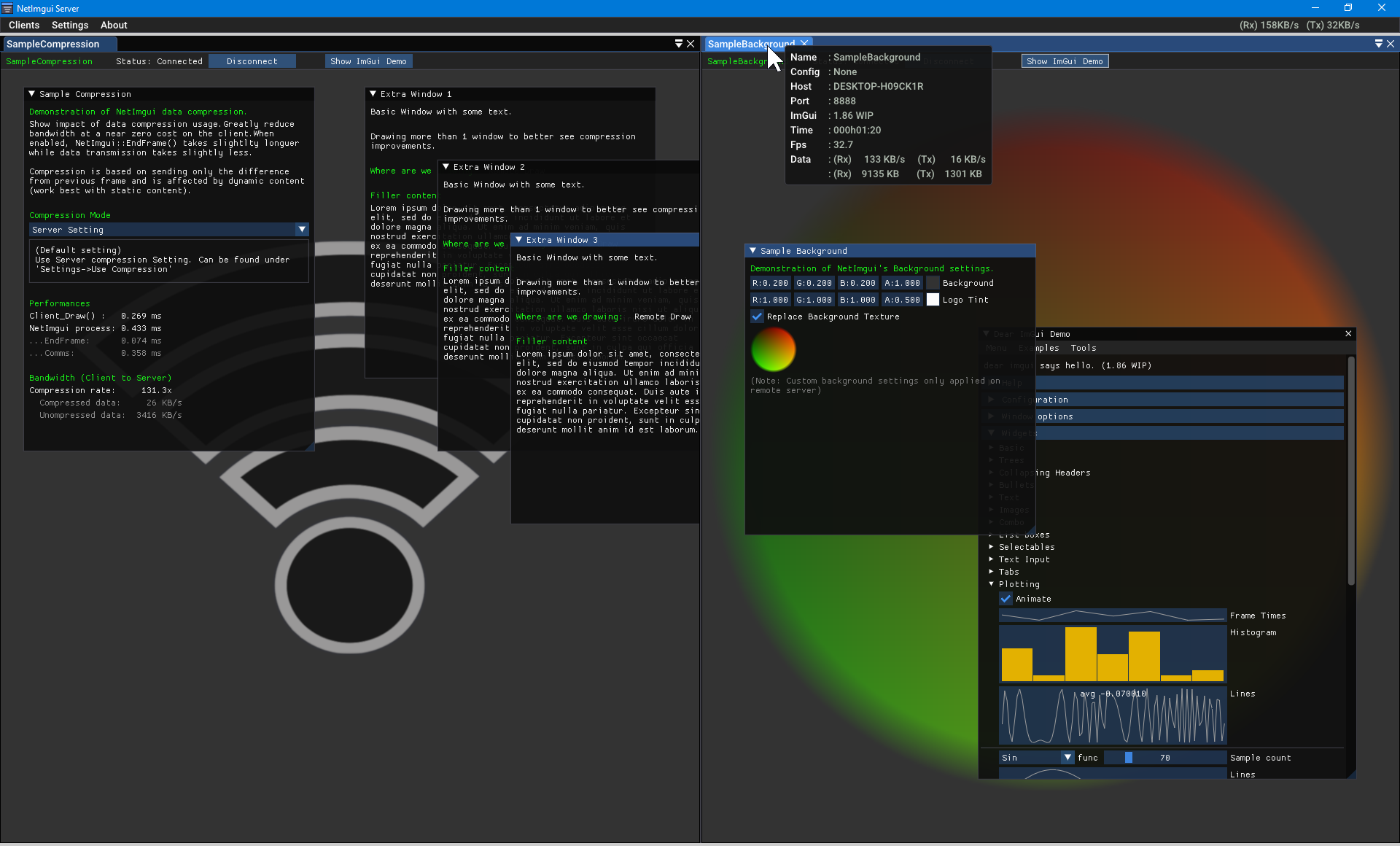
NetImgui is a library to remotely display and control Dear ImGui menus with an associated NetImgui Server application. Designed to painlessly integrate into existing codebase with few changes required. It allows any program using Dear ImGui to receives input from a remote PC and then forwards its UI rendering to it (textures, vertices, indices, draw commands).
Initially created to assist game developers in debugging their game running on a game console or smartphone, from a PC. However, its use extends to wider applications. The only requirements are that a program is using Dear ImGui using C++ and available TCP/IP communications.
Some applications lack display and inputs access, preventing feedbacks and easy control. It could be a program running on a Raspberry Pie device, or Unreal 4 running in server mode, etc . . . Using NetImgui allows the display of a user interface with full control on your PC while the logic remains on the client application itself.
Note: SampleNoBackend demonstrate using Dear ImGui without any backend implementation. It is a simple console application connecting to the NetImguiServer to draw its Imgui content. There is no rendering/input backend that's usually require by Dear ImGui
While inputs might be available on a particular device (keyboard, gamepad, . . .), it might still not be convenient for certain aspect. For example, text input is still more comfortable on a physical keyboard than on a smartphone. Idem for gaming consoles with gamepads control or VR development.
Dear ImGui is often used to display relevant debug information during development, but UI elements can obscure the regular content. NetImgui sends the UI content to a remote window, leaving the original display clutter-free and with the freedom to use the entire screen for more elaborate content.
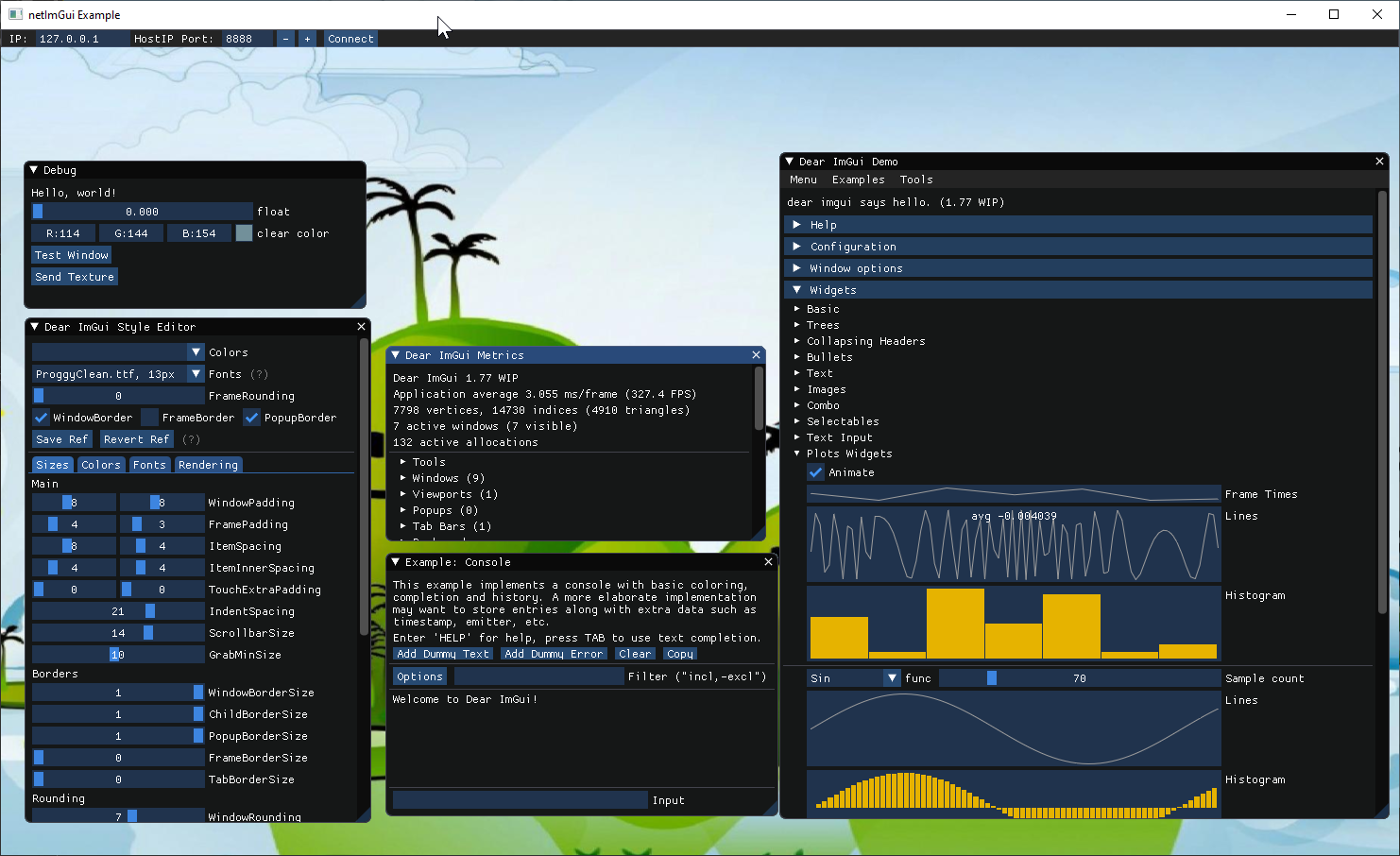
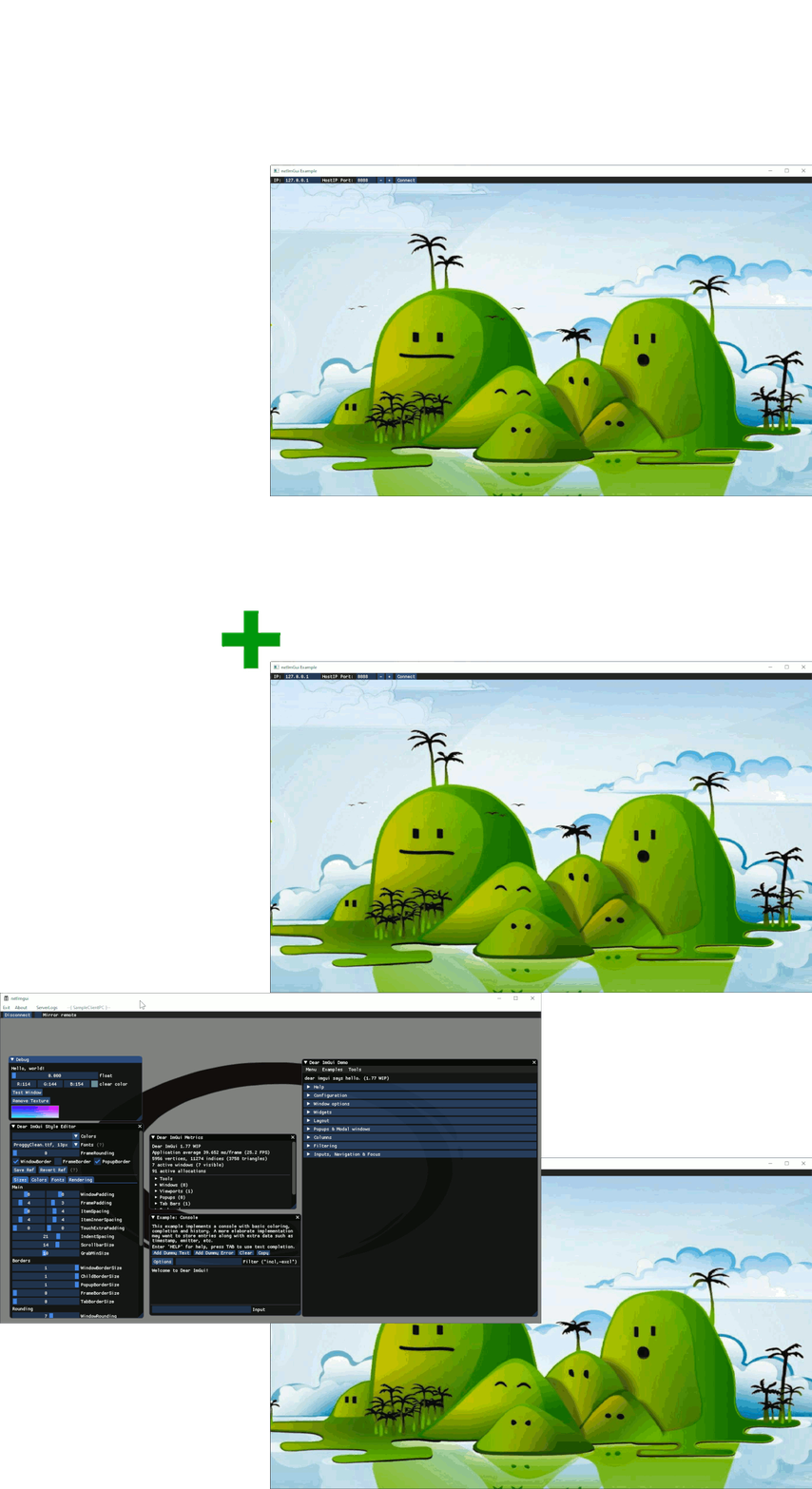
Here is a quick overview of the logic behind using the NetImgui Server and one (or more) program using the NetImgui Client code.
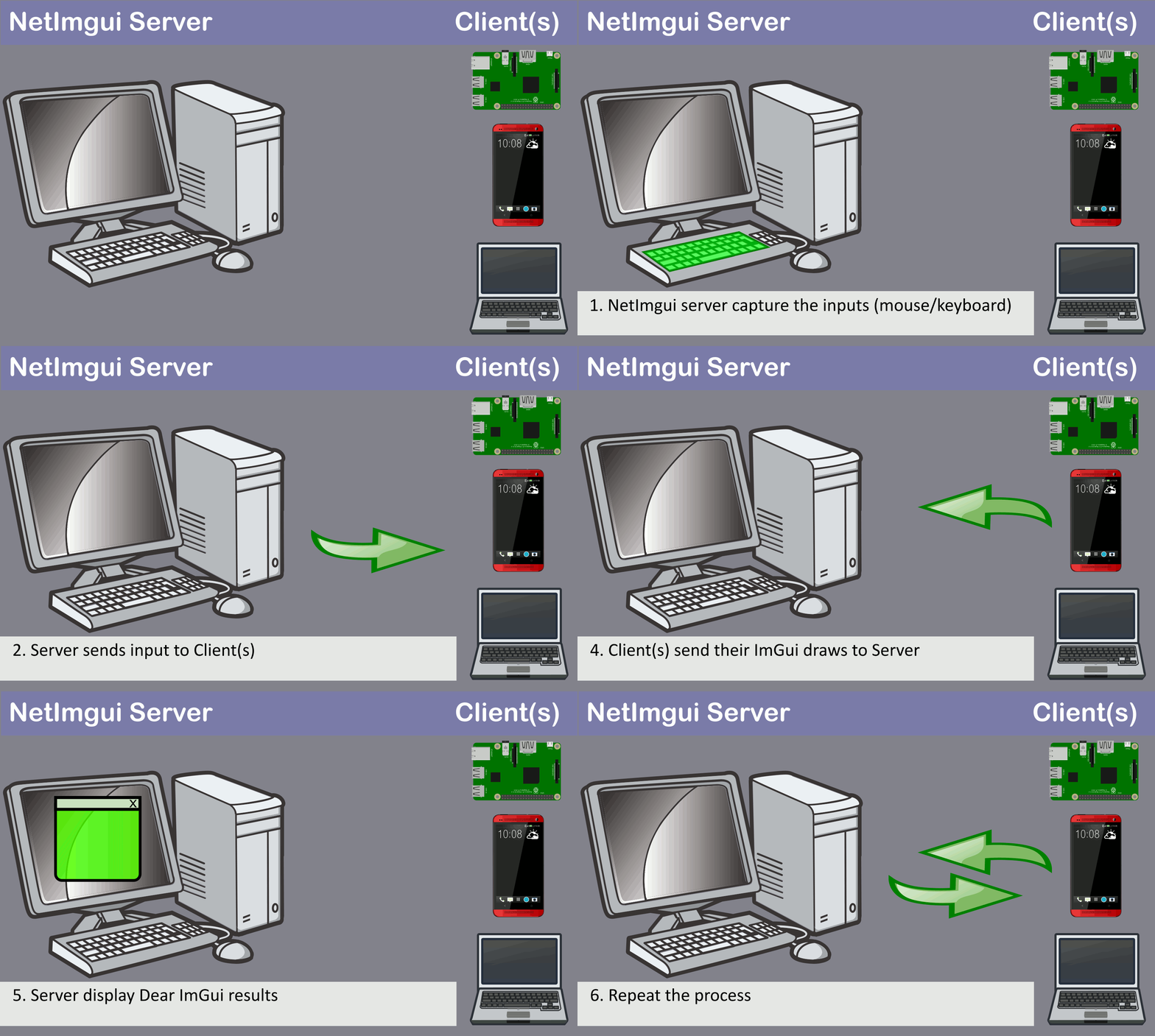
1. (NetImgui Server) Capture user's inputs with mouse/keyboard 2. (NetImgui Server) Send the Inputs to client and request a draw update 3. (NetImgui Client) Draw the Dear ImGui content normally (without need to display on client) 4. (NetImgui Client) Send the drawing results to server 5. (NetImgui Server) Receives the drawing result and display them 6. Go back to 1
The NetImgui Server application currently compiles under Windows and Mac, but few changes are required to properly have it running under other Operating Systems. To compile for Mac, modify NetImguiServer_App.h to enable the GLFW_GL3 rendering API.
- Download the latest version of the NetImgui library.
- Add the content of Code\Client to your codebase.
- In your codebase:
- [once]
- Call
NetImgui::Startup()(at program start). - Call
NetImgui::ConnectToApp()orNetImgui::ConnectFromApp(). - Call
NetImgui::Shutdown()(at program exit).
- Call
- [every redraw]
- Draw your ImGui menu as usual.
- If Dear ImGui 1.80 and lower (or want frameskip support).
- Replace call to
ImGui::NewFrame()withNetImgui::NewFrame(). - Replace call to
ImGui::Render()/ImGui::EndFrame()withNetImgui::EndFrame().
- Replace call to
- [once]
- Start the NetImgui server application and connect your application to it.
- More integration details can be found on the Wiki.
- Multiple samples are also provided in the depot, providing additional insights.
-
Connection between NetImgui Server and a netImGui Client can be achieved in 4 different ways.
-
Server waits for connection and :
- (1) Client calls
ConnectToApp()with the Server address.
- (1) Client calls
-
Client calls
ConnectFromApp()then waits for connection and :- (2) Server configure the Client's address and connect to it.
- (3) Server is launched with the Client's address in the commandline.
- (4) Server receives a Client's address from another application, through Windows named pipe : \.\pipe\netImgui'.
-
Advanced: Different Dear ImGui content can be displayed locally and remotely at the same time.
-
NetImgui::IsConnected()andNetImgui::IsDrawingRemote()can be used during Dear ImGui drawing, helping to make selective decisions on the debug ui content based on this.
- Tested against Dear ImGui versions 1.71 to 1.92.5.
- Note: Should support other versions without too much difficulties.
- Note: See Build\GenerateCompatibilityTest.bat for an exact list of tested versions.
Related projects making use of NetImgui.
- Unreal NetImgui : Unreal 4 plugin adding access to Dear ImGui and NetImgui functionalities. Unlike the next plugin, it is a simple implementation with only remote access possible (no Dear ImGui drawing over the game).
- Unreal ImGui : Unreal 4 Plugin adding Dear ImGui drawing support over your game and editor display. The net_imgui branch of this repository contains an integration of this NetImgui library for remote access and is ready to go.
- For Unreal 4 developpers with their own Dear ImGui integration, Unreal NetImgui has support for an Imgui Unreal Commands window that can be of interest. The code can easily be imported in your own codebase, with no dependency to Unreal NetImgui proper.
- Support of additional texture formats
- Handle Linear/sRGB vertex color format
- Add logging information to NetImgui Server Application
- Add new Dear ImGui multi windows support (docking branch)
Commands to assign custom backgroundsAdd compression to data between Client and ServerSupport of monitor DPISupport for connection takeover
(2026/01/05)
- API Changes
- Added support of new ImTextureRef parameter to NetImgui::SetBackground(...)
- NetImgui::eTexFormat enum entries shuffled
- 'FontCreation callback' parameter in ConnectToApp(...) and ConnectFromApp(...) now ignored in Dear ImGui 1.92+
- No need to regenerate texture atlas on DPI change anymore, making the callback pointless
- Callback is left as a parameter for programs using Dear ImGui versions from before 1.92
- If you did implement the callback, the code can be safely removed (on version 1.92+)
- Disabled Custom Texture format
- Allows transmitting data for user managed custom texture format but has not been made functional with updated texture system yet
- Backend change
- Upgraded to Dear ImGui 1.92.5
- Added support for new Dear ImGui 1.92+ font atlas
- Font texture atlas contains needed glyphs only, doesn't pre-render all glyphs at each font point
- This means much a smaller texture
- Improved handling of monitor DPI
- Transparent to library users
- Font texture atlas contains needed glyphs only, doesn't pre-render all glyphs at each font point
- Added support for Dear ImGui managed textures
- Automatic hookup into textures creations/update/destruction
- Partial texture region update support
- Samples
- Reworked 'Sample Textures' to demonstrate...
- Creating, updating and using Dear ImGui managed textures
- NetImgui automatically forwarding all of the managed textures operations to the NetImgui Server
- The ability of still using your own textures objects
- These need to be manually send to the NetImgui Server
- Removed Sample DPI
- Uneeded now that DPI is automatically handle without user needing to implement anything
- Removed Sample DualUI
- Can no longuer re-use same remote Imgui draw data to re-use for local display so remove it
- Reworked 'Sample Textures' to demonstrate...
- Misc
- Updated Sharpmake version to 0.92
- Added Visual Studio 2026 support
- Used by Server and Samples solutions generation (not needed by library users of NetImgui's client code)
- NetImgui Server application now remember previous window placement on launch
- Updated Sharpmake version to 0.92
Sincere thanks to Omar Cornut for the incredible work on Dear ImGui. Support of image formats via stb_image.h by Sean Barrett (public domain). Support of Solutions generation via Sharpmake by Ubisoft (public domain). Support of Posix sockets thanks to Aaron Lieberman. Support of json save file via nlohmann json