

Shells that keep running, on every machine you own.

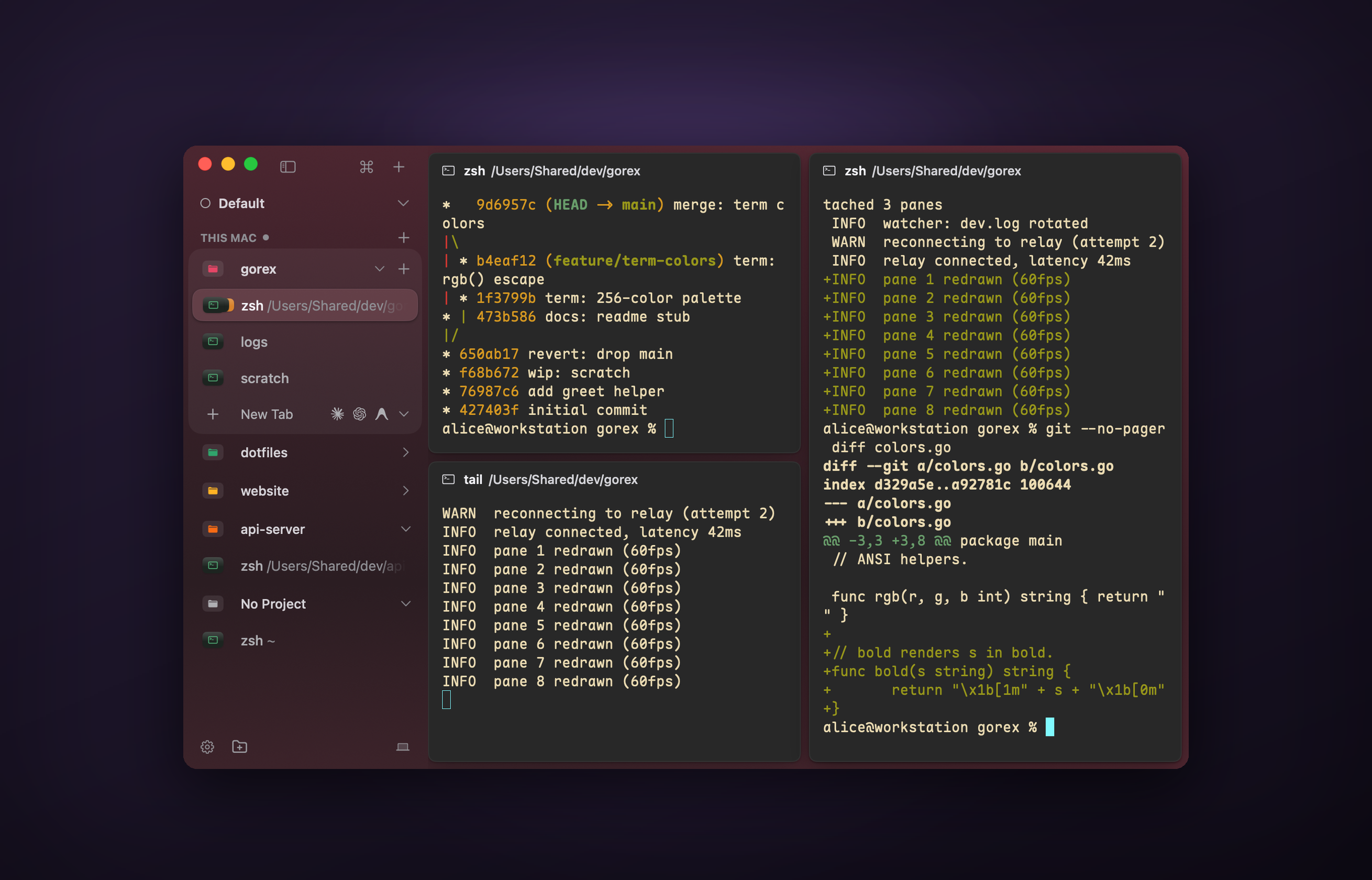
GoRex is a terminal for macOS, Linux and Windows — a replica of Superlogical's Rex, written in Go with MyGo's native UI and its terminal plugin (Ghostty's libghostty-vt). No cgo: one ~15 MB app, whose browser panes use the system's web view.
Shells run in a background session server: quit GoRex and everything keeps running, open it again and every tab, split and pane comes back as it was. Machines you pair connect over WireGuard or Tailscale, and their sessions open beside your own. Rex's own apps, the iPhone one among them, connect to GoRex as they do to a Rex server, and a web client runs in a browser.
Documentation | CLI reference | Releases
- Tabs, splits and floating panes, each a card with its program's icon, name and directory; drag to reorder, split or resize. Note panes (sticky Markdown notes) and browser panes (the system's web view) sit beside the terminals.
- Persistent sessions. The session server keeps each screen headlessly, so even full-screen programs (vim, lazygit, htop) come back exactly, and Kitty graphics too.
- Remote hosts. Pair machines over tailcat — WireGuard end to end, no account — or discover them over Tailscale. A host's tabs open beside your own, and teleport moves a pane's work, agent conversation included.
- Projects and spaces. A project is a folder on a host; its tabs live in that host's layout, so every client sees the same tabs. Spaces (Work, Life) group the projects.
- Program activity. Headers name the running program and its directory; dots mark output, finished work and bells, and a command finishing in the background posts a notification.
- Agent skill and hooks.
gorex skill setupinstalls agorexskill and a session-start hook for Claude Code, Codex, Devin, Antigravity CLI, OpenCode and Pi. - Command palette (⇧⌘P) for every command and pane; find, links, any of Ghostty's themes or theme packs of its own, light and dark, English and 简体中文.
The signed installer for macOS and Linux is published with each release.
curl -fsSL https://github.com/si-mods/gorex/releases/latest/download/install.sh | shOn Windows (10 1809 or later, x64 and ARM64), run the PowerShell installer
or download gorex-setup-*-amd64.exe / gorex-setup-*-arm64.exe from
the latest release:
irm https://github.com/si-mods/gorex/releases/latest/download/install.ps1 | iexOn Linux, gorex update installs a signed update where GoRex runs from,
which the user running it must be able to write: the per-user install, or a
system install such as one under /opt. It hands an active local session
server over to the new version. After installing a newer build yourself,
gorex server upgrade performs the handoff on macOS and Linux; it refuses
a build whose modification time is not newer than the server's. On Windows
and macOS, use Check for Updates in the app. See
the CLI reference.
| Doc | Topic |
|---|---|
| REF-010 | The desktop app: panes, sessions, projects, shortcuts, Settings |
| REF-011 | The Ghostty configuration |
| REF-012 | Remote access: Tailscale, tailcat, remote hosts, teleport |
| REF-013 | Importing a Rex session |
| REF-001 | The gorex command line |
| REF-005 | Rex's apps on GoRex (the iPhone app among them) |
| REF-006 | The session server's terminals |
| REF-007 | The web client |
| REF-014 | Build, release and the code map |
GoRex needs Go 1.27+ and MyGo, whose CLI go.mod
pins as a tool:
go tool mygo dev     # GoRex Dev, rebuilt and restarted as the code changes
go test ./...        # the server, and the view without a window
go tool mygo build   # build/darwin-arm64/GoRex.app and a .dmg
Signing, the release workflow, the data directory and a map of the code: docs/REF-014-develop.md.
Icons: Lucide (ISC) and Simple Icons (CC0). Font: JetBrains Mono (OFL).