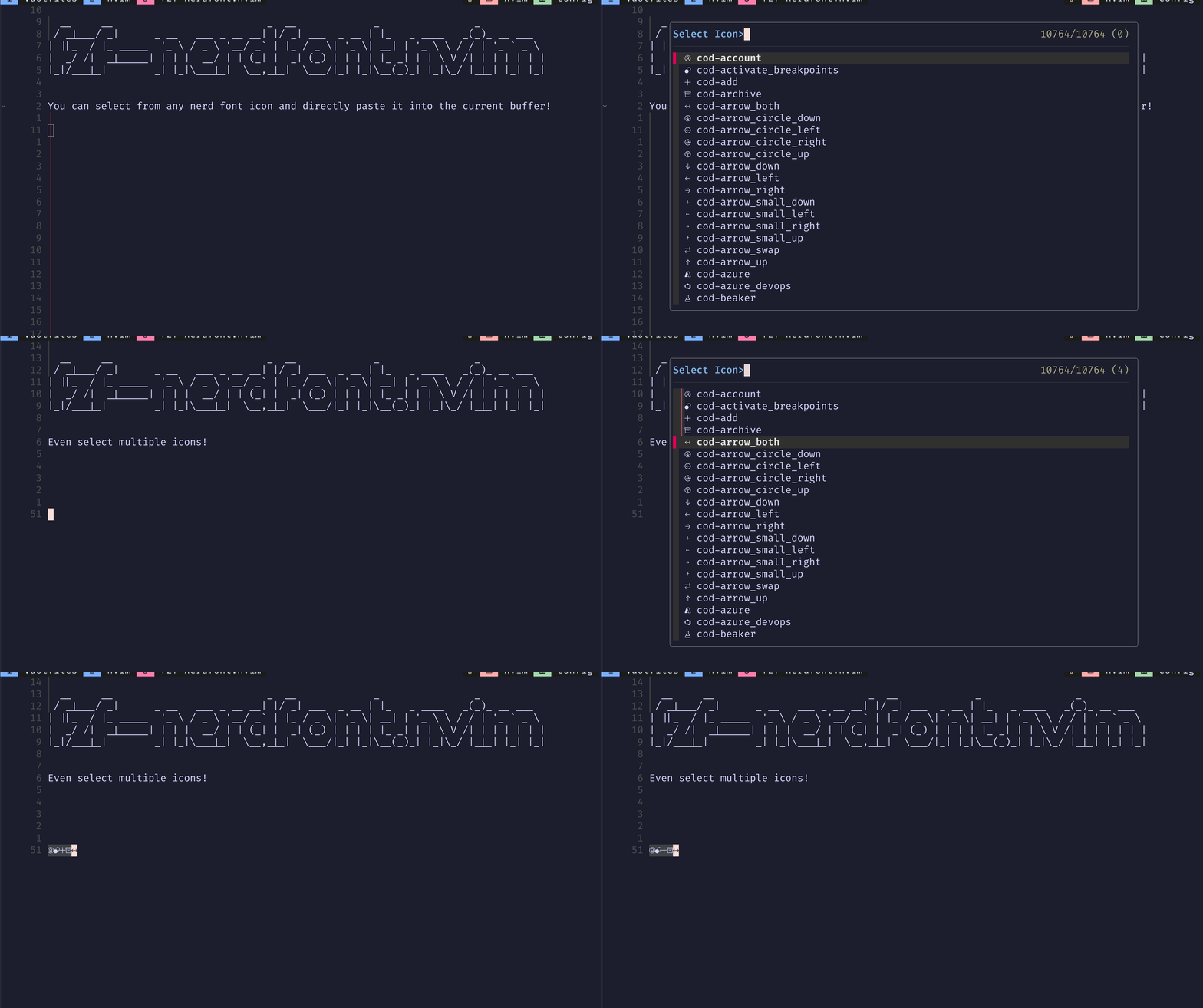
A Neovim plugin that provides a handy way to search
and insert Nerd Font icons
using ibhagwan/fzf-lua while editing.
This plugin provides a command FzfNerdFont that opens a fzf-lua window
with a list of Nerd Font icons.
You can search for an icon and press Enter to insert it into the current buffer.
Using lazy.nvim:
require("lazy").setup({
    spec = {
      {
        "stephansama/fzf-nerdfont.nvim",
        lazy = true,
        build = ":FzfNerdfont generate",
        dependencies = { "ibhagwan/fzf-lua" },
        cmd = "FzfNerdfont",
        keys = {
            { "<leader>fi", "<CMD>FzfNerdfont<CR>", desc= "Open fzf nerd font picker" }
        },
        ---@module 'fzf-nerdfont'
        ---@type FzfNerdFontOpts
        opts = {}
      }
    }
})Note
The options are also available in Neovim by running :h fzf-nerdfont.options.
Click to unfold the full list of options with their default values
---@type FzfNerdFontOpts
{
  debug = false, -- Debugging
  glyphs_dir = vim.fn.stdpath("data") .. "/fzf-nerdfont", -- The directory in which glyphs will be saved
  prompt = "Select Icon>", -- The fzf-lua prompt
}| Command | Description |
|---|---|
:FzfNerdfont |
Shows the Nerd Font icon list with fzf-lua. |
:FzfNerdfont generate |
Generates the Nerd Font icon list. |
:FzfNerdfont delete |
Deletes the generated Nerd Font icon list. |
:FzfNerdfont run |
Shows the Nerd Font icon list with fzf-lua (same as no arguments). |
- How do I use this plugin from within insert mode?
local function insert_fzf_nerdfont()
  vim.cmd.stopinsert()
  vim.cmd.FzfNerdfont()
end

vim.keymap.set("i", "<C-i>", insert_fzf_nerdfont, {
  noremap = true,
  silent = true,
})
PRs and issues are always welcome. Make sure to provide as much context as possible when opening one.
A very special thanks to DrKJeff16 for helping me with the initial setup of this plugin.
And a special thank you to fzf-lua.

