Repository navigation
PPTX: a picture in a picture placeholder takes its layout's shape - #1384
Conversation


A layout's round picture placeholder keeps a slide's photo in a circle in
PowerPoint. The reader marked only p:sp placeholders as inheriting their
geometry, so a p:pic placeholder with just a frame in its spPr came out as
a rectangle (with the layout's border). Mark p:pic placeholders too; the
renderer already clips pictures to their geometry.

Co-Authored-By: Claude Sonnet 5.5 <noreply@anthropic.com>

|
No actionable comments were generated in the recent review.
 |


| Layer / File(s) | Summary |
|---|---|
Mark and verify inherited picture geometry crates/pptx/src/read/shapes.rs, crates/pptx/tests/it/placeholders.rs, ROADMAP.md |
The picture reader marks placeholders without explicit geometry for inheritance. A test removes slide geometry and verifies that import uses the layout’s ellipse geometry. The roadmap records the 2026-10-25 progress update. |
Priority:

Estimated code review effort: 2 (Simple) | ~8 minutes
Change: Bug fix
Suggested reviewers: dotcoocoo
Merge Risk: 
b31a5

-
Pictures without their own geometry inherit the layout’s shape, including valid custom shapes. No merge-blocking issue was identified.
Pre-merge checks: 


-
Check name Status Explanation Resolution Docstring Coverage Docstring coverage is 25.00% which is insufficient. The required threshold is 80.00%. Docstring coverage is scoped to functions touched by this diff. Analyzed 4 functions across 2 files. (1 skipped: 1… Write docstrings for the functions missing them to satisfy the coverage threshold. -
Check name Status Explanation Description Check Check skipped - CodeRabbit’s high-level summary is enabled. Title check The title clearly and concisely describes the main change: pictures in picture placeholders inherit the layout shape. Linked Issues check Check skipped because no linked issues were found for this pull request. Out of Scope Changes check Check skipped because no linked issues were found for this pull request.
Full details: Docstring Coverage
-
Explanation
Docstring coverage is 25.00% which is insufficient. The required threshold is 80.00%. Docstring coverage is scoped to functions touched by this diff. Analyzed 4 functions across 2 files. (1 skipped: 1 unsupported.)
Resolution
Write docstrings for the functions missing them to satisfy the coverage threshold.
-


Finishing Touches
-
🧪 Generate unit tests (beta)
-
- Create a new PR
-
- Autofix · Keep fixing CodeRabbit findings and required CI, and resolving merge conflicts
Comment @coderabbitai help to get the list of available commands.


|
Another deck with the same problem, from #1415. Here is a sample file for testing the fix: sample-rounded-placeholder.pptx. It is an anonymized customer deck with the master, layouts and geometry unchanged. It differs from the ellipse case above in a few ways:
Left: ONLYOFFICE render. Right: 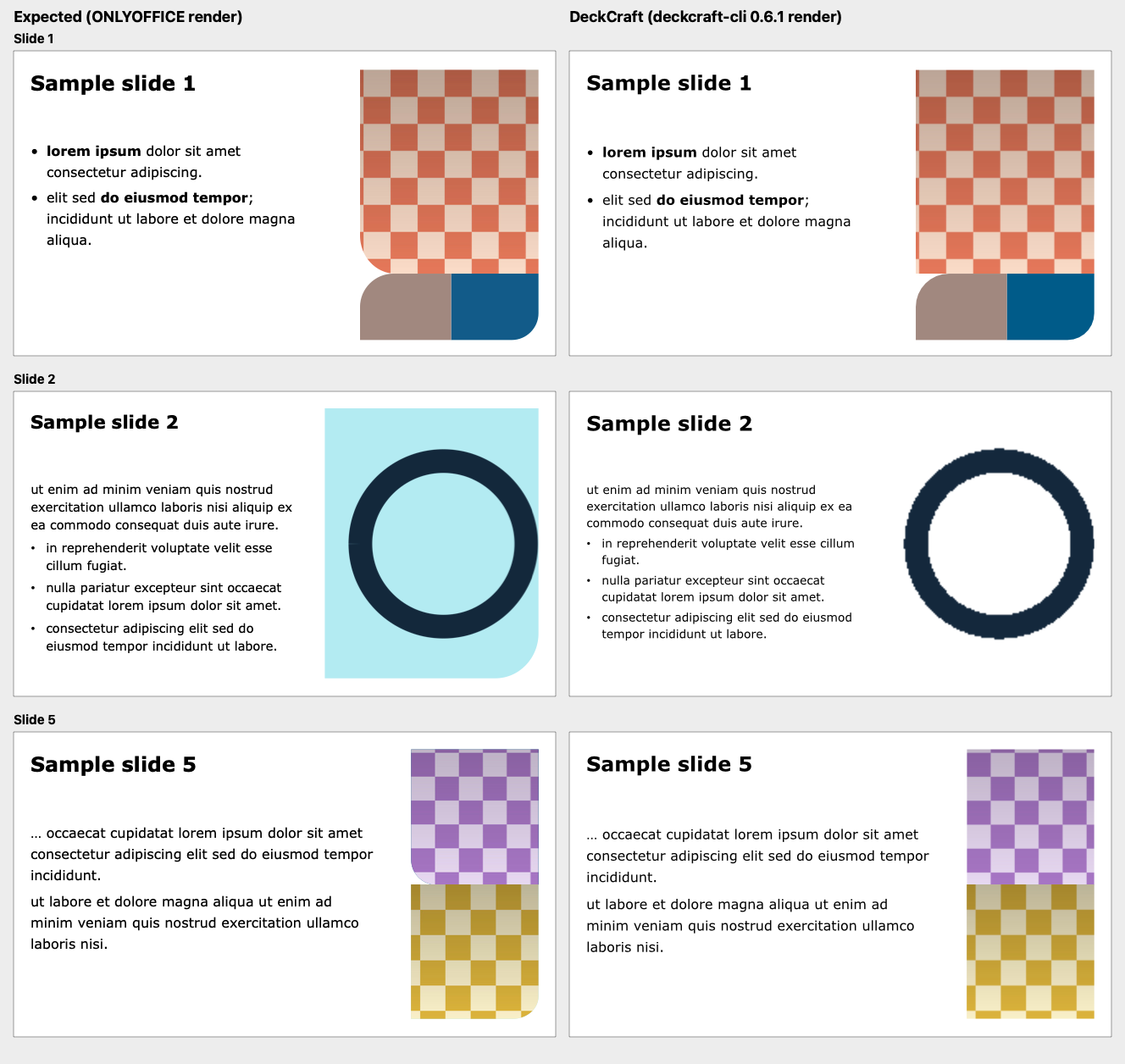
|
|
Checked this PR against the sample deck from #1415 ( I rendered the deck with 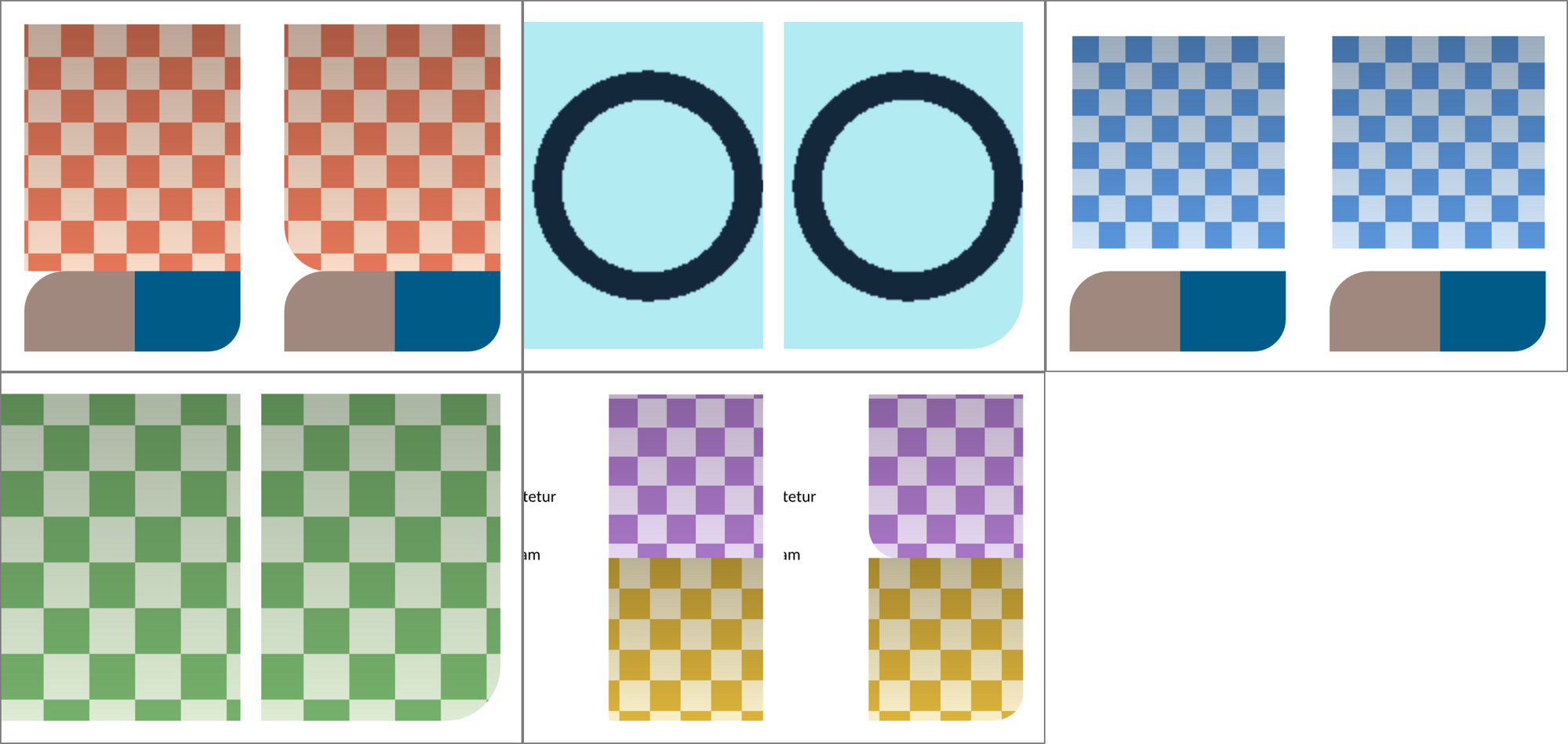
|

 hmmdev97
left a comment
hmmdev97
left a comment
There was a problem hiding this comment.
I reported #1415. I tested this PR locally against the original customer deck that the shared sample was made from. That deck can't be shared, so this comment has no screenshots.
I rendered it with deckcraft-cli render --all, built from:
| Build | Picture placeholders (slides 1, 2, 4, 5) | Slide 3 (own prstGeom rect) |
Fill behind the transparent icon (slide 2) |
|---|---|---|---|
v0.11.1 (9ec3926) |
square ❌ | square ✅ | missing ❌ |
main (aaf6c1c) |
square ❌ | square ✅ | drawn ✅ (aece097) |
| this PR (b31a59a) | rounded, each with its own corner ✅ | square ✅ | drawn ✅ |
With this PR, all five slides match what ONLYOFFICE/OpenOffice render. Without it, current main still draws the layout's rounded picture placeholders as plain rectangles, so the fix is still needed on top of main.
This approval is based on functional testing with the real deck, not on a code review. Thanks @leobasilio!

|
Review notes (comment only). What I read: the diff (the reader now calls Checked in real PowerPoint (Windows, COM, a new temporary presentation, closed without saving): I made a custom layout with a picture placeholder whose shape is an ellipse, added a slide on it and put a PNG into that placeholder with Not run: I did not build or run the Rust tests here; I relied on the green CI. Nothing checked for a picture placeholder whose own |


|
Landed on main, thank you @leobasilio for the contribution! If you haven't already, come join us on Discord: https://discord.gg/artcraft |


A photo in a picture placeholder whose layout draws it as a circle (or any shape other than a rectangle) was drawn as a plain rectangle, but still with the layout's border. PowerPoint cuts the photo into the layout's shape.
Seen in a real deck: a portrait on a slide whose layout has a round picture placeholder with a white border (
<a:prstGeom prst="ellipse"/>and<a:ln w="95250">in the layout) got a white-bordered rectangle in DeckCraft and a white-bordered circle in PowerPoint. The slide'sp:picnames no geometry of its own, only its frame.Cause: #301 made a placeholder with no
prstGeomorcustGeomtake its layout's geometry, butmark_inherited_geometrywas only called forp:sp, notp:pic, so the picture kept the default rectangle. Its line and fill already came from the layout, which is why the border was right and the shape was wrong.picnow calls it too. The renderer already clips a picture to its shape's outline, so nothing changes there. A picture outside a placeholder, or with its own geometry, is unchanged.Validation:
a_picture_placeholder_without_geometry_takes_its_layouts(new): fails on main (the geometry isrect), passes here.a_placeholder_without_geometry_takes_its_layouts(PPTX: a placeholder without geometry takes its layout's #301) still passes.cargo fmt --check,cargo clippy -p deckcraft-pptx --all-targets -D warningsandcargo test -p deckcraft-pptx -p deckcraft-renderpass.cargo xtask cistops atime_tests::korean_composes_in_the_notes_paneon my machine, which has no font with Korean glyphs; it fails the same way on main, so the doctest, assets, layers and wasm steps did not run.deckcraft-cli render: the photo is now in a white-bordered circle.🤖 Generated with Claude Code
Summary by CodeRabbit