Simple memo manager with Vim using Slack.
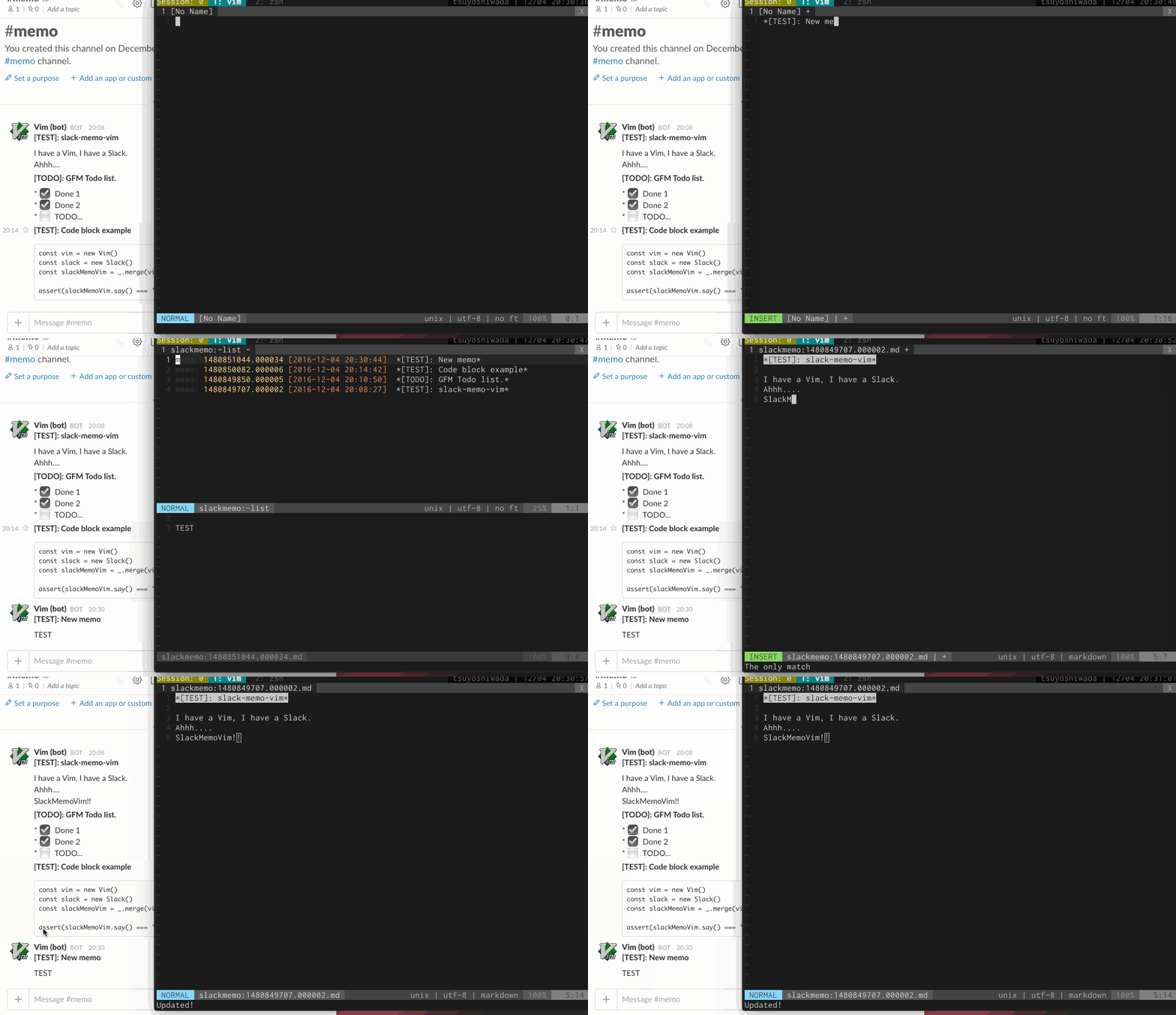
Post a memo on Slack.
:SlackMemoPostList memos on Slack.
:SlackMemoListList memos on Slack with CtrlP.
:SlackMemoCtrlPList search result memos on Slack
:SlackMemoSearch search queryThe following keymaps are available in the buffer of the memo list. It does not work with CtrlP.
| key | description |
|---|---|
Enter or o |
Open memo on cursor. |
Esc or q |
Close memo list window. |
d |
Delete memo on cursor. |
y |
Yank memo on cursor. |
r |
Update list window. |
You can udpate it by saving memo opened in buffer.
It's easy to install using plugin manager.
Depending on your plugin manager, please add the following to .vimrc.
Install with dein
call dein#add('tsuyoshiwada/slack-memo-vim', {'depends': 'mattn/webapi-vim'})Install with NeoBundle
NeoBundle 'tsuyoshiwada/slack-memo-vim', {'depends': 'mattn/webapi-vim'}curlcommand.- mattn/webapi-vim.
You need a token to use Slack Web API.
Please set your token on g:slack_memo_token. and set channel Id in g:slack_memo_channel.
let g:slack_memo_token = '<YOUR_TOKEN>'
let g:slack_memo_channel = '<YOUR_MEMO_CHANNEL_ID>'
If you do not know the Id right away, you can easily check with the channel.list tester.
Setup is complete!
You can post / list easily with the following keymap.
nnoremap smp :SlackMemoPost<CR>
nnoremap sml :SlackMemoList<CR>Support GFM TODO list. Posting following memo will be displayed with emoji on Slack.
* [x] Done1
* [x] Done2
* [ ] TODO...- Fork it.
- Commit your changes and give your commit message.
- Push to your fork on GitHub.
- Open a Pull Request.
See the LICENSE.
- Support CtrlP.
- Support sort list.
- Support vertical split list window.
- Support open memo in new tab.
- Delete multiple memos.
- List more than 1000 memos.