Add/experiamental layout grid availability #3513
Conversation


|
Wanna run full suite of Android and iOS UI tests? Click here and 'Approve' CI job! |
 enejb
force-pushed
the
add/experiamental-layout-grid-availability
branch
from
enejb
force-pushed
the
add/experiamental-layout-grid-availability
branch
from
b1d5166 to
562703f
Compare

 antonis
left a comment
antonis
left a comment
antonis
left a comment
There was a problem hiding this comment.
Great work putting this together @enejb 👍
I tested this with the Android PR with composite build running metro and the app works as expected 🎉
The code changes LGTM!

 mzorz
left a comment
mzorz
left a comment
mzorz
left a comment
There was a problem hiding this comment.
Echoing @antonis here, also tested this one and works alright 👍
Also as discussed elsewhere code LGTM, approving but leaving merge for you to do later once conflicts are fixed and the other PRs are all in order to be merged 👍
🚢

 chipsnyder
left a comment
chipsnyder
left a comment
chipsnyder
left a comment
There was a problem hiding this comment.
Tested this with the iOS Branch so I'll consolidate my Questions here.
cc @iamthomasbishop Because some of these are design questions.
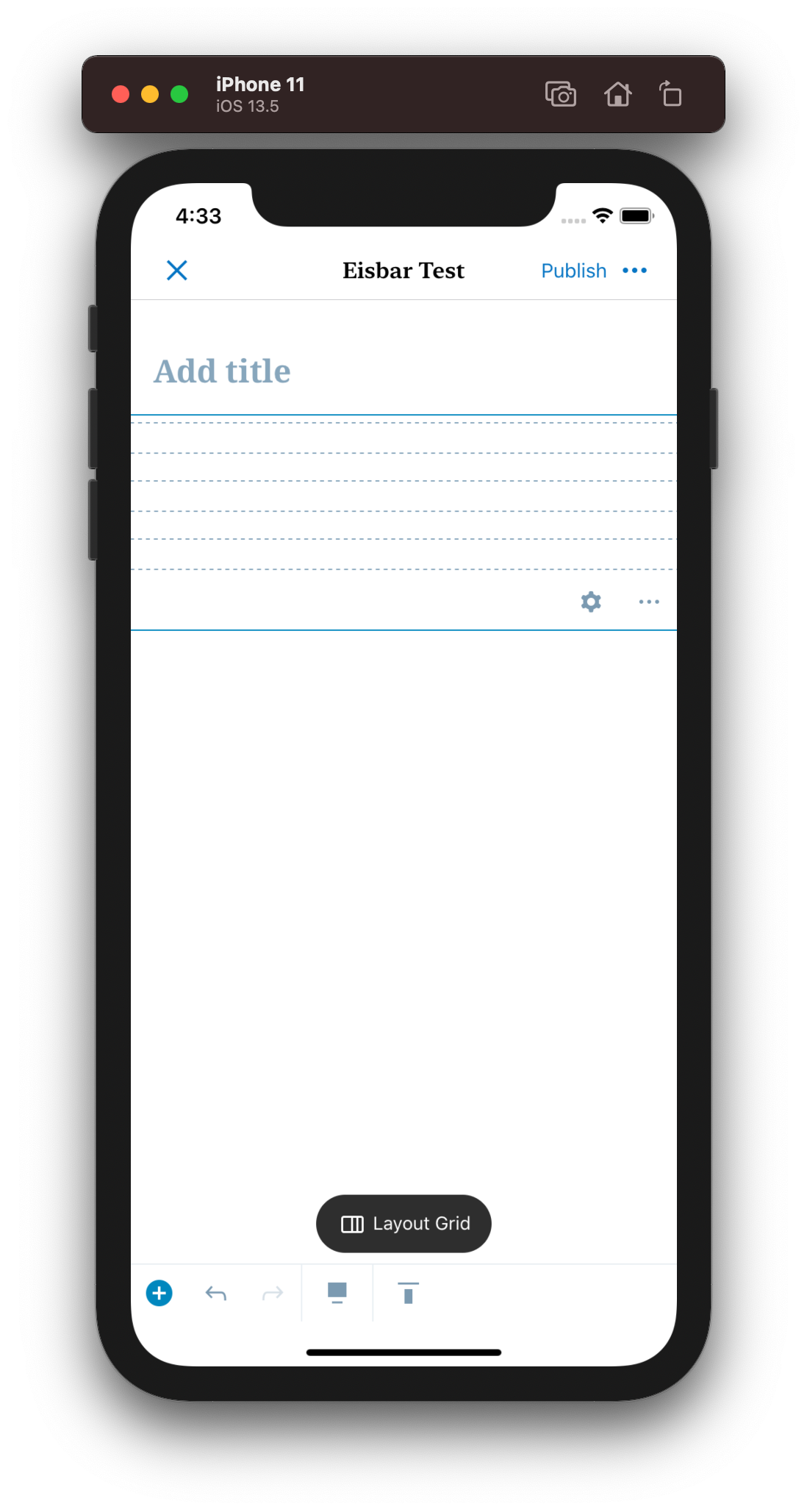
Margins Seem Off
I noticed the margins extend beyond the sides of the device.
| Portrait | Landscape |
|---|---|
 |
 |
Here's an example of Columns to compare:
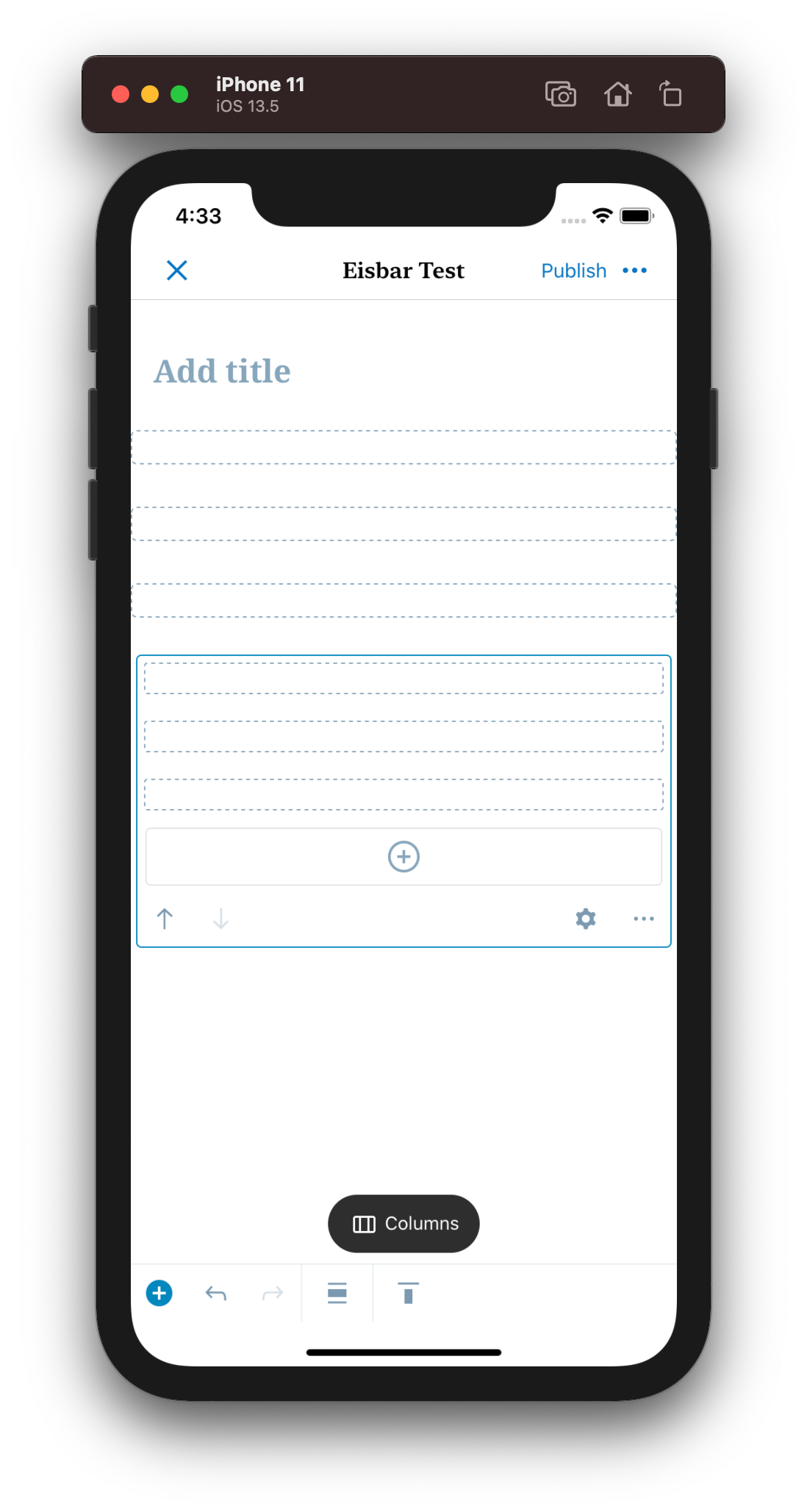
Do we want to show the align options?
The only alignment option is Full width. Is this a toolbar that we want to continue to show when the user can't make a selection?

Vertical Alignment Doesn't follow the web-behavior.
I noticed that the vertical alignment doesn't follow the web-behavior. On web, it works the same as our column blocks do:
- Columns - Changing alignment on Columns - TC009
- Columns - Changing alignment on individual Column - TC010
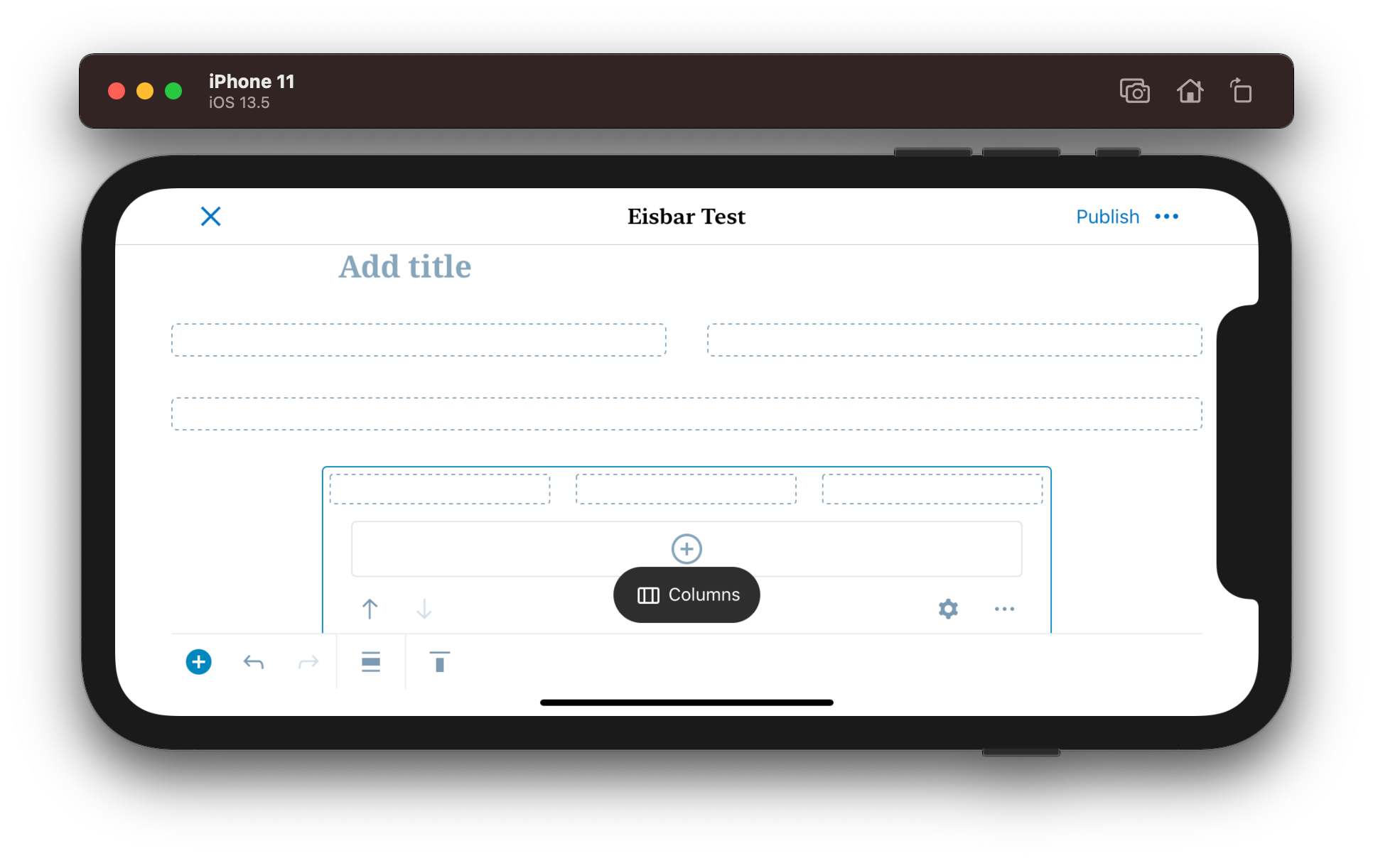
Default columns
Columns will show 3 columns before it starts to wrap. Is this a desired difference?
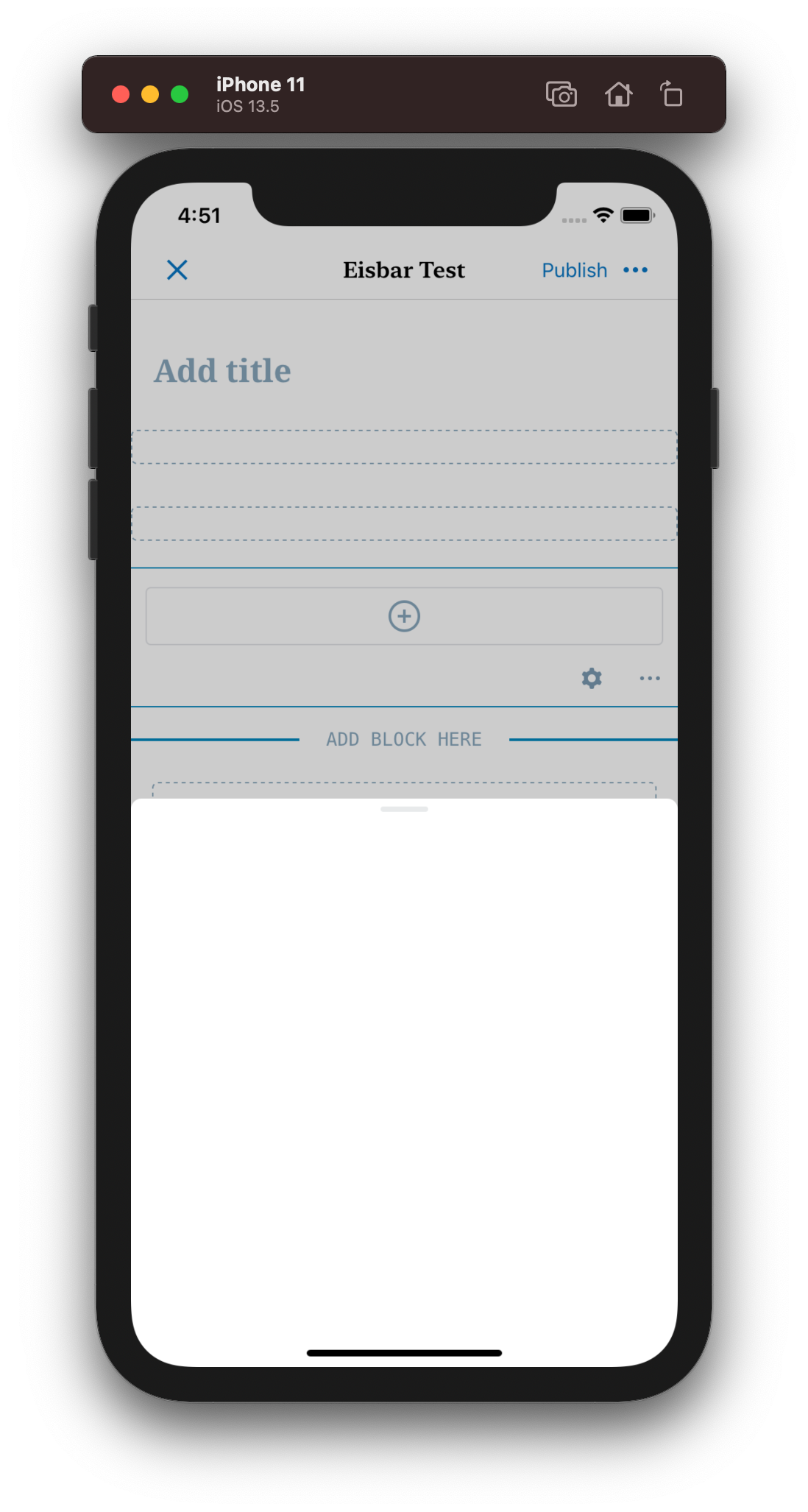
Selecting the Block inserter
Selecting the block inserter when opening a column is selected provides an empty inserter menu.
Inserting a layout grid with in a grid column makes the column none functional
If I insert a layout grid in a grid I can't interact with those nested items.
@enejb I'm going to pause my functional testing here because it seems like there is still more work to be done. Were these known issues and the goal for this PR was to have to just have the block appear? If so I think we should have the capability off by default.

|
Retesting some of these after chatting with @enejb and I'm not getting consistent results. I'll retest more tomorrow. |
|
I started to retest some of this. I didn't finish but I wanted to provide notes since I'll be AFK. Inserting a layout grid with in a grid column makes the column none functional Selecting the Block inserter
Vertical Alignment Doesn't follow the web-behavior. Do we want to show the align options? Margins Seem Off |

I've mentioned this concern a few times in the past, and it's definitely something I would like to change. It'd be useful on a bunch of sheets (block alignment, text alignment, vertical alignment, etc).
Let's disable the inserter button in this case.
We've been discussing this a bit because it also threw me off (esp the fact that Layout Grid starts in full-width alignment, whereas Columns starts with "natural"/no alignment). There are some wider issues going on, so I think it'd be worth getting some attention on that (separately, if need be).
I'm not really sure what you're referring to with these two things, I'll have to test again next week. |
We can revisit this later in a more holistic pattern. A few more reports I noticed: Columns have a Delete Block Option that does nothingScreen.Recording.2021-06-01.at.3.34.58.PM.mov
Can't interact with a grid with nested gridsScreen.Recording.2021-06-01.at.3.40.59.PM.mov
Duplicate/Cut/Copy does nothingScreen.Recording.2021-06-01.at.3.49.03.PM.mov
|

|
I created a bunch of issues that I think we should fix before we merge this. as well as #3580
I think this issue is working as expected since it works the same as web side of columns and the layout grid. From my testing. But it suffered from similar issues as the horizontal alignment where the non or mixed state is not very clear.
This part is working as expected for now. I do agree that the expectations are a bit strange but since it works the same way on the web (Full Alignment is the default). I inclined to leave things as they are for now. |
enejb
force-pushed
the
add/experiamental-layout-grid-availability
branch
from
ba62082 to
d21517f
Compare
|
@chipsnyder and @mkevins I addressed all the issues. Expect the alignment ones. Since they are not layout grid specific. Here is what the new flow looks like. Screen.Recording.2021-06-07.at.12.19.44.PM.mp4 |
Awesome. I'll take a look at this today. |
chipsnyder
left a comment
chipsnyder
left a comment
There was a problem hiding this comment.
Thank you for making those changes @enejb this is working great for me now 🎊
 chipsnyder
added
[Status] Needs Design Review
enejb
force-pushed
the
add/experiamental-layout-grid-availability
branch
from
chipsnyder
added
[Status] Needs Design Review
enejb
force-pushed
the
add/experiamental-layout-grid-availability
branch
from
17f02a3 to
9148a17
Compare
 enejb
force-pushed
the
add/experiamental-layout-grid-availability
branch
from
enejb
force-pushed
the
add/experiamental-layout-grid-availability
branch
from
2bea17c to
edaefd0
Compare


This PR adds the availability layer for the layout grid block.
Related PRs:
Gutenberg:
WordPress/gutenberg#31777WordPress/gutenberg#32495Block Experiments: Automattic/block-experiments#187 (merged), Automattic/block-experiments#206
Android: wordpress-mobile/WordPress-Android#14667
iOS: wordpress-mobile/WordPress-iOS#16543
To test:
Case 1:
Case 2:
Note that this PR will require another rebase after the Gutenberg and the block-experiments PRs are merged.
PR submission checklist: