Skip to content

Conversation

@pinarol
Copy link
Contributor

@pinarol pinarol commented Apr 10, 2019

To Fix: #855

There are also some more TODO items in this issue: #687 (comment) which are not handled in this PR

This PR introduces video block.

Gutenberg PR: WordPress/gutenberg#14912

This is a breaking change for parent apps:

WPiOS PR: wordpress-mobile/WordPress-iOS#11454
WPAndroid PR: wordpress-mobile/WordPress-Android#9644

iOS Example app:

video-block-ios2

Android Example app:
(Media option picker is not working but a sample video block is added to content)

video-block-android

Types of changes

  • Integrated react-native-video library to both iOS and Android example apps
  • Updated bridge to pass media filter such as 'video', 'image'
  • Added a sample video block to example app content

To Test

Test with both iOS and Android Example apps:

iOS Example App Tests

Note: Video playback isn't very smooth in iOS simulator but there's no problem on real devices as far as I can tell.

Test 1 - Add Video block

  • Open the media picker and add video block

Test 2 - Insert video from device (successful) (currently available on iOS example app only)

  • Tap on the Video block placeholder
  • Choose option 'Choose from device'
  • Verify that you can choose among videos only(in order to add videos to the ios simulator just drag a video from your computer and drop to the simulator)
  • Choose a video
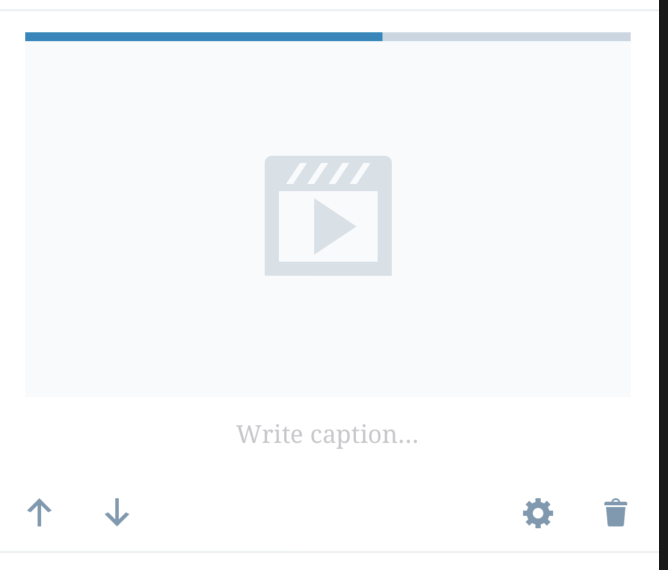
  • Verify that spinner appears to show the progress:

Screen Shot 2019-04-15 at 18 27 44

- At the end of the progress you should be able to tap and play the video

Test 3 - Insert video from device (failing) (currently available on iOS example app only)

  • Select the video block
  • Tap edit button in the toolbar
  • Choose option 'Choose from device', then choose a video
  • During the spinner upload continues, longpress somewhere in the screen(longpress will trigger mocking of upload failure)
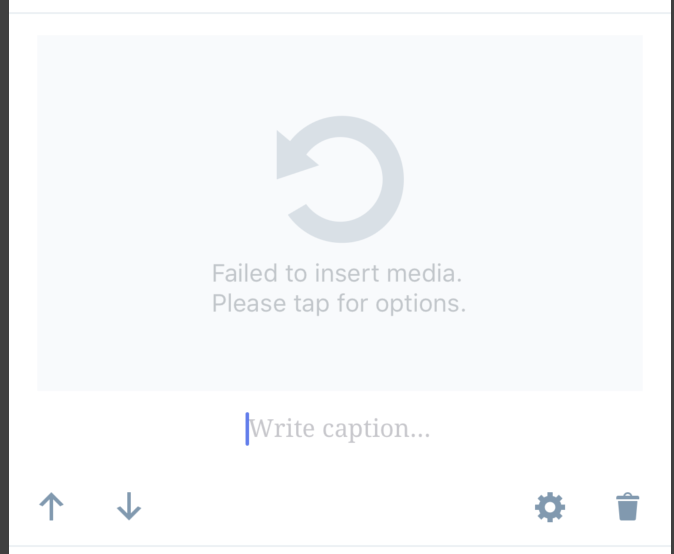
  • Verify you see the retry message:

Screen Shot 2019-04-15 at 18 33 49

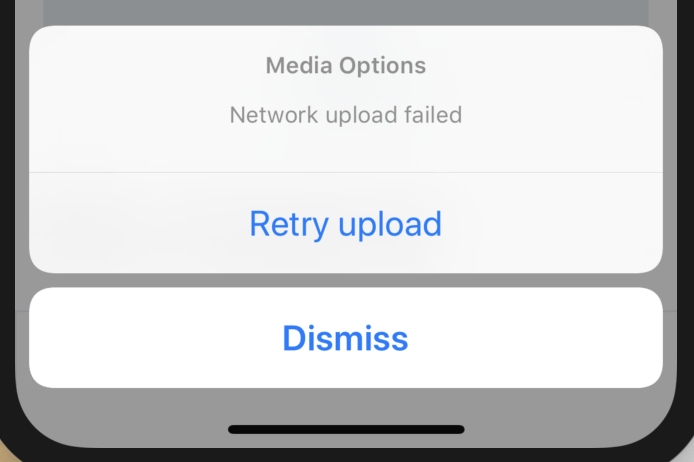
- Tap on the gray area and verify that you see the retry option:

Screen Shot 2019-04-15 at 18 34 17

- Tap on Retry and see that upload starts again

Test 4 - Insert video from device (cancel) (currently available on iOS example app only)

  • Select the video block
  • Tap edit button in the toolbar
  • Choose option 'Choose from device', then choose a video
  • During the spinner upload tap on the video block
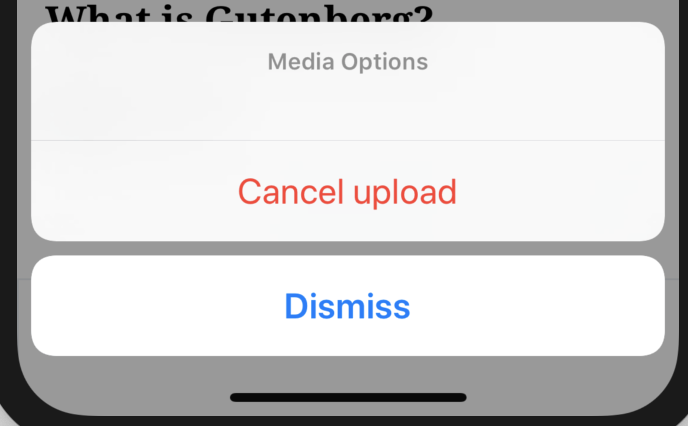
  • Verify that Cancel option appears:

Screen Shot 2019-04-15 at 19 04 09

- Choose Cancel and see that media is cleared and you see the placeholder again.

Test 5 - Insert video from WP media library (currently available on iOS example app only)

  • Select the video block
  • Tap edit button in the toolbar
  • Choose option 'WordPress media library'
    (Since this is the example app we are only updating the block with a video link)
  • Verify that video block is updated with another video and you can play the new video

Test 6

Verify that above tests are working for Image block also

@etoledom
Copy link
Contributor

etoledom commented May 8, 2019

Thank you @SergioEstevao - That clarifies a lot!

I think this is fine for a first version and it will work on all type of sites.

I definitely agree with that 👍

WordPress.com Premium Site:
Notice that this block has a different format from the block on free sites, it has an embedded URL instead of a video HTML element.

To do this on Mobile, we might have to import the JetPack block, right?

The only problem is that we will not able to see/render on mobile video blocks that are created using the browser on Premium sites.

Still for another PR but needed for release, I think we should show a message of some sort saying that this videopress block is not yet supported.

@daniloercoli
Copy link
Contributor

To do this on Mobile, we might have to import the JetPack block, right?

I think we just need to read the VideoPress hash, query the native side (there is an API call that from a VP hash does return video info) and replace it with the video URL when the call returns.

@daniloercoli
Copy link
Contributor

How about self-hosted sites with JP installed @SergioEstevao ?

If i understand it right, we're fully supporting the Video block on self-hosted sites without JP, right?
(video blocks created on the web are successfully rendered on mobile, and vice-versa).

@SergioEstevao
Copy link
Contributor

Still for another PR but needed for release, I think we should show a message of some sort saying that this videopress block is not yet supported.

Looking at the code produced on the block, we may not need to import the other block, we may only need to check if there is guid in the attributes and if so, make sure we write the div and url inside the block instead of using the video element.

The rendering should work because the block still is a video block and still has a src url pointing to the video.

@SergioEstevao
Copy link
Contributor

How about self-hosted sites with JP installed @SergioEstevao ?

@daniloercoli I didn't test that specific scenario, I was assuming it has the same behaviour has atomic, but maybe not, do you any test site where you can test that.

@daniloercoli
Copy link
Contributor

@daniloercoli I didn't test that specific scenario, I was assuming it has the same behaviour has atomic, but maybe not, do you any test site where you can test that.

I did a test on a self hosted site of mine with an old version of JP installed and got the following response:

<!-- wp:video {"id":135} -->
<figure class="wp-block-video"><video controls src="http://www.eritreo.it/wp39/wp-content/uploads/2019/05/VID_20190508_150328.mp4"></video></figure>
<!-- /wp:video -->

So I think it's the same of atomic sites.

@SergioEstevao
Copy link
Contributor

SergioEstevao commented May 8, 2019 via email

@iamthomasbishop
Copy link
Contributor

@etoledom @pinarol
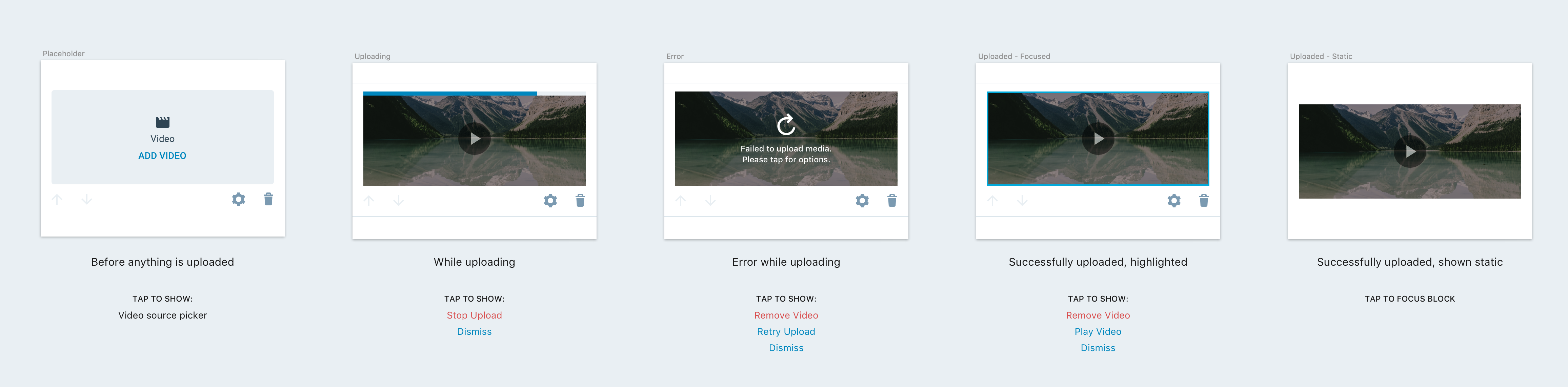
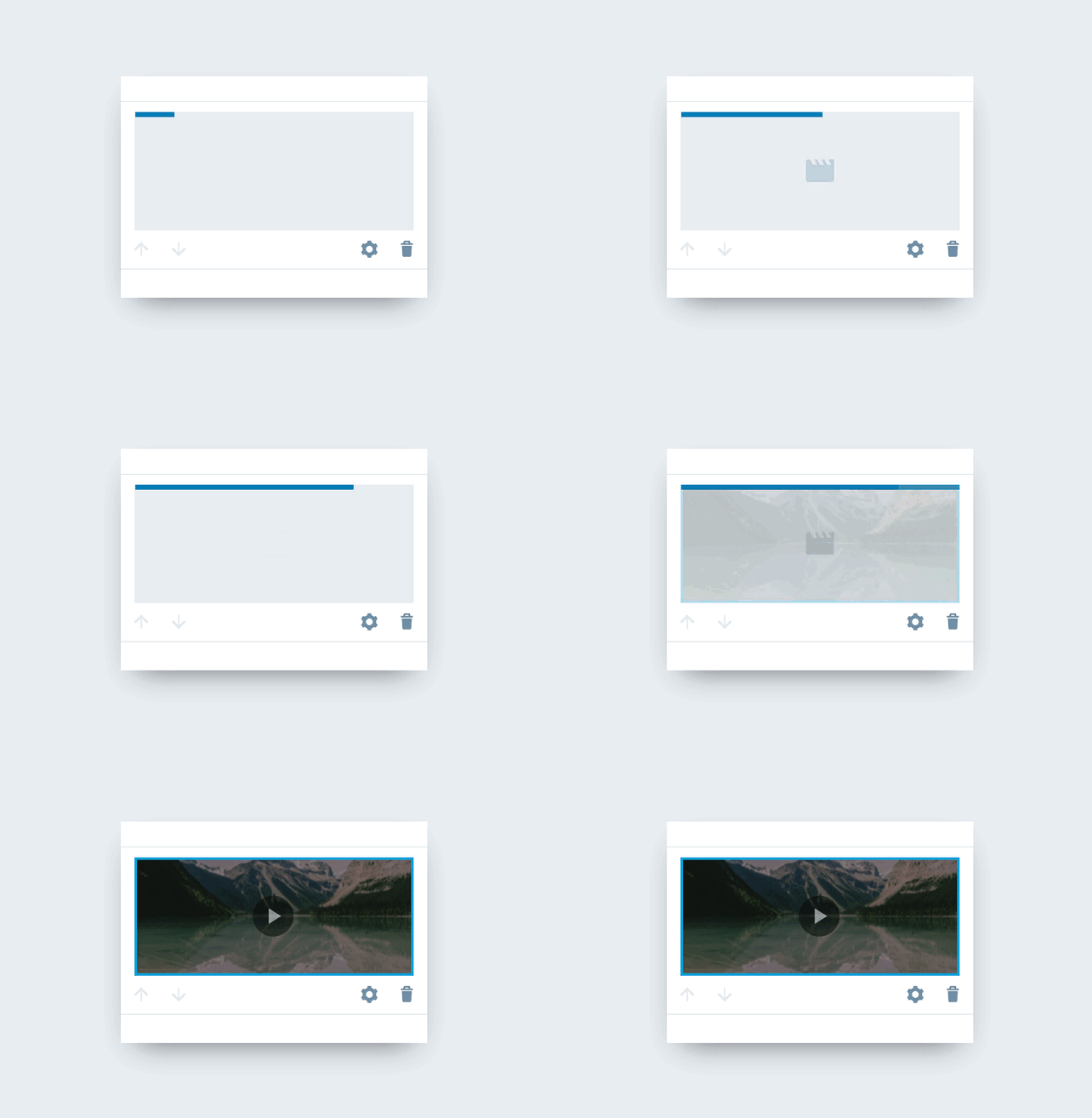
I spent some time yesterday going over the Video block anatomy to make sure I'm aligned on the potential states of the Video block (most of which also applies to the Image block and various other types of media blocks) before commenting. For documentation, here's what I came up with for states (and below, the actions that show when tapping on an item in that state):

Screen Shot 2019-05-08 at 10 09 41 AM

The core states are:

  • Placeholder
  • Uploading
  • Error
  • Uploaded (static/focused)

Some of this is relevant on the notes you wrote above, but I'll address each of your notes individually:

Media blocks are difficult to select

I would expect the entire inner content of the block would be a single tap area that would fill the entire inner content. So on a placeholder, you could tap anywhere on the inside of the block to take the "add video" action – like how the Image block placeholder already works.

Some more detailed notes:

When a Video block is static (not focused):

  • Tapping anywhere on the block should bring focus to the block itself, and outline/highlight the video.

When a Video block is focused:

  • Tapping on the inside (the video itself), should show an option/action sheet with options.

  • Tapping outside of that (on the inline toolbar/bottom space, for example) should essentially do nothing except keep the block focused.

  • We could remove the highlight from the video if we wanted to do that (this type of behavior might become helpful when we work on Gallery blocks or something with multiple media items inside a block).

Retry options should have a cancel button

Agreed, and if we are to follow Aztec (which I think makes sense here), the options should be:

  • Remove Video (essentially a cancel button)
  • Retry or Retry Upload
  • Dismiss

Error state design differences

Agree, this should be cleaned up. See mockups above for overview, but here are the basic design specs (I've also added these video state designs to the Zeplin doc // cc @pinarol @etoledom) – dependent on if we have a thumbnail image to show or not:

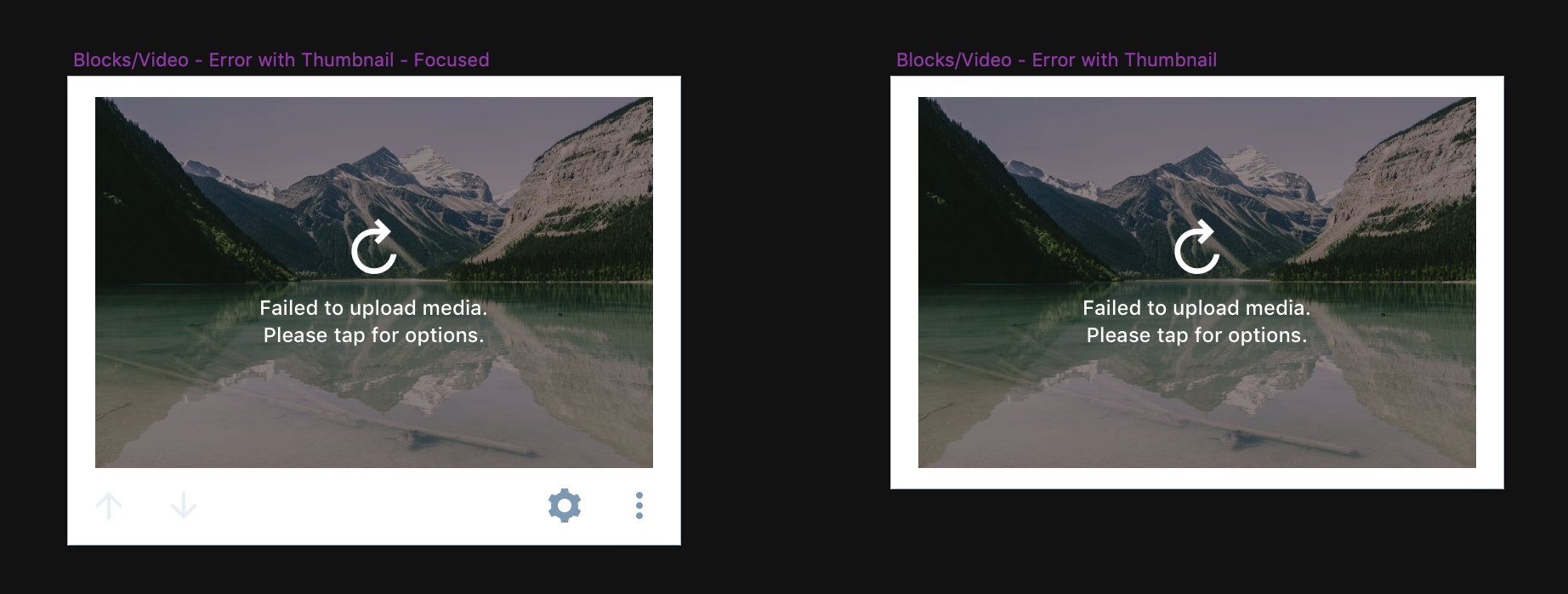
If we have a thumbnail image to show:

image

  • Overlay: Black background at 40% opacity/alpha
  • Highlight: 2pt border, color #00AADC aka $blue-medium
  • Icon: I'm using the Gridicon here for refresh, but we can continue using the current for now
  • Icon Color: $white aka #FFFFFF
  • Text: 12pt $white aka #FFFFFF

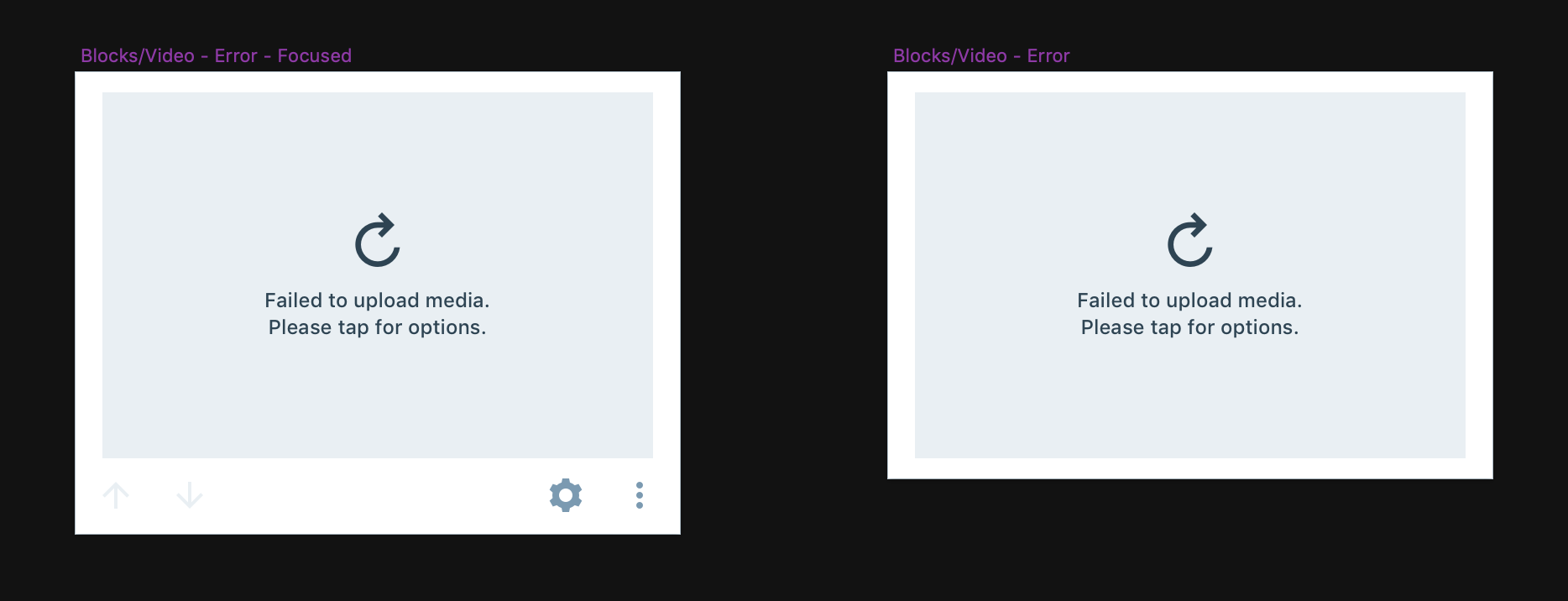
If we do not have a thumbnail:

image

  • Background: $gray-lighten-30 aka #e9eff3
  • Highlight: 2pt border, color #00AADC aka $blue-medium
  • Icon: I'm using the Gridicon here for refresh, but we can continue using the current for now
  • Icon Color: $gray-dark aka #2e4453
  • Text: 12pt $gray-dark aka #2e4453

Stopping an upload-in-progress

There is no clear indication that tapping on the placeholder has the option to stop it

I'm not sure if this is a big concern because users instinctively tap on the video as it's uploading if they want to take an action – so for now I'd just match Aztec, where you tap to show options. But if we wanted to, we could add a text label in the center of the block that says Cancel Upload or Stop Upload, considering that's the only option we have in our actions for that state.

If the upload finishes while the ActionSheet is present, stop upload will do nothing

I would expect when the upload finishes behind the ActionSheet that it would simply close the action sheet because those actions are no longer relevant.

We could pause the upload while the ActionSheet is visible

I wouldn't interrupt the upload, especially if we show the option to cancel/remove, etc.

"Take a Video" label on ActionSheet

I think this is normal, at least for iOS – the label I've most often seen is something like "Take a Photo or Video", but I don't have strong feelings about this, just want to be consistent.

Side notes

  • Can we possibly update the Placeholder icons on the Video and Image blocks to use the proper color – $gray-dark aka #2E4453? // cc @marecar3

@iamthomasbishop
Copy link
Contributor

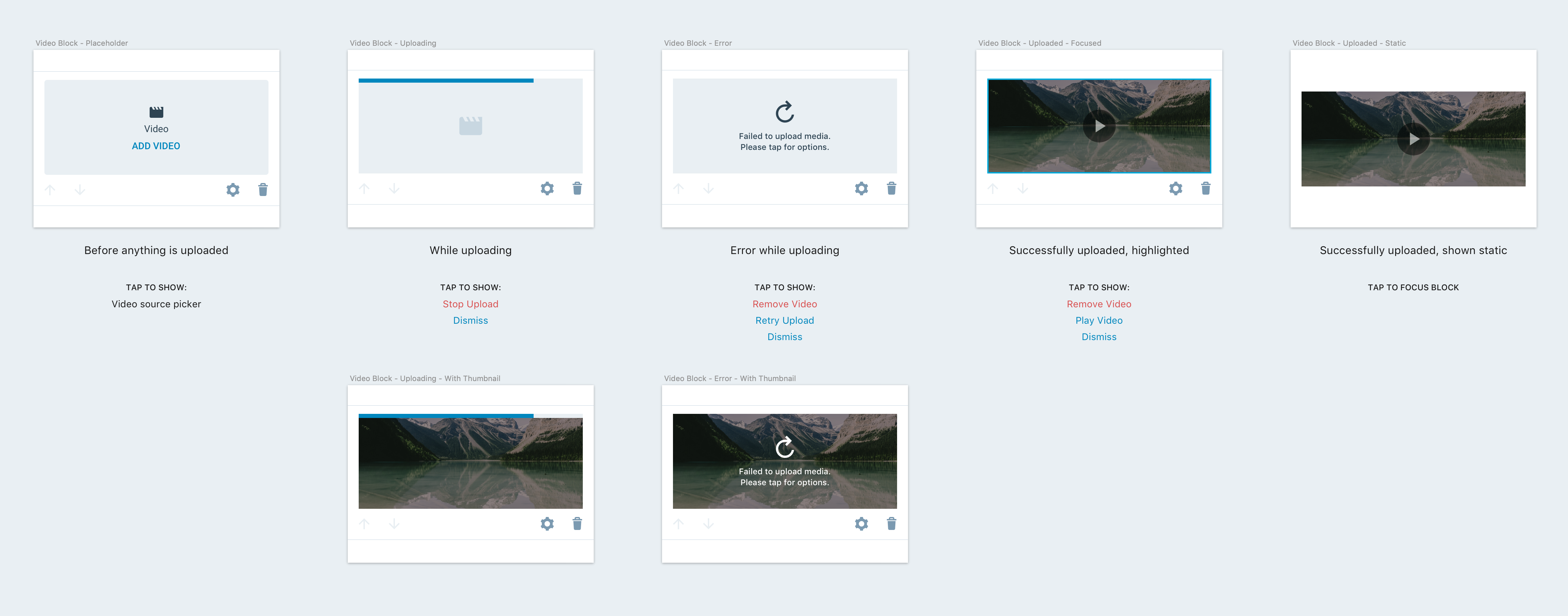
Some updated designs, based on conversations in Slack (@pinarol @etoledom @marecar3 @SergioEstevao):

Screen Shot 2019-05-08 at 1 50 59 PM

Notes:

  • There seemed to be some uncertainty regarding if/when "posters" or video thumbnails would be available. I mocked up a variant for each relevant state (uploading and error primarily) to include those, so when we come to a conclusion, both are available.

  • The no-thumbnail version of the uploading state contains a 40pt block type icon. This icon should be one shade darker of gray than the background (in the above mocks, the background is $gray-lighten-30, so the icon is $gray-lighten-20). I think the icon could also animate opacity between 0-100%, like this:

video-block-uploading-loader

@pinarol pinarol mentioned this pull request May 9, 2019
3 tasks
@pinarol
Copy link
Contributor Author

pinarol commented May 9, 2019

hey @iamthomasbishop I've opened a separate issue to track those enhancements, we think they deserve a separate PR #966 Please note that video block won't be available publicly after merging the current PR, we'll get these UI enhancements and some other fixes first.

@pinarol
Copy link
Contributor Author

pinarol commented May 9, 2019

I am going to open a separate issue for the unexpected video block html produced by Premium sites. We dug into that issue a lot yesterday but couldn't come up with a certain solution yet. It doesn't look directly related with our changes in this PR. But we'll definitely need to find a solution for that before we make video block publicly available.

@pinarol
Copy link
Contributor Author

pinarol commented May 9, 2019

When I try to upload a video from a site with free plan using mobile, I get the following error on both block editor and aztec:

About my own comment here, It turned out I had a problem with my my mobile-secret settings that prevents me from doing this, you can ignore that @etoledom

@pinarol
Copy link
Contributor Author

pinarol commented May 9, 2019

I am going to open a separate issue for the unexpected video block html produced by Premium sites.

Update: we have added handling of invalid content to our project board, it will be resolved for v2. So I think I won't need to open a separate issue for this particular scenario. In the parallel we'll be working with Jetpack team to seek for a better solution.

@pinarol
Copy link
Contributor Author

pinarol commented May 9, 2019

I think your comments are addressed @etoledom but let me know if I missed anything. We'll handle the UI/UX enhancements here: #966

Copy link
Contributor

@etoledom etoledom left a comment

Choose a reason for hiding this comment

The reason will be displayed to describe this comment to others. Learn more.

Tested on iOS:
I think this is on a good shape to merge and continue with the rest of tasks. 🎉

As documentation, I found a way to save the local media URL to remote, which is not ideal:
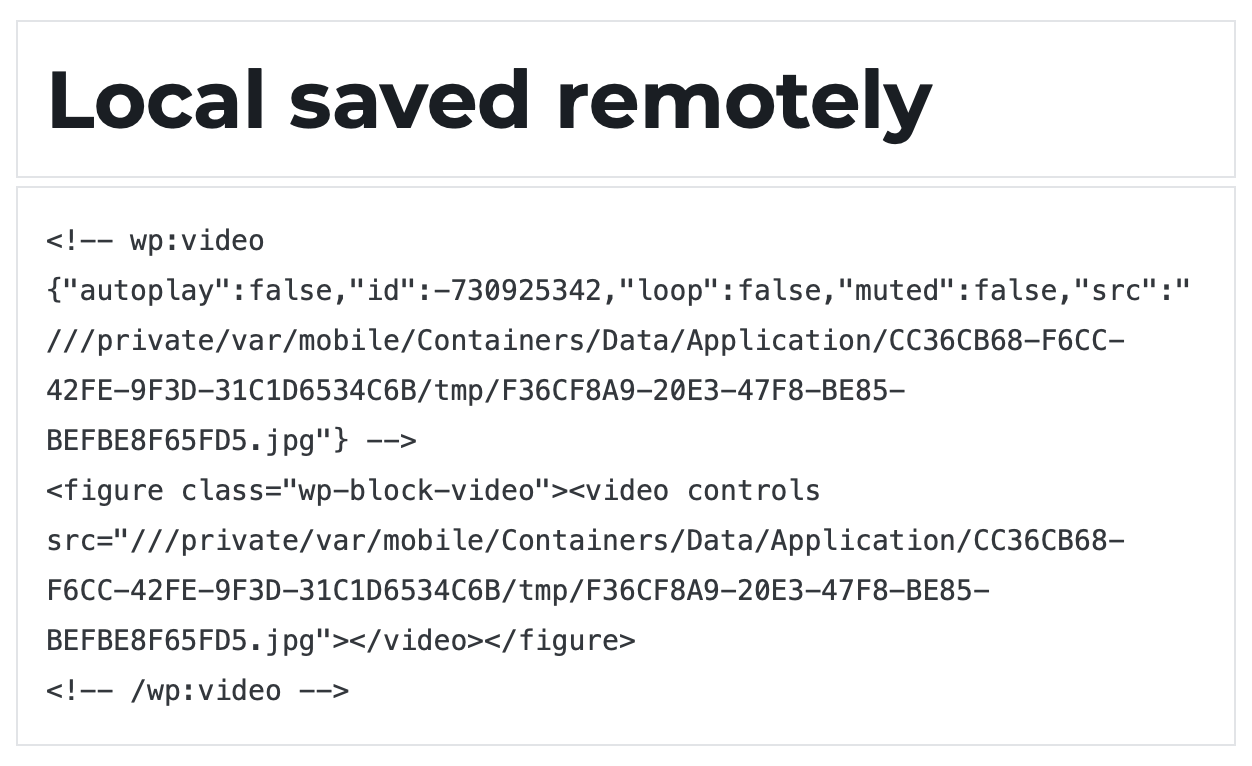
Screen Shot 2019-05-10 at 9 34 54 AM

Steps:

  • Start uploading a video.
  • Make it fail (stopping connectivity).
  • Restore connectivity.
  • Instead of resuming the upload, save the current post (Publish or Update).
  • ⚠️ The video block has been saved with the local URL.

I think that probably the best would be to not save the local url in the url attribute, but on a new one dedicated for local urls.
To consider as a refactor in the future.

@pinarol pinarol mentioned this pull request May 10, 2019
@pinarol
Copy link
Contributor Author

pinarol commented May 10, 2019

Thanks @etoledom 🎉

I think that probably the best would be to not save the local url in the url attribute, but on a new one dedicated for local urls.

I agree.

To consider as a refactor in the future.

I think this is a good task to do after we have some unit and ui tests because it'll lead us to a kind of refactor. I added an item named Don't save local uri in attributes to the task list: #687 (comment)

I will update branches from master/develop and resolve conflicts.

Sign up for free to join this conversation on GitHub. Already have an account? Sign in to comment

Projects

None yet

Development

Successfully merging this pull request may close these issues.

Video block (first iteration)

8 participants