Warn user on high load #3839
Warn user on high load #3839
Conversation


 danxuliu
added
2. developing
enhancement
feature: frontend 🖌️
danxuliu
added
2. developing
enhancement
feature: frontend 🖌️
 danxuliu
force-pushed
the
warn-user-on-high-load
branch
4 times, most recently
from
danxuliu
force-pushed
the
warn-user-on-high-load
branch
4 times, most recently
from
a6e4805 to
1aa7a6c
Compare

|
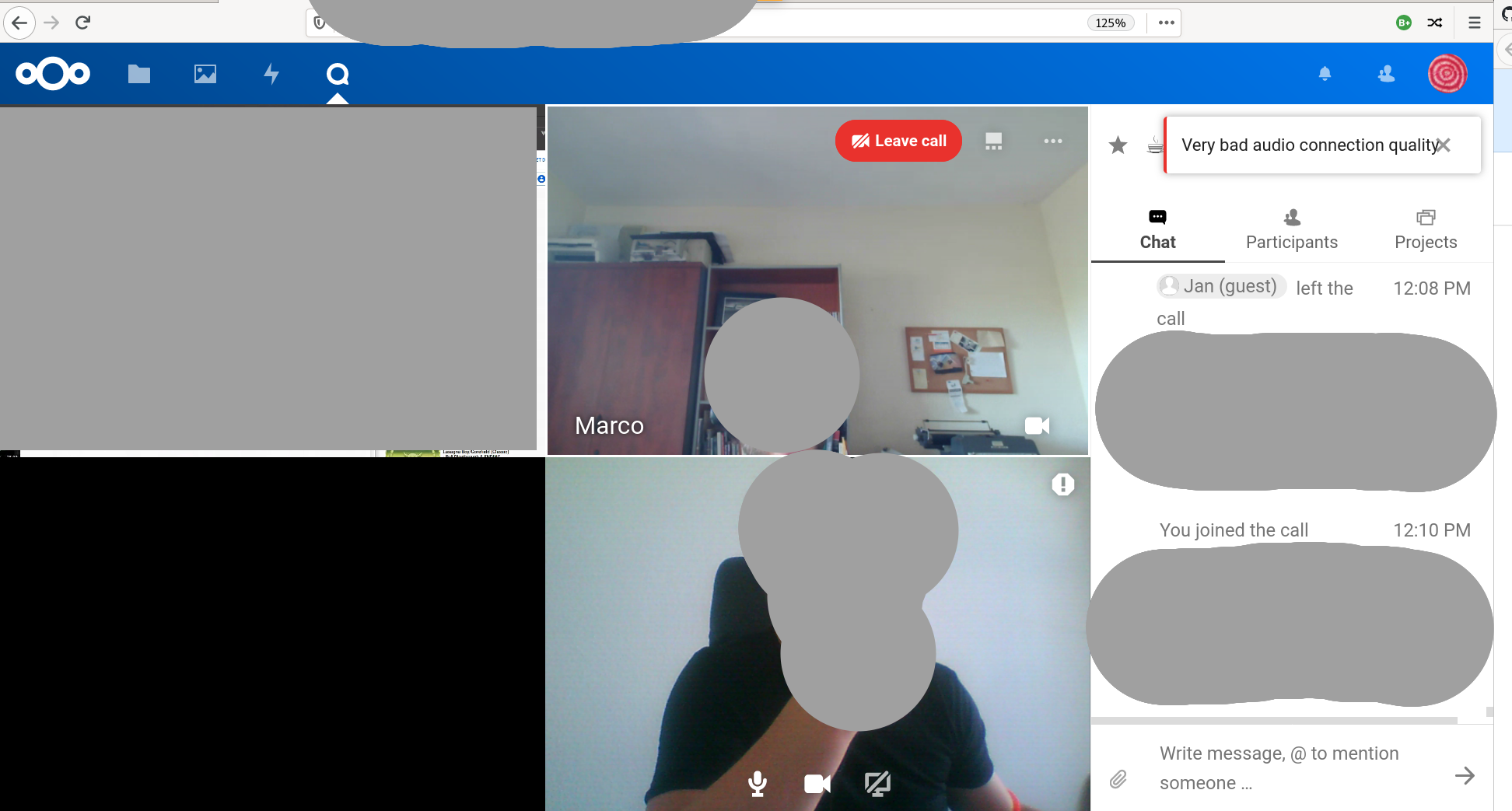
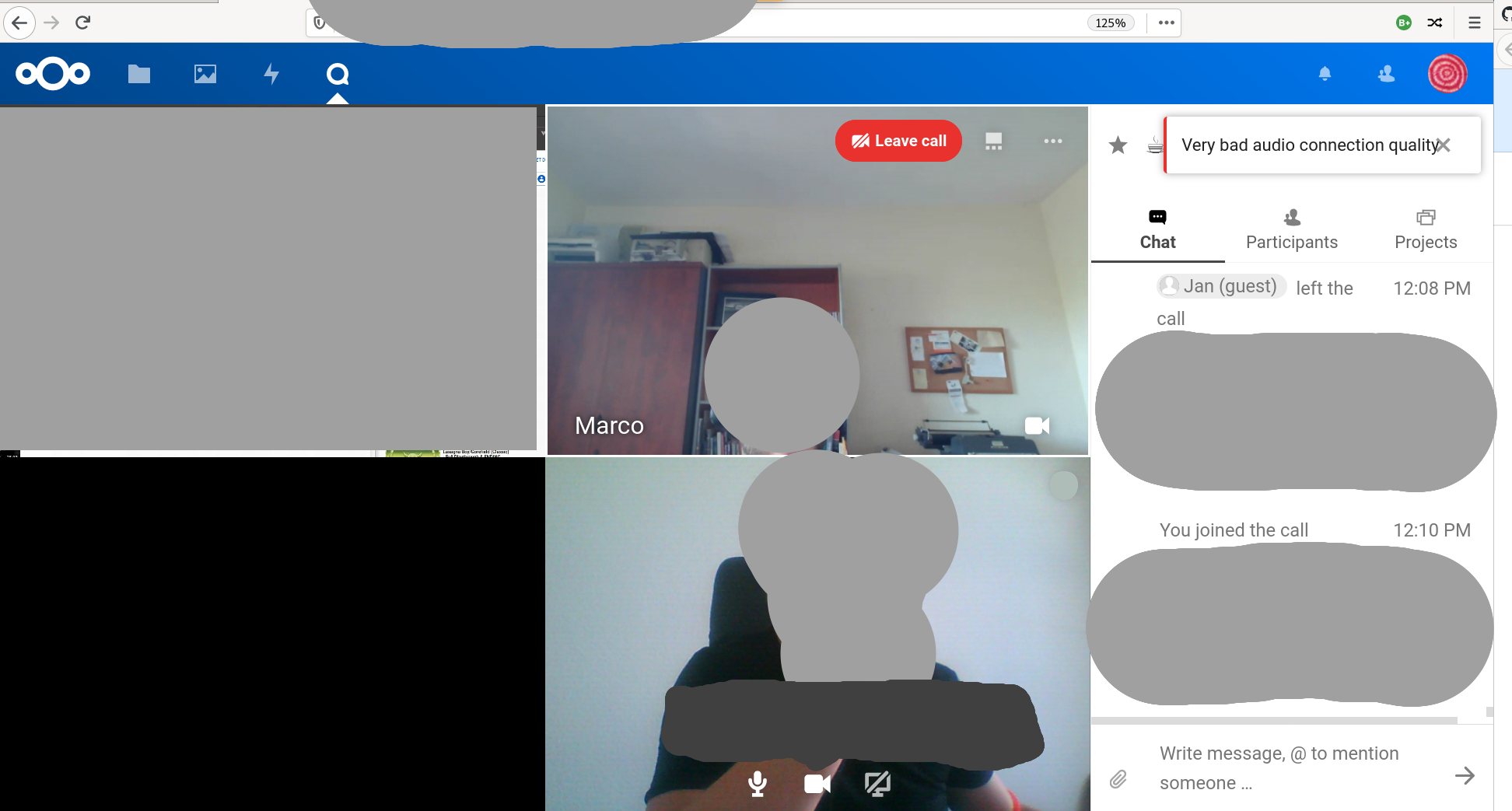
So we tested it a bit on Sermo with @jancborchardt in the Berlin office on a bad public wifi. The detection seems to work, it just needs refinements on the presentation
So instead of an additional icon-error in the top right, we think the tooltip from muting while talking is the better way to go, as it is more prominent and noticable and more connected to the field of action compared to a notification using showError or something like that. Also the message needs some rewording depending on the situation:
|
|
Also the message should display at least 15 seconds (so no flickering) or until video/screenshare is turned off and maybe we can "overlay" the video with a dimmer for the first 15 seconds to draw more attention, but to have an "okay" experience in case the person needs to ignore it (maybe also a close button on the tooltip?). |
Note that the toast shown in sermo with
15 seconds is too much in my opinion. If the connection is always bad it could be fine, but the connection could be bad too during short periods of time (for example, if your non-SDD hard disk gets hammered when checking for package updates that could lead to a brief stuttering audio). The user should be warned too in those cases, but showing the warning for 15 seconds could be annoying and misleading. Currently the tooltip is shown at least for 3 seconds to prevent flickering if the connection quality quickly oscillates between bad and very bad (so between no warning to the user and warning to the user) while not being shown for too long in one-time quality drops. Maybe it could be extended to 5 seconds, but for me 15 seconds is excessive.
Yes, my idea was to hide the tooltip in that case and show it again after a few seconds if the situation did not improve, but it was not done yet.
That is why I showed an error icon (I wanted to show a warning, but I did not found that icon :-P ) with a tooltip. When a bad quality is detected the icon and the tooltip are shown. If nothing changes the icon and the tooltip are kept visible until the user hovers on the icon, which hides the tooltip but keeps the icon visible. If the quality improves but then worsens again then the icon is shown again, although this time the tooltip is not automatically shown (except if one minute has passed since the last time that the warning was shown to "remember" the user what was that icon). This way the user is warned when there is an issue with the connection, but she can just ignore the warning if needed, and it covers both one-time drops in the quality as well as an always bad connection. Even if the tooltip for muting while talking is used I would still show an error icon (not sure where, though) or dimm the avatar/video container whenever the connection is bad and not only in the first 15 seconds, as otherwise once the tooltip is hidden there would be no way to know if the connection is bad without explicitly checking it by hovering on the audio icon to see if the tooltip is shown again or not (and keeping the tooltip always visible could be too annoying).
The tooltip is hidden as soon as the user hovers on the element it belongs too, although it can be shown again by hovering on that element again (that is the default behaviour, I did nothing special for that). |
I know, we talked about it, it was just to make clear that it should not be there but close to the relevant controls
My main point is, you might be somewhere else, people say "I can hardly understand you", you go to find the tab, you start reading the message. It just might take a while. |
Then I would use a browser notification too if the window is not active, just like done with the "You are speaking while muted" notification, and if the browser notification is dismissed by the user then it should not be shown again (at least for a while, like explained above for the quality warning tooltip). |
danxuliu
force-pushed
the
warn-user-on-high-load
branch
from
dec3dc1 to
5da99c2
Compare
|
I would say that the quality analyzer for sent media when the HPB is used is now ready (although we still need to settle on the UI :-) ). The video analysis could still be improved, but I do not think that it is worth it (and, in any case, it could wait to be done in a follow up pull request). The problem is that when the connection is bad (or the system is loaded) the browser automatically reduces the video quality and then increases it again once the conditions improve. That quality reduction ensures that the video is still smooth, although in a lower resolution. But when the video quality is reduced the connection is less saturated, so the connection stats start to look OK again, and the analyzer can not detect the issue. The analyzer will detect an issue with the video only if the connection is so bad that video quality can not be decreased further, or when the browser tries to ramp up again the video quality but goes too far (in which case the network is saturated and both the packets lost as well as the round trip time increase). The options to detect that could be estimating what would be the unrestricted bitrate and comparing it to the current bitrate (but it could be capped by the HPB, and besides that it could be difficult as it would depend on the resolution, frame rate, changes between frames, codec...) or checking the Nevertheless, if the connection is bad and audio is enabled the user would get a warning due to the quality of the audio connection even if the analyzer did not find an issue with the video or the screen. Only if audio is disabled unfortunately the user may not get a warning in some cases if video or screen are smooth but have a reduced quality. Besides that, the analyzer for received media when the HPB is used or for sent and received media when the HPB is not used still needs work, but I would suggest to leave that for a follow up pull request. |

|
Some review from the Sermo deployment:
|
That should be the case already. And I have been testing it but I can not reproduce what you describe 🤷
Done. Now the tooltip is shown on the button that can solve the issue, not on the button of the media that has the issue (so Bad audio, disable your video is now shown on the video button instead of on the audio button).
It does, but only if one minute has passed since the last time that the tooltip was automatically shown. This is done to avoid annoying the user if the connection is going bad and recovering again and again. Maybe one minute is too much, though, but in any case I would not always show the tooltip when a bad connection is detected (although note that the avatar/video is always dimmed if a bad connection is detected).
The tooltip was shown at least for 5 seconds. If the connection was bad for just a single second but then improved it was anyway shown for 5 seconds and then hidden, and if the connection was still bad it was kept shown until the user explicitly hid it by hovering on the button. I increased the minimum showing time to 10 seconds (although personally I would use a lower value :-P ). |
Right – so I’d say that video dimming should always be linked to the message being shown. |
I would always dimm the video if the connection is bad no matter if the tooltip is being shown or not. If dimming the video is linked to the tooltip when the user hides the message and the dimming goes away the user would not know if there are still connection issues or not. She would need to hover periodically on the buttons to find out. Similarly, as the message does not appear whenever the connection is bad but only if it has not been bad in a while there would be no warning to the user. And addressing that by always showing the tooltip when the connection is bad can get very annoying if the connection changes frequently from good to bad and back again, I have been there :-P |
|
Sure, let's just get it in for now, we'll see what to improve when we dogfood. |
|
The rebase and fixup please |
Signed-off-by: Daniel Calviño Sánchez <[email protected]>
A high round trip time means that there is a delay in the connection,
which is in itself bad (specially in a conversation instead of in a
"monologue").

Besides that a delay in the connection can also cause that some packets,
even if they are not lost, are discarded anyway to try to keep the
playing rate in real time.

The round trip time is only available for sent data, but not received
data.

Signed-off-by: Daniel Calviño Sánchez <[email protected]>
Signed-off-by: Daniel Calviño Sánchez <[email protected]>
Signed-off-by: Daniel Calviño Sánchez <[email protected]>
Currently "setScreenPeer" is only called with actual objects, never
null, but just in case for the future.

Signed-off-by: Daniel Calviño Sánchez <[email protected]>
This will allow to get those attributes from other objects, as well as
trigger an event when they are changed.

Signed-off-by: Daniel Calviño Sánchez <[email protected]>
Signed-off-by: Daniel Calviño Sánchez <[email protected]>
Signed-off-by: Daniel Calviño Sánchez <[email protected]>
If the quality was seen as very bad for a split second this showed and
quickly hidden again the quality warning, which is annoying as it may
not be possible to even read the tooltip. To mitigate that now the
quality warning is shown at least for 3 seconds before hiding it again.

Signed-off-by: Daniel Calviño Sánchez <[email protected]>
In some cases the warning could be repeteadly shown and hidden again. In
those cases showing the warning is fine, but showing the tooltip could
be annoying. Therefore now the tooltip is automatically shown only if
the warning has not been recently shown. In any case, the tooltip can
still be shown when hovering on the warning.

Signed-off-by: Daniel Calviño Sánchez <[email protected]>
Signed-off-by: Daniel Calviño Sánchez <[email protected]>
Signed-off-by: Daniel Calviño Sánchez <[email protected]>
danxuliu
force-pushed
the
warn-user-on-high-load
branch
from
7f3cf58 to
963dc1d
Compare
|
Done, ready for review. |
| class="videoContainer videoView" | ||
| :class="{ speaking: localMediaModel.attributes.speaking, 'video-container-grid': isGrid, 'video-container-stripe': isStripe }"> | ||
| :class="videoContainerClass" | ||
| :aria-label="videoContainerAriaLabel"> |

There was a problem hiding this comment.
I think this should go?
Bad sent audio quality. is now always added as aria label on the local video?
There was a problem hiding this comment.
The aria label is added only if the connection is bad, as in that case the video is dimmed, but as that is a purely visual information I thought that an aria label would be good.
Although now that I see it it should be if (!this.showQualityWarning) { instead of if (!this.senderConnectionQualityIsBad) {...

The dimming amount is the same used when a participant is disconnected,
although in that case there will be also a loading spinner which is not
shown here.

The dimming is meant to replace the warning icon as a way to make the
user aware of an issue with the connection when the tooltip is hidden,
so an ARIA label is provided too.

Signed-off-by: Daniel Calviño Sánchez <[email protected]>
Signed-off-by: Daniel Calviño Sánchez <[email protected]>
Now the warning about the connection quality is directly shown on the
buttons that enable/disable audio, video and screen instead of on a
different, disconnected element.

Signed-off-by: Daniel Calviño Sánchez <[email protected]>
Signed-off-by: Daniel Calviño Sánchez <[email protected]>
Before the warning tooltip about a bad connection quality was shown on
the button for the media that had the issue. Now the tooltip is shown
instead on the button for the media that could solve the issue. So, for
example, "Audio is bad, disable your video" before was shown on the
audio button, but now it is shown in the video button.

If only one type of media is being transmitted then the tooltip is shown
on the button for that media ("so "Audio is bad" is shown in the audio
button, as it is just an information but there is nothing that can be
done about it).

Signed-off-by: Daniel Calviño Sánchez <[email protected]>
danxuliu
force-pushed
the
warn-user-on-high-load
branch
from
d50d106 to
3b78a93
Compare
|
/backport to stable19 |

|
/backport to stable18 |

|
The backport to stable18 failed. Please do this backport manually. |


This shows a warning icon and a tooltip when the HPB is used and the connection quality of the sent audio is very bad (enough to most likely cause robo voice, or no voice at all). Similarly the quality of the video and/or the screen are also checked and a warning is shown if it is likely that the video is not smooth.
The analyzer checks the RTC stats, so it explicitly checks the network load, but it implicitly checks the system load too, as in that case there will be also packet losses and higher round trip times.
Please refer to the code documentation for details.
Pending:
Try to be smart when the connection quality is bad and automatically reduce the video quality or disable it? If done, definitely in a follow up pull request.- After some more thought I would not do this. If the connection quality is bad the browser will automatically reduce the video quality and increase it again once possible, and disabling the video could be too intrusive; if the user is notified that disabling the video could improve the situation and she does not disable it we should not decide for the user.Follow up pull request: